BookStack
BookStack is an open-source wiki/document platform. Use Casdoor for sign-in with the following steps.
Schritt 1: Erstellen Sie eine Casdoor-Anwendung
In Casdoor, add an application (e.g. BookStack). Note Name, Organization, Client ID, and Client secret.
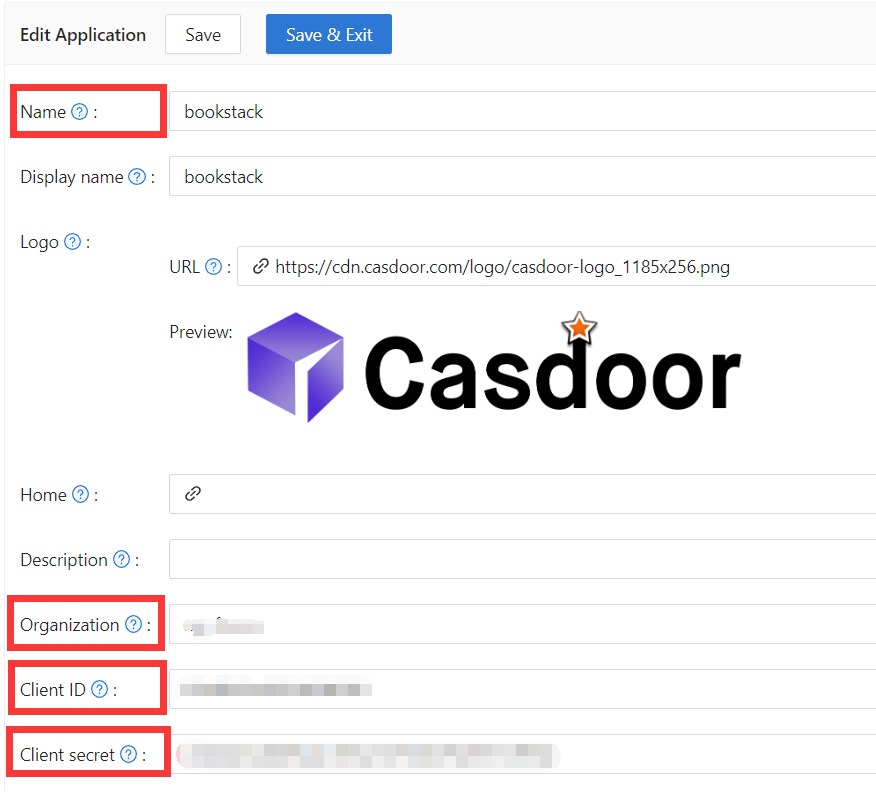
Schritt 2: Konfigurieren Sie Casdoor Login
Navigieren Sie als Nächstes zu BookStack und suchen Sie die Datei oauth.conf.example.
Benennen Sie oauth.conf.example in oauth.conf um und ändern Sie die Konfiguration. Standardmäßig ist der Inhalt wie folgt:
[oauth]
casdoorOrganization = "<Organization>"
casdoorApplication = "bookstack"
casdoorEndpoint = http://localhost:8000
clientId = <client ID>
clientSecret = <client Secret>
redirectUrl = http://localhost:8181/login/callback
Schritt 3: Füllen Sie die redirectUrl in Casdoor aus
Im letzten Schritt gehen Sie zurück zur Seite, auf der Sie die BookStack-Anwendung hinzugefügt haben, und tragen Sie die Redirect URLs ein. Stellen Sie sicher, dass die Redirect URL mit der redirectUrl in der Datei oauth.conf übereinstimmt.

After deploying BookStack, sign in via Casdoor.