Pulsar Manager
Casdoor kann sich leicht mit dem Pulsar Manager verbinden.
The code for connecting Casdoor has already been added to Pulsar Manager, so we just need to configure the application.properties file in the back-end and the Casdoor settings in the front-end.
Schritt 1: Casdoor bereitstellen
Stellen Sie Casdoor bereit. Siehe Server installation. Stellen Sie sicher, dass der Server läuft und Sie sich auf der Casdoor-Anmeldeseite als built-in/admin mit dem von Ihnen festgelegten Passwort anmelden können. Siehe Sign in to the admin console.
Schritt 2: Casdoor konfigurieren
Konfigurieren Sie eine Organisation und eine Anwendung in Casdoor (siehe Application und Organization).
Schritt 2.1: Eine Organisation erstellen
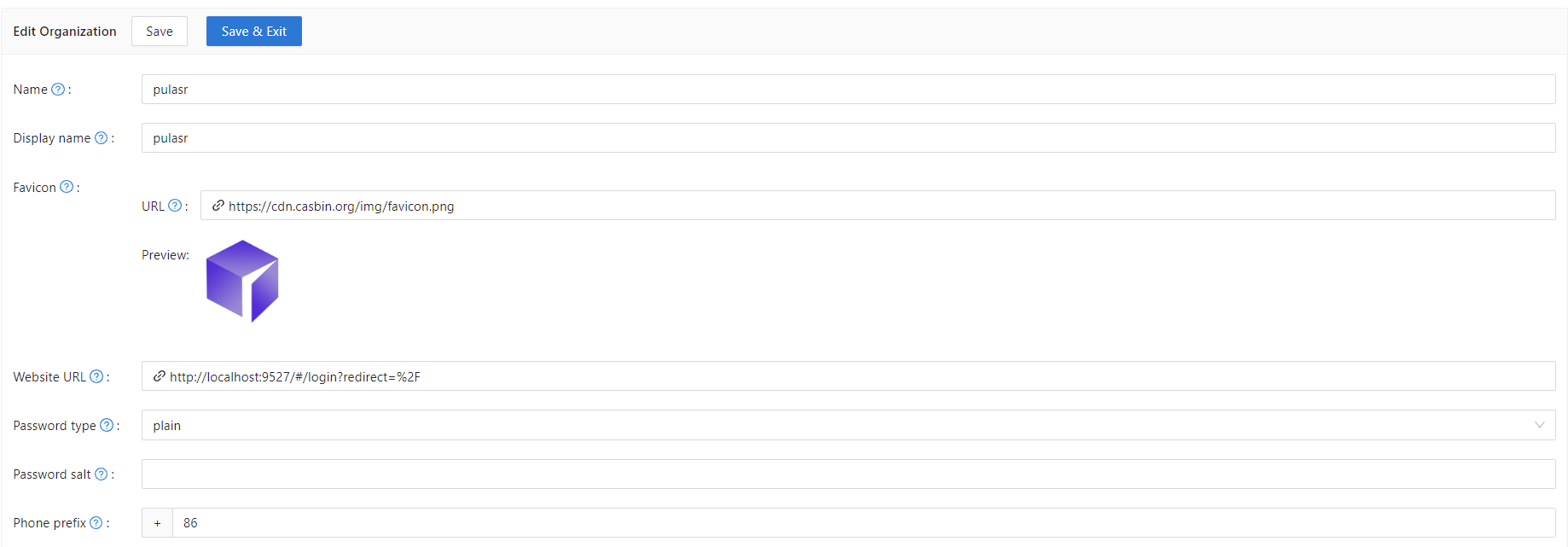
Schritt 2.2: Eine Anwendung erstellen
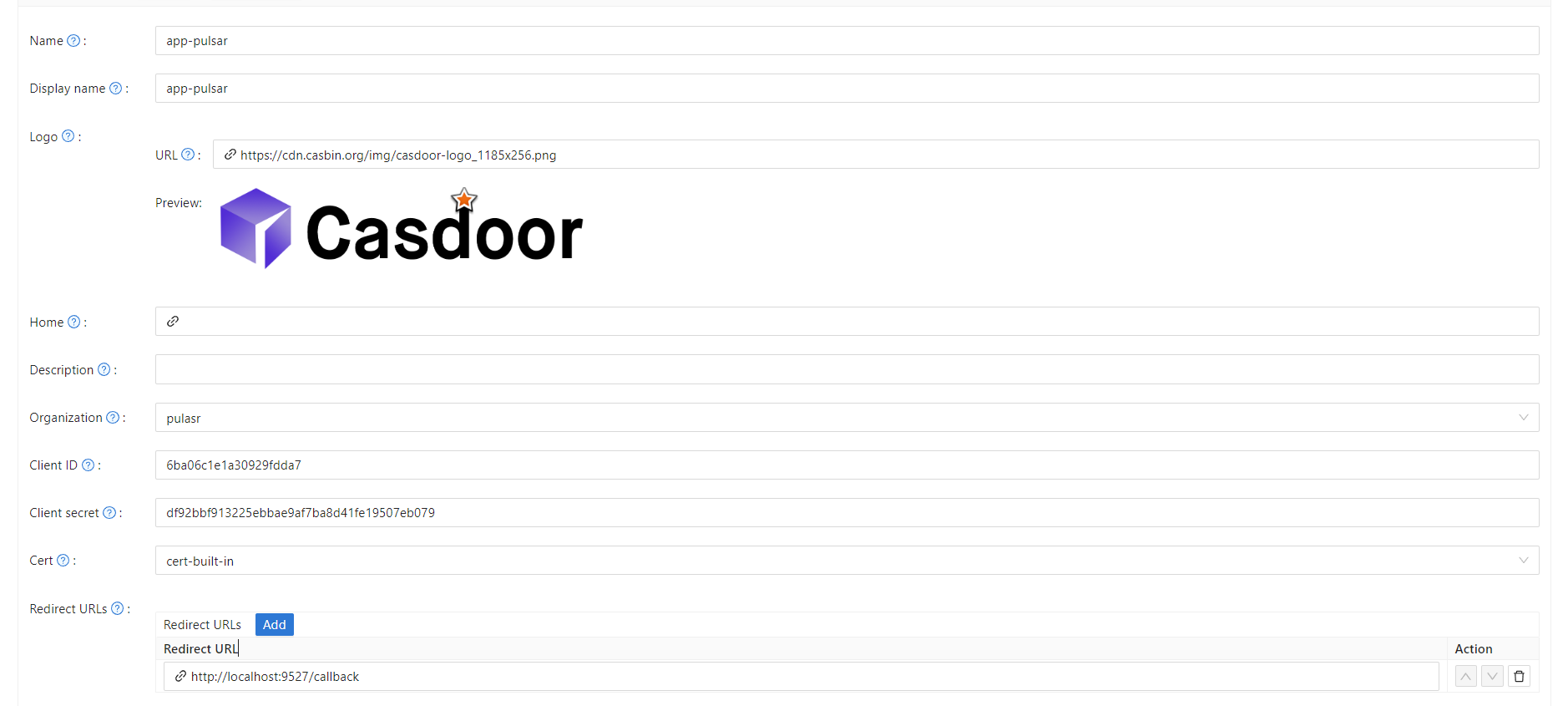
Step 3: Configure the Pulsar Manager front-end
Die Login-Seite hat eine Schaltfläche Login with casdoor, die nach der Anmeldung den Code und State an das Backend sendet.
Konfigurieren Sie die Casdoor-Einstellungen im config-Objekt von pulsar-manager/front-end/src/main.js.
const config = {
  serverUrl: "http://localhost:7001",
  clientId: "<client id from previous step>",
  organizationName: "pulsar",
  appName: "app-pulsar",
  redirectPath: "/#callback",
};
Schritt 4: Den Backend-Code konfigurieren
Konfigurieren Sie die Einstellungen von Casdoor in pulsar-manager/src/main/resources/application.properties.
casdoor.endpoint = http://localhost:8000
casdoor.clientId = <client id from previous step>
casdoor.clientSecret = <client secret from previous step>
casdoor.certificate = <client certificate from previous step>
casdoor.organizationName = pulsar
casdoor.applicationName = app-pulsar