Alibaba Cloud Captcha verwenden
Dieser Leitfaden erklärt, wie Sie Alibaba Cloud Captcha als Captcha von Casdoor verwenden. Das Szenario, das Sie in Alibaba Cloud erstellen, bestimmt die Art der Validierung, wie z. B. Slider oder spurlose Validierung.
Lernziele
- Erstellen Sie eine Captcha-Konfiguration in Alibaba Cloud.
- Fügen Sie Alibaba Cloud Captcha als Captcha-Provider in Casdoor hinzu.
Voraussetzungen
- Ein Alibaba Cloud-Konto und ein AccessKey
- Administratorzugriff auf die Casdoor-Admin-Konsole
Erstellen Sie eine Konfiguration in Alibaba Cloud
-
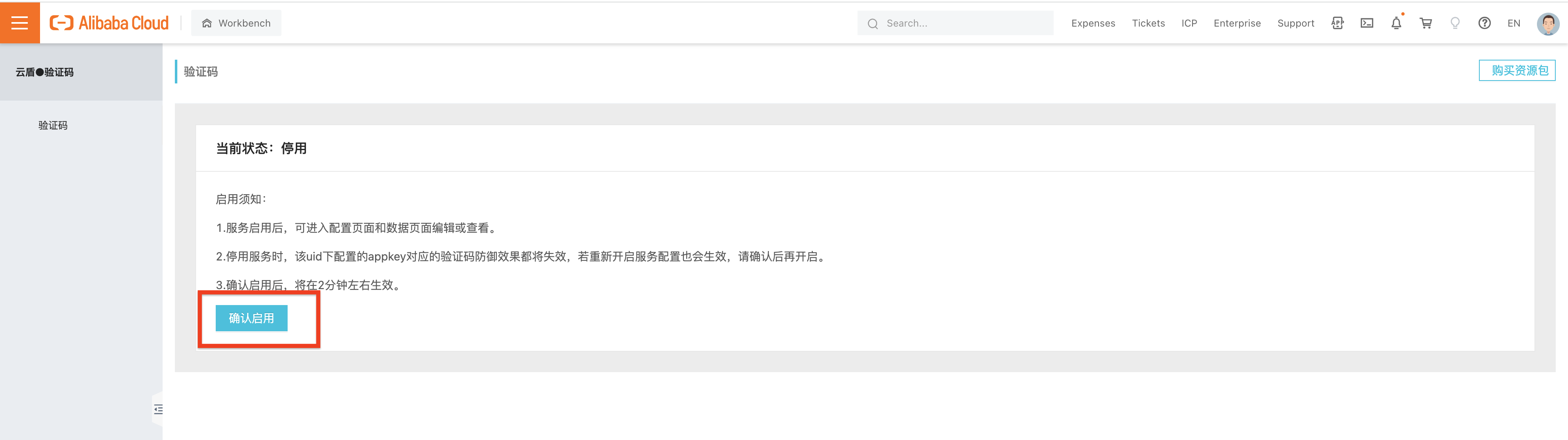
Öffnen Sie im Alibaba Cloud Console den Captcha-Dienst und klicken Sie auf Confirm Open.
-
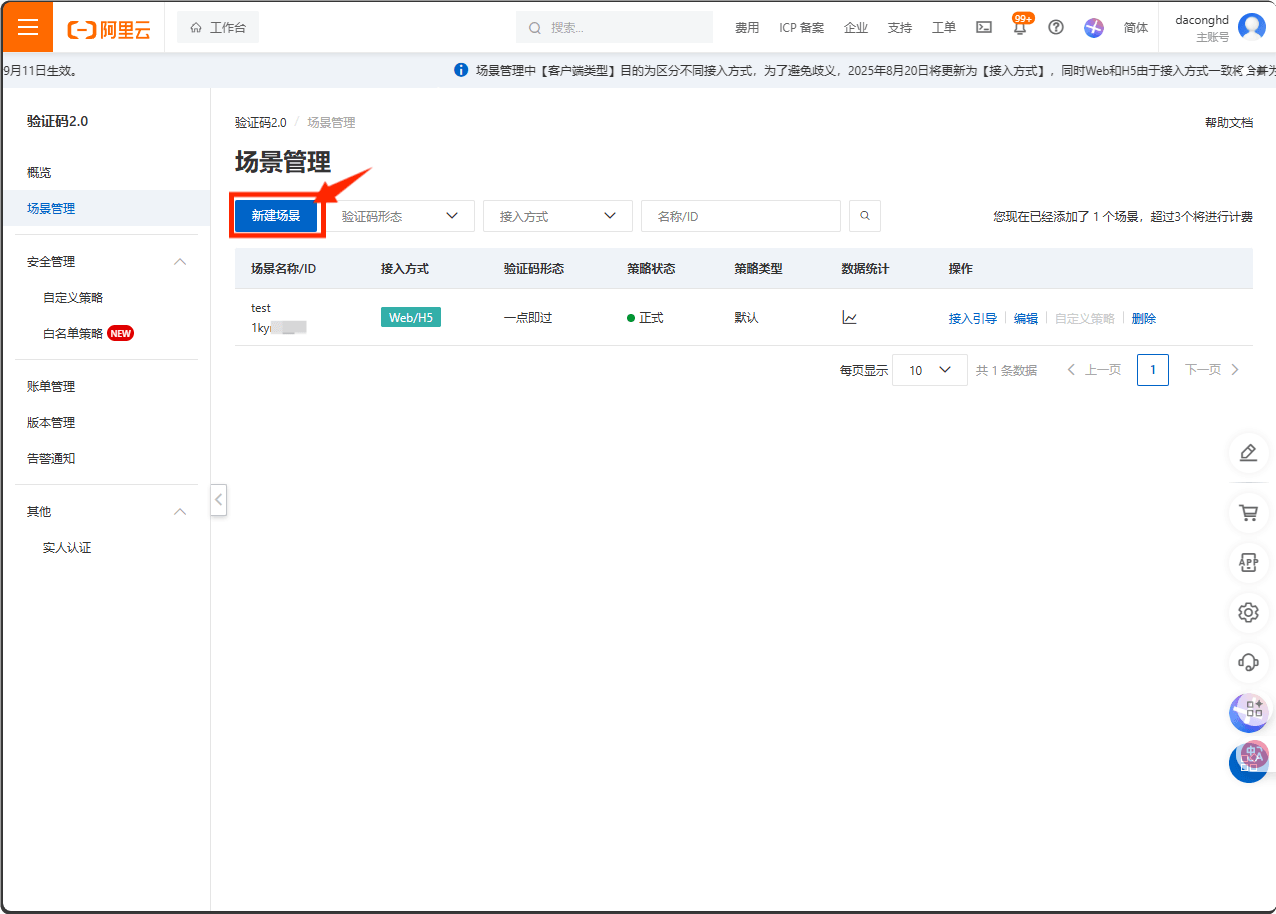
Klicken Sie in der Captcha-Konsole auf Add configuration.
-
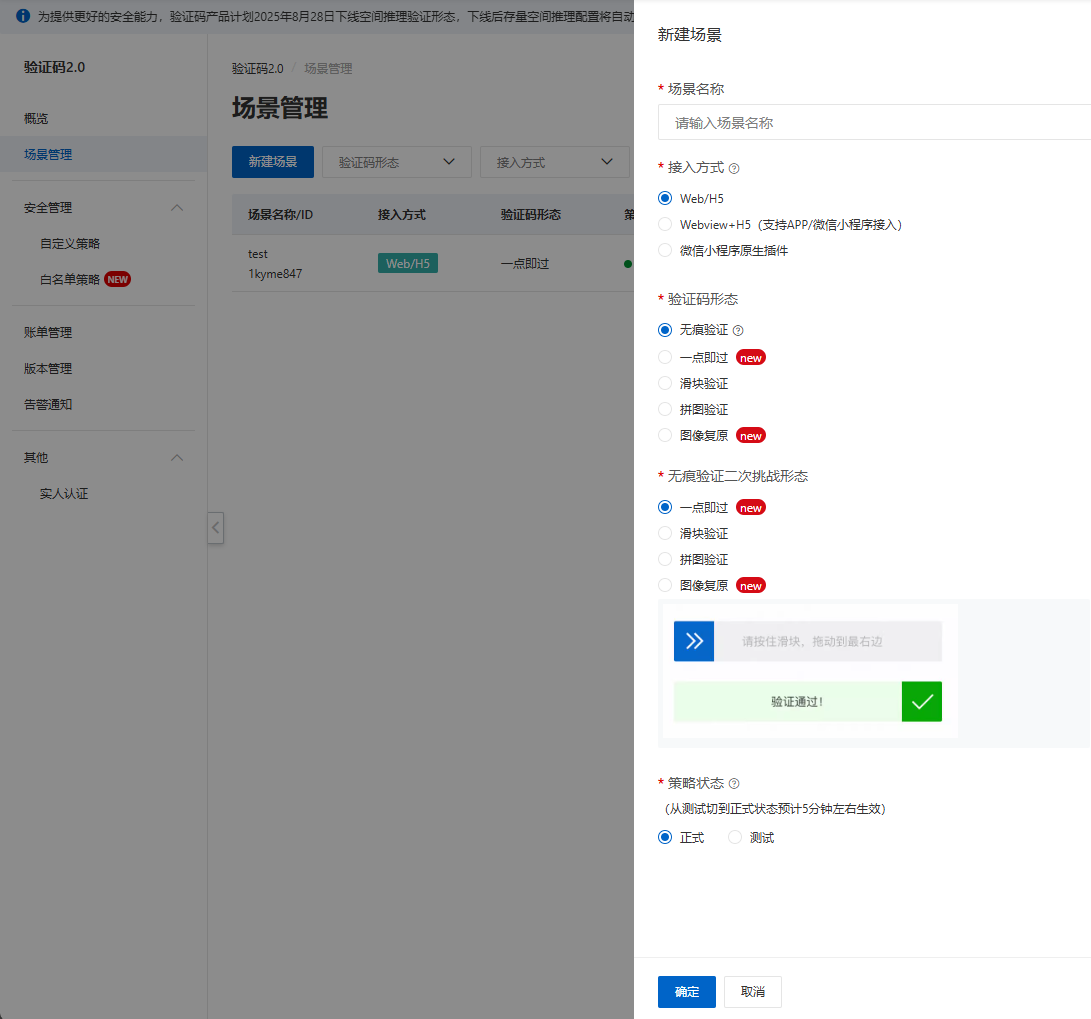
Füllen Sie das Formular aus und senden Sie es ab.
-
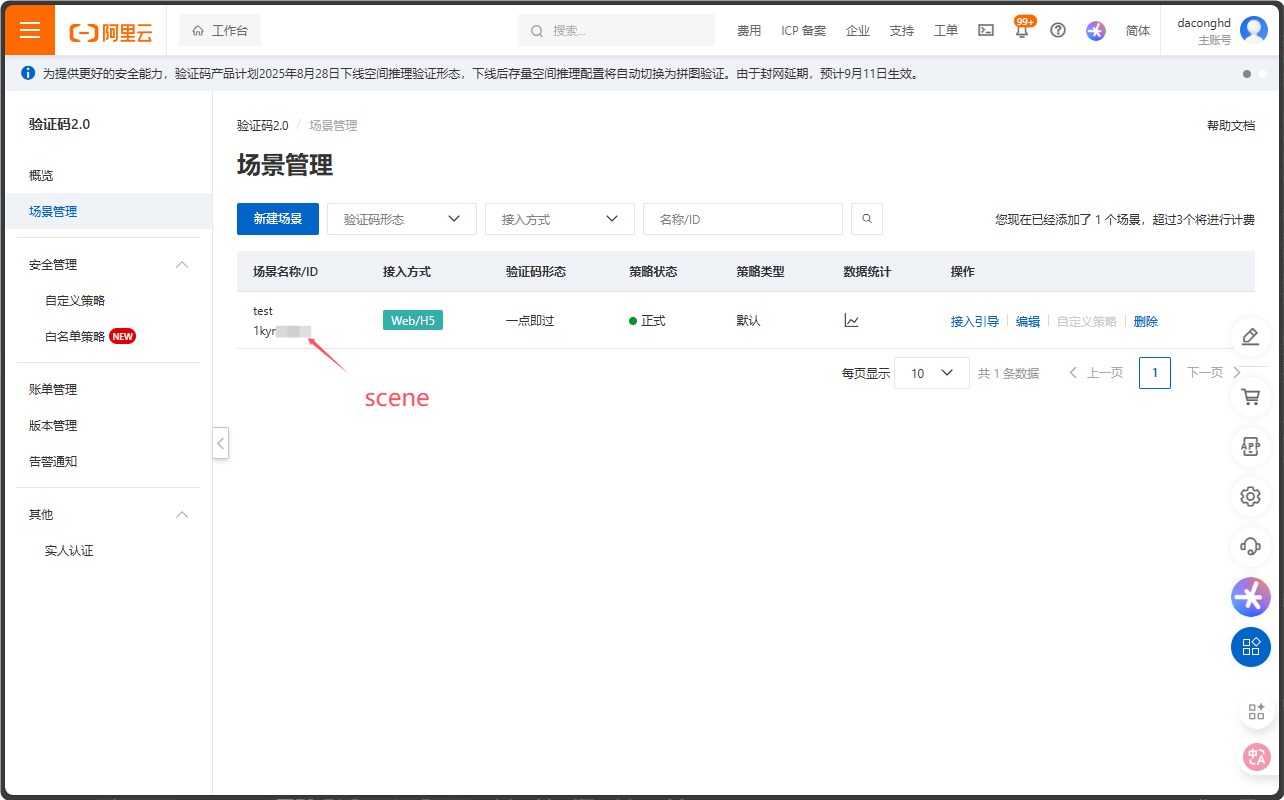
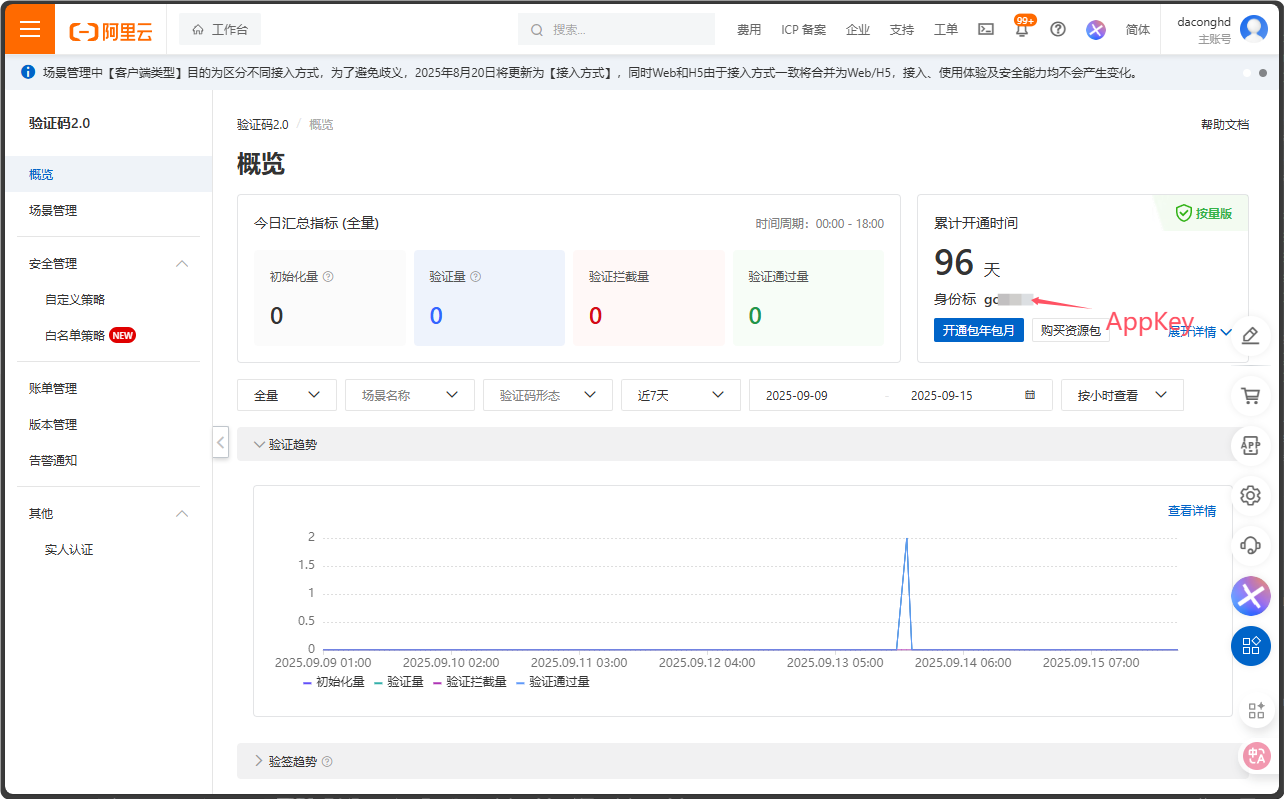
Notieren Sie sich das Szenario und den App-Key der Konfiguration.
-
Notieren Sie sich die AccessKey ID und das AccessKey Secret aus Ihrem Profil.
Fügen Sie den Provider in Casdoor hinzu
-
Gehen Sie in der Casdoor-Admin-Konsole zu Identity > Providers und fügen Sie einen Provider hinzu.
-
Setze Category auf
Captchaund Type aufAliyun Captcha. -
Setze Sub type auf
EmbedoderPopup. Siehe Sub types. -
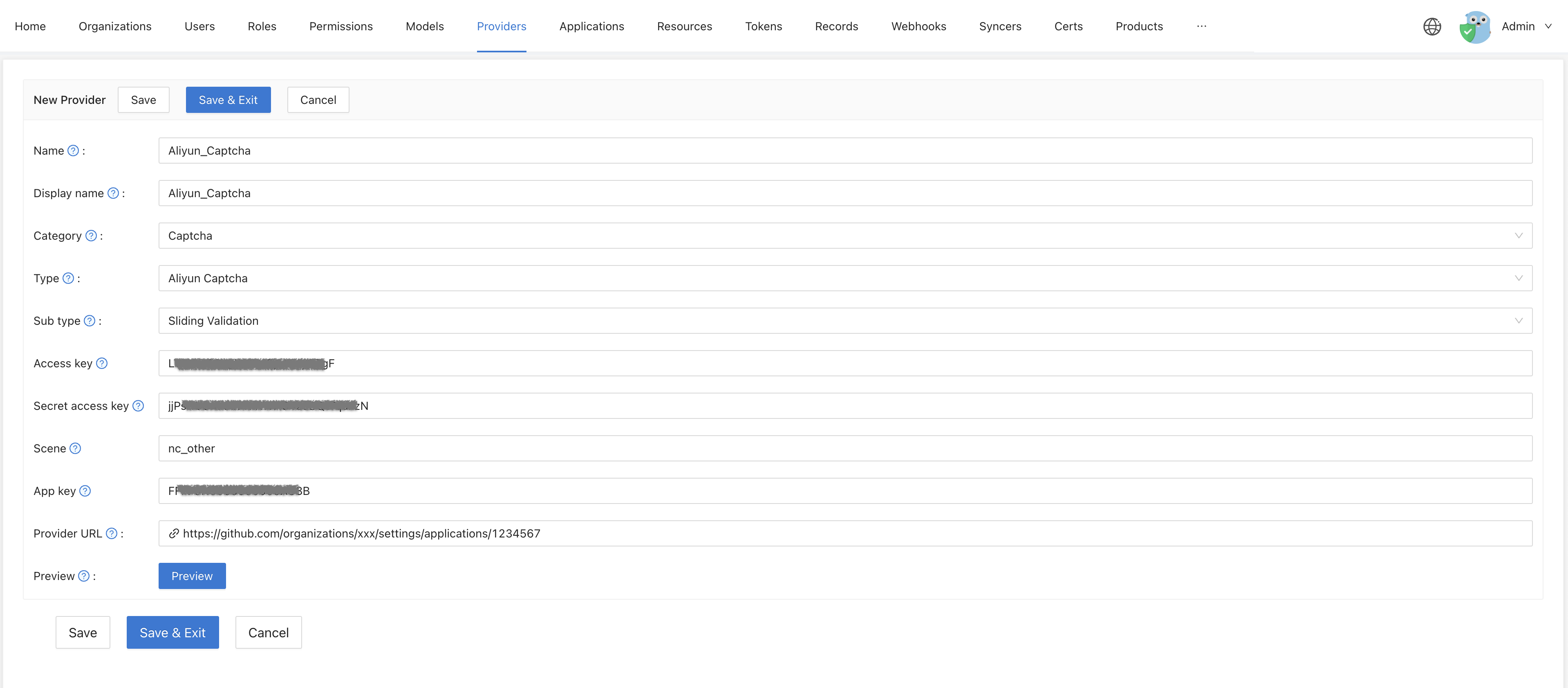
Gib den Access key, den Secret access key, die Scene und den App key ein. Der App key ist das Identitätspräfix deines Captcha-Kontos.
-
Klicke auf Preview, um das Captcha zu überprüfen. Beispielsweise sieht eine Slider-Szene mit dem Sub-Typ
Embedso aus: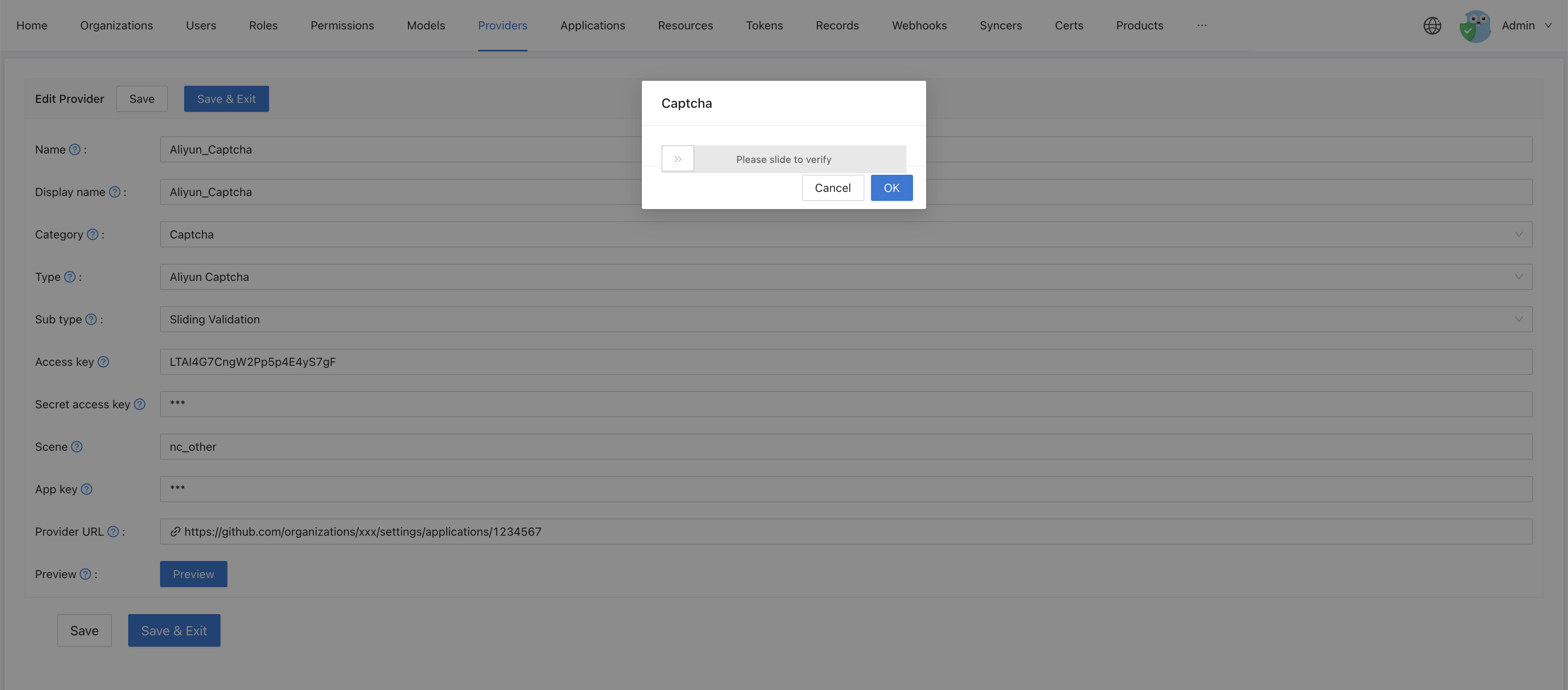
-
Speichere den Provider.
Sub types
| Sub type | Behavior |
|---|---|
Embed (default) | Casdoor opens its captcha dialog and shows the captcha inside it |
Popup | Casdoor opens no dialog of its own, and the popup of Alibaba Cloud opens at once. A traceless scene starts traceless validation, and other scenes open the popup. After a failed attempt, the popup stays open for another try. If the user closes the popup, or an error occurs, Casdoor cancels the action that needed the captcha |
Verwende Popup für Szenen, die den Popup-Modus von Alibaba Cloud erfordern, z. B. spurlose Szenen.
Das Captcha einer Anwendung hinzufügen
Öffne die Bearbeitungsseite der Anwendung, füge den Provider im Tab Providers hinzu und speichere. Siehe Add the captcha to an application.
