Send email with Azure Communication Services
This guide explains how to send the emails of Casdoor through Azure Communication Services (ACS).
Learning outcomes
- Prepare an Email Communication Service with a verified domain.
- Add Azure ACS as an email provider in Casdoor.
What you need
- An Azure subscription
- Administrator access to the Casdoor admin console
Prepare Azure Communication Services
-
Add a domain: a free Azure managed domain or a custom domain.
-
Connect the domain to your Communication Services resource.
-
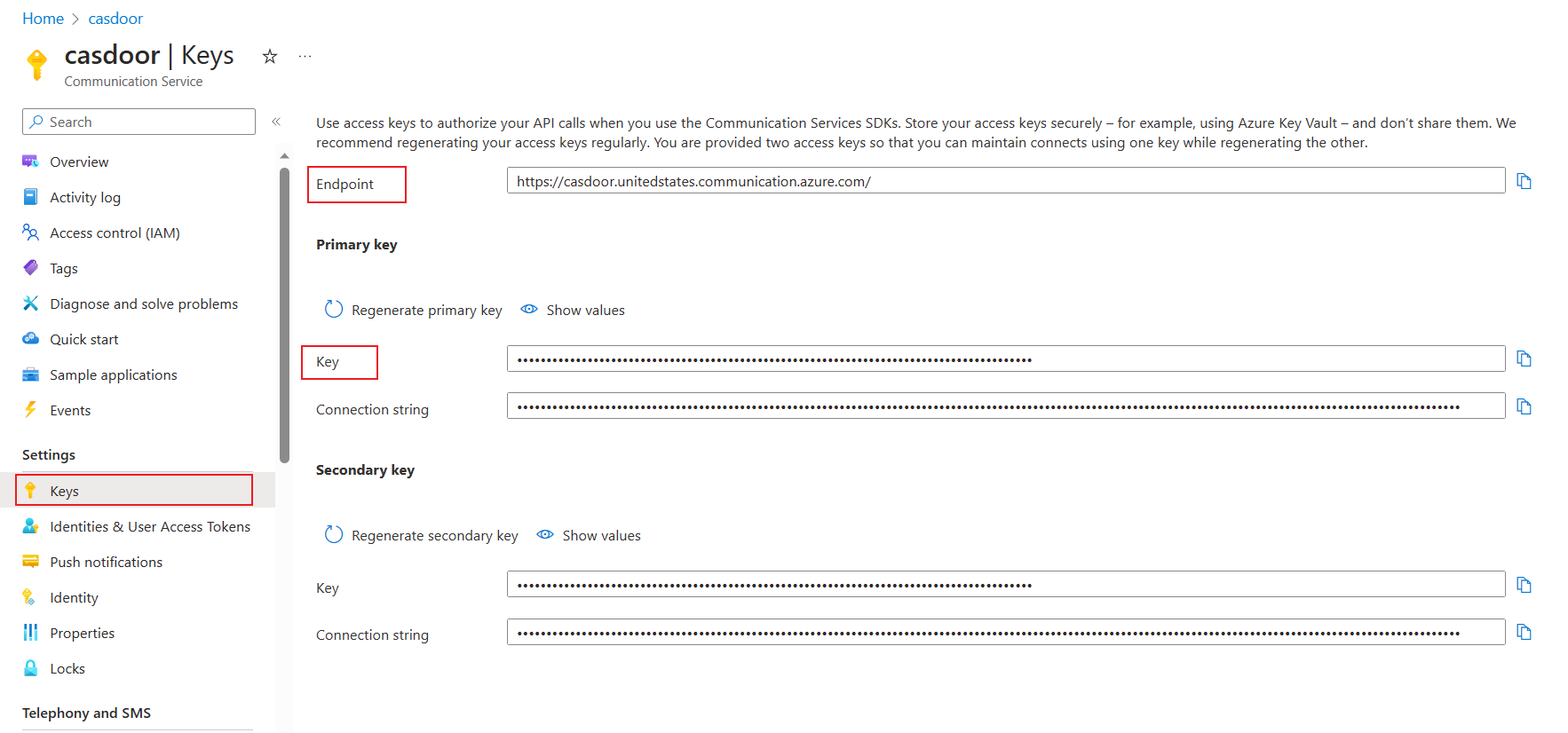
Copy the endpoint and the key of the resource.
Add the provider in Casdoor
-
In the Casdoor admin console, go to Identity > Providers and add a provider.
-
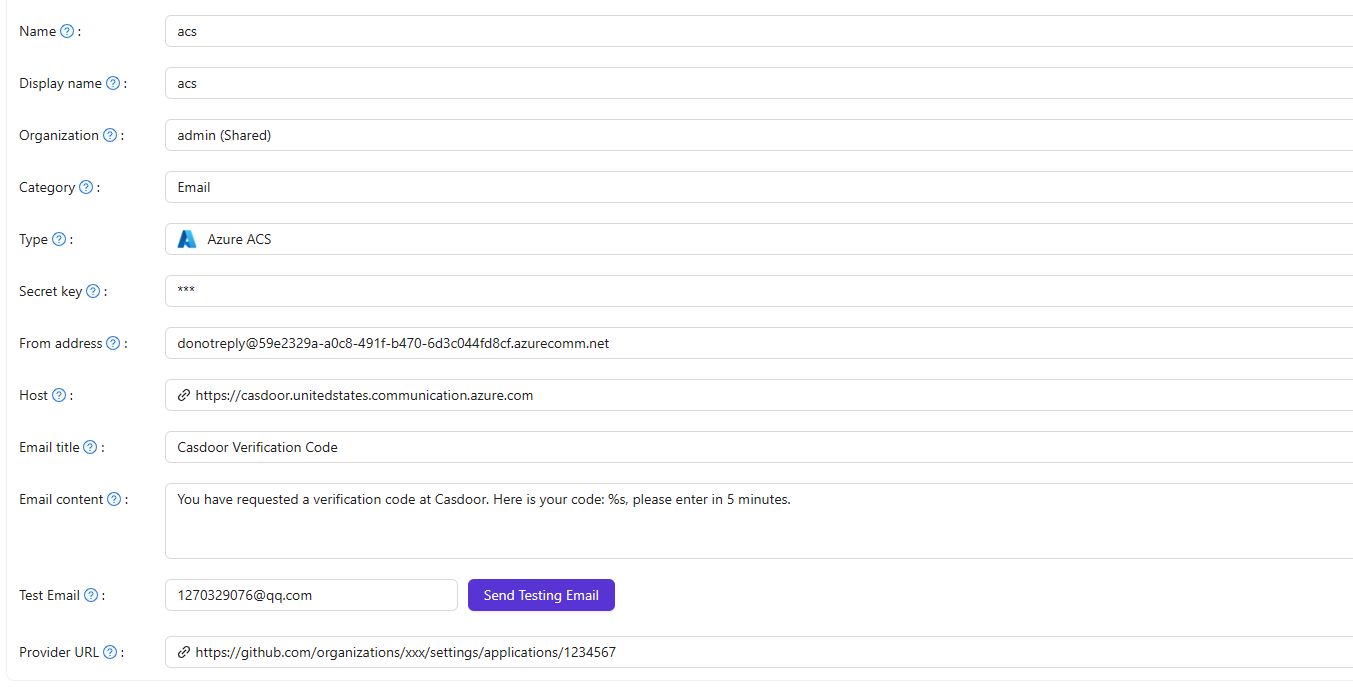
Set Category to
Emailand Type toAzure ACS. -
Fill in the fields:
Casdoor Azure ACS Von Adresse Verified sender (must use a verified domain) Geheimer Schlüssel Privater Schlüssel Host Endpunkt The From address must belong to a verified domain in ACS.
-
Save the provider.