Add WeChat as an OAuth provider
This guide explains how to let users sign in to Casdoor with WeChat: on a PC by scanning a QR code with the WeChat app, and on a phone inside the WeChat built-in browser.
Learning outcomes
- Get the credentials from the WeChat Open Platform and the WeChat Media Platform.
- Add WeChat providers for PC and for mobile.
- Show the WeChat tab on the sign-in page.
What you need
- An approved application on the WeChat Open Platform, for sign-in on a PC
- For sign-in inside WeChat: an official account on the WeChat Media Platform
- Administrator access to the Casdoor admin console
About sign-in with WeChat
| Sub type | Where users sign in | Credentials |
|---|---|---|
Web (default) | In a PC browser, by scanning a QR code with the WeChat app | Client ID and Client secret from the WeChat Open Platform |
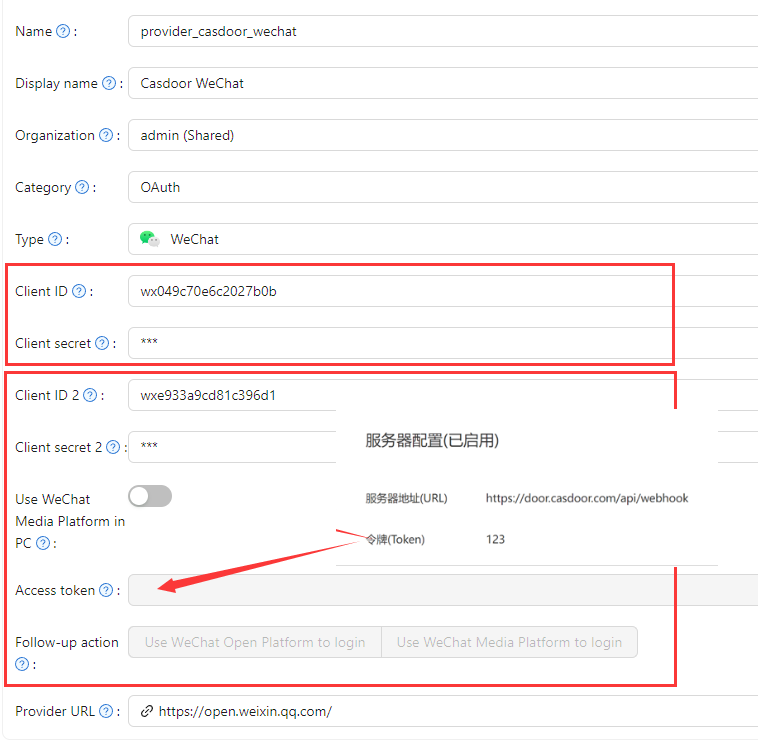
Mobil | In the built-in browser of the WeChat app | Client ID 2 and Client secret 2 from the WeChat Media Platform, and the Access token that you set in the server configuration of the official account |
WeChat doesn't allow sign-in from other apps or from mobile browsers outside WeChat. To support both PC and WeChat, create two WeChat providers, one with each sub type.
Link your WeChat Open Platform account and your WeChat Media Platform account in the Open Platform. WeChat then gives the same user the same identity on PC and inside WeChat.
Add the provider in Casdoor
-
On the WeChat Open Platform, get the App ID and App Secret of your approved application.
-
In the Casdoor admin console, go to Identity > Providers and add a provider.
-
Set Category to
OAuth, Type toWeChat, and Sub type toWeborMobile. -
Enter the credentials of the sub type, as in the table above.
-
If you set both credential pairs and the access token, you can turn on Use WeChat Media Platform in PC. Users on a PC can then also be prompted to follow the official account before they scan the QR code. This works on a PC only, because a phone can't scan its own QR code.
-
Save the provider.
Show WeChat on the sign-in page
-
Open the edit page of the application.
-
Add the WeChat provider on the Providers tab.
-
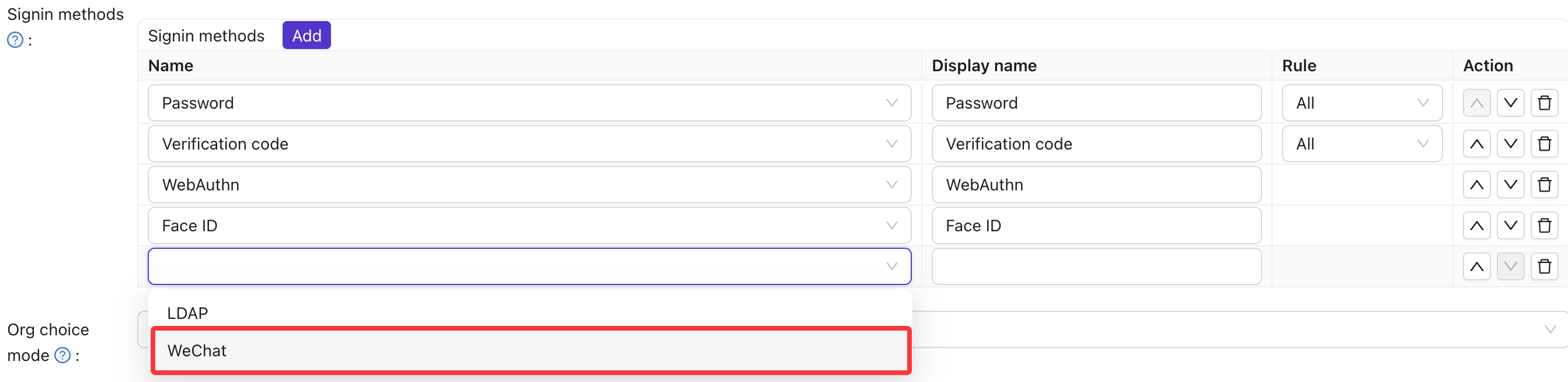
Add WeChat to the Signin methods.
-
Save the application.
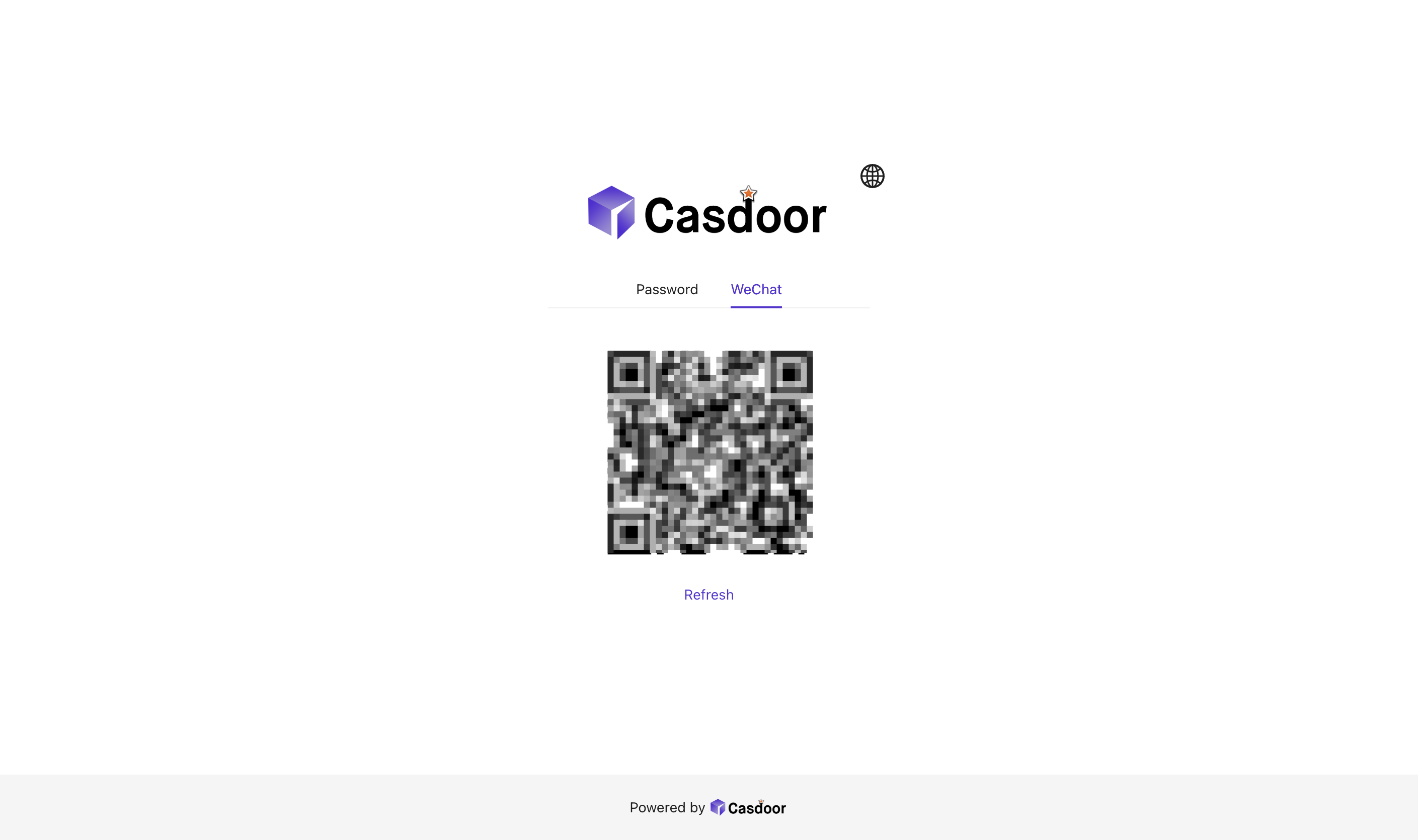
The sign-in page now has a WeChat tab:
- The user selects the WeChat tab. The page shows a QR code.
- The user scans the QR code with the WeChat app and authorizes the sign-in.
- If the QR code expires, the user clicks the refresh button below it.
See also
- OAuth providers
- WeChat Login in the WeChat documentation