Take payments with Alipay
This guide explains how to let users pay for your Casdoor products with Alipay.
Learning outcomes
- Get the APPID and the certificates of an Alipay merchant application.
- Store the certificates in Casdoor.
- Add Alipay as a payment provider and add it to a product.
What you need
- A merchant account on the Alipay Open Platform. See Preparation before access.
- A product in Casdoor whose currency is CNY
Prepare Alipay
- Create an application in the console of the Alipay Open Platform and note its APPID. See Find the APPID.
- Generate an RSA2 key pair as the Alipay documentation describes. You get
appPrivateKey.txtandappPublicKey.txt. - Upload the certificate to the application and download three files:
alipayRootCert.crt,appCertPublicKey.crt, andalipayCertPublicKey.crt.
Store the certificates in Casdoor
-
On the Certs page of the Casdoor admin console, add a certificate named
App Cert:Casdoor Wert Type Payment (x509) Certificate Inhalt von appCertPublicKey.crtPrivate key Inhalt von appPrivateKey.txt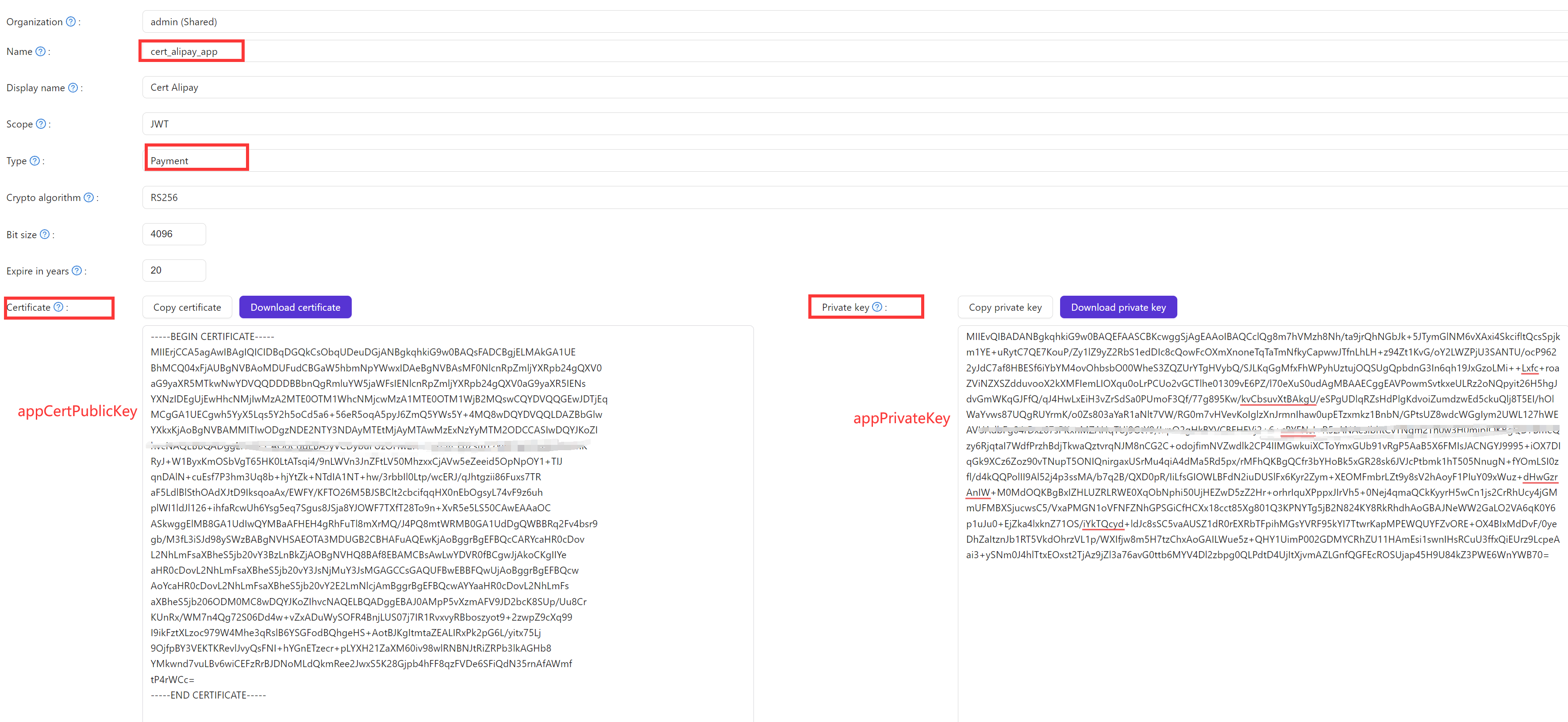
-
Add a certificate named
Root Cert:Casdoor Wert Type Payment (x509) Certificate Inhalt von alipayCertPublicKey.crtPrivate key Inhalt von alipayRootCert.crt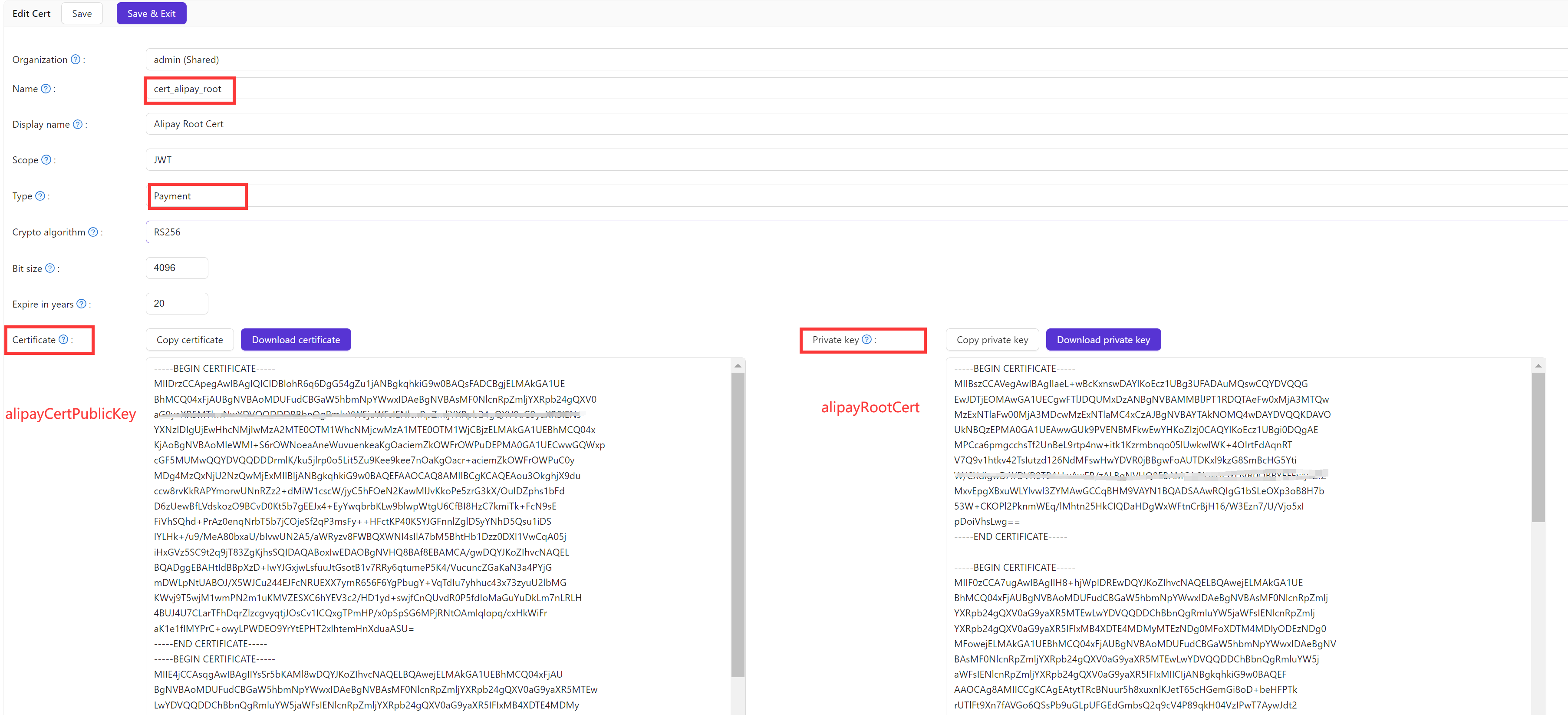
Add the provider in Casdoor
-
Go to Identity > Providers and add a provider with the following values:
Casdoor Wert Category Zahlung Type Alipay (Zahlung) Client ID APPID from step 1.1 Cert App Cert from step 1.2 Root Cert Root Cert from step 1.2 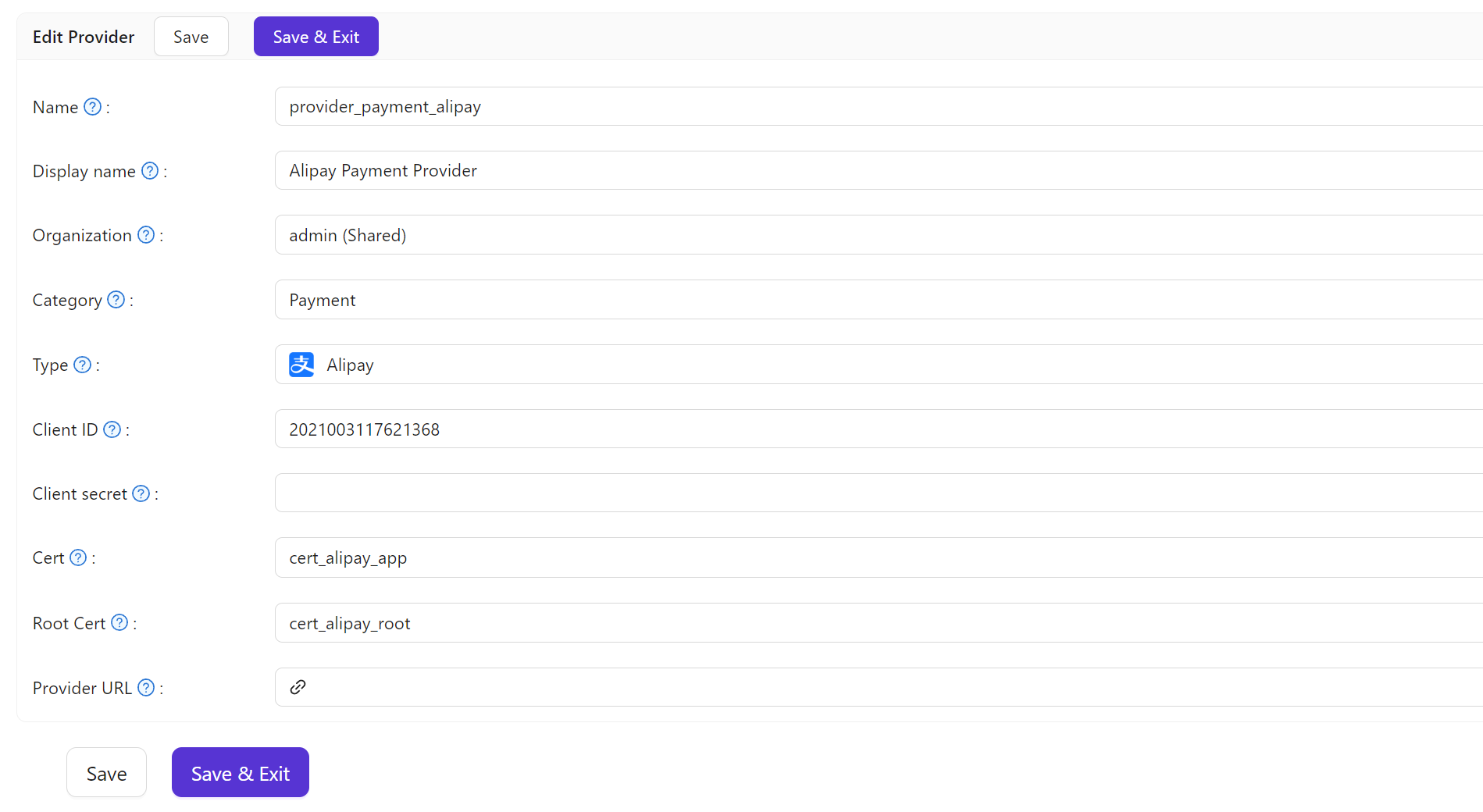
-
Save the provider.
Add the provider to a product
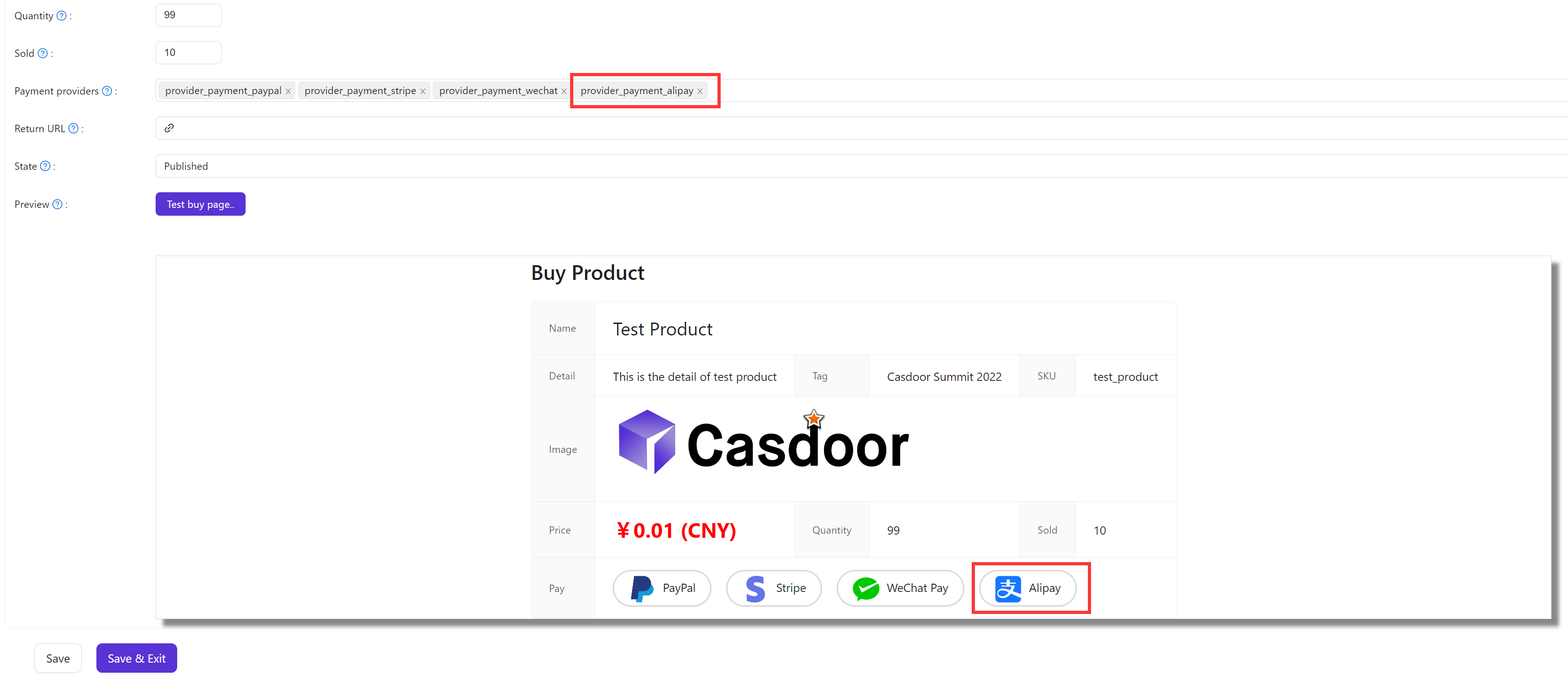
Add the provider to the Payment providers of the product and save it.
Info
Alipay supports only Chinese yuan (CNY). Set the currency of the product to CNY. Casdoor rejects a product with Alipay in another currency when you save it.