Let users choose their organization at sign-in
This guide explains how to let users choose or enter their organization on the sign-in page. For example, /login is the sign-in page of the built-in organization. With this option on app-built-in, users choose an organization first and Casdoor sends them to /login/<organization>.
Learning outcomes
- Show an organization picker or an input field on the sign-in page.
- Understand how Casdoor remembers the organization of a user.
What you need
- An application that is the default application of its organization, or
app-built-in
Show the organization choice
-
In the Casdoor admin console, open the edit page of the application.
-
Set Org choice mode:
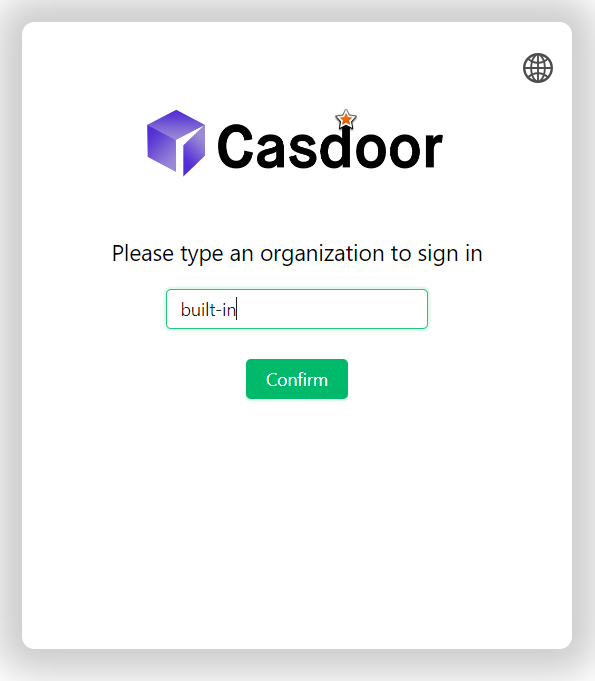
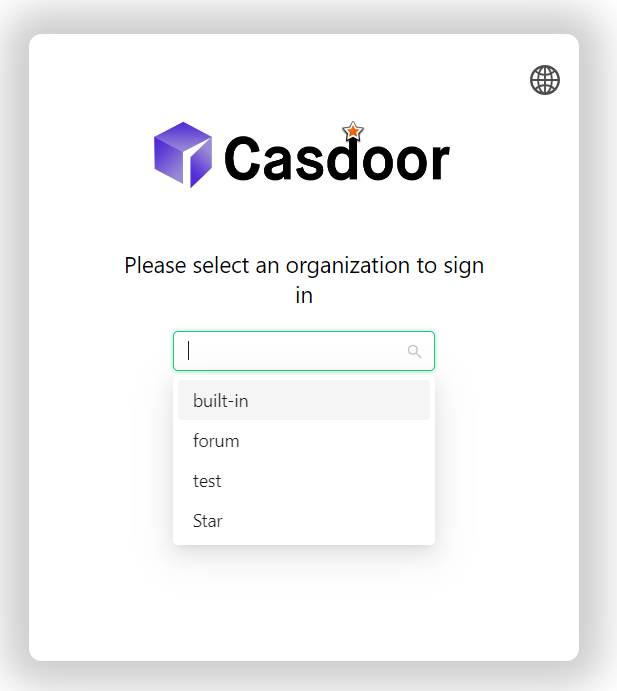
Mode Behavior None Organization selection is not shown. Input User types the organization name in an input. Select User chooses the organization from a dropdown. 
-
Save the application.
With Input, the sign-in page shows a field for the organization name:
With Select, it shows a list of organizations:
The organization choice appears only on /login and /login/<organization>, and only if the application is the default application of the organization or app-built-in.
Return to the same organization
When a user submits the sign-in form, the browser stores the organization of the form in localStorage as lastLoginOrg, whether the sign-in succeeds or not. Visiting a sign-in page such as /login/my-org without submitting the form doesn't store anything.
When a user who isn't signed in opens a page of the Casdoor admin console, for example after the session expired, Casdoor sends the user to /login/<lastLoginOrg>. If the browser hasn't stored an organization, or the stored organization is built-in, Casdoor sends the user to /login, where the user chooses the organization if the mode is Input or Select.