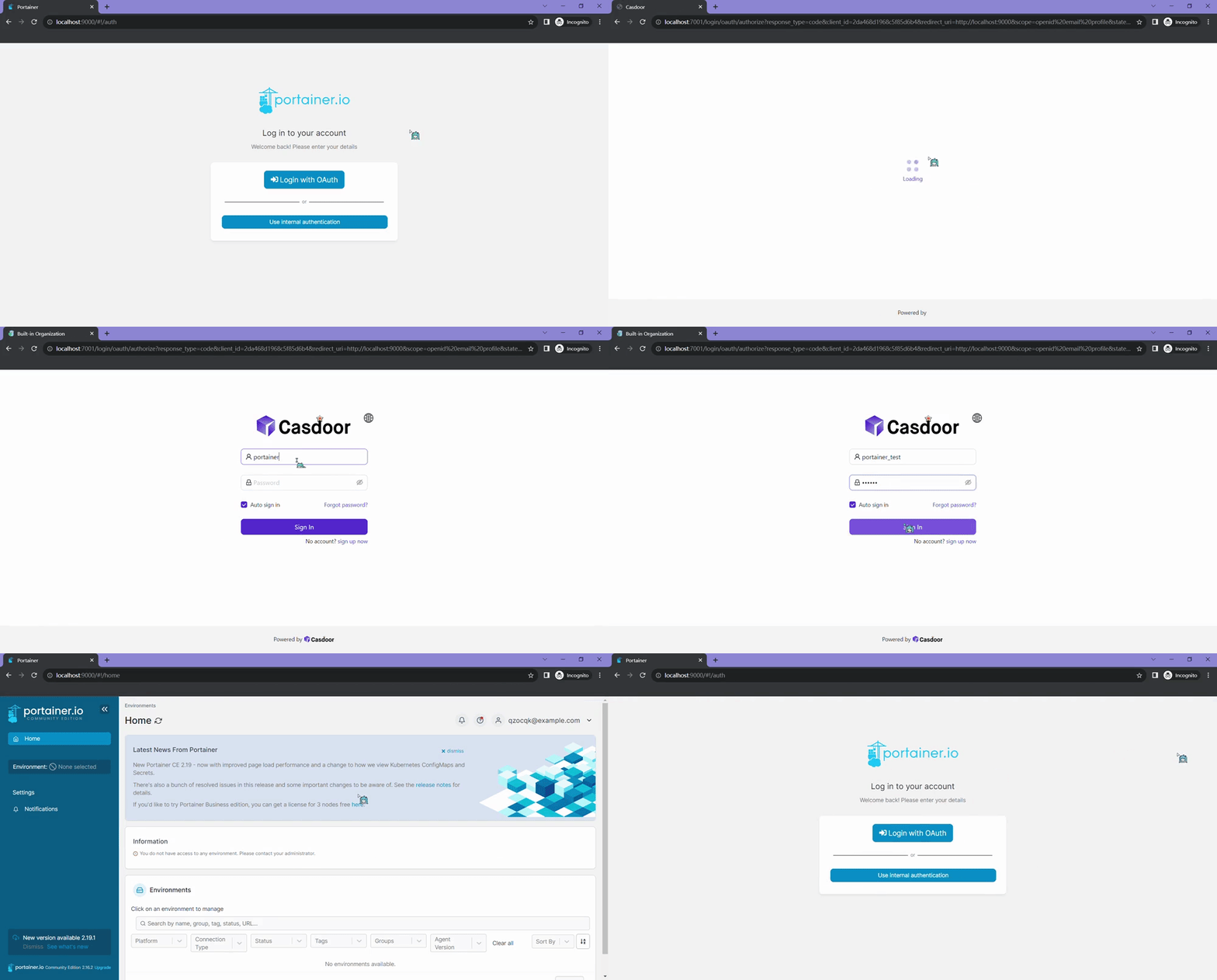
Portainer
Portainer supports OAuth for sign-in. This guide configures Casdoor as the identity provider. Ensure Portainer is installed and running.
The following are the configuration names:
CASDOOR_HOST: The domain name or IP address where the Casdoor server is deployed.
PORTAINER_HOST: The domain name or IP address where Portainer is deployed.
Step 1: Create an app for Portainer in Casdoor
Here is an example of creating an app in Casdoor:
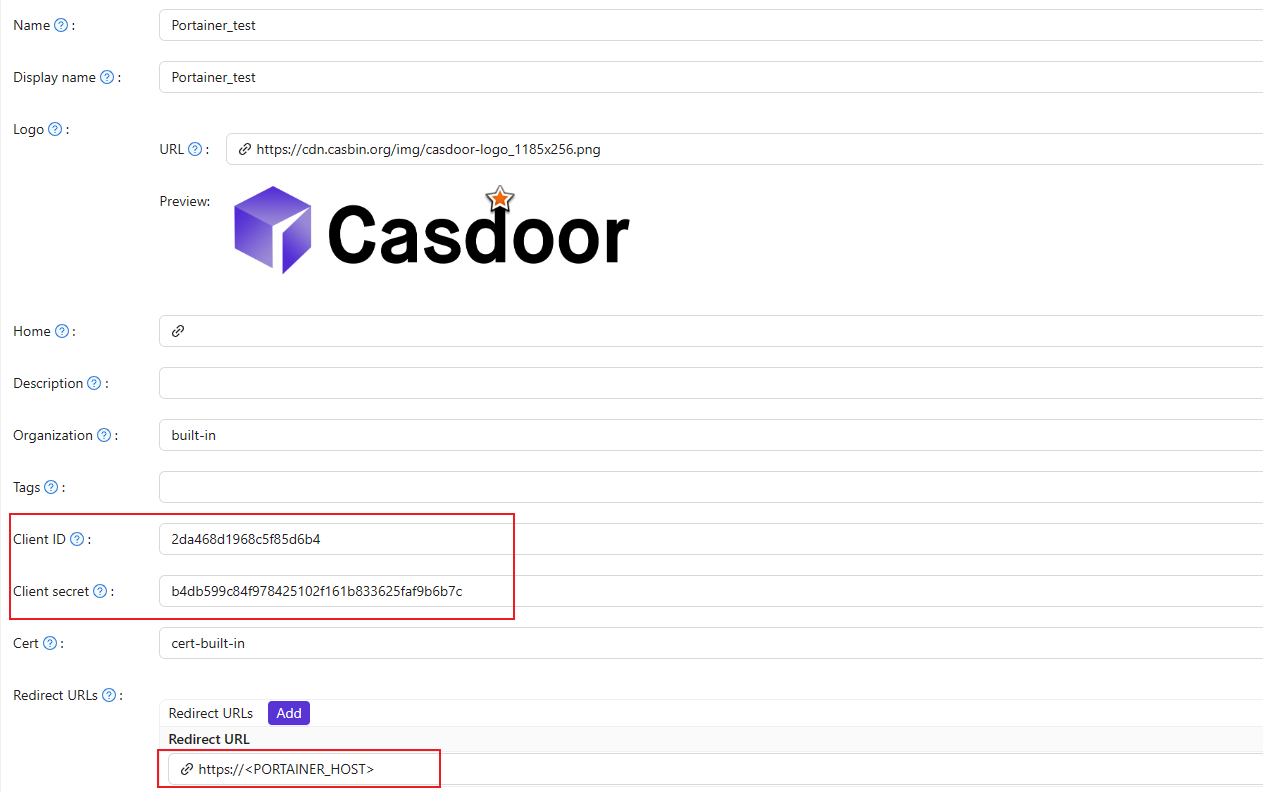
-
Copy the client secret and client ID for the next step.
-
Add a Redirect URL. It's your Portainer host.
Step 2: Configure Portainer
Expand the Settings from the left navigation bar, click on the Authentication option from this list.
-
Enable Use SSO and Automatic user provisioning:
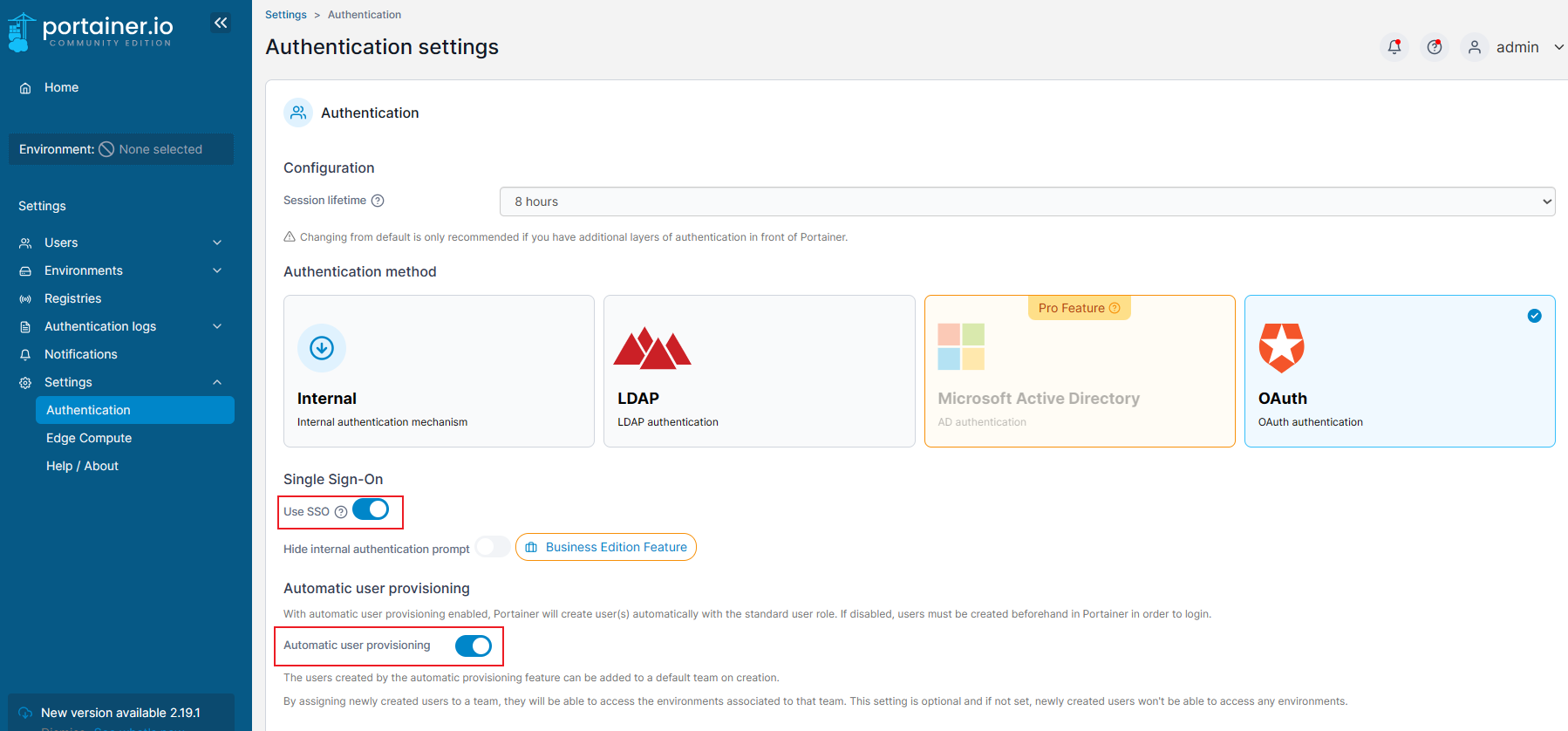
-
Fill in the necessary information as follows:
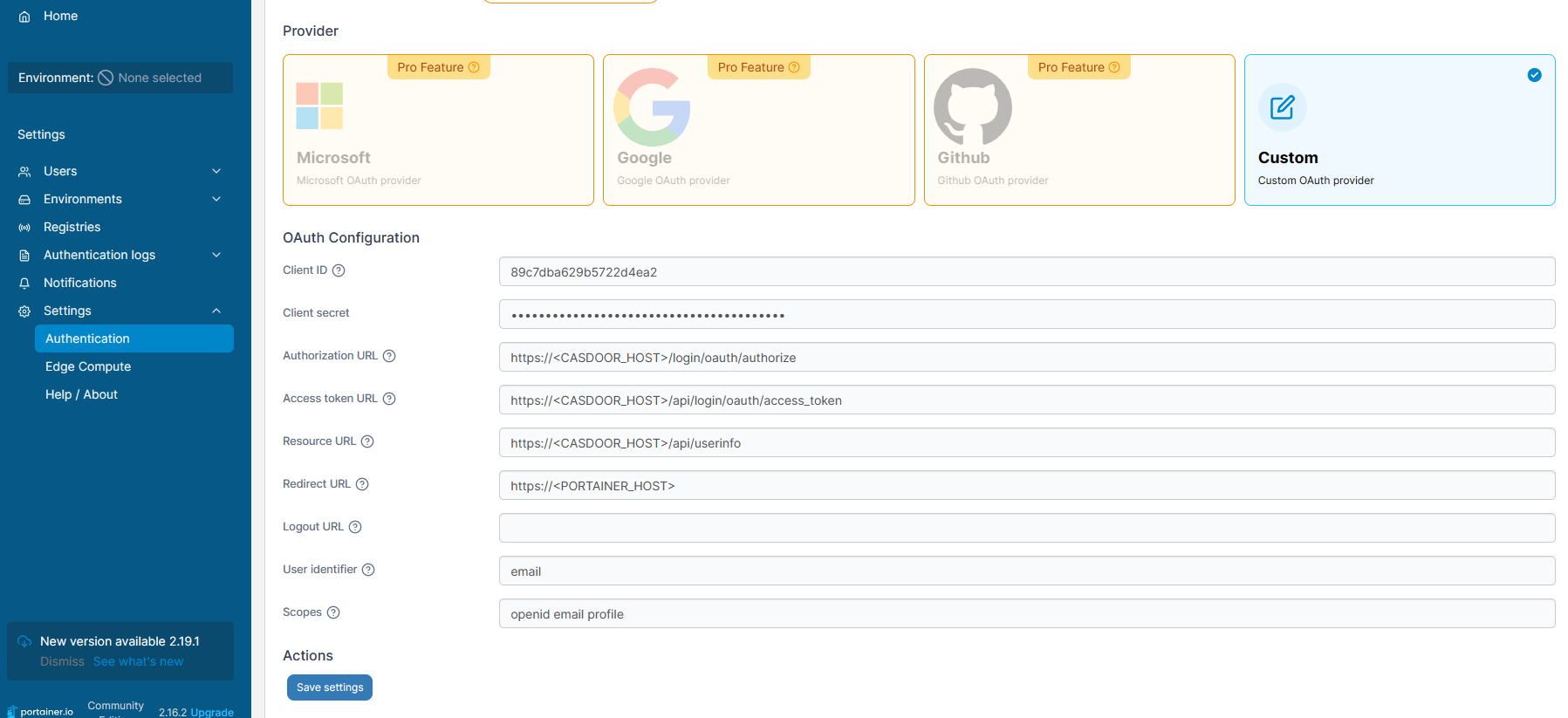
-
Authorization URL: https://CASDOOR_HOST/login/oauth/authorize -
Access token URL: https://CASDOOR_HOST/api/login/oauth/access_token -
Resource URL: https://CASDOOR_HOST/api/userinfo -
Redirect URL: https://PORTAINER_HOST
Automatic team membership and admin group mapping from OAuth claims are Portainer Business Edition features. In Community Edition the team membership switch is locked, so assign teams and admin rights to Casdoor users by hand in Portainer.
Log out of Portainer and test.