LDAP configuration and sync
LDAP is configured per organization; synced users are created in that organization. Use a global admin to edit LDAP settings on the organization page.

Connecting to the LDAP server
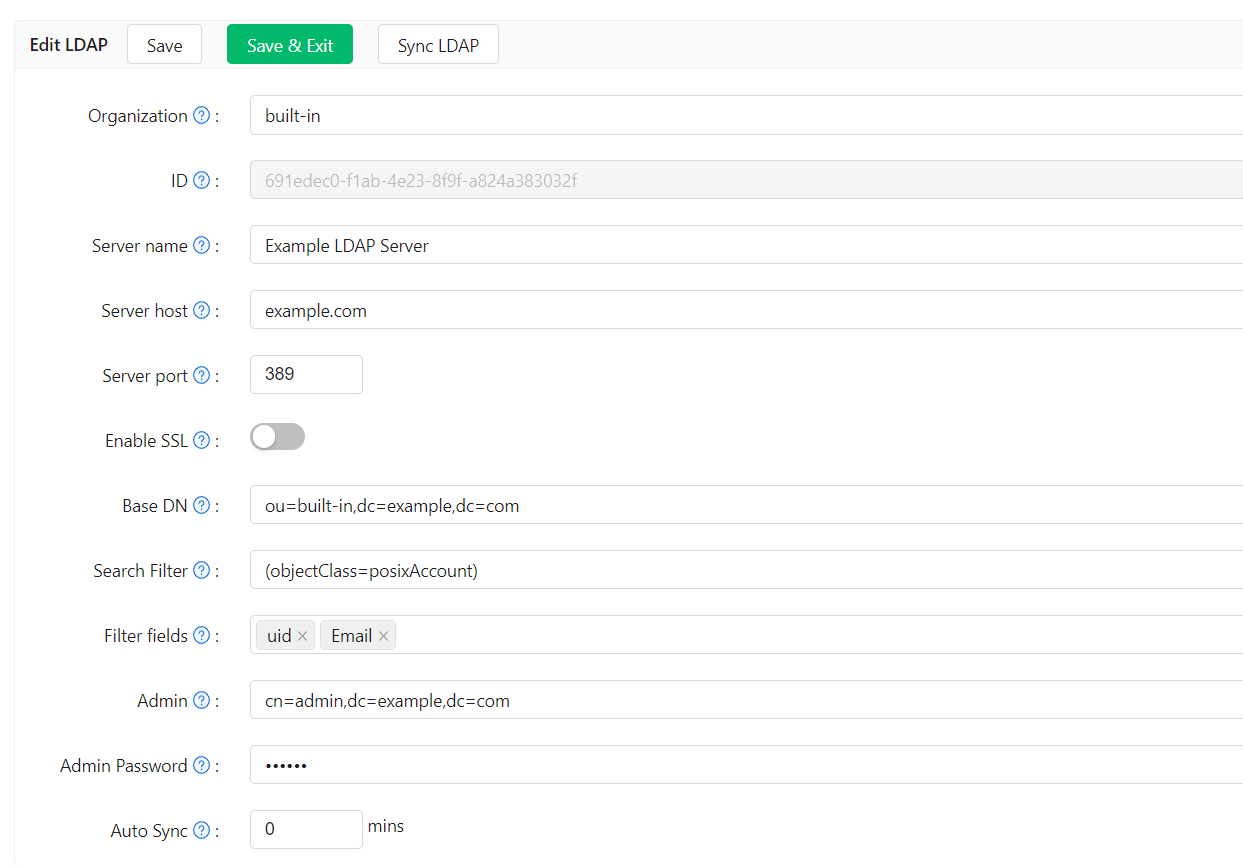
| Field | Description |
|---|---|
| Server name | Friendly name for this server (e.g. Example LDAP Server). |
| Server host | Host or IP of the LDAP server (e.g. example.com). |
| Server port | Port number, numeric only (e.g. 389). |
| Enable SSL | Connect over LDAPS. Required by Microsoft Active Directory for password changes. |
| Base DN | Base distinguished name for search. Casdoor uses subtree search and returns all users under this DN. The admin account must have at least read access at this base (e.g. ou=Example,dc=example,dc=com). |
| Search filter | LDAP filter for user search (e.g. (objectClass=posixAccount)). If the filter contains {} (a placeholder used by some LDAP configurations, e.g. (uid={})), Casdoor replaces it with * when listing users, treating it as a wildcard. |
| Filter fields | LDAP attributes used to identify the user (e.g. uid, mail, mobile). The value entered at Casdoor login is matched against these; typically uid is used as the login name. |
| Admin | Bind DN or ID for the LDAP admin (depends on server; e.g. cn=manager,dc=example,dc=com). |
| Admin password | Password for the admin account. |
| Password type | How Casdoor encodes a password that it sets on the LDAP server without the user's old password, for example after a reset: Plain, SSHA or MD5. Not used with Active Directory. |
| Auto sync | 0 = disabled. Any other value = sync interval in minutes. |
| Enable groups | When enabled, Casdoor syncs LDAP groups and OUs as Casdoor groups and assigns users to them. |
| Enable password reset | When enabled, users synced from this server can reset their password through the forgot-password flow. Off by default. See Reset passwords of LDAP users. |
Syncing users
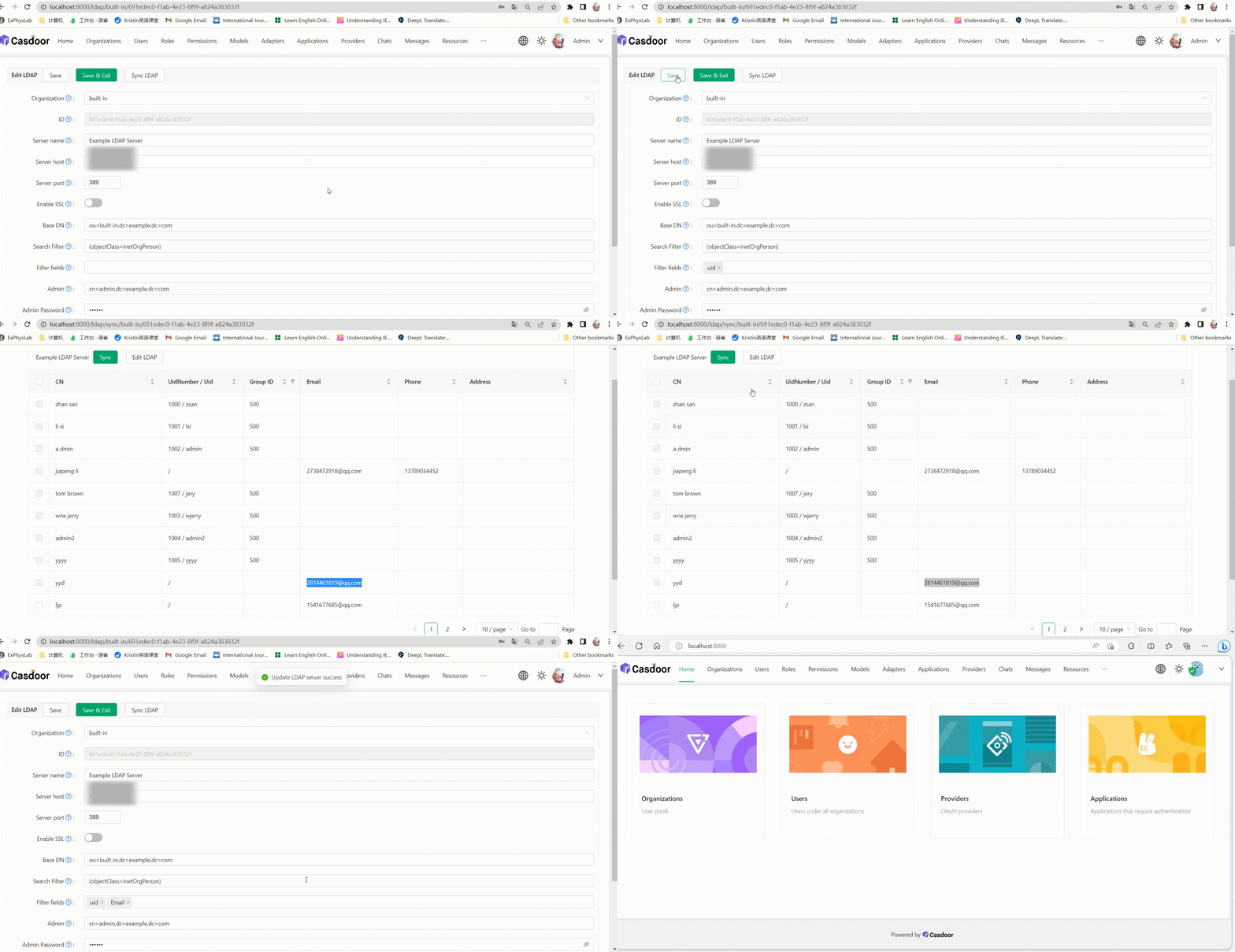
The sync table lists users under the configured base DN. Already-synced users are shown with the checkbox disabled. Select users and sync to import them into the organization.
Syncing is not restricted to global admins: an administrator of the organization can also list and sync that organization's LDAP users. Editing the LDAP server settings above still requires a global admin.
Group and OU sync
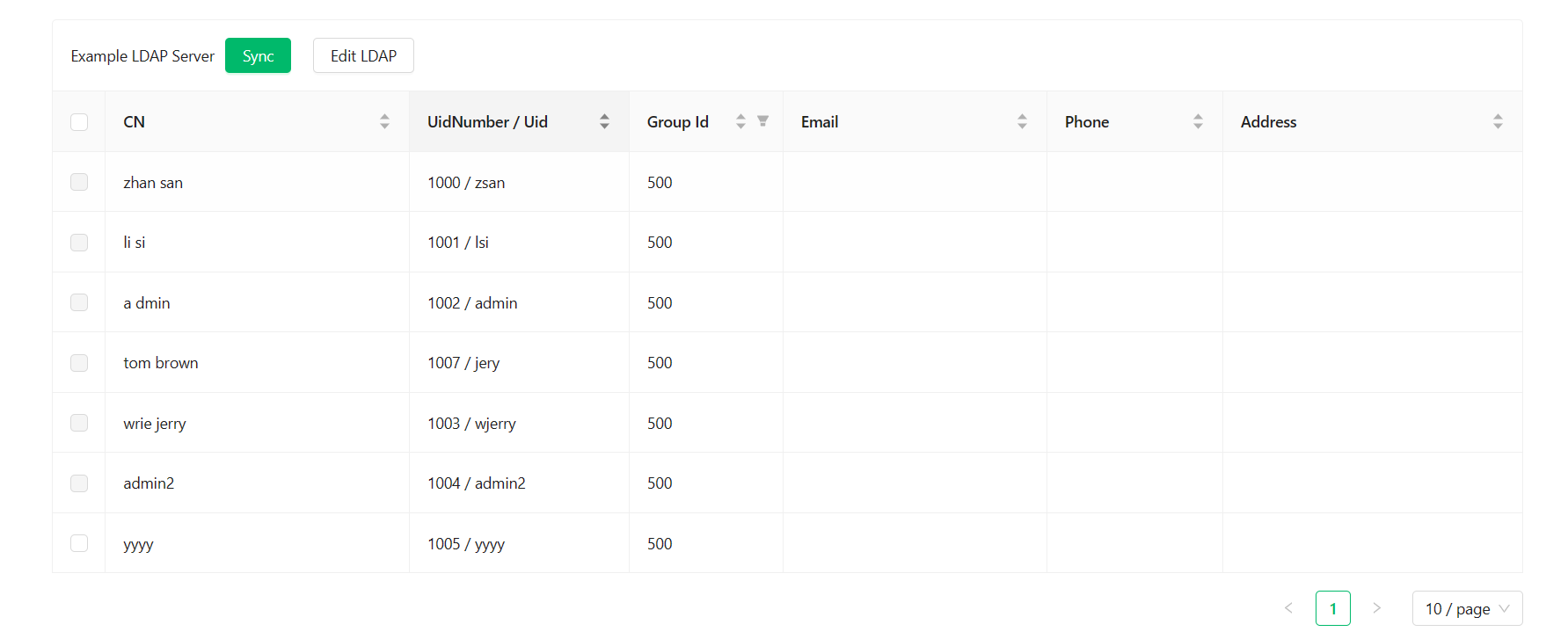
When Enable groups is turned on, Casdoor queries the LDAP directory for group objects before syncing users. It searches the base DN for entries with any of the following object classes: groupOfNames, groupOfUniqueNames, posixGroup, and (for Active Directory) group. Each matching entry is created as a Casdoor group. Users are then assigned to the groups their memberOf attribute lists.
Group sync runs before user sync in each auto-sync cycle so that groups exist before user membership is evaluated. If a group lookup fails, the error is logged and the rest of the sync continues.
Syncing a user adds them to their LDAP groups without removing groups they already belong to that are not managed by LDAP, so manually assigned groups are preserved.
Sync POSIX IDs
When an LDAP user has a uidNumber, sync copies it into the Casdoor user's UID number, but only if the user doesn't have one yet. A number that you set in Casdoor is never overwritten.
With Enable groups on, group sync reads each group's gidNumber into the Casdoor group's GID number in the same way: new groups get it, and existing groups get it only while their GID number is 0.
Casdoor's built-in LDAP server publishes these numbers as uidNumber and gidNumber. See Set POSIX user and group IDs.
Reset passwords of LDAP users
The password of a synced LDAP user lives on the LDAP server. By default, Casdoor refuses the forgot-password flow for these users before it sends a verification code, with the error "the password of the LDAP user: <name> is managed by the LDAP server, please contact your administrator to reset it". The flow ends with Casdoor writing the new password to the LDAP server through the Admin account, which usually only has read access.
To let LDAP users reset their password themselves:
- Make sure the Admin account has write access to the users' password attribute.
- With Microsoft Active Directory, turn on Enable SSL. Active Directory accepts a new
unicodePwdonly over LDAPS. - On the LDAP edit page, turn on Enable password reset and save.
The forgot-password flow is allowed when any LDAP server of the organization has Enable password reset on. For servers other than Active Directory, Casdoor writes userPassword encoded with the server's Password type (Plain, SSHA or MD5).
Signing in, changing the password with the old one, and resets by an administrator don't depend on this switch.
LDAP server attribute filtering
By default, Casdoor's built-in LDAP server exposes all standard attributes for each user entry. You can restrict which attributes are returned by setting LDAP attributes on the organization edit page.
When the list is non-empty, only the selected attributes are included in search result entries. The available attributes are:
uid, cn, mail, email, mobile, displayName, givenName, sn, uidNumber, gidNumber, homeDirectory, loginShell, gecos, sshPublicKey, memberOf, title, userPassword, c, co, sambaSID, sambaPrimaryGroupSID, sambaAcctFlags, sambaPwdLastSet, sambaDomainName, sambaLMPassword, sambaPasswordHistory, sambaNTPassword
Leave the list empty to return all attributes (default behavior).
The password attributes userPassword and sambaNTPassword are an exception: the server returns them only when the organization has Enable LDAP password turned on, whatever LDAP attributes lists. Only global administrators can change Enable LDAP password. See Password attributes.
Default group
One or more groups to assign to users after sync. You can select multiple default groups; every synced user is added to all of them.
If an LDAP user’s uid equals the name of an existing user in the organization, Casdoor creates a new user with a modified name (uid + random suffix). That user may not be able to sign in via LDAP because the LDAP server has no such uid. Avoid reusing existing Casdoor usernames as LDAP uids.
Phone number normalization
When users are synced from LDAP, Casdoor normalizes the imported phone number using libphonenumber. If the LDAP entry includes a country code (via the CountryCode attribute), it is used as the region hint to parse the number. Country names such as "China" are resolved to their two-letter ISO codes ("CN") automatically; values that are not valid ISO codes are ignored.
After parsing, the phone is stored as the national-format digits only (without country prefix or formatting characters). Numbers that fail to parse or are invalid are stored as-is.