Customize the theme
This guide explains how to match the Casdoor pages to your brand by setting the style, the primary color, the border radius, and the compact mode.
Learning outcomes
- Understand the three levels of themes.
- Set the theme of an organization.
- Set the theme of a single application.
What you need
- Administrator access to the Casdoor admin console
Theme levels
| Level | Where you set it | Where it applies |
|---|---|---|
| Global | In the source code only, in web/src/Conf.ts | Every organization that has no theme of its own |
| Organization | Edit page of the organization | All pages of the admin console for members of the organization, and the entry pages (sign-in, sign-up, forgot password, and so on) of the applications that follow the organization theme |
| Application | Edit page of the application | The entry pages of that application only |
Theme settings
| Setting | Description |
|---|---|
| Theme | The style of the pages. Default follows the light or dark mode that the visitor chooses. Dark always shows the dark mode and sets the border radius to 2. Document sets the primary color to green and the border radius to 4. Blossom sets the primary color to pink and the border radius to 16. You can change the primary color and the border radius after you pick a style |
| Primary color | The color of buttons, links, and other highlighted elements. Pick a preset or enter any color |
| Border radius | The roundness of corners, in pixels |
| Is compact | Shows the pages with smaller text and tighter spacing |
Set the theme of an organization
- In the Casdoor admin console, open the edit page of the organization.
- On the Advanced tab, in Customize theme, turn off Follow global theme, and set the theme settings.
- Save the organization.
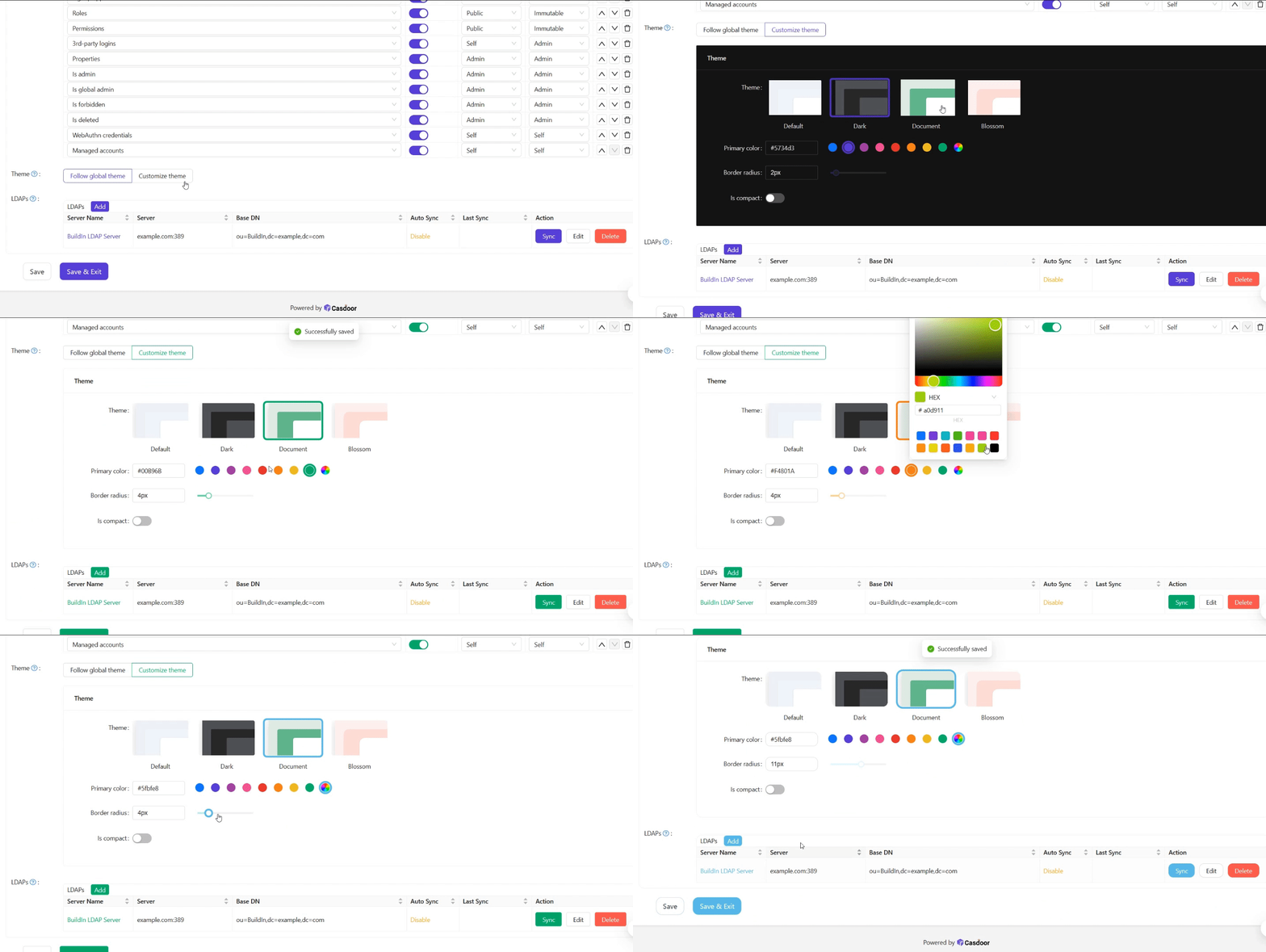
If you edit the organization that you are signed in to, the change applies at once. Otherwise, sign in to that organization to see the theme.
Set the theme of an application
-
Open the edit page of the application.
-
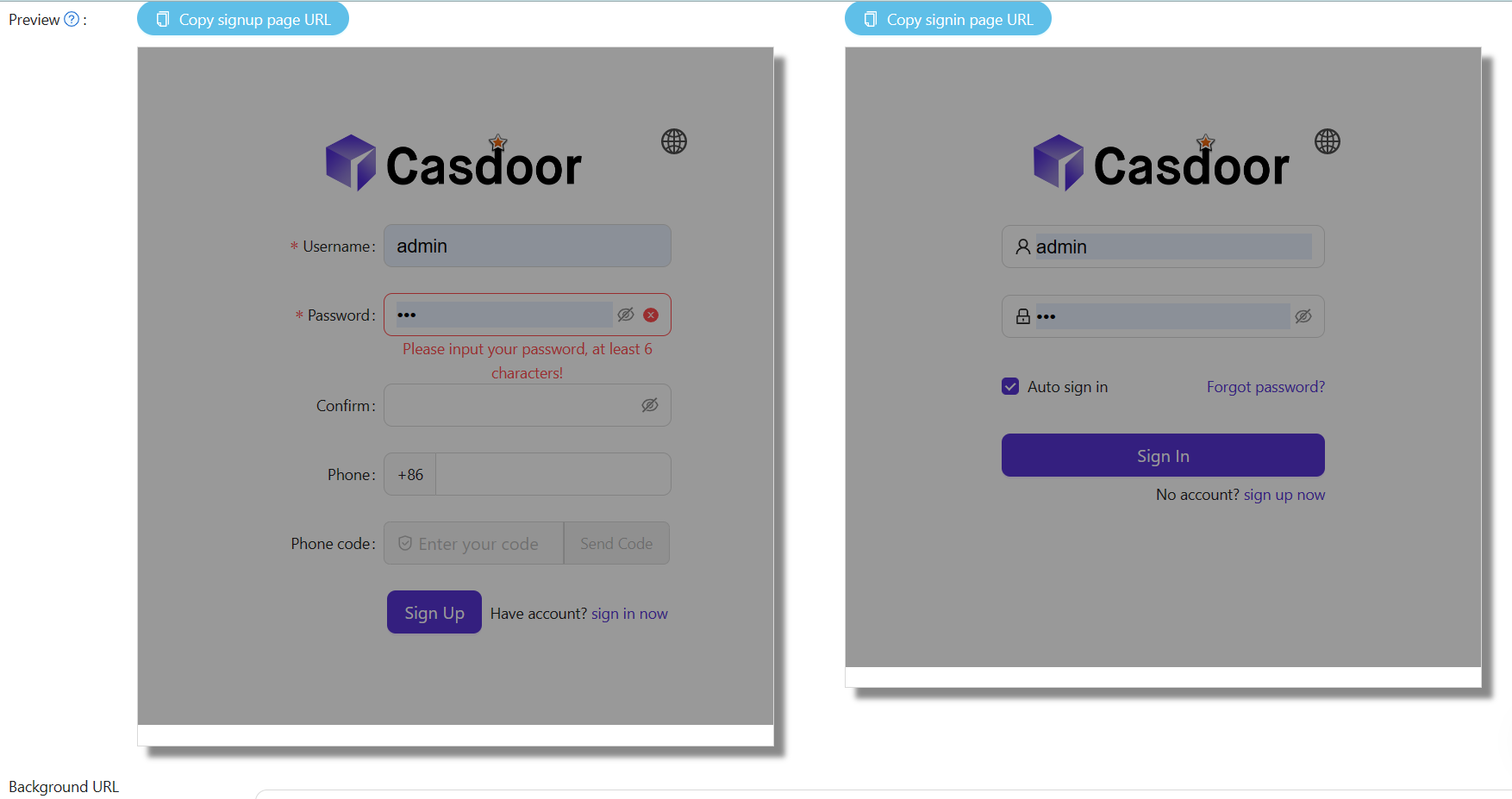
Turn off Follow organization theme, and set the theme settings in the theme editor.
-
Check the result in the preview panel of the application.
-
Save the application.