Groups
A group is a collection of users of an organization. Groups form a tree, with the organization at the root, so that they can mirror the structure of a company. A user can belong to several groups.
Group properties
| Property | Description |
|---|---|
owner | Organization that the group belongs to |
name | Unique name of the group |
displayName | Name shown in the UI |
createdTime, updatedTime | Time of creation and of the last change |
type | Physical or Virtual. A user can be in one physical group only and in any number of virtual groups |
parentGroup | Parent of the group. The parent of a top-level group is the organization |
properties | Key-value map for your own metadata |
Manage groups
You manage groups in three places of the Casdoor admin console.
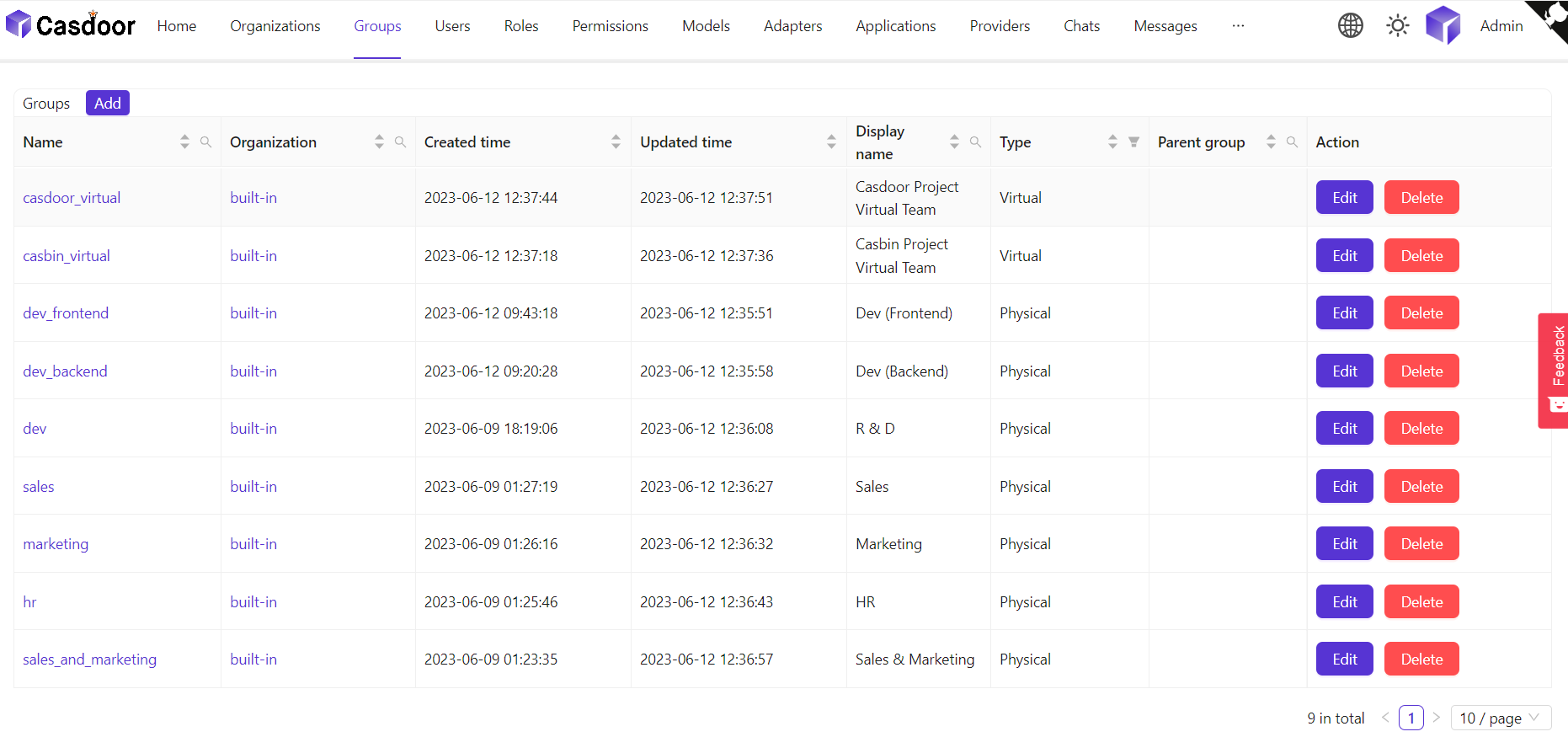
On the Groups page, which lists all groups:
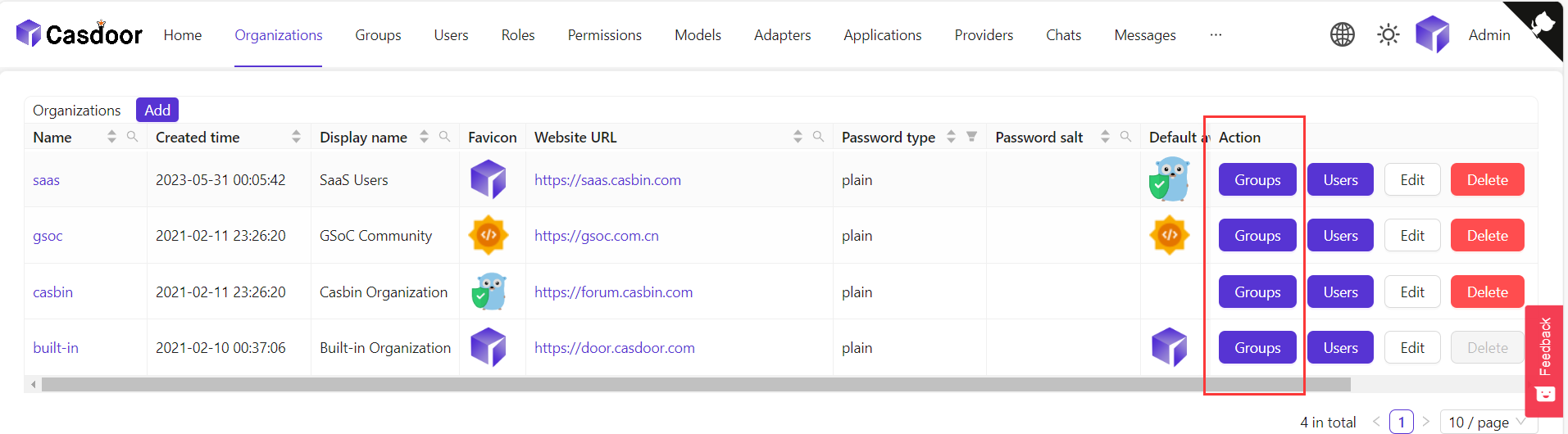
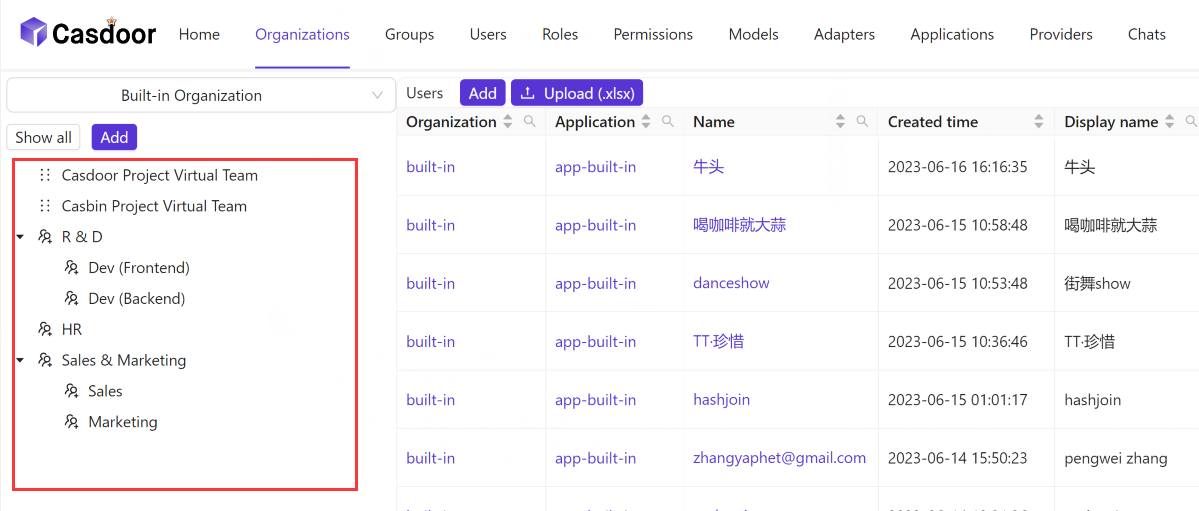
In the group tree of an organization. To open it, click Groups in the row of the organization on the Organizations page:
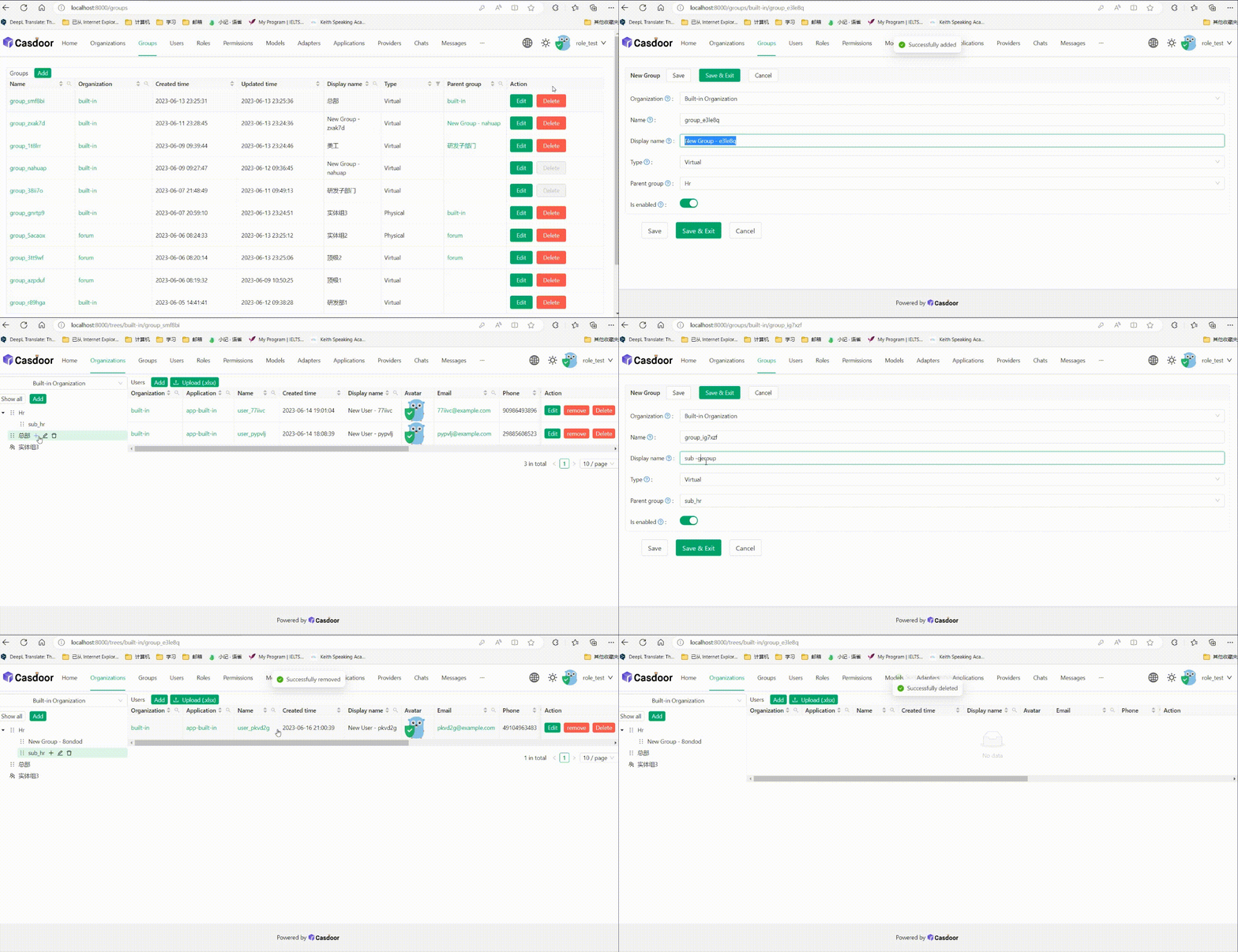
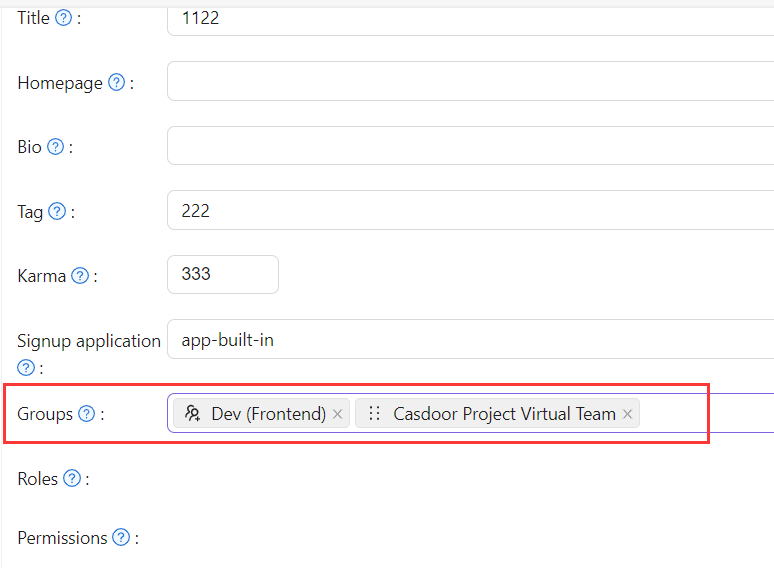
On the edit page of a user, where you assign the user to groups:
Read groups through the API
GET /api/get-group?id=<organization>/<group> returns one group, and GET /api/get-groups?owner=<organization> returns the groups of an organization. Both fill the users field with the IDs of the group's members.
Looking up the members of a group reads all user-group assignments. When you only need the group itself, for example to check whether it exists before a sync creates or updates it, add withUsers=false and get-group leaves users empty:
curl "https://door.casdoor.com/api/get-group?id=<organization>/<group>&withUsers=false" \
  -H "Authorization: Bearer <access-token>"