Pricing
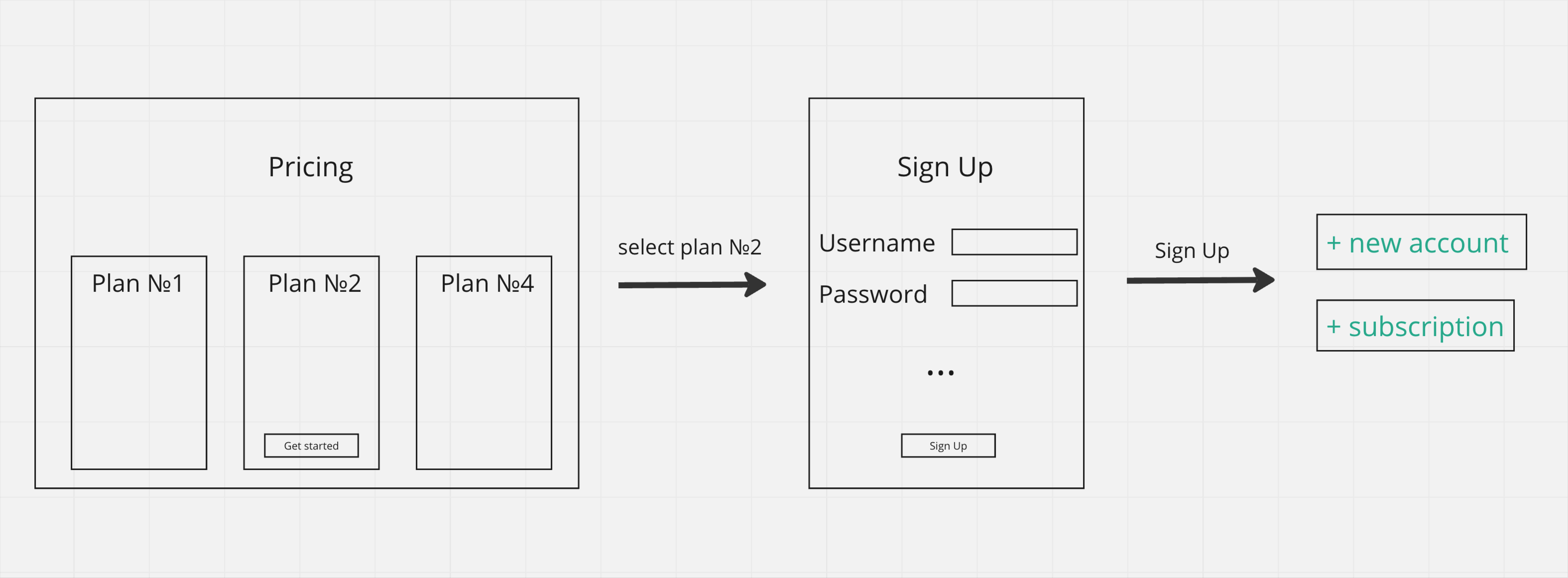
Pricing groups one or more Plans, so users can choose a plan when signing up for an application at different price points.
Pricing properties
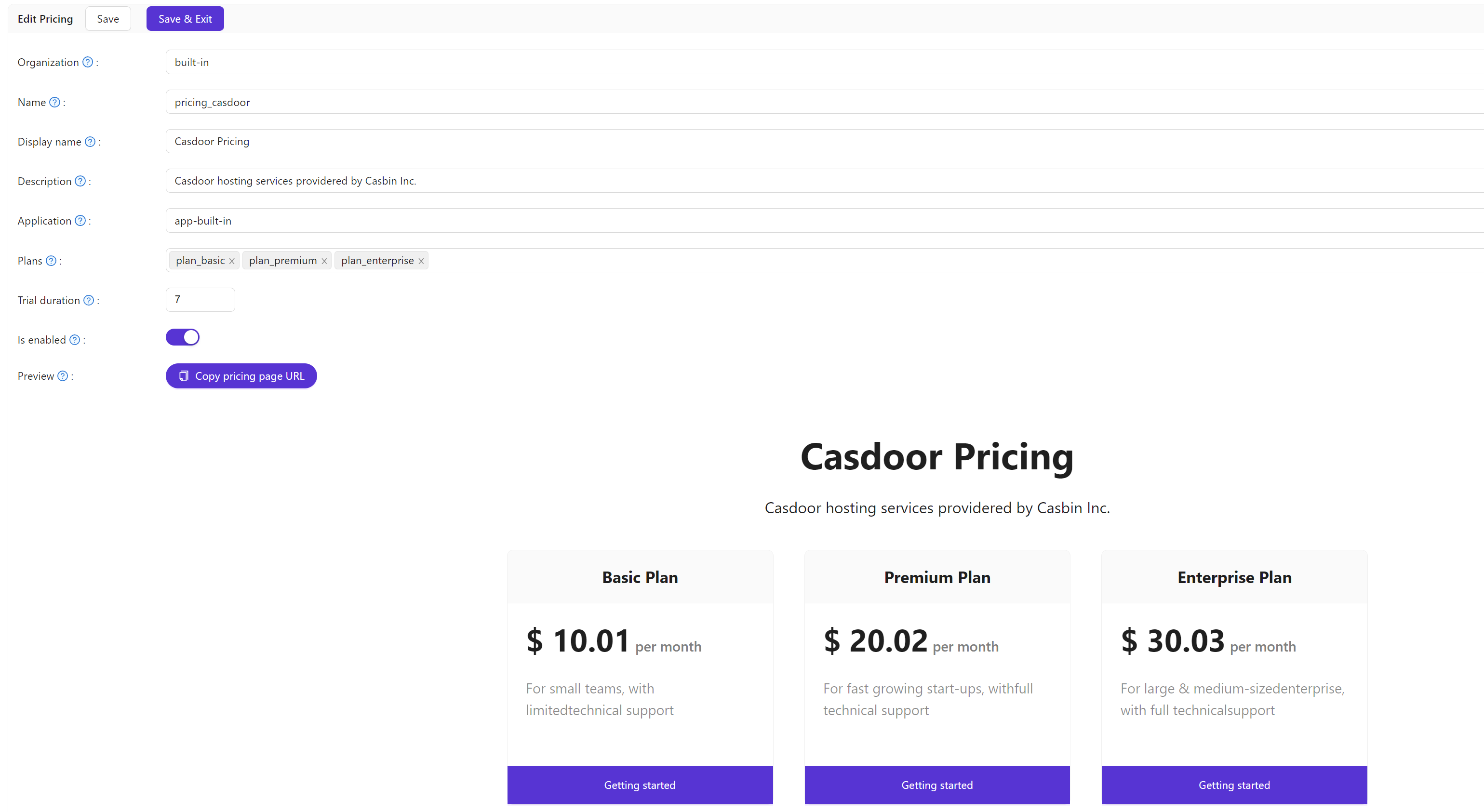
| Property | Description |
|---|---|
| Organization | Owning organization. |
| Name | Pricing identifier. |
| CreatedTime | Creation time. |
| DisplayName | Display name. |
| Description | Optional description. |
| Plans | List of plans in this pricing. |
| IsEnabled | Whether the pricing is active. |
| Application | Application this pricing applies to. |
| Is invite only | Limits the pricing to invited users. Off by default. |
| Invited users | Users of the pricing's organization who may use an invite-only pricing. Shown only when Is invite only is on. |
Invite-only pricing
Turn on Is invite only to offer a pricing to some users only, for example a discounted plan for a partner. Casdoor then decides who may use the pricing:
| Invited users | Who may use the pricing |
|---|---|
| Empty | Every user of the pricing's organization |
| One or more users | Only the listed users |
Users of other organizations and visitors who haven't signed in may never use an invite-only pricing. For everyone who may not use it:
GET /api/get-pricingreturns the errorThe pricing: <pricing-name> is invite-only, only invited users can use it. Global administrators and organization administrators can always read the pricing.- Placing an order with a plan of the pricing fails.
- When a paid user without an active subscription signs in, Casdoor offers the first enabled pricing of the application that the user may use, and skips the others.
- A sign-up link with the
pricingandplanparameters never accepts an invite-only pricing, because the new user doesn't exist yet.
A pricing with Is invite only off is open to everyone.