Use Alibaba Cloud Captcha
This guide explains how to use Alibaba Cloud Captcha as the captcha of Casdoor. The scene that you create in Alibaba Cloud decides the kind of validation, such as a slider or traceless validation.
Learning outcomes
- Create a captcha configuration in Alibaba Cloud.
- Add Alibaba Cloud Captcha as a captcha provider in Casdoor.
What you need
- An Alibaba Cloud account and an AccessKey
- Administrator access to the Casdoor admin console
Create a configuration in Alibaba Cloud
-
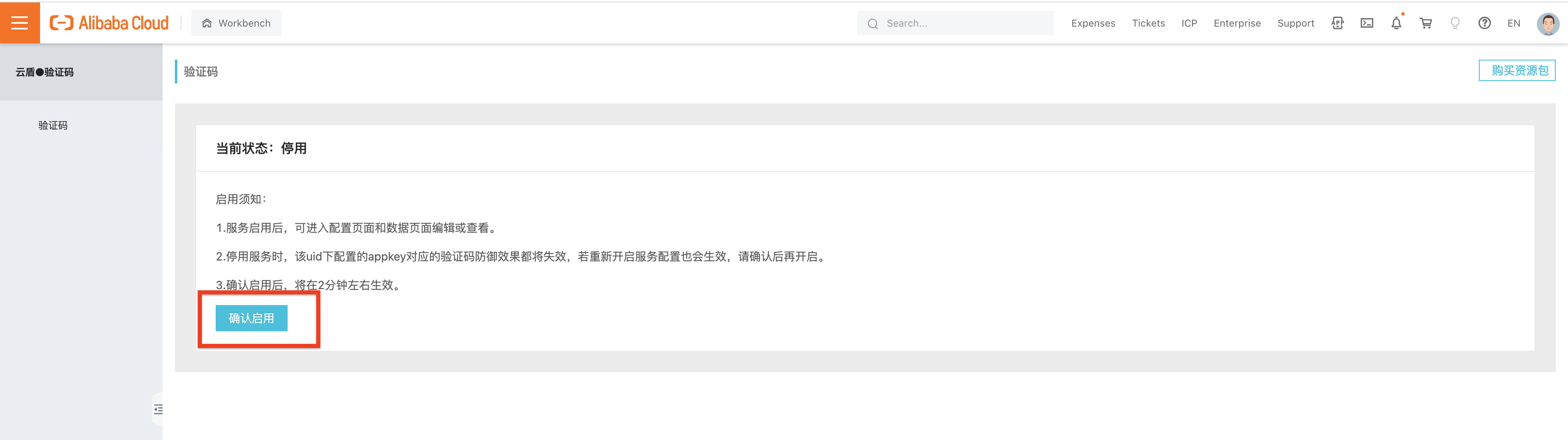
In the Alibaba Cloud console, open the Captcha service and click Confirm Open.
-
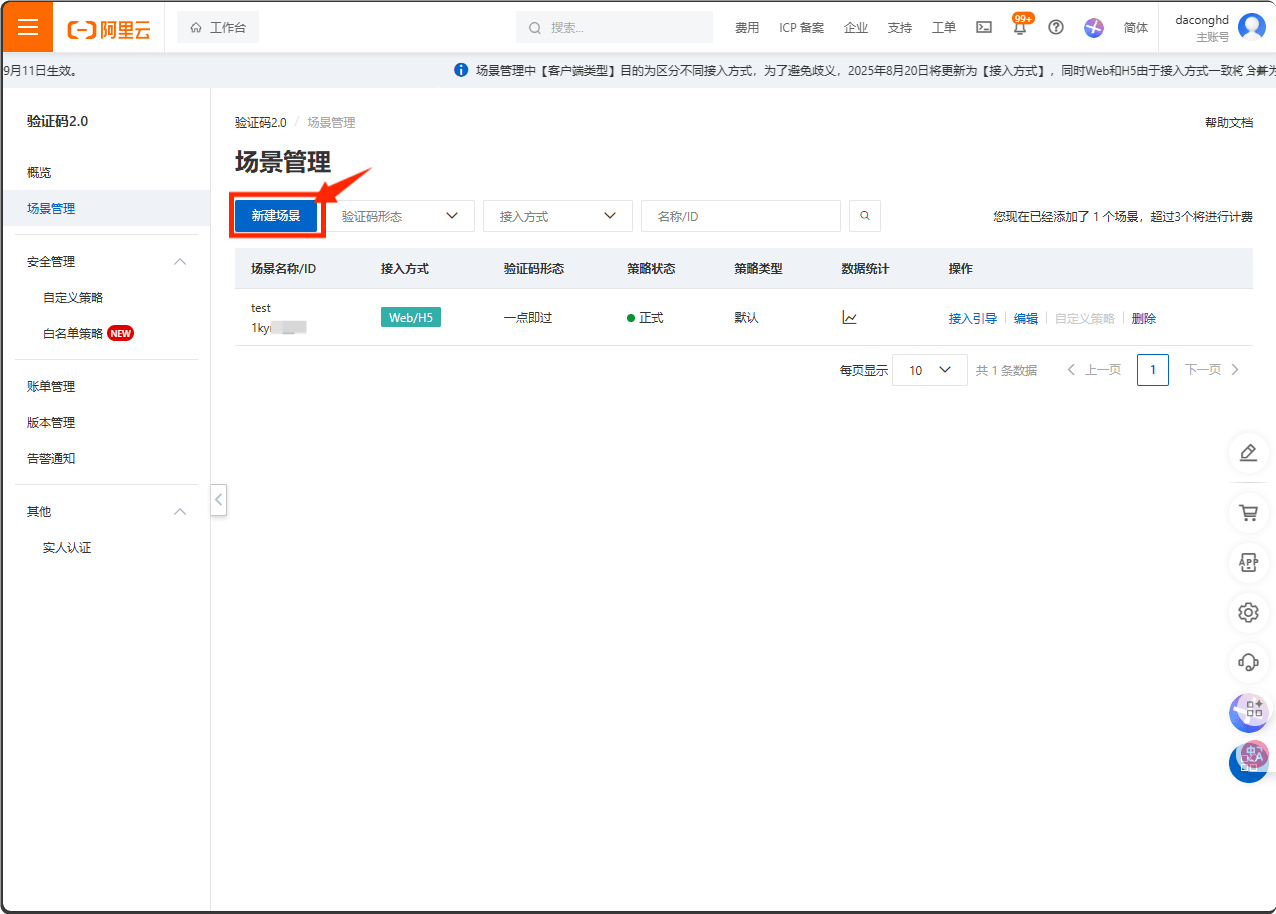
In the Captcha console, click Add configuration.
-
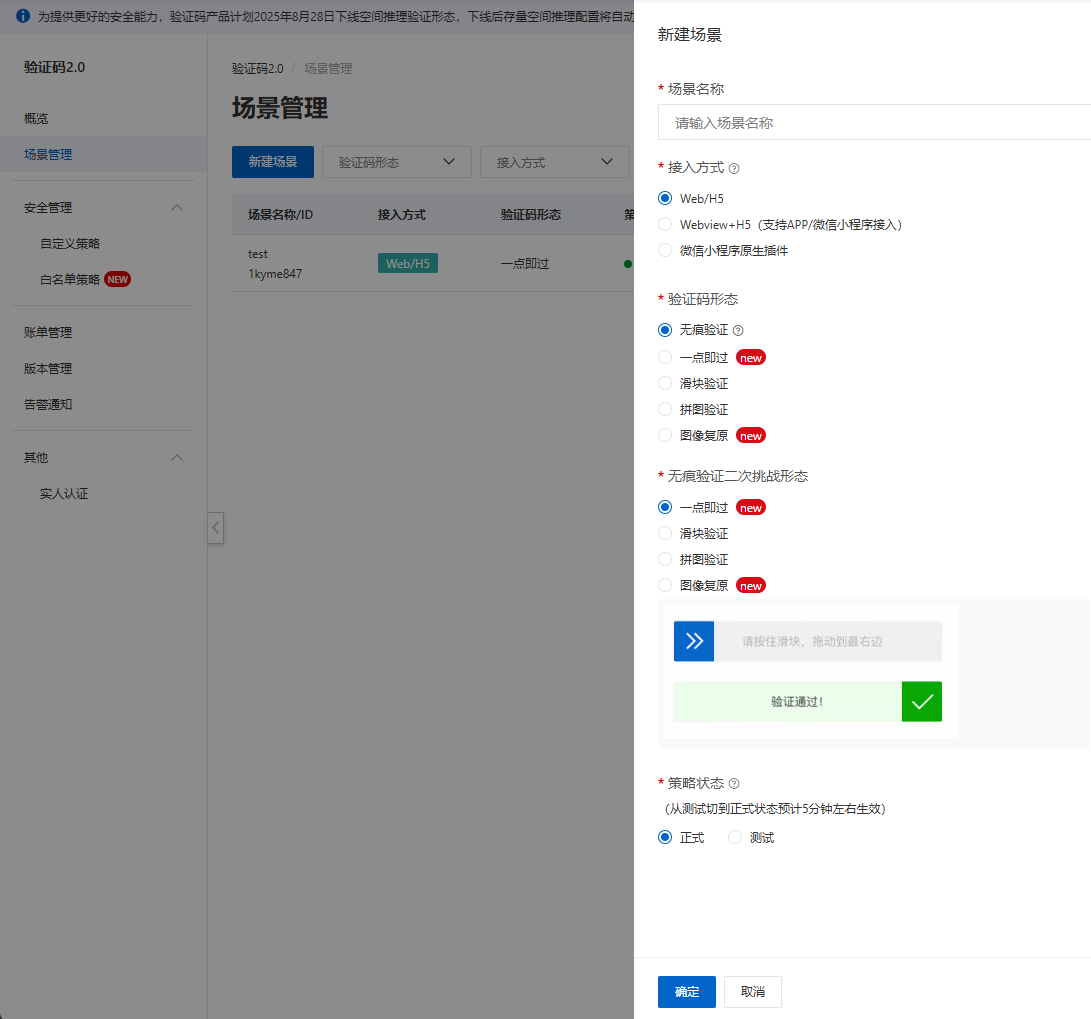
Fill in the form and submit it.
-
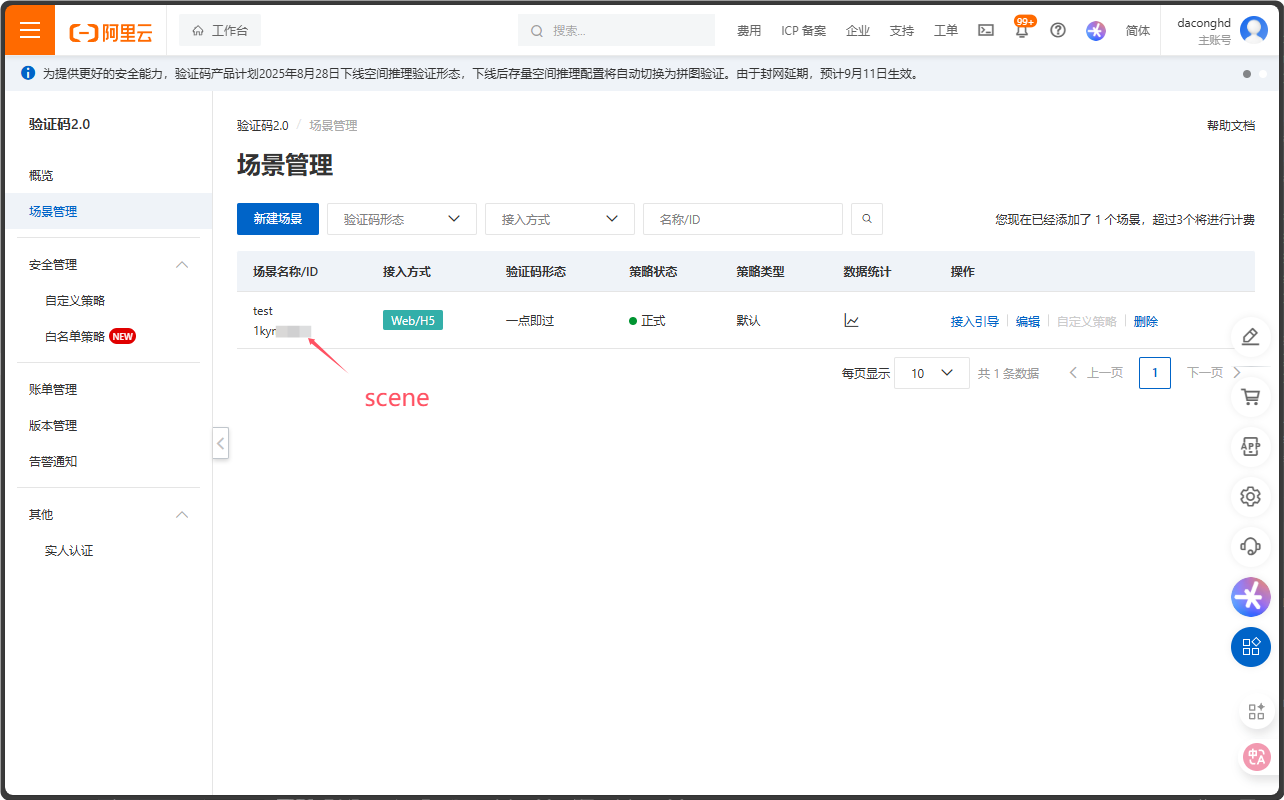
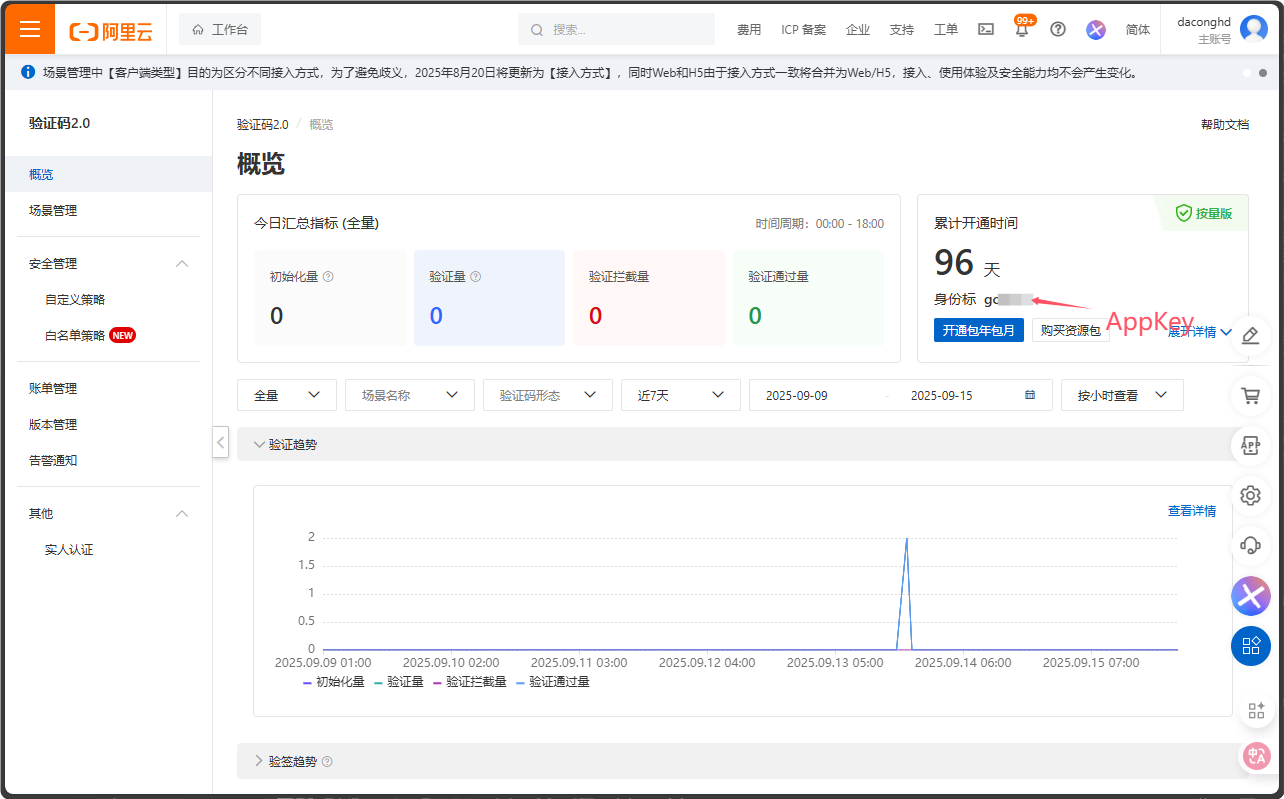
Note the scene and the app key of the configuration.
-
Note the AccessKey ID and AccessKey Secret from your profile.
Add the provider in Casdoor
-
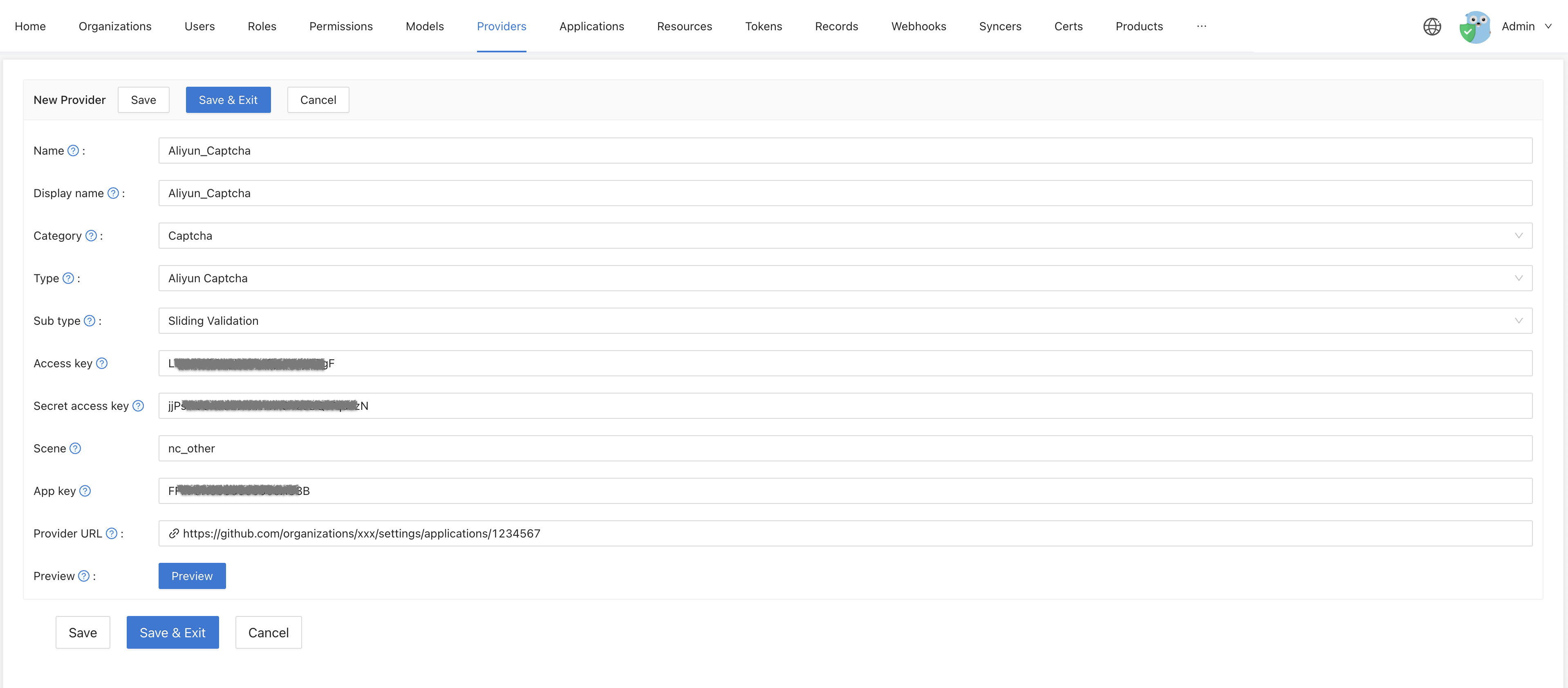
In the Casdoor admin console, go to Identity > Providers and add a provider.
-
Set Category to
Captchaand Type toAliyun Captcha. -
Set Sub type to
EmbedorPopup. See Sub types. -
Enter the Access key, the Secret access key, the Scene, and the App key. The App key is the identity prefix of your Captcha account.
-
Click Preview to check the captcha. For example, a slider scene with the
Embedsub type looks like this: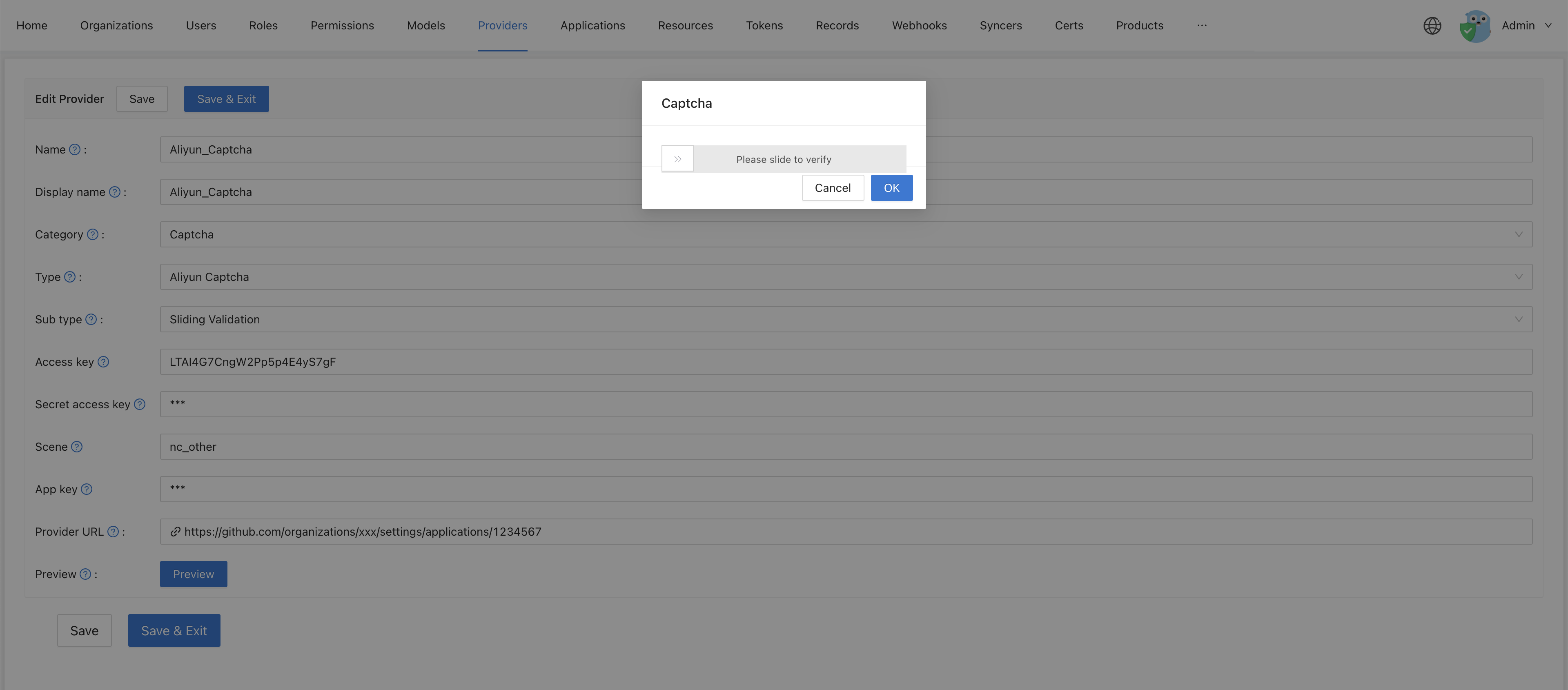
-
Save the provider.
Sub types
| Sub type | Behavior |
|---|---|
Embed (default) | Casdoor opens its captcha dialog and shows the captcha inside it |
Popup | Casdoor opens no dialog of its own, and the popup of Alibaba Cloud opens at once. A traceless scene starts traceless validation, and other scenes open the popup. After a failed attempt, the popup stays open for another try. If the user closes the popup, or an error occurs, Casdoor cancels the action that needed the captcha |
Use Popup for scenes that need the popup mode of Alibaba Cloud, such as traceless scenes.
Add the captcha to an application
Open the edit page of the application, add the provider on the Providers tab, and save. See Add the captcha to an application.
