Add AD FS as an OAuth provider
This guide explains how to let users sign in to Casdoor with their account in Active Directory Federation Services (AD FS).
Learning outcomes
- Register Casdoor as an OAuth confidential client in AD FS.
- Add AD FS as an OAuth provider in Casdoor.
What you need
- A running AD FS server. See the AD FS documentation and the AD FS deployment guide.
- Administrator access to the Casdoor admin console
Register Casdoor in AD FS
-
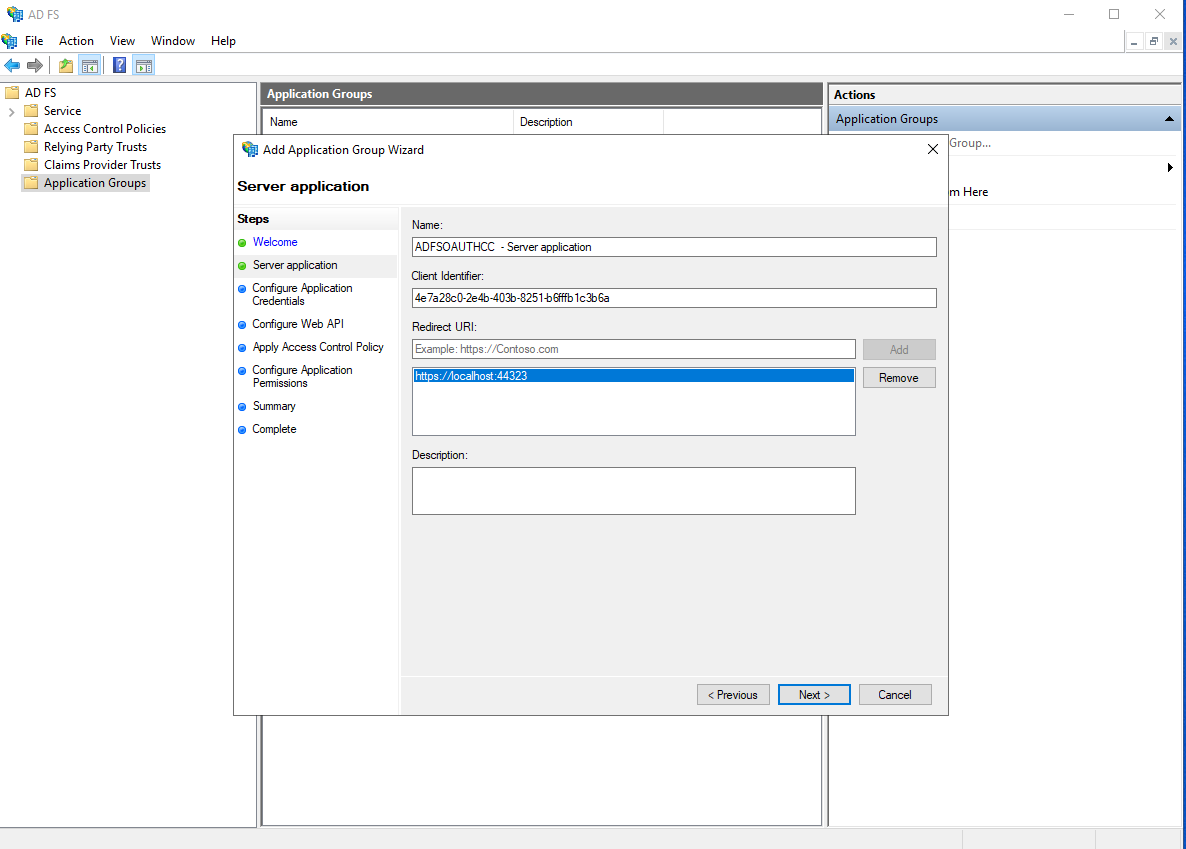
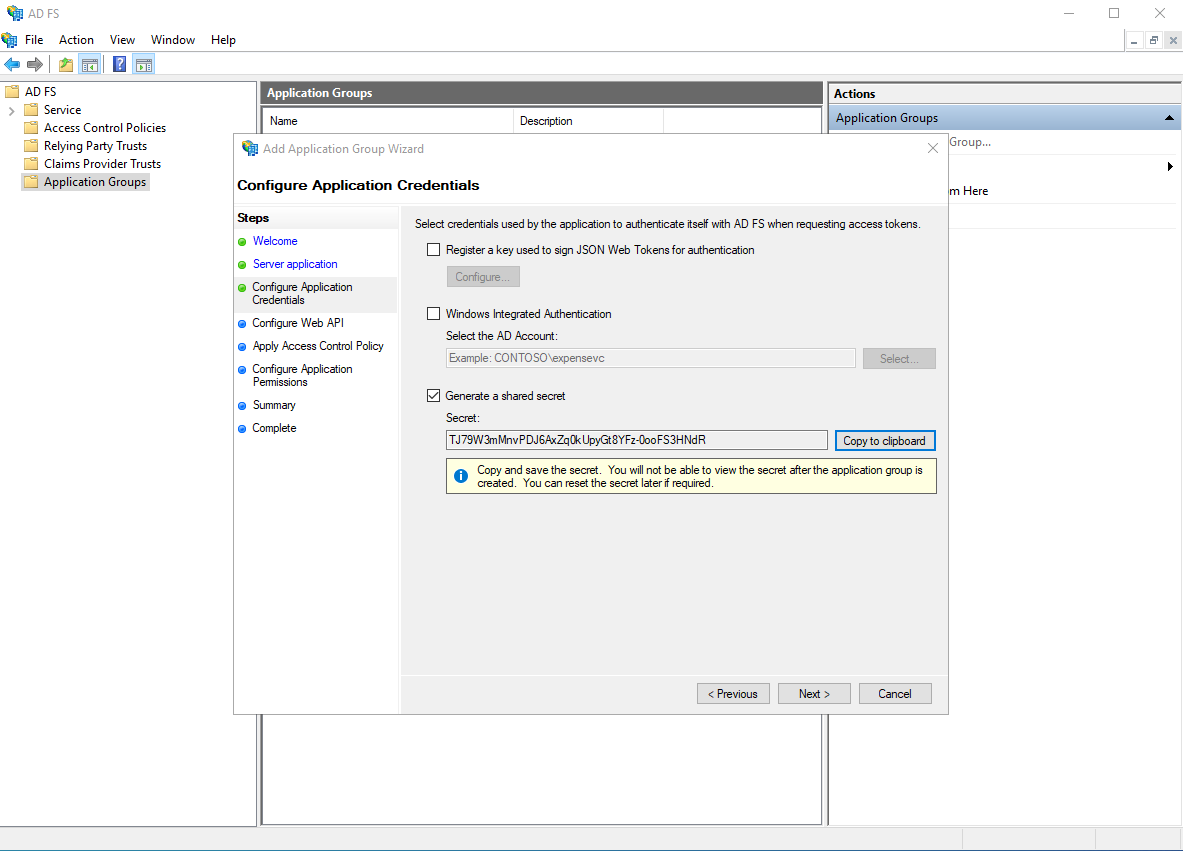
Register an application as described in Enabling OAuth Confidential Clients with AD FS.
-
Copy the client identifier and the client secret.
Add the provider in Casdoor
-
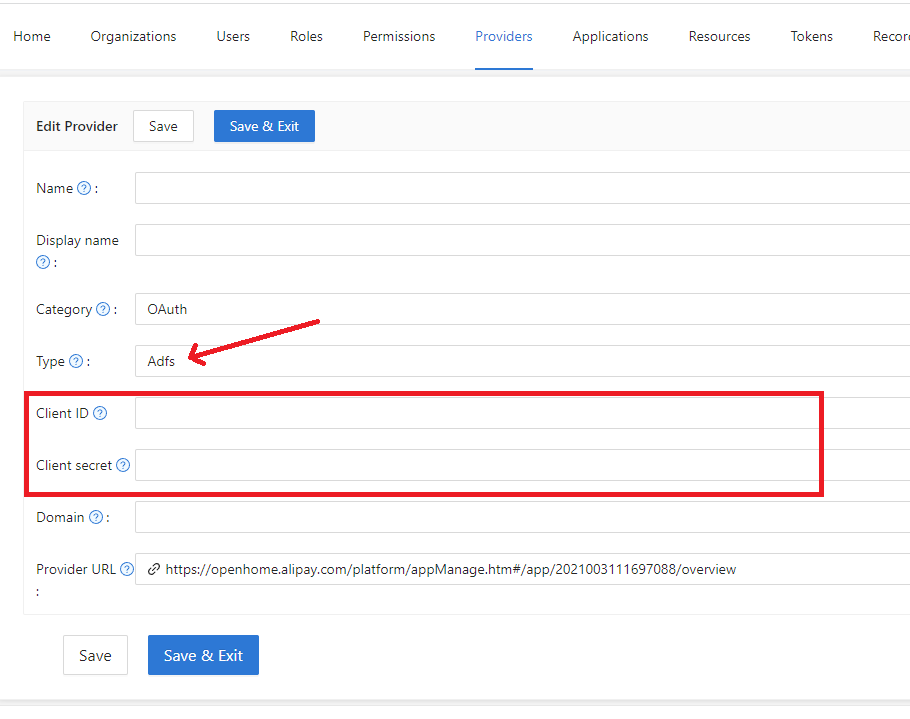
In the Casdoor admin console, go to Identity > Providers and add a provider.
-
Set Category to
OAuthand Type toAD FS. -
Enter the client identifier as the Client ID and the secret as the Client secret.
-
Save the provider.
Next steps
Add the provider to an application. See Add providers to an application.