User roles
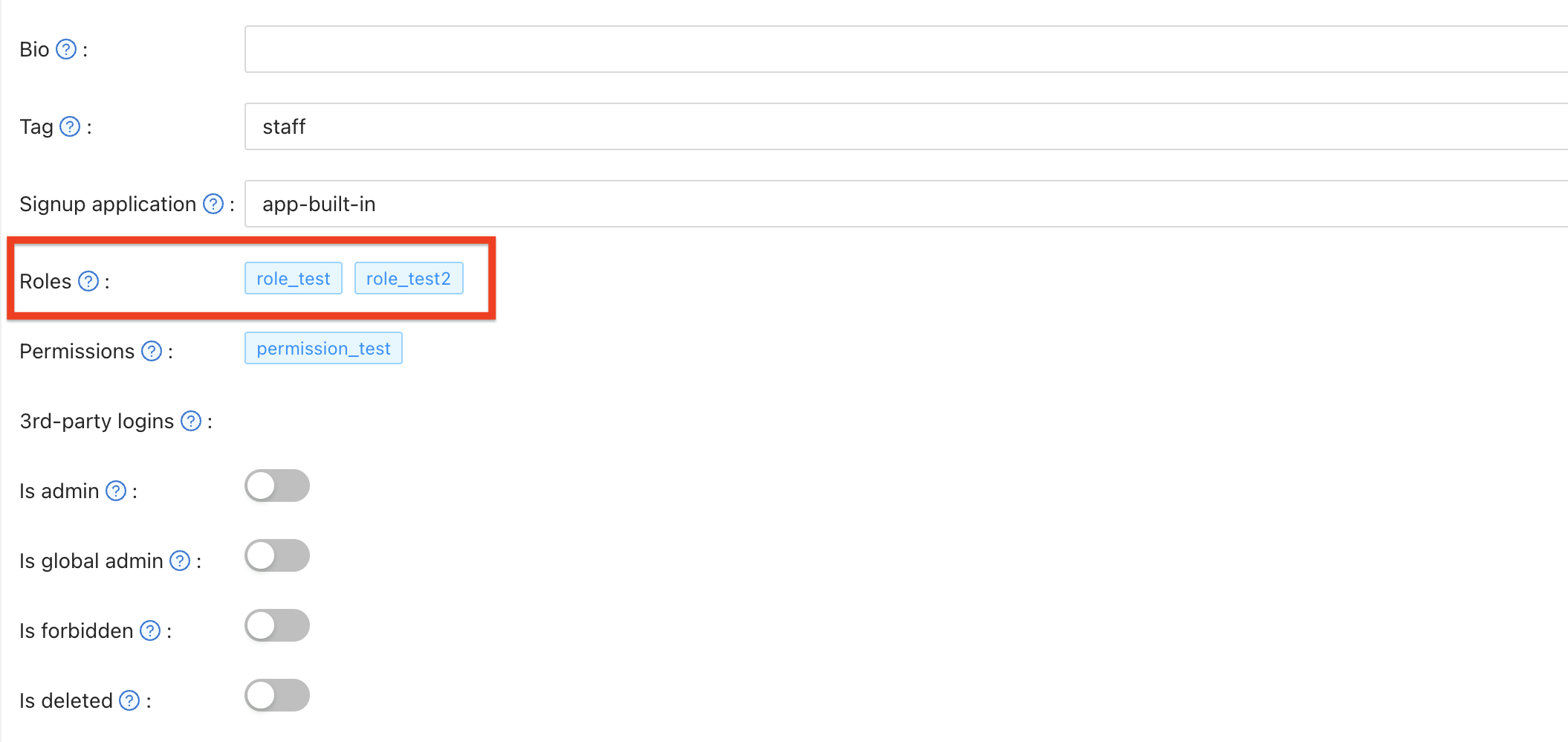
Users can have multiple roles. You see a user’s roles on their profile page.
Role properties
Each role has:
- Owner, Name, CreatedTime, DisplayName, IsEnabled
- Sub users (
users) — users who have this role - Sub groups (
groups) — groups whose members have this role - Sub roles (
roles) — child roles (for role hierarchy)
Managing roles
Roles are separate resources. The user’s Roles field is filled when you load the user (it is not stored on the user record). To assign or change roles, use the Roles API, not the User API.
- Web UI: Open the Roles page (e.g.
https://door.casdoor.com/roles). - API: Use the role endpoints in the Casdoor API reference.
Update some fields of a role
POST /api/update-role?id=<owner>/<name> replaces the whole role with the request body. Add the optional columns parameter, a comma-separated list of field names, to write only those fields from the body. The other fields keep their stored values. Field names can be camelCase or snake_case, for example columns=users,roles.
curl -X POST 'http://localhost:8000/api/update-role?id=built-in/role_admin&columns=users' \
  --user '<client-id>:<client-secret>' \
  -H 'Content-Type: application/json' \
  -d '{"users": ["built-in/alice", "built-in/bob"]}'
If the role doesn't exist, the response is "data": "Unaffected".
Where the roles of a user come from
A user has a role in any of these cases:
- The user is in the role's Sub users. This is a direct assignment.
- The user is a member of a group in the role's Sub groups.
- The user has a role that is in the role's Sub roles. The user then also has the parent role, with the same sources.
When you fetch a user, each entry of roles can carry sourceGroups, the groups through which the user has the role. An empty or missing sourceGroups means a direct assignment. If the user also has the role directly, sourceGroups is empty. sourceGroups is computed when the user is fetched and isn't stored.
In the Roles field of the user edit page, a directly assigned role is a plain badge. An inherited role is an outlined badge with a group icon. Hold the pointer over it to see the groups, for example Groups: built-in/dev-team.