Add GitHub as an OAuth provider
This guide explains how to let users sign in to Casdoor with their GitHub account. The provider supports the web application flow and the device flow of GitHub.
Learning outcomes
- Register a GitHub App for Casdoor.
- Add GitHub as an OAuth provider in Casdoor.
What you need
- A GitHub account
- Administrator access to the Casdoor admin console
Register a GitHub App
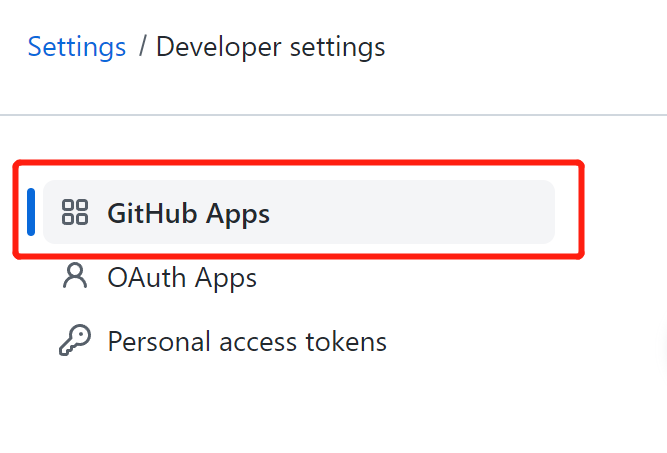
Use a GitHub App, not a legacy OAuth App. A GitHub App accepts several callback URLs, so one app can serve test and production. See Migrating OAuth Apps to GitHub Apps.
-
Open New GitHub App in the developer settings of GitHub.
-
Fill in GitHub App name, Homepage URL, and Description.
-
Set Callback URL to the callback URL of Casdoor:
https://<your-casdoor-host>/callback. This is the URL of Casdoor, not of your own application. See Redirect URL and callback URL.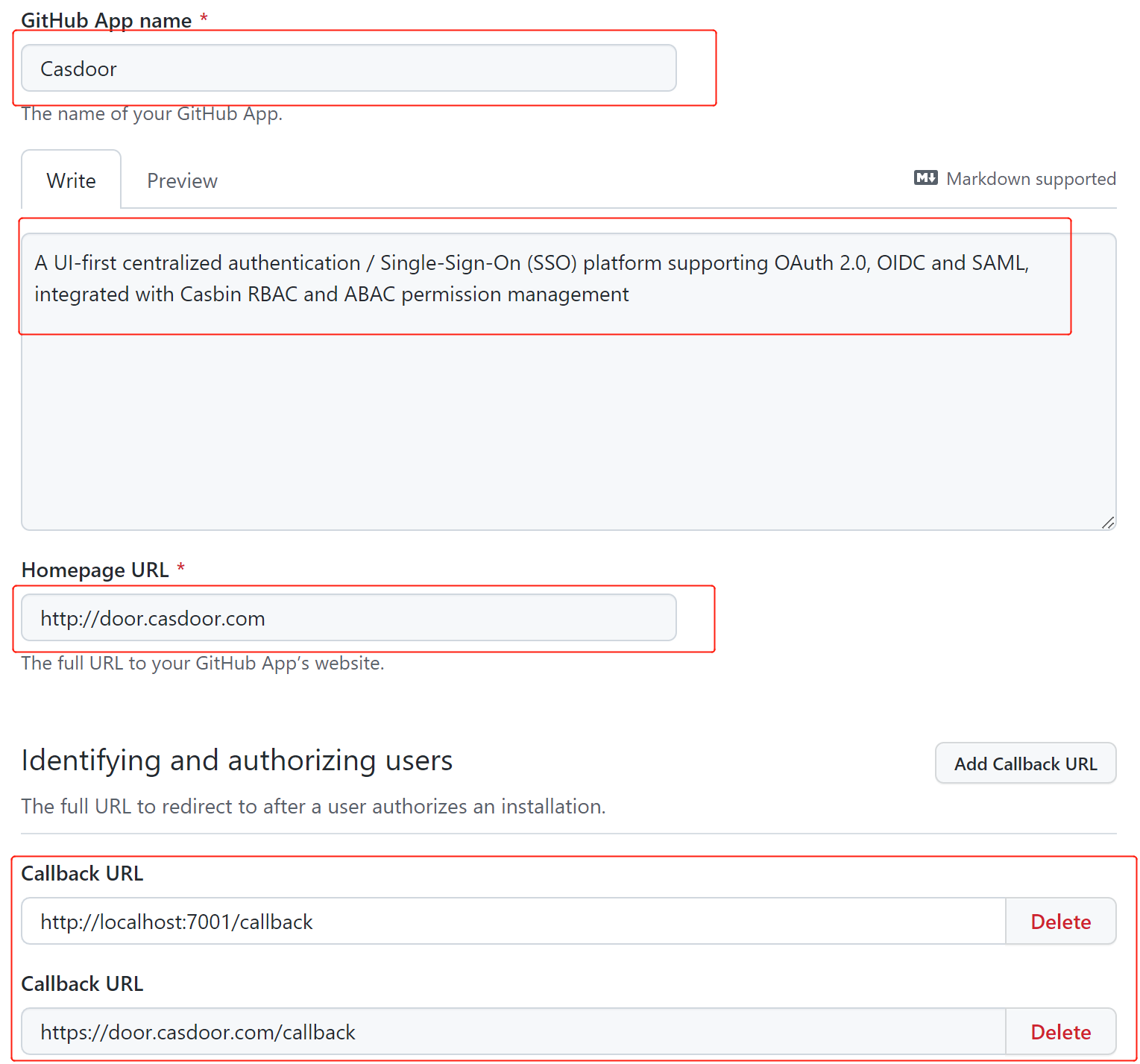
-
Create the app.
-
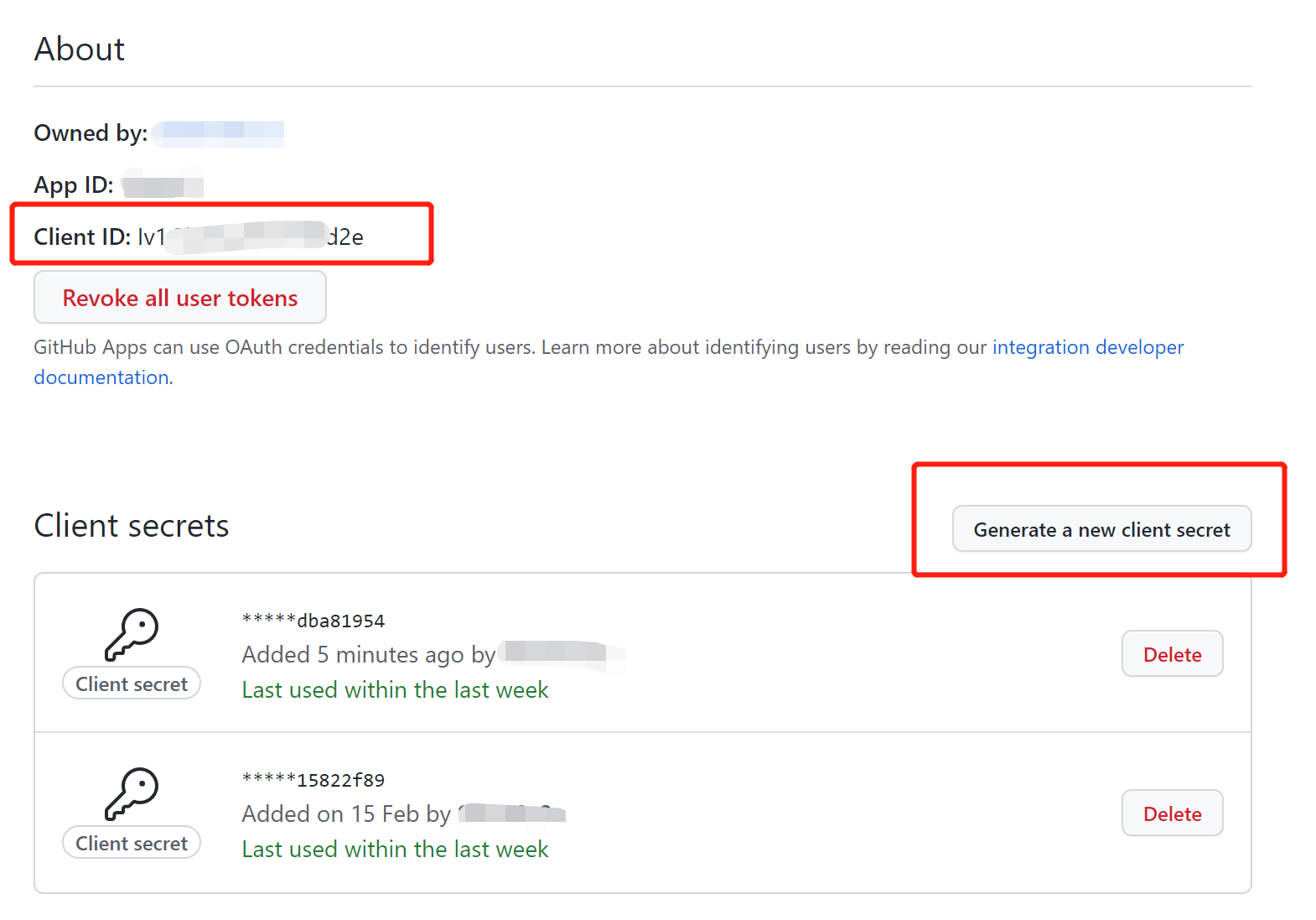
In the settings of the app, generate a client secret, and copy the Client ID and the client secret.
Add the provider in Casdoor
-
In the Casdoor admin console, go to Identity > Providers and add a provider.
-
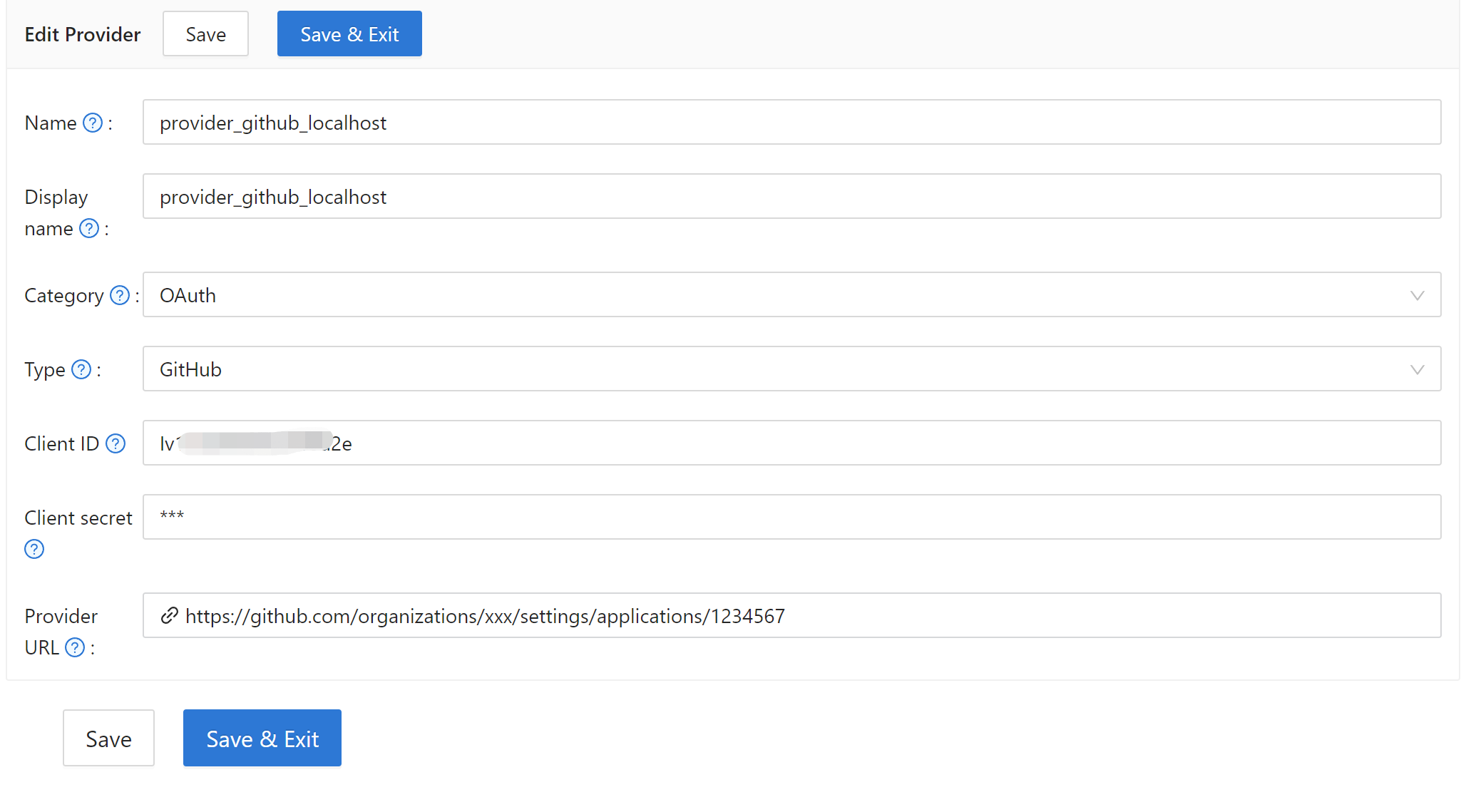
Set Category to
OAuthand Type toGitHub. -
Enter the Client ID and the Client secret of the GitHub App.
-
Save the provider.
Next steps
Add the provider to an application. See Add providers to an application.