Add Lark as an OAuth provider
This guide explains how to let users sign in to Casdoor with their Lark (Feishu) account.
Learning outcomes
- Create a Lark application.
- Add Lark as an OAuth provider in Casdoor.
What you need
- A Lark or Feishu organization
- Administrator access to the Casdoor admin console
Create a Lark application
-
On the Lark Open Platform, create an application and turn it on. Note the App ID and the App Secret from its basic information.
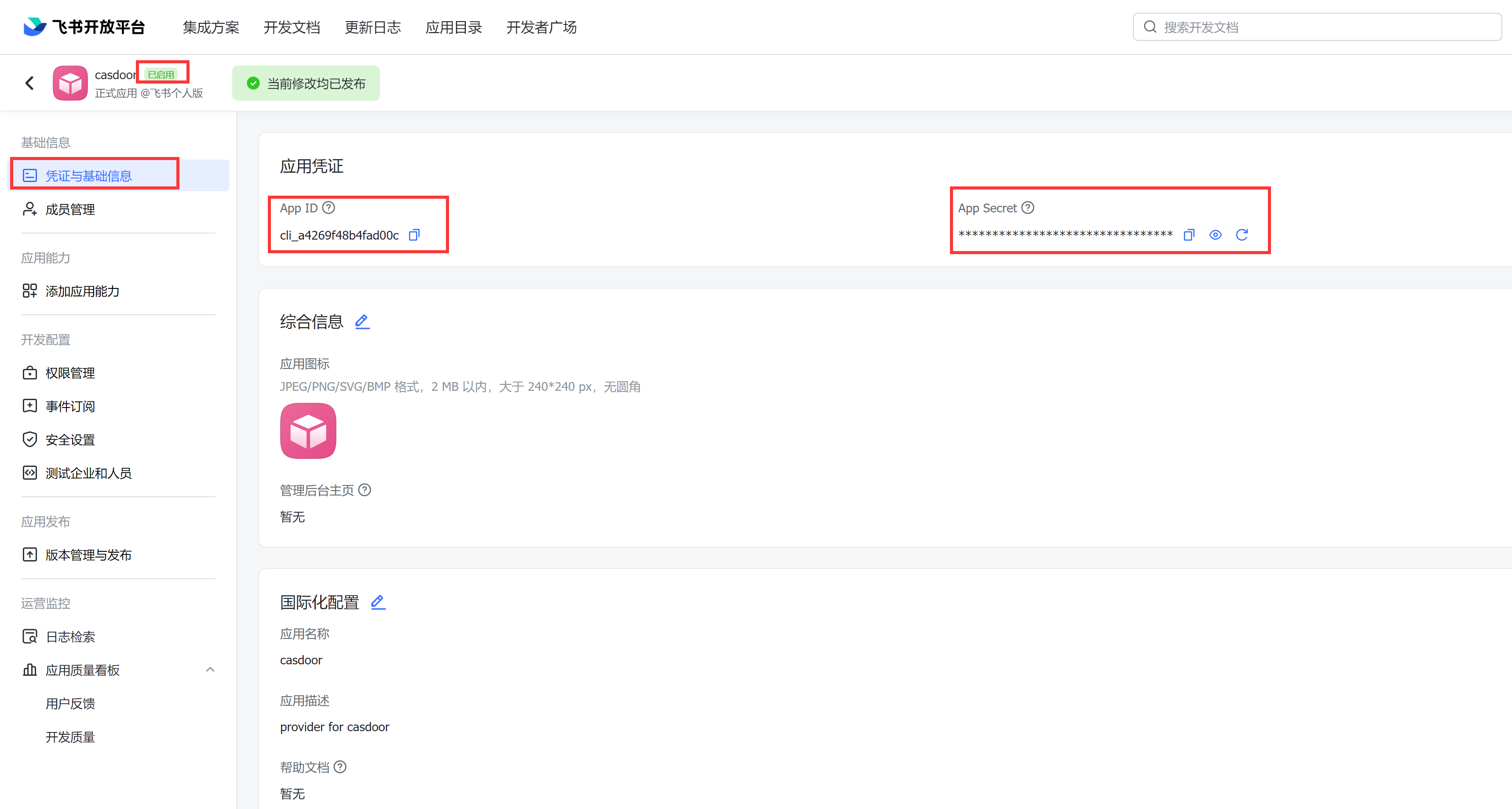
-
In the security settings, add the callback URL of Casdoor,
<your-casdoor-domain>/callback, for examplehttps://door.example.com/callback, as a redirect URL.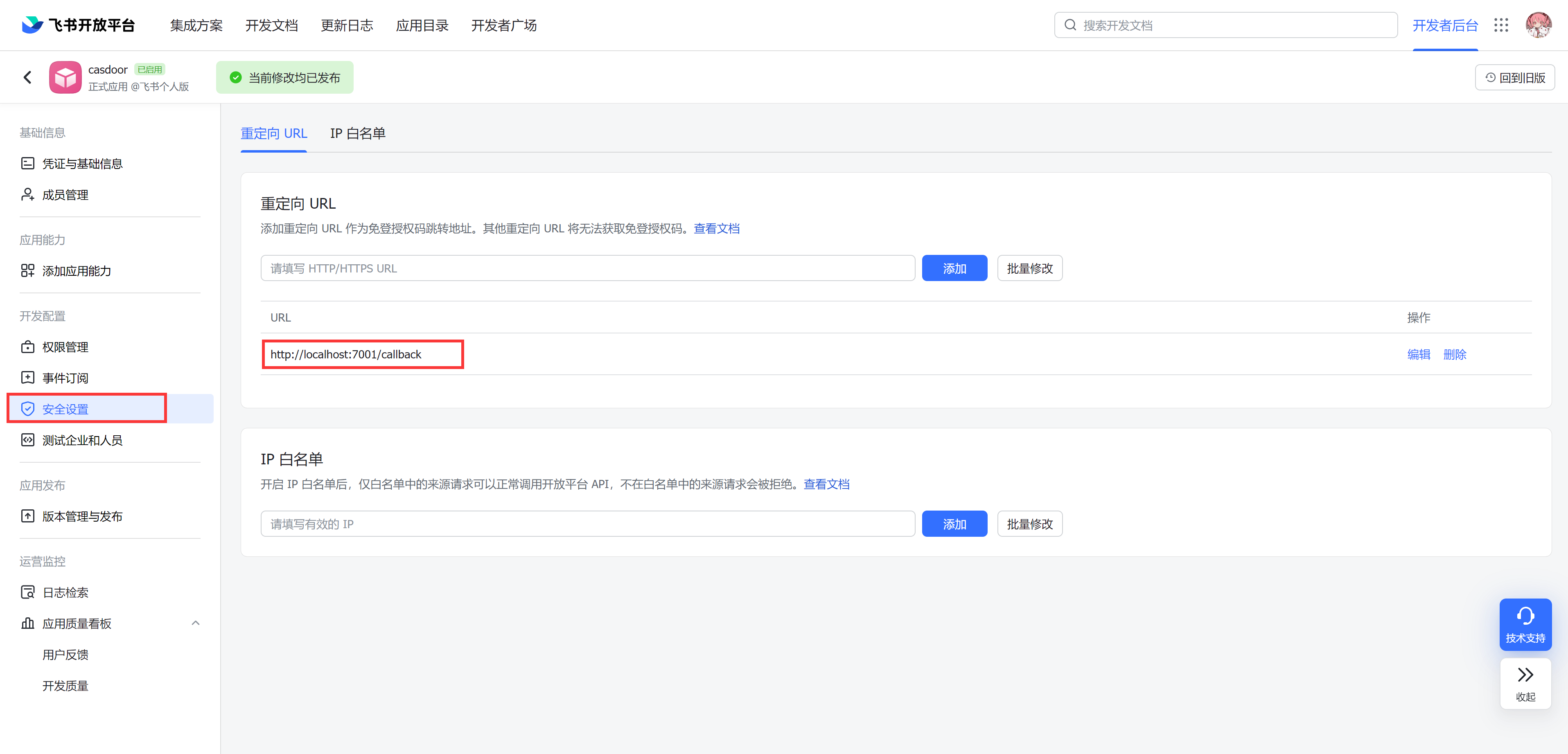
Add the provider in Casdoor
-
In the Casdoor admin console, go to Identity > Providers and add a provider.
-
Set Category to
OAuthand Type toLark. -
Fill in the fields:
Casdoor Lark Client ID App ID Client secret App Secret 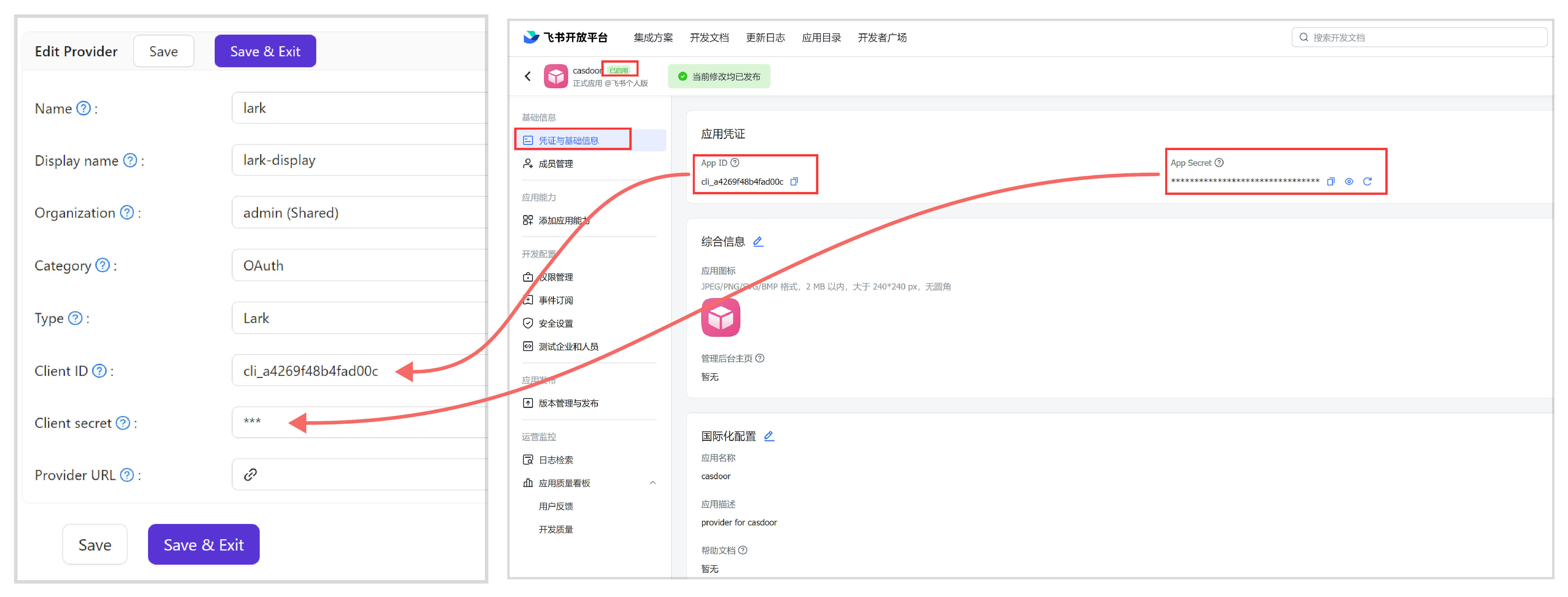
-
Save the provider.
Usernames
Casdoor takes the username from the first of the following values that the response of Lark contains:
UserIdUnionId, which identifies the user across Lark organizationsOpenId, which is always present
Sign-in therefore works even when some fields are missing.
Next steps
Add the provider to an application. See Add providers to an application.