Send SMS with Amazon SNS
This guide explains how to send the verification codes of Casdoor by SMS through Amazon Simple Notification Service (SNS).
Learning outcomes
- Get an access key that may publish to SNS.
- Add Amazon SNS as an SMS provider in Casdoor and test it.
What you need
- An AWS account with SMS configured in SNS
- Administrator access to the Casdoor admin console
Get the credentials
-
In IAM, create an access key for a user that may publish to SNS, and copy the access key and the secret access key.
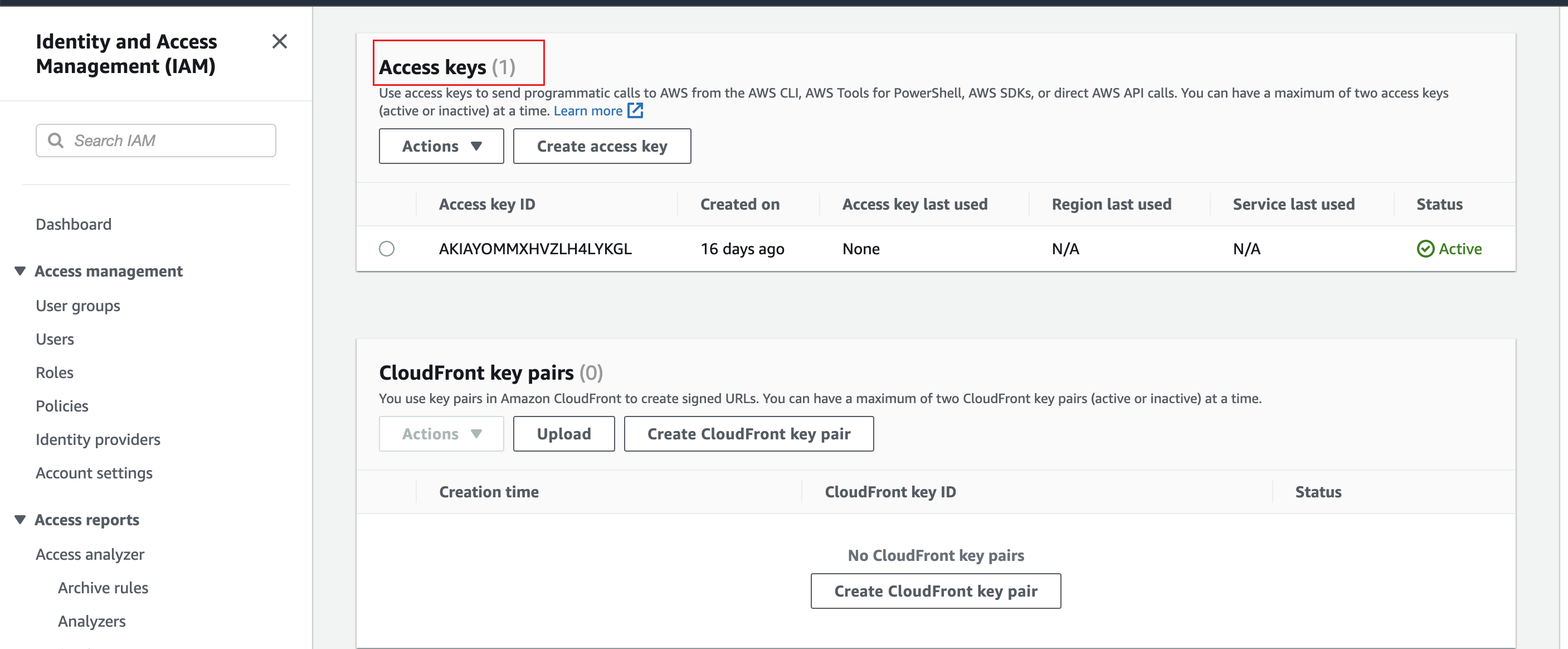
-
Note the region in which you configured SMS in SNS.
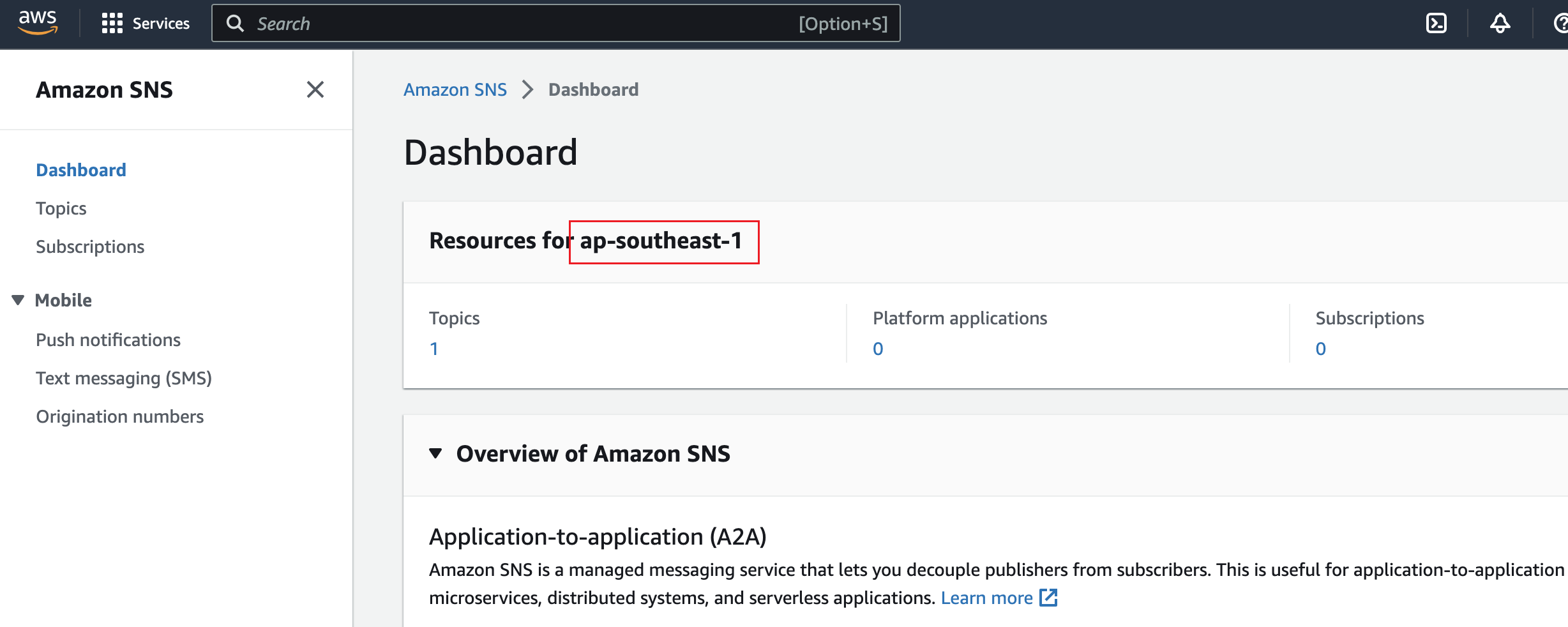
precaución
Protect SMS sending against abuse. Bots that trigger verification codes on purpose can create large SNS bills. Use a captcha on the sign-up and sign-in pages, and set a spending limit for SMS in SNS.
Add the provider in Casdoor
-
In the Casdoor admin console, go to Identity > Providers and add a provider.
-
Set Category to
SMSand Type toAmazon SNS. -
Fill in the fields:
Casdoor field Amazon SNS / meaning Obligatorio ID del Cliente Access Key (IAM) Sí Secreto del Cliente Secret Access Key (IAM) Sí Región AWS region for the topic Sí Código del Template Message template / body Sí 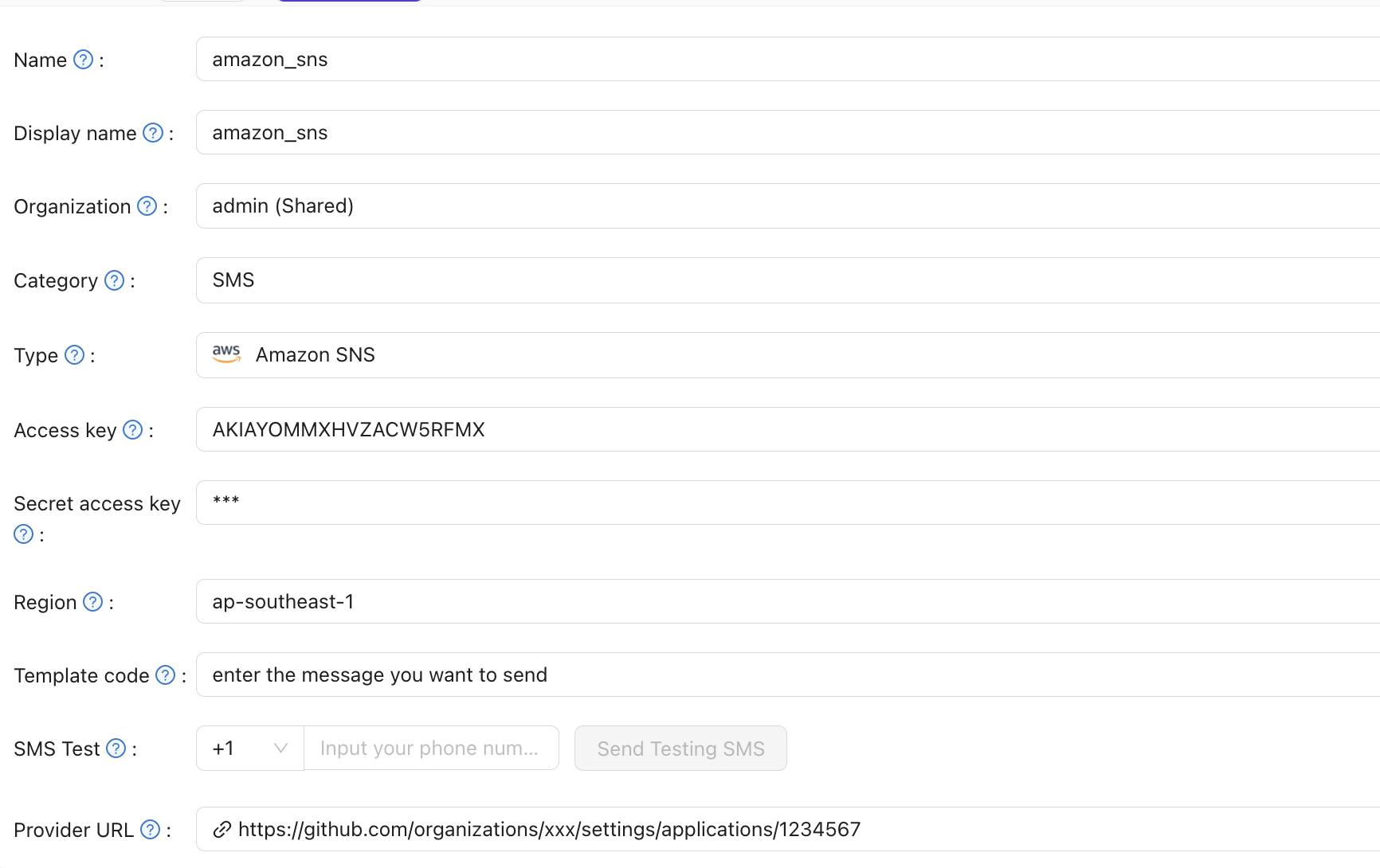
-
Save the provider.
Verify the result
Enter a phone number in SMS Test and send a test message.