Utiliser Casdoor comme serveur OAuth2 dans ShowDoc
ShowDoc is an API and technical documentation platform with Markdown support. It supports OAuth2 for sign-in. This guide configures Casdoor as the OAuth2 server.
Étape 1 : Créez une application Casdoor
In Casdoor, add an application (e.g. ShowDoc). Note Client ID and Client secret. Leave the callback URL empty for now; set it after configuring ShowDoc (step 3).
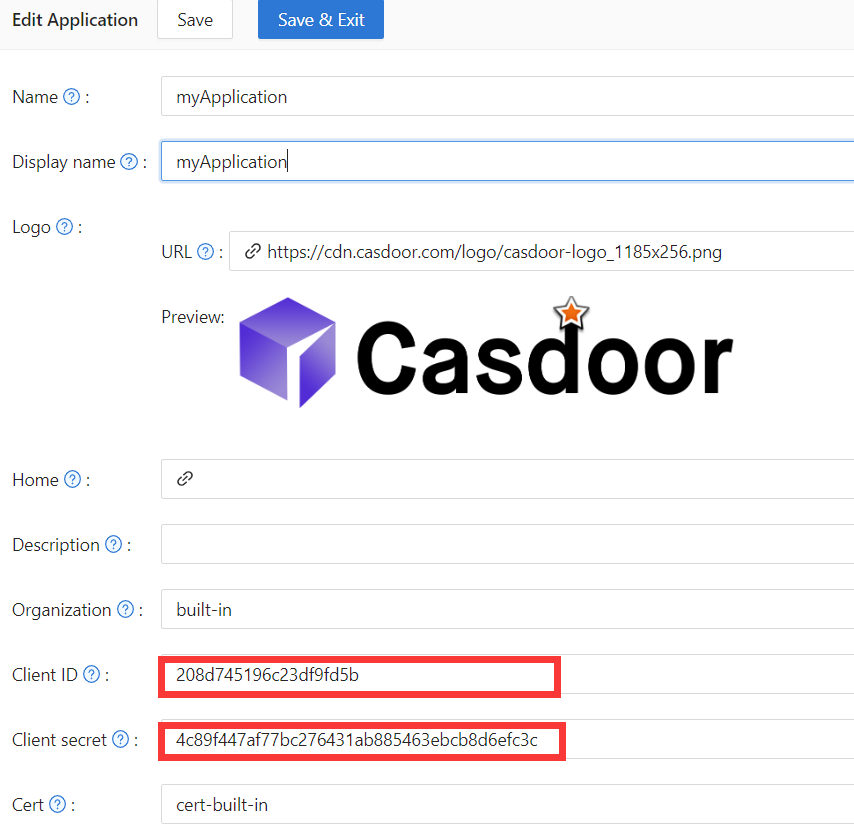
Étape 2 : Configurer ShowDoc
Enable OAuth2 login in ShowDoc. Set the callback URL (as shown in the example), client ID, and client secret from step 1.
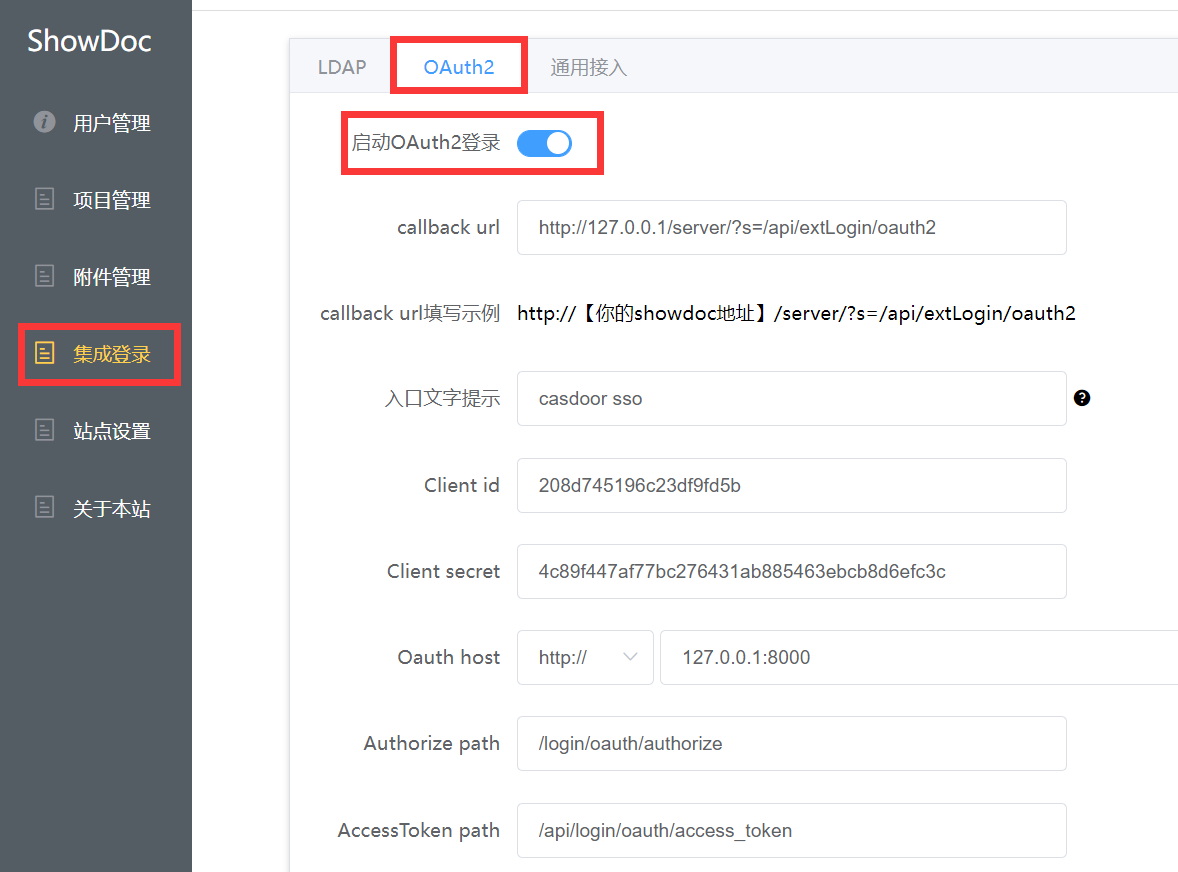
Chemin d'autorisation, Chemin d'accès au token, et Chemin d'info utilisateur sont requis. Use:
Authorize path:   /login/oauth/authorize
AccessToken path:   /api/login/oauth/access_token
User info path:   /api/get-account
Étape 3 : Configurer l'URL de rappel dans Casdoor
Retournez à la page d'édition de l'application à l'étape 1 et ajoutez l'URL de rappel que vous avez remplie dans ShowDoc.

Étape 4 : Essayez sur ShowDoc
Vous devriez voir ce qui suit sur la page de connexion :
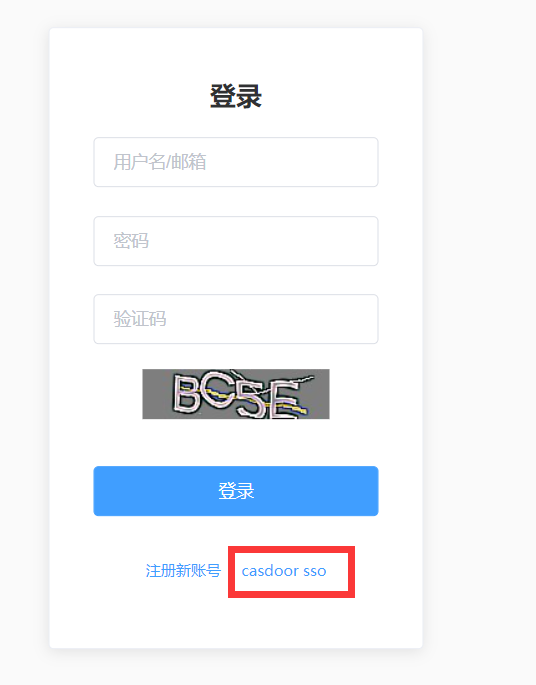
When setup is complete, click Casdoor SSO to sign in via Casdoor.