Fournisseurs
Un fournisseur connecte Casdoor à un service externe, tel qu'un fournisseur d'identité pour la connexion, un service d'e-mail ou un stockage cloud. Vous créez un fournisseur une fois puis vous l'ajoutez aux applications qui l'utilisent.
Catégories de fournisseurs
| Category | Purpose |
|---|---|
| Audit | Send the audit records of Casdoor to a Syslog server. See Syslog audit provider |
| Captcha | Protect sign-in and sign-up with a captcha. See Captcha providers |
| Send email, such as verification codes and notifications. See Email providers | |
| Face ID | Recognize faces for Face ID sign-in. See Face ID providers |
| ID Verification | Verify the identity of users from ID documents. See Identity verification providers |
| Log | Forward permission audit events to a logging backend, or store them as entries. See Log providers |
| MFA | Provide a second factor, such as RADIUS. See MFA providers |
| Notification | Send messages to chat services, such as Slack and Telegram. See Notification providers |
| OAuth | Let users sign in with external identity providers, such as GitHub and Google. See OAuth providers |
| Paiement | Take payments for products and subscriptions. See Payment providers |
| SAML | Let users sign in with external SAML identity providers. See SAML providers |
| Scan | Scan servers for security issues and MCP endpoints. See Scan providers |
| SMS | Send SMS verification codes. See SMS providers |
| Stockage | Store files on the local file system or in cloud object storage. See Storage providers |
Qui peut utiliser un fournisseur
Seuls les administrateurs créent des fournisseurs. La disponibilité d'un fournisseur dépend de qui l'a créé :
| Created by | Available to |
|---|---|
A global administrator: a user of the built-in organization, or a user with IsGlobalAdmin | All applications |
An organization administrator: a user with IsAdmin | Applications of the same organization |
Les fournisseurs de journaux des types System Log, SELinux Log et Agent lisent les journaux du serveur Casdoor ou acceptent des données sur son adresse, donc seul un administrateur global peut les enregistrer. Un administrateur d'organisation qui tente d'en enregistrer un obtient Unauthorized operation.
Quelles adresses un fournisseur peut-il atteindre
A provider of an organization other than admin, built-in, and the trusted organizations can connect only to Internet addresses. Casdoor refuses private, loopback, link-local, and unspecified addresses, and the shared address space 100.64.0.0/10. It checks the address that the host name resolves to. For HTTP requests, it checks every connection, including redirects. This stops an organization administrator from reaching the internal network of the Casdoor server, such as a database or a cloud metadata endpoint, through a provider.
La règle couvre ces connexions :
| Category | Connection |
|---|---|
The SMTP server, or the endpoint of Custom HTTP Email | |
| SMS | The endpoint of Custom HTTP SMS |
| Notification | The endpoint of Custom HTTP |
| Storage | The endpoint of the storage service |
| OAuth | The token, user info, and logout endpoints of the provider, and the OIDC discovery that the Request button fetches. The types GitHub, Google, Facebook, LinkedIn, Steam, Line, Amazon, Instagram, TikTok, Twitter, Uber, and Yahoo always use the proxy instead |
Pour vous connecter à un service sur votre réseau interne, comme un serveur SMTP local, créez le fournisseur en tant qu'administrateur global. Lorsqu'un administrateur d'organisation clique sur Request sur un fournisseur OIDC, Casdoor applique la même règle à la récupération de découverte, quelle que soit l'organisation du fournisseur.
Pour permettre aux administrateurs d'une organisation de gérer des fournisseurs connectés au réseau interne, un administrateur global active Trusted organization pour celle-ci (version commerciale). La règle ne s'applique alors plus aux fournisseurs de cette organisation, ni au bouton Request pour ses administrateurs.
Créer un fournisseur
- Dans la console d'administration Casdoor, accédez à Identity > Providers et ajoutez un fournisseur.
- Sélectionnez la Category et le Type. Casdoor remplit automatiquement Name et Display name : le nom suit le modèle
provider_<category>_<type>, et le nom d'affichage est<Category> <Type>. Casdoor cesse de mettre à jour un champ dès que vous le modifiez vous-même. - Remplissez les champs du type. La page de chaque type de fournisseur les répertorie.
- Enregistrez le fournisseur.
Ajouter un fournisseur à une application
Un fournisseur n'est actif que dans les applications auxquelles vous l'ajoutez.
-
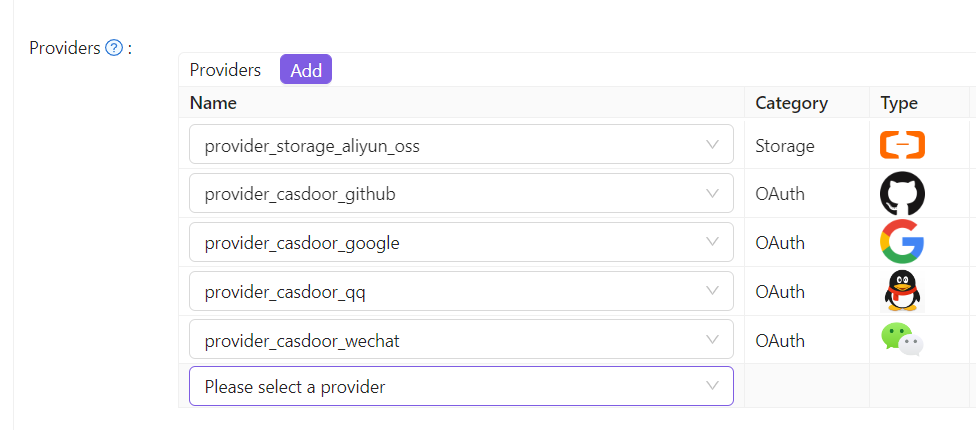
Ouvrez la page de modification de l'application, accédez à l'onglet Providers et ajoutez une ligne.
-
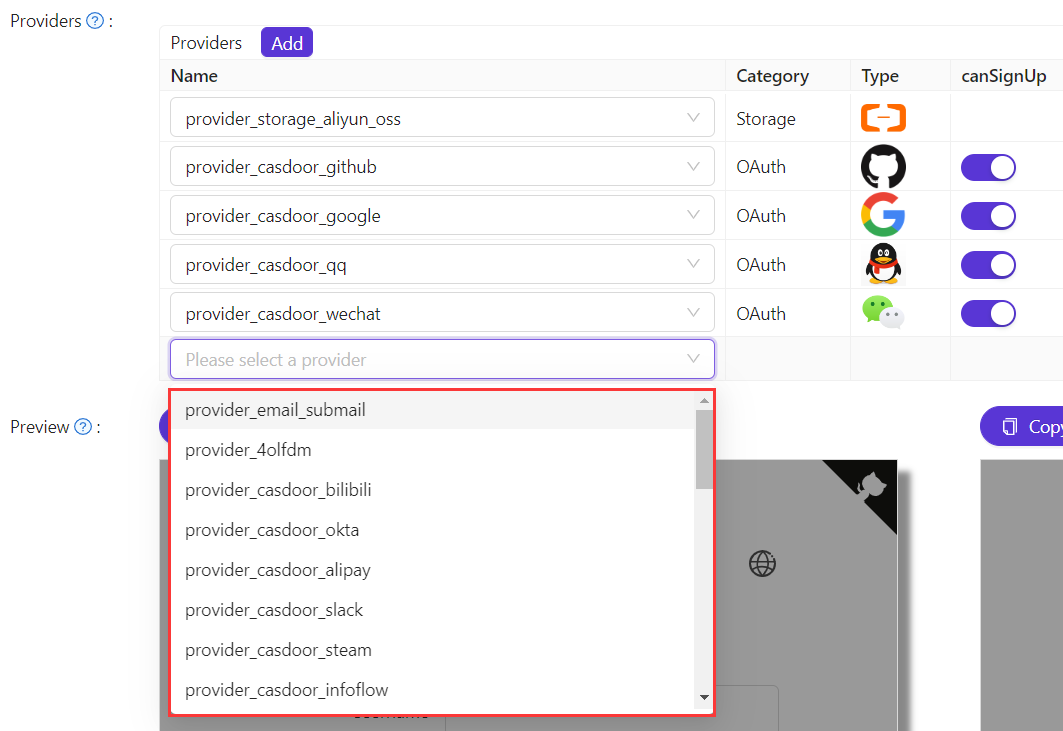
Sélectionnez le fournisseur. La liste affiche tous les fournisseurs disponibles pour l'application.
-
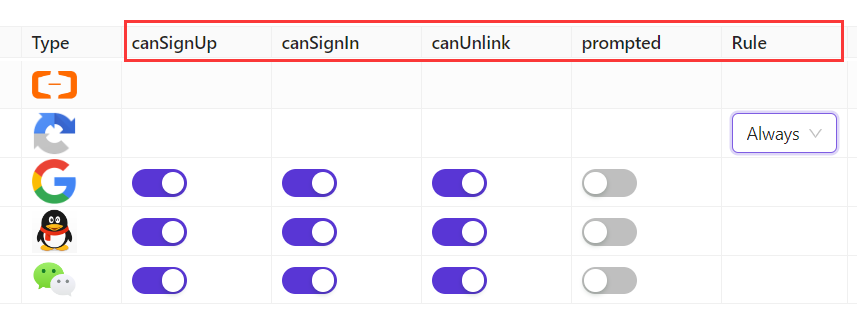
Pour les fournisseurs OAuth et captcha, définissez comment l'application les utilise. Consultez Add providers to an application et Configure the default captcha.
-
Enregistrez l'application.