Send SMS with Azure Communication Services
This guide explains how to send the verification codes of Casdoor by SMS through Azure Communication Services (ACS).
Learning outcomes
- Get a token, a phone number, and the endpoint from Azure.
- Add Azure ACS as an SMS provider in Casdoor and test it.
What you need
- An Azure Communication Services resource with a phone number
- Administrator access to the Casdoor admin console
Get the credentials
-
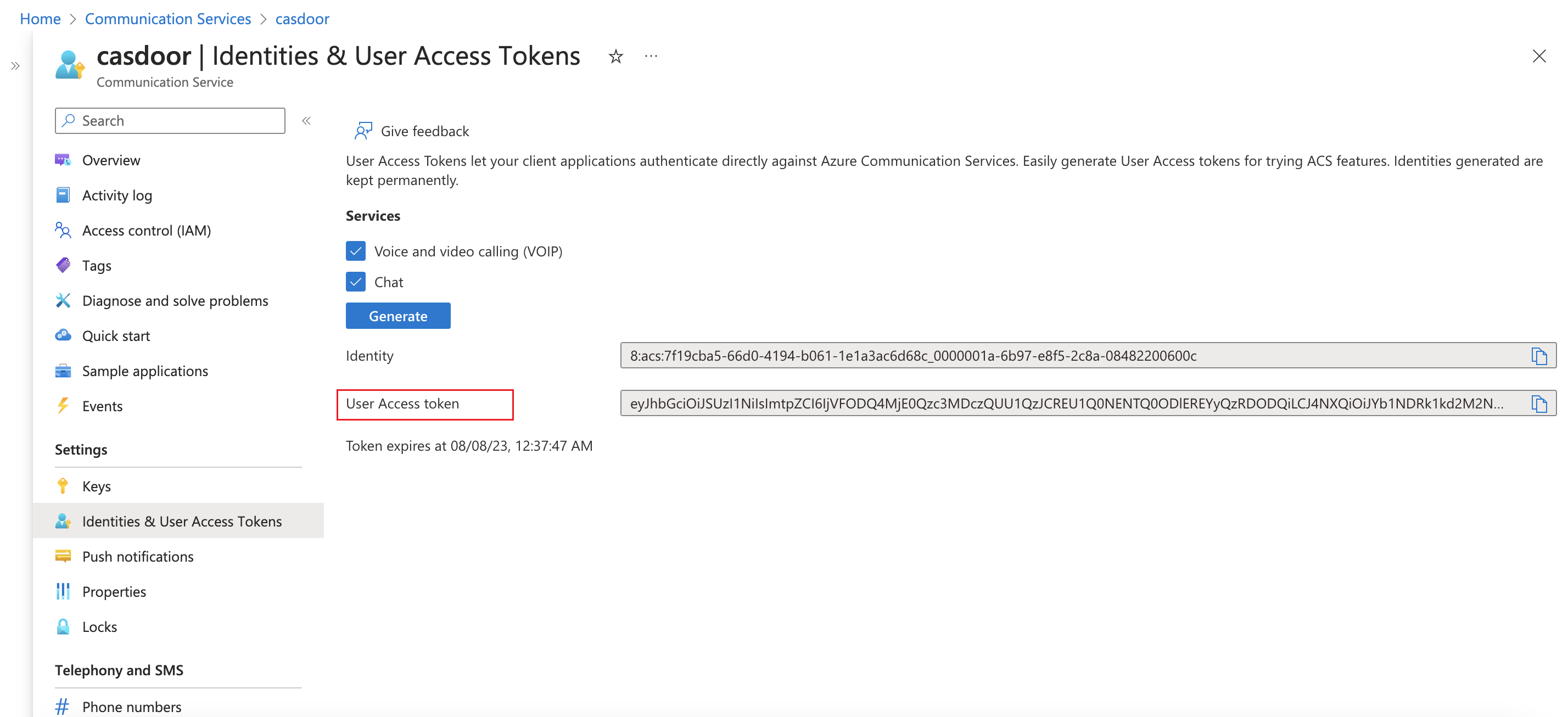
In your Communication Services resource, create a user access token.
-
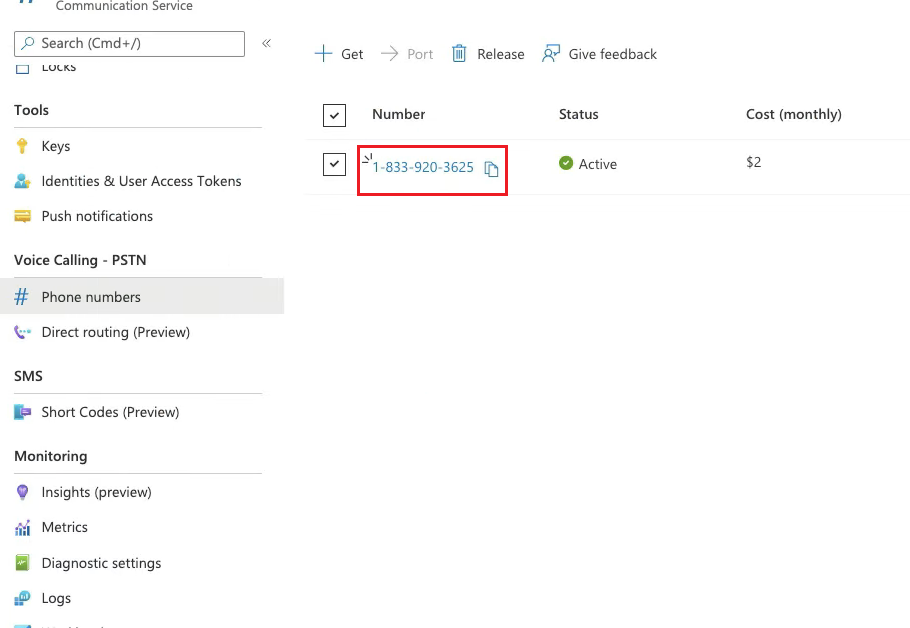
Note a phone number that is provisioned in the resource.
-
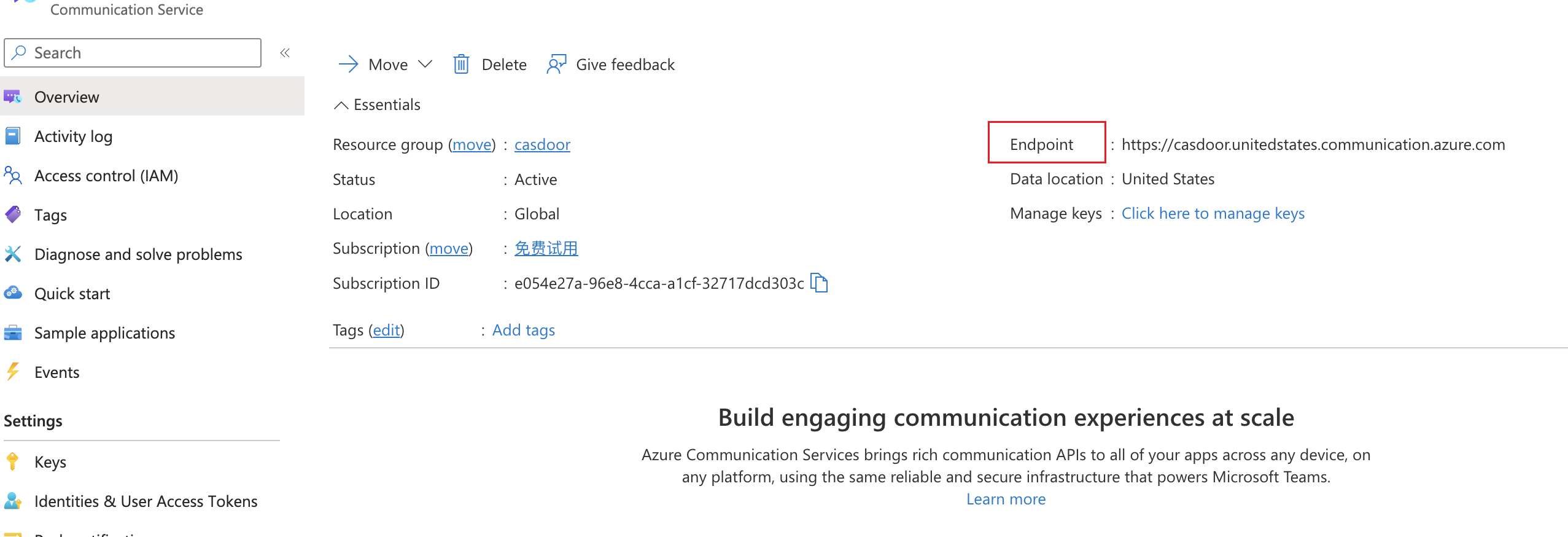
Copy the endpoint URL of the resource.
Add the provider in Casdoor
-
In the Casdoor admin console, go to Identity > Providers and add a provider.
-
Set Category to
SMSand Type toAzure ACS. -
Fill in the fields:
Casdoor field Azure ACS / meaning Obligatoire Client secret User Access Token (Communication Service) Oui Numéro de l'expéditeur Phone number from Communication Service Oui URL du fournisseur Communication Service endpoint Oui Code de modèle Message template / body Oui 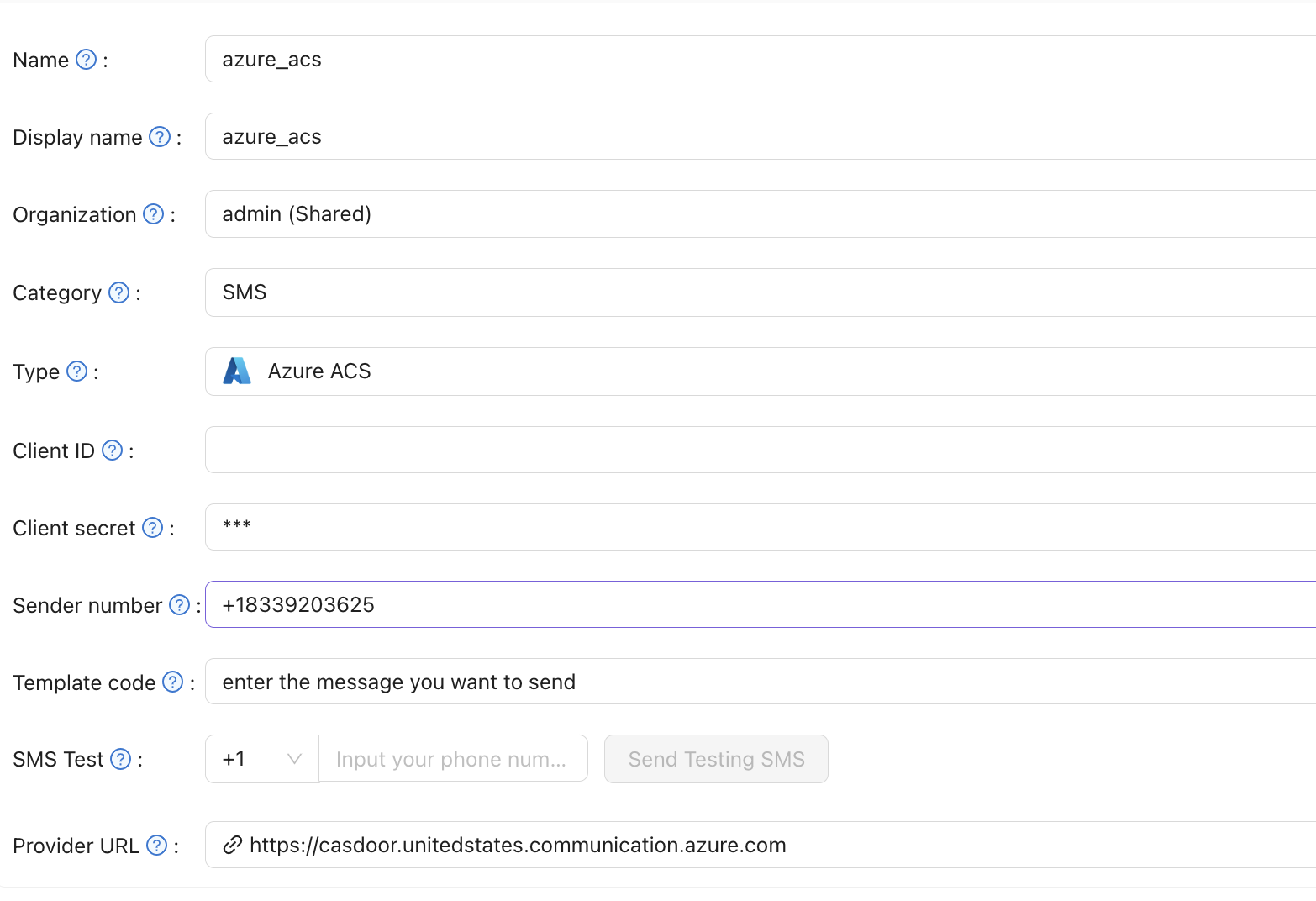
-
Save the provider.
Verify the result
Enter a phone number in SMS Test and send a test message.