Database syncer
The database syncer connects to an external database and syncs user data into Casdoor. A demo users table can be imported from the template XLSX.

Create a syncer
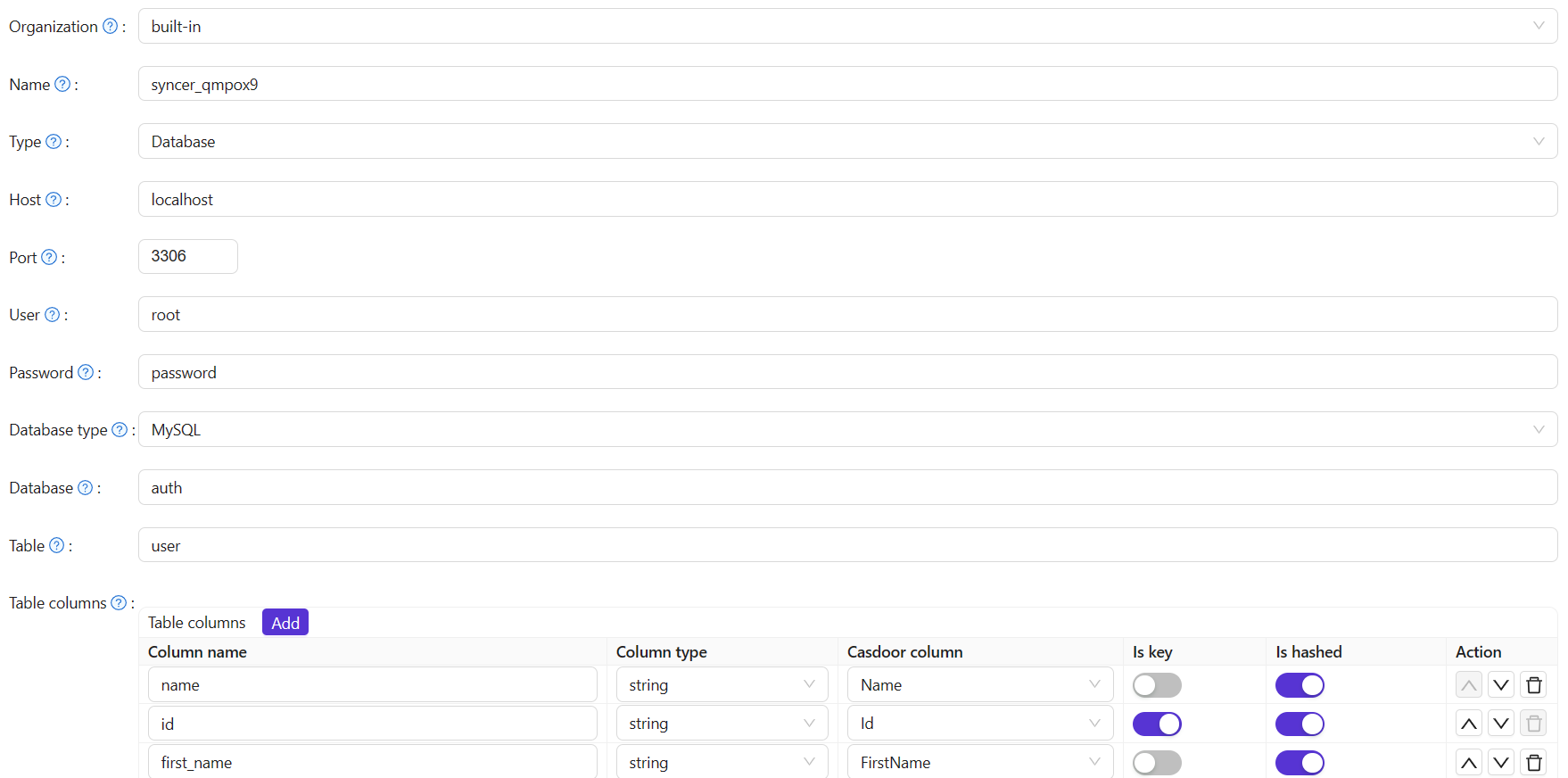
Go to Syncers and create a new syncer with the following. Save when done.
conseil
Fill at least ID and Name in the Casdoor column mapping. Other useful fields include createdTime, Password, and DisplayName.
Champs requis
| Champ | Libellé descriptif |
|---|---|
| Organisation | Organization to import users into. |
| Nom | Syncer name. |
| Type d'entrée | database. |
| Host, Port, User, Password | Source database connection. |
| Type de base de données | MySQL, PostgreSQL, SQL Server, Oracle, or SQLite (Xorm-supported). |
| Base de données | Source database name. |
| Table | Source user table name. |
| Colonnes de la table | Column name (source), Column type (source), Casdoor Column (Casdoor user field). |
Optional fields
| Champ | Description |
|---|---|
| Est-haché | If enabled, sync runs only when fields included in the hash change; other field-only changes do not trigger sync. |
| Est une clé | Marks the primary key used to match source and Casdoor users. At least one column must be key; if none is set, the first is used. |
| URL de base de l'avatar | If set and source user.avatar does not start with http, Casdoor stores Avatar base URL + user.avatar. |
| Table d'affiliation | Table used to sync user affiliation. Int codes can be mapped to names; see getAffiliationMap() and syncer_util (e.g. score for int→string mapping). |
Enable Is enable and save; the syncer will run. You can also trigger a sync with the Sync button.

Mettre à jour
With Table columns configured for key mapping, differences on the key between source and Casdoor trigger updates:
- Update in source table — changes sync to Casdoor.
- Update in Casdoor — changes sync back to source.
Ajouter
When row counts differ, the syncer adds rows to the table with fewer rows, using the key to match:
- Add user in source table:
- Add user in Casdoor table: