組織間でアプリケーションを共有する
このガイドでは、共有アプリケーションについて説明します。共有アプリケーションはすべての組織で利用でき、各組織のユーザーは同じアプリケーションにサインインし、各組織は独自のクライアント ID を使用します。
学習目標
- アプリケーションを共有します。
- 組織用のクライアント ID とサインイン URL を構築します。
前提条件
built-in組織のアプリケーションが必要です。アプリケーションを共有できるのはbuilt-in組織のみです。
アプリケーションの共有
-
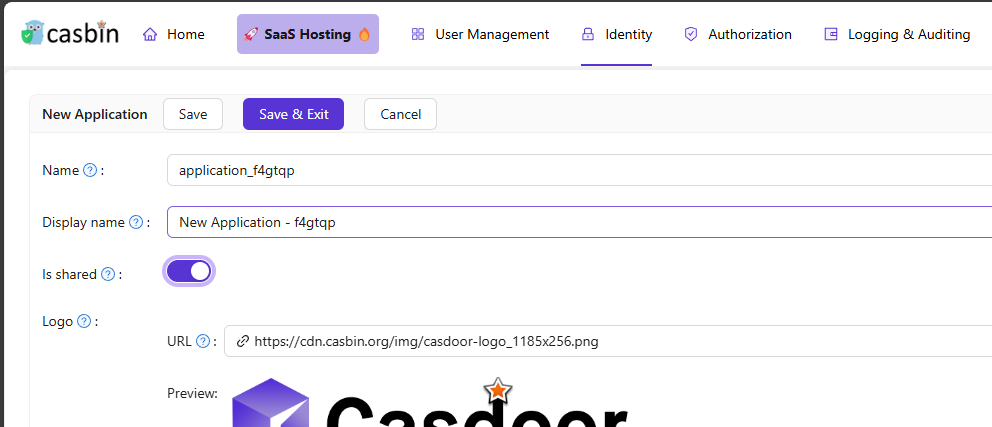
Casdoor 管理コンソールで、アプリケーションの編集ページを開きます。
-
Is shared をオンにします。
-
アプリケーションを保存します。
共有されたアプリケーションはすべての組織で利用可能です。一部の組織だけに制限することはできません。
特定の組織でアプリケーションを使用する
ある組織向けにアプリケーションを参照するには、そのクライアント ID または名前の末尾に -org-<organization-name> を追加します。
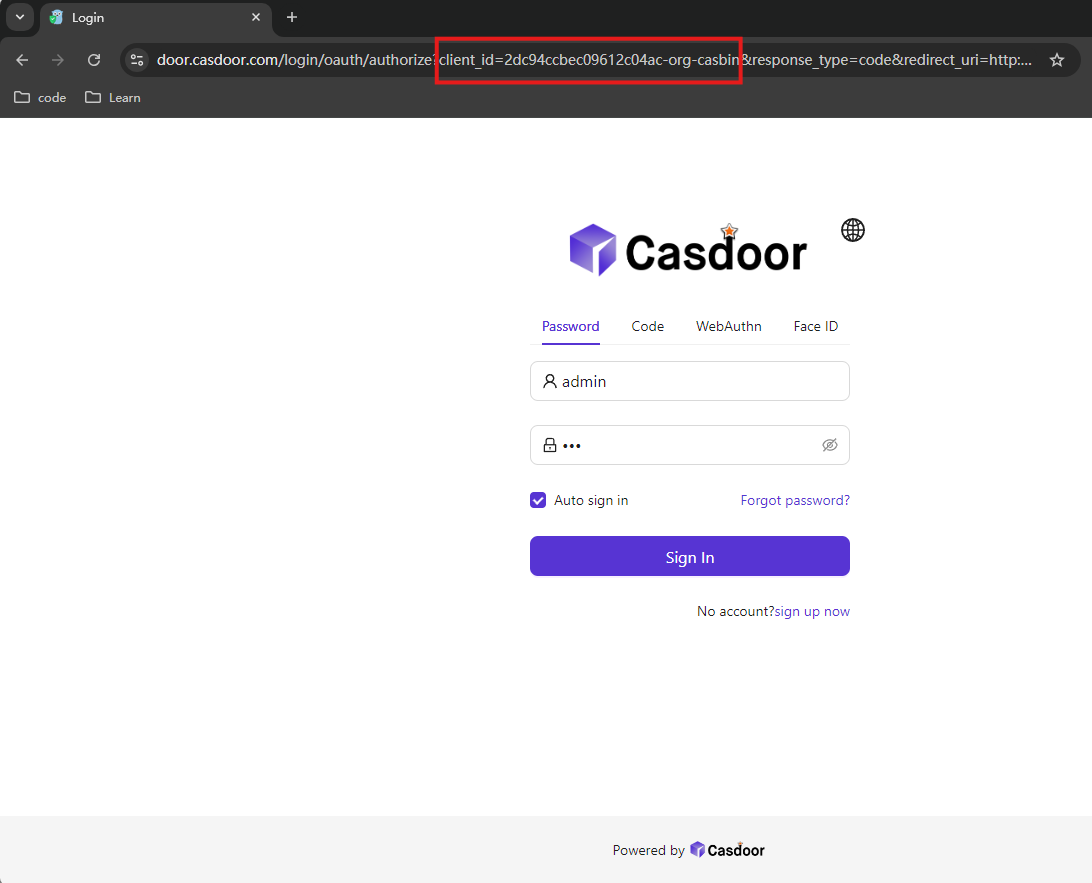
例えば、アプリケーションのクライアント ID が 2dc94ccbec09612c04ac の場合、組織 casbin 用のクライアント ID は 2dc94ccbec09612c04ac-org-casbin となり、認可 URL は次のようになります:
https://door.casdoor.com/login/oauth/authorize?client_id=2dc94ccbec09612c04ac-org-casbin&response_type=code&redirect_uri=...&scope=read&state=casdoor
この URL を通じてサインインしたユーザーは、組織 casbin にサインインすることになります。
The suffix doesn't apply to a client ID that is a URL, such as the client ID of an MCP client that uses a client ID metadata document, since the URL may contain -org- itself. Such a client keeps its URL as the client ID and adds the organization parameter to the authorization request instead, for example organization=casbin. The discovery document of an organization, /orgs/<organization>/.well-known/openid-configuration, puts the organization in the path of its authorization_endpoint when the organization accepts URL client IDs, for example /orgs/casbin/login/oauth/authorize, so clients can append their parameters to it with ?. Casdoor redirects this address to the sign-in page with organization=casbin, and the iss of the authorization response is then the issuer of that organization.
他の組織のアプリケーションのトークン
共有アプリケーションは built-in 組織に属するため、そのトークンは他の任意のアプリケーションと同様に機能します。一方、他の組織のアプリケーションでは異なります。その組織の外からのユーザー(グローバル管理者など)がサインインした場合、トークンおよびセッションで呼び出せる API は以下に限られます:
/api/userinfo/api/user/api/login/oauth
Casdoor は、このようなトークンを伴うその他のすべてのリクエストを拒否します。もしブラウザがこのようなリクエストによって残されたセッションクッキーのみを送信した場合、Casdoor はそのセッションからサインアウトし、リクエストを匿名として処理します。これにより、アプリケーションの管理者が他組織のユーザーのトークンを利用して Casdoor を管理することを防ぎます。
招待
共有アプリケーションへの招待について、Casdoor は -org-<organization-name> サフィックスを含むリンクを生成し、ユーザーが正しい組織に登録されるようにします。