ShowDocでOAuth2サーバーとしてCasdoorを使用する
ShowDoc is an API and technical documentation platform with Markdown support. It supports OAuth2 for sign-in. This guide configures Casdoor as the OAuth2 server.
ステップ1: Casdoorアプリケーションを作成する
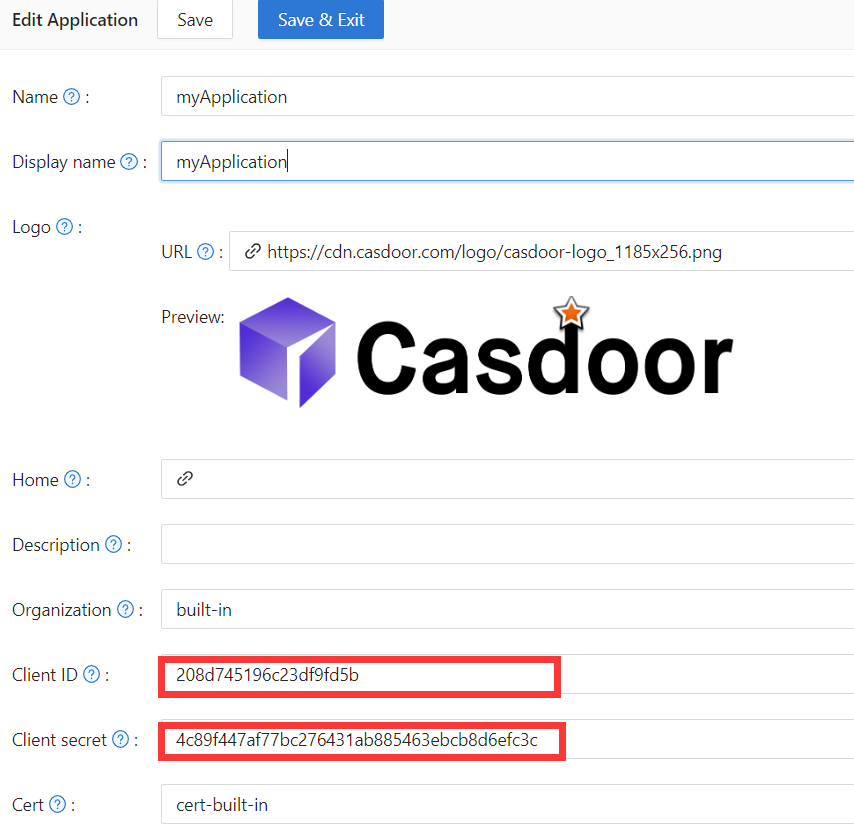
In Casdoor, add an application (e.g. ShowDoc). Note Client ID and Client secret. Leave the callback URL empty for now; set it after configuring ShowDoc (step 3).
ステップ2: ShowDocを設定する
Enable OAuth2 login in ShowDoc. Set the callback URL (as shown in the example), client ID, and client secret from step 1.
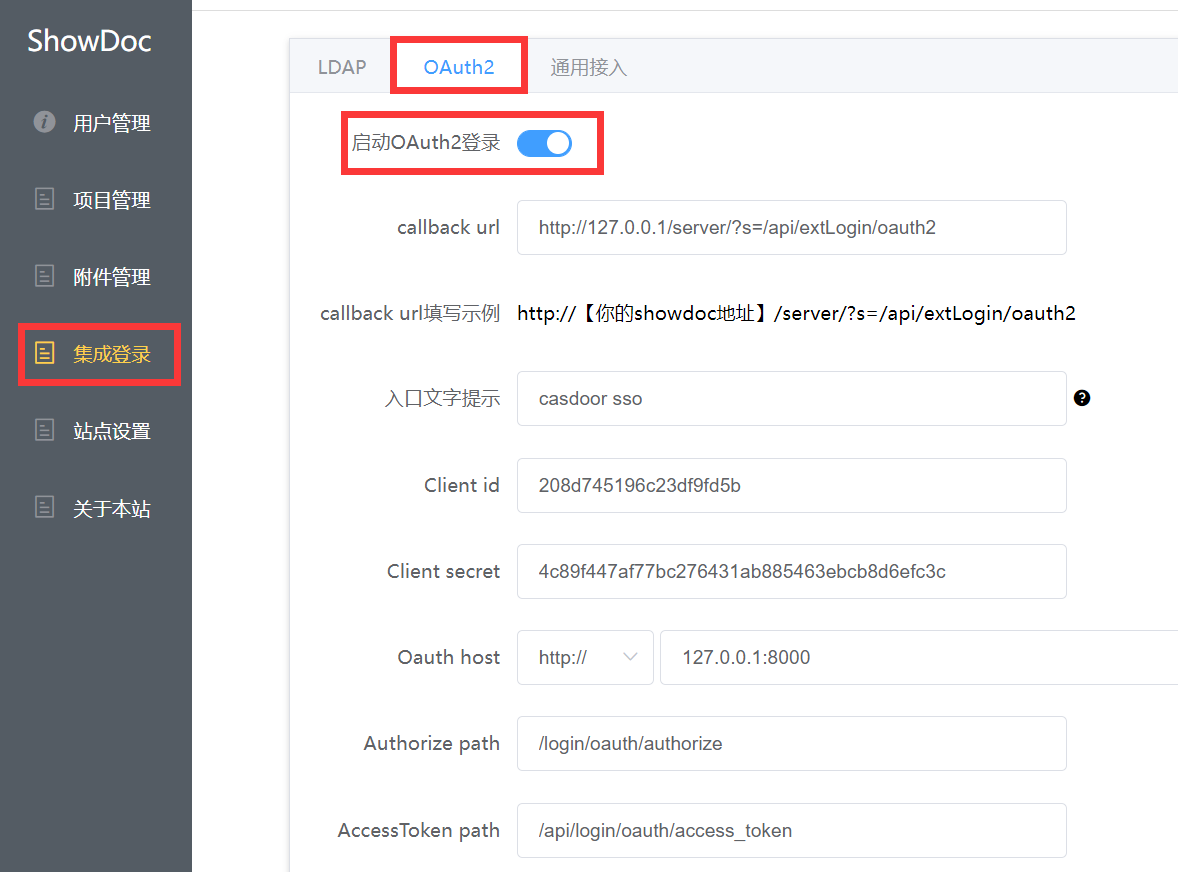
Authorize path、AccessToken path、User info pathが必要です。 Use:
Authorize path:   /login/oauth/authorize
AccessToken path:   /api/login/oauth/access_token
User info path:   /api/get-account
ステップ3: CasdoorでCallback URLを設定する
ステップ1でアプリケーション編集ページに戻り、ShowDocに入力したcallback URLを追加します。

ステップ4: ShowDocで試してみる
ログインページに以下が表示されるはずです:
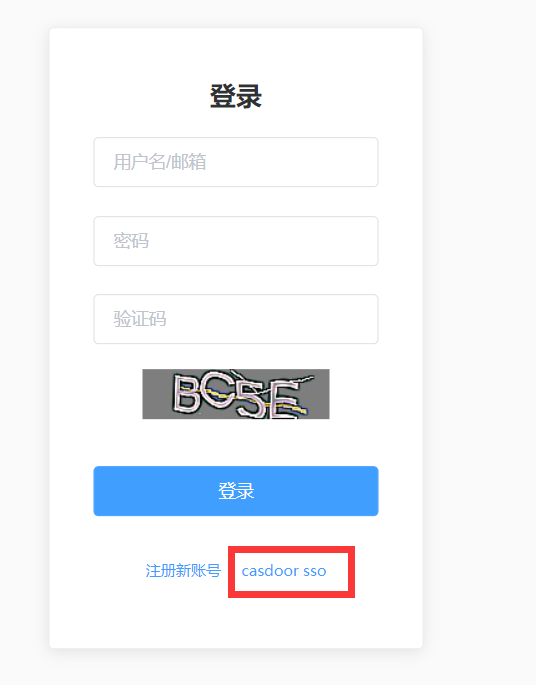
When setup is complete, click Casdoor SSO to sign in via Casdoor.