グループ - ツールチップ
グループは組織のユーザーのコレクションです。グループは組織をルートとしてツリー構造を形成し、会社の構造を反映できるようにします。ユーザーは複数のグループに所属できます。
グループのプロパティ
| Property | Description |
|---|---|
owner | Organization that the group belongs to |
name | Unique name of the group |
displayName | Name shown in the UI |
createdTime, updatedTime | Time of creation and of the last change |
type | Physical or Virtual. A user can be in one physical group only and in any number of virtual groups |
parentGroup | Parent of the group. The parent of a top-level group is the organization |
properties | Key-value map for your own metadata |
グループの管理
Casdoor 管理コンソールの3箇所でグループを管理します。
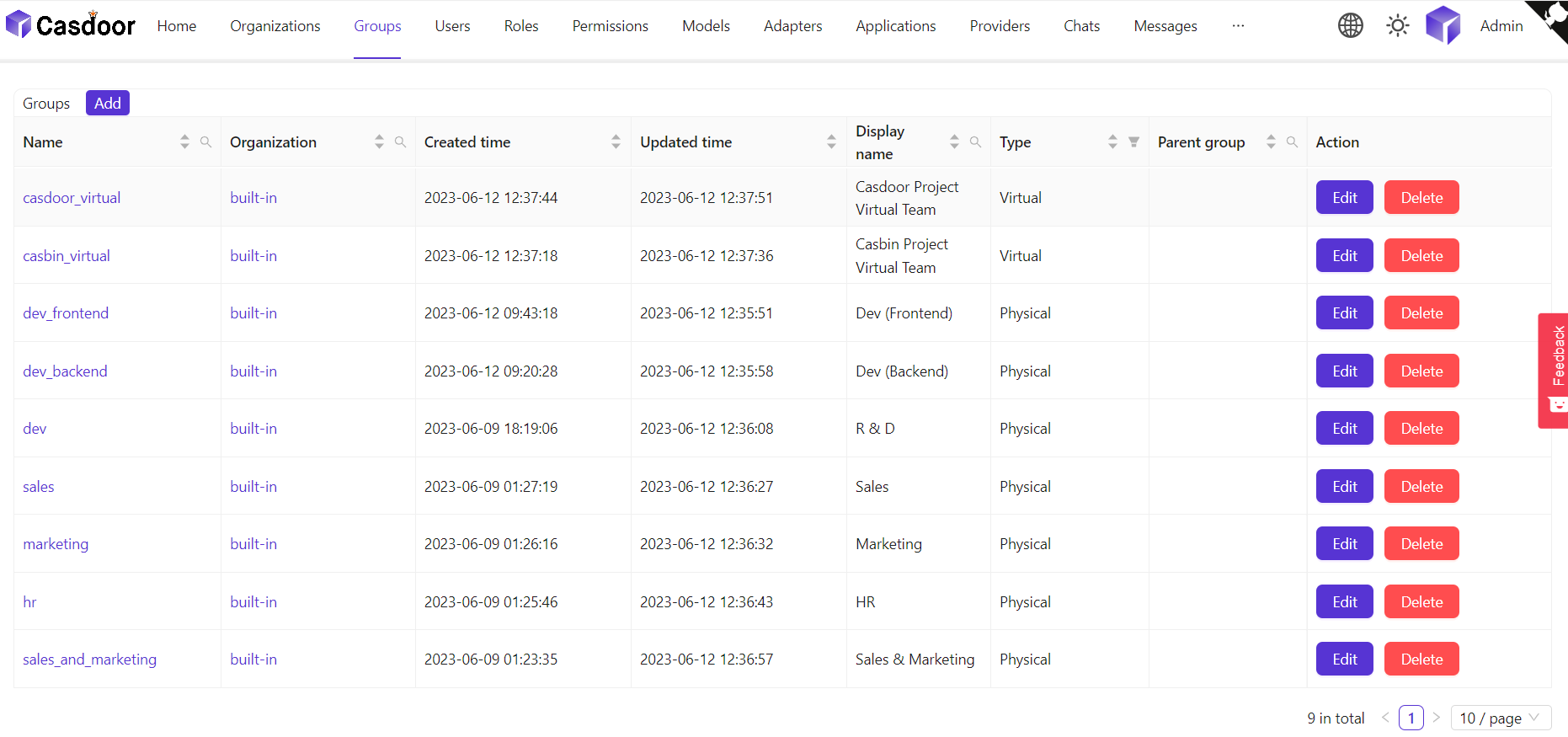
すべてのグループを一覧表示する Groups ページ:
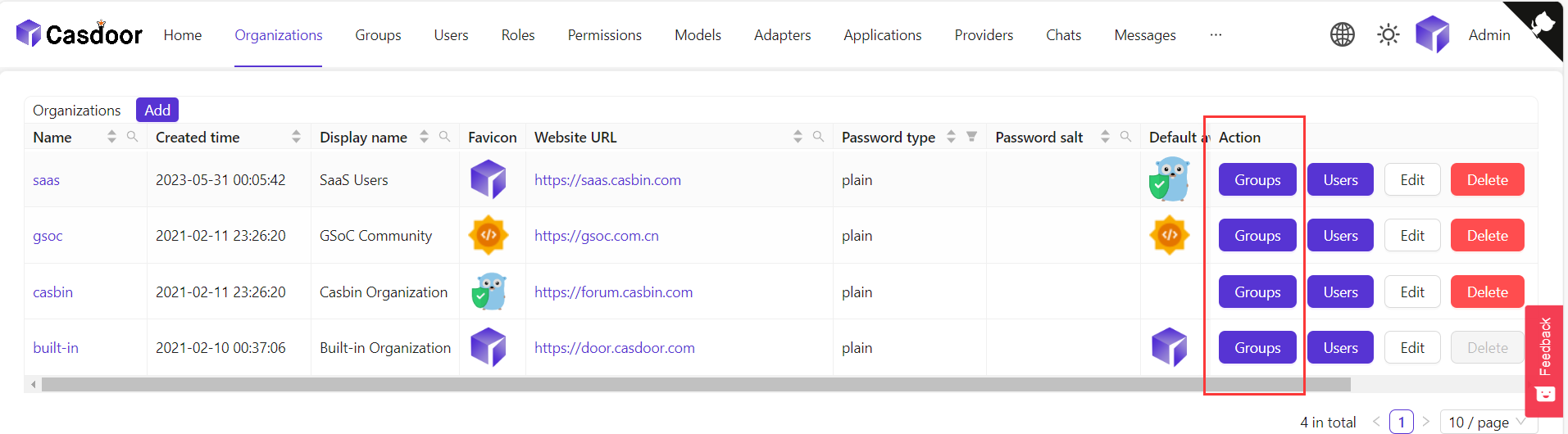
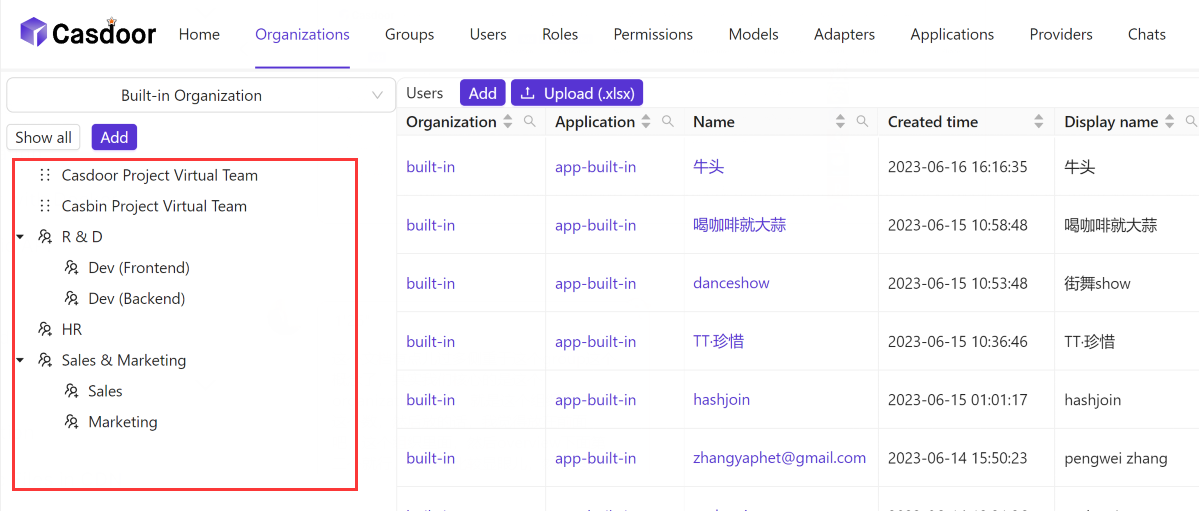
組織のグループツリー内。Organizations ページで組織の行にある Groups をクリックして開きます:
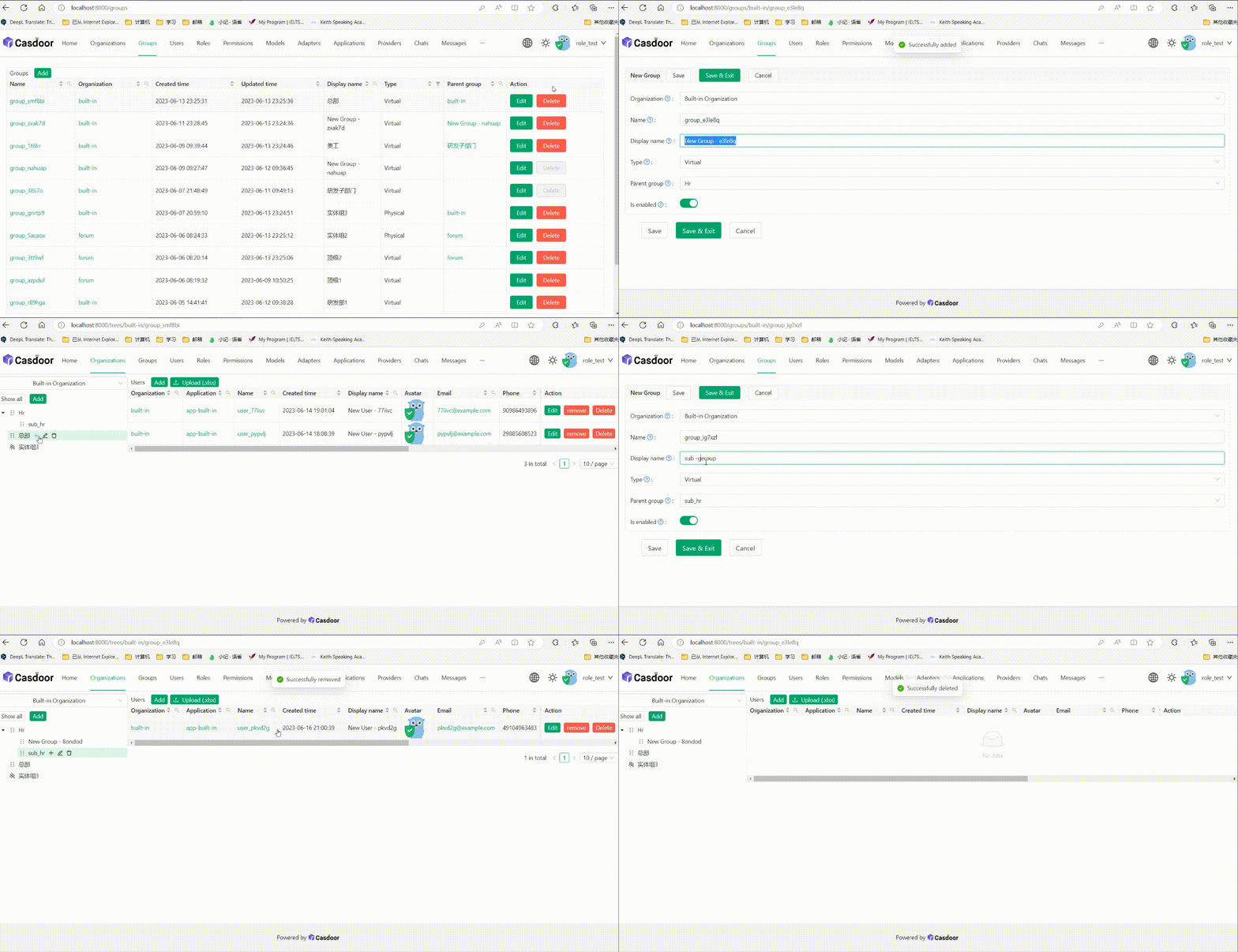
ユーザーをグループに割り当てるユーザー編集ページ:
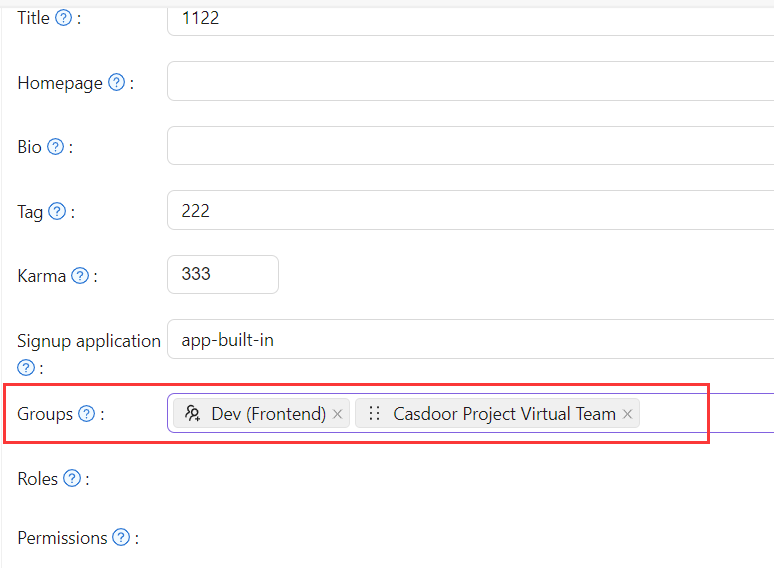
API 経由でのグループの読み取り
GET /api/get-group?id=<organization>/<group> は 1 つのグループを返し、GET /api/get-groups?owner=<organization> は組織のグループを返します。どちらも users フィールドにグループメンバーの ID を設定します。
グループのメンバーを検索すると、すべてのユーザーとグループの割り当てが読み取られます。グループそのものだけが必要な場合(たとえば、同期でグループを作成または更新する前に存在を確認する場合など)は、withUsers=false を追加してください。これにより get-group は users を空のままにします:
curl "https://door.casdoor.com/api/get-group?id=<organization>/<group>&withUsers=false" \
  -H "Authorization: Bearer <access-token>"