Use Alibaba Cloud Captcha
This guide explains how to use Alibaba Cloud Captcha as the captcha of Casdoor. Alibaba Cloud Captcha offers two kinds of validation: sliding validation and intelligent validation.
Learning outcomes
- Create a captcha configuration in Alibaba Cloud.
- Add Alibaba Cloud Captcha as a captcha provider in Casdoor.
What you need
- An Alibaba Cloud account and an AccessKey
- Administrator access to the Casdoor admin console
Create a configuration in Alibaba Cloud
-
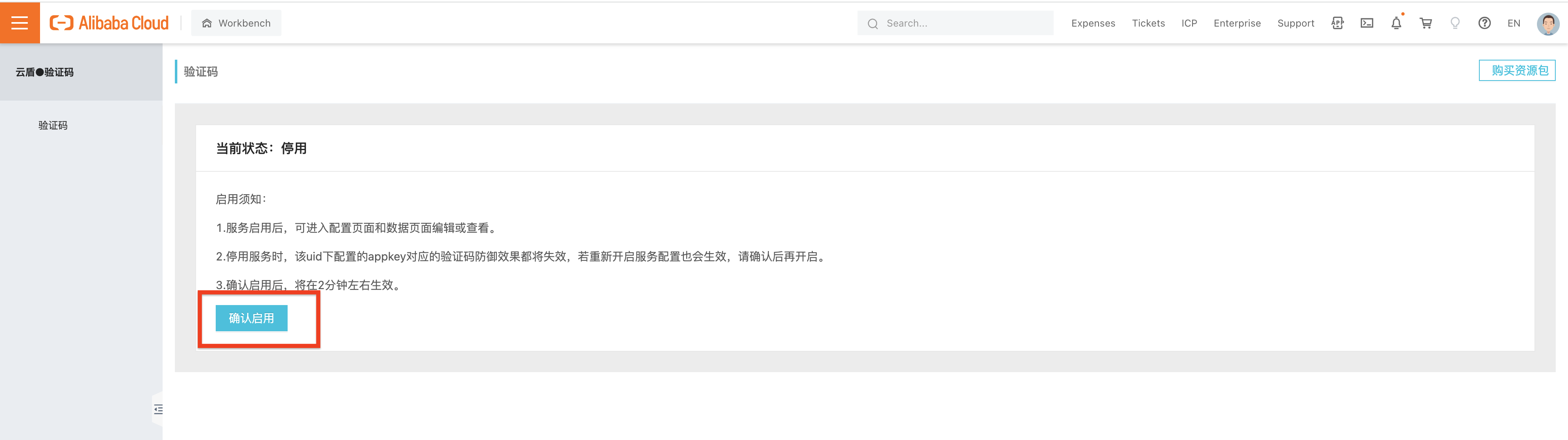
In the Alibaba Cloud console, open the Captcha service and click Confirm Open.
-
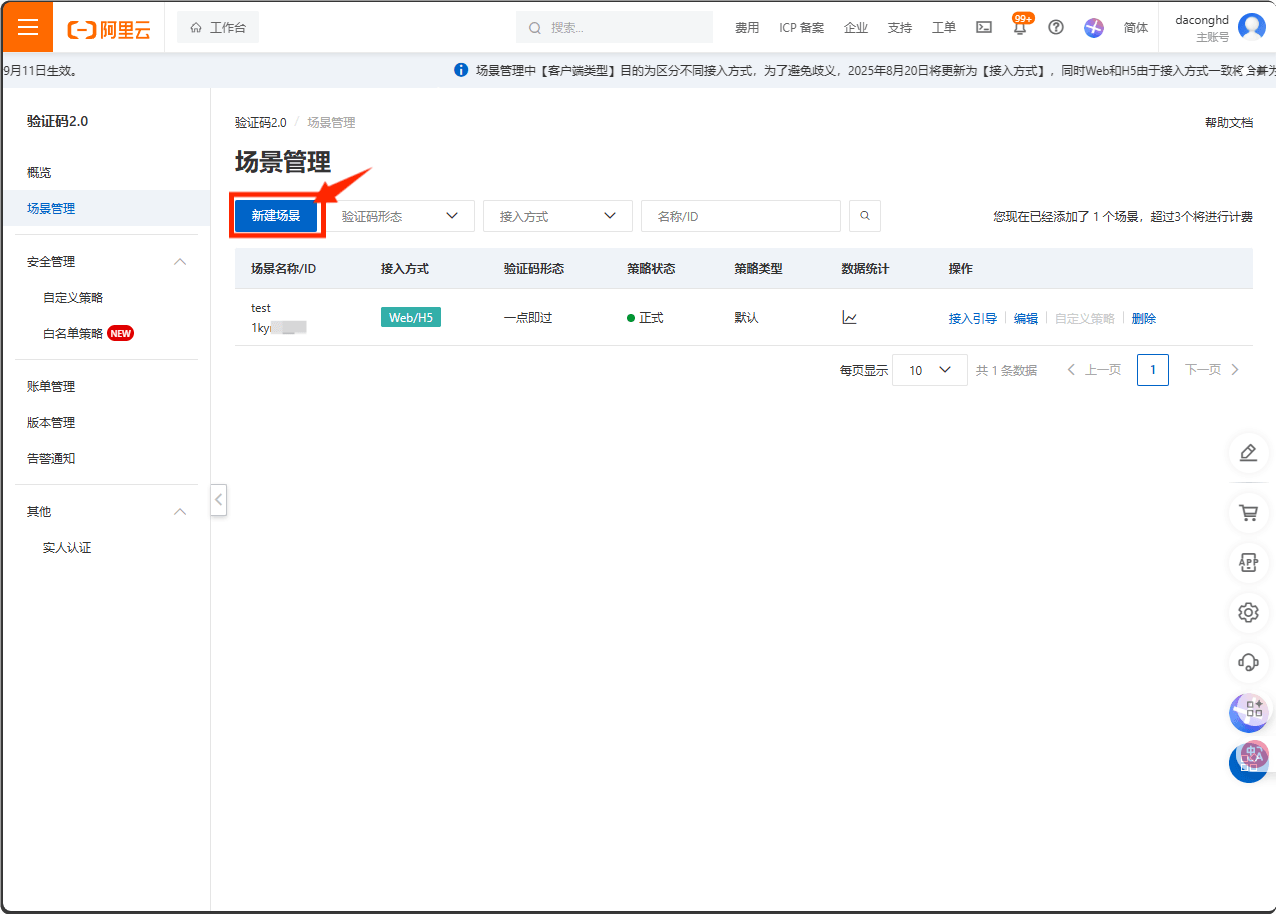
In the Captcha console, click Add configuration.
-
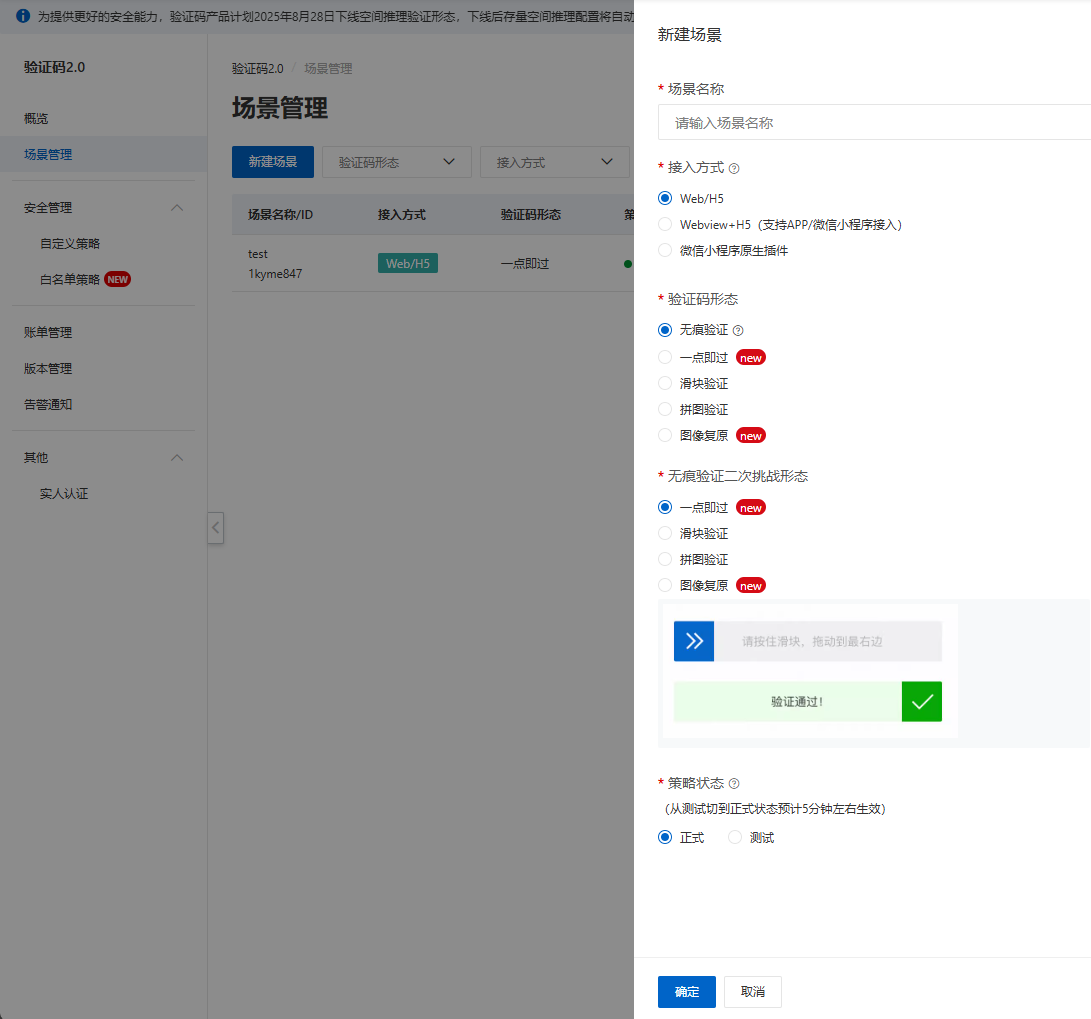
Fill in the form and submit it.
-
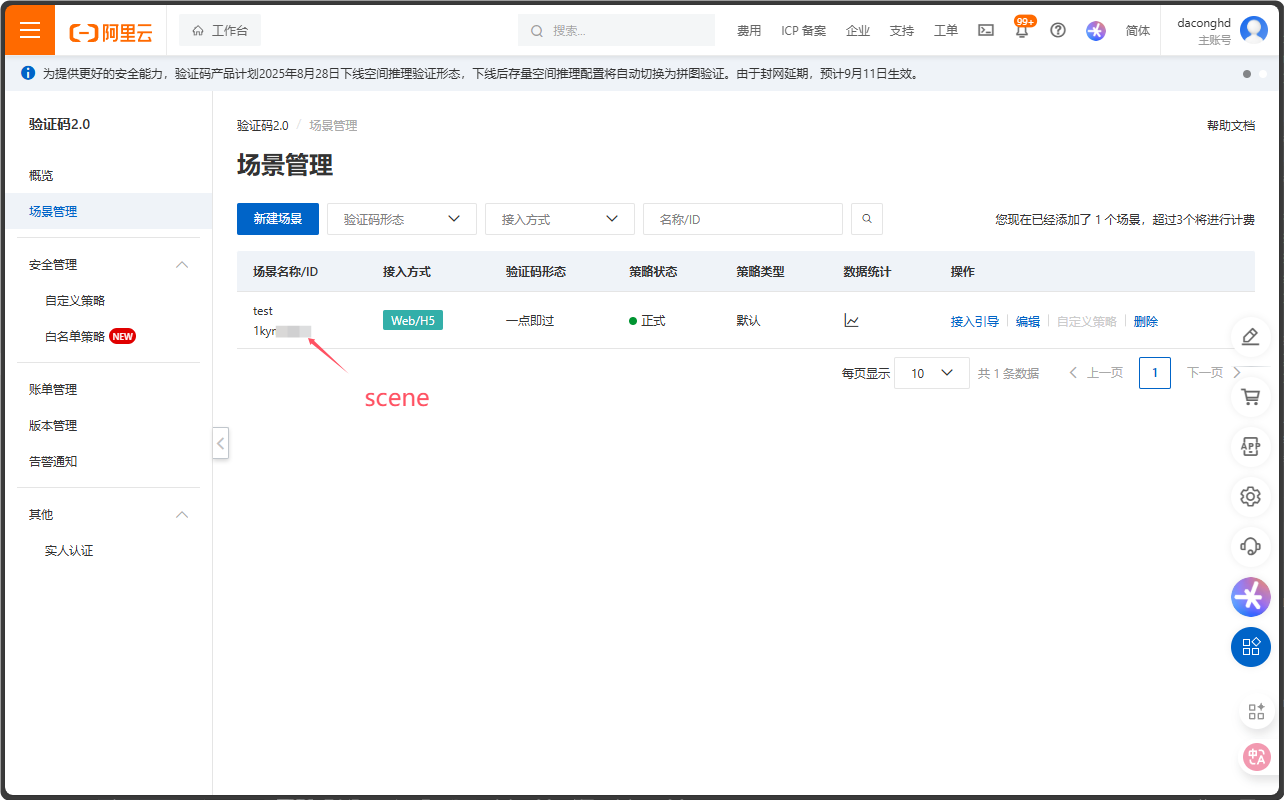
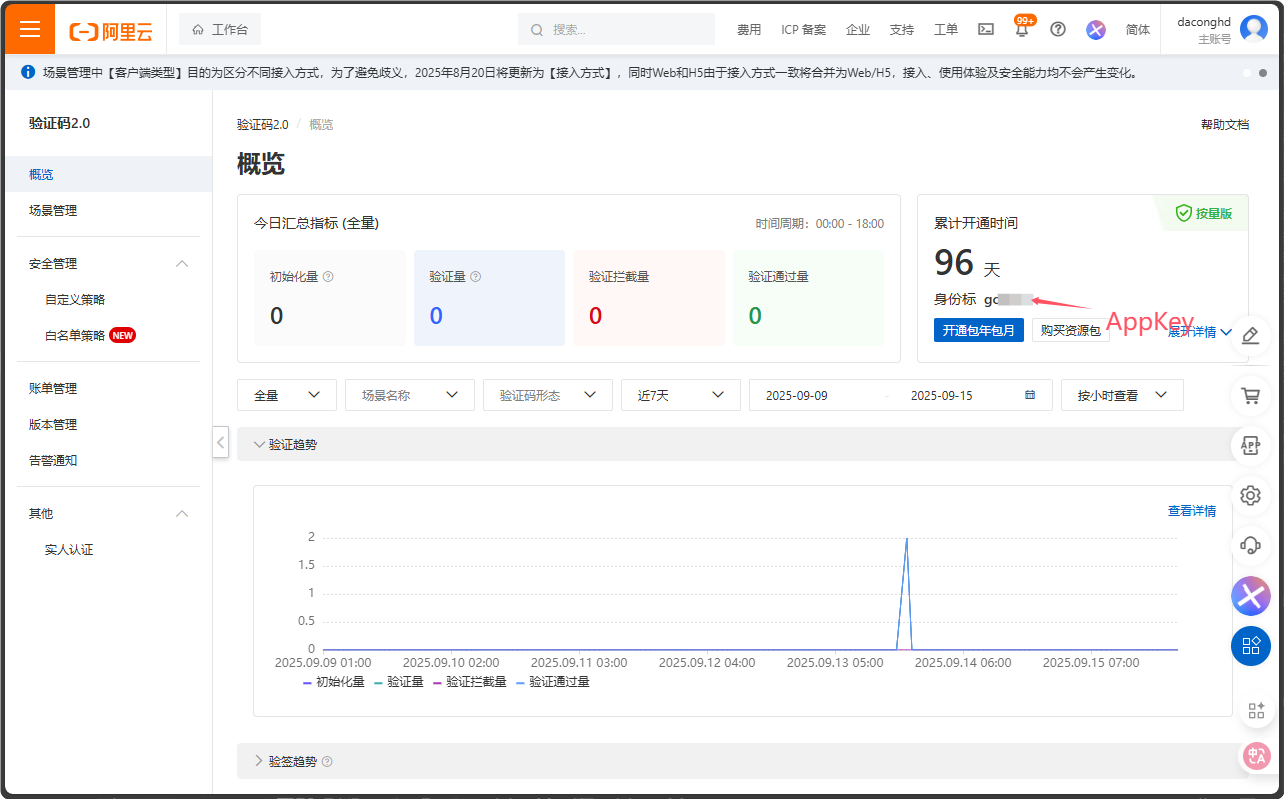
Note the scene and the app key of the configuration.
-
Note the AccessKey ID and AccessKey Secret from your profile.
Add the provider in Casdoor
-
In the Casdoor admin console, go to Identity > Providers and add a provider.
-
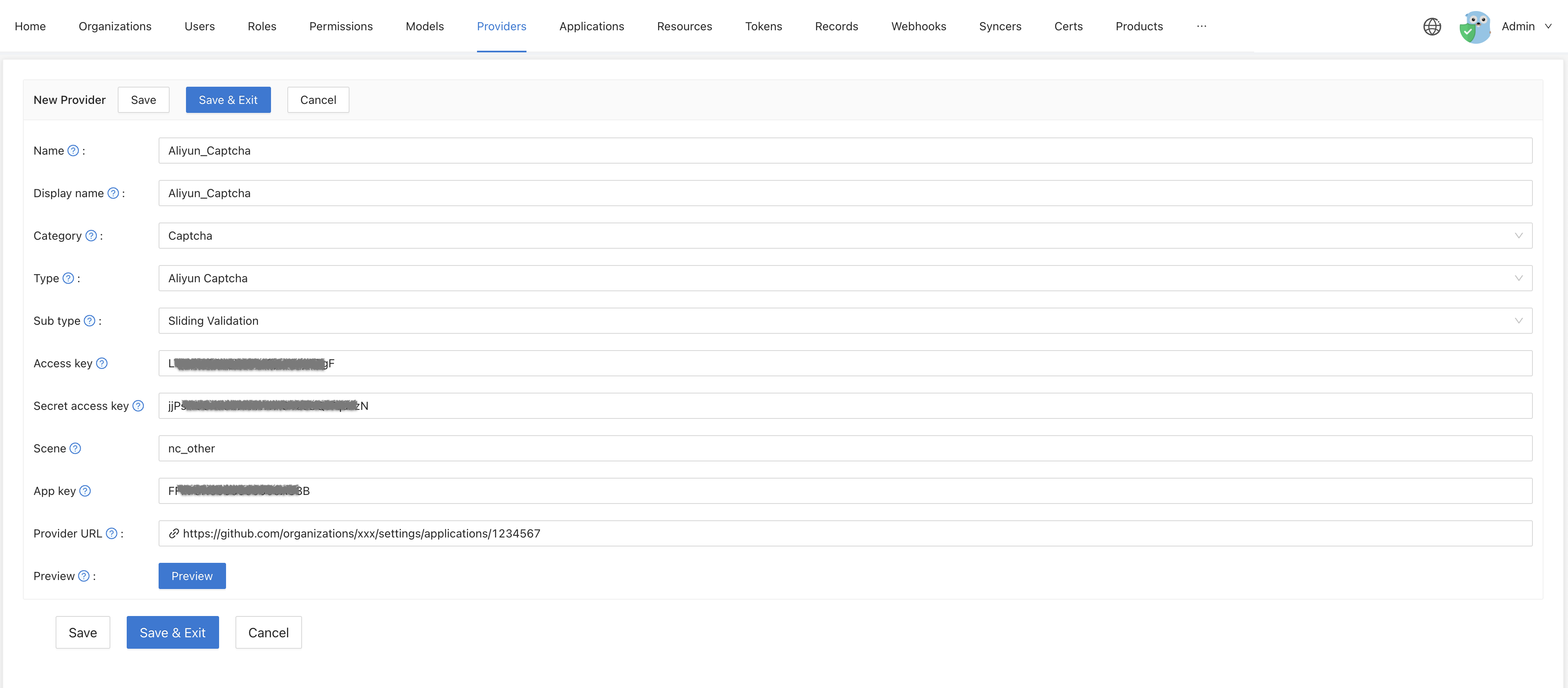
Set Category to
Captcha, Type toAliyun Captcha, and Sub type to sliding validation or intelligent validation. -
Enter the Access key, the Secret access key, the Scene, and the App key.
-
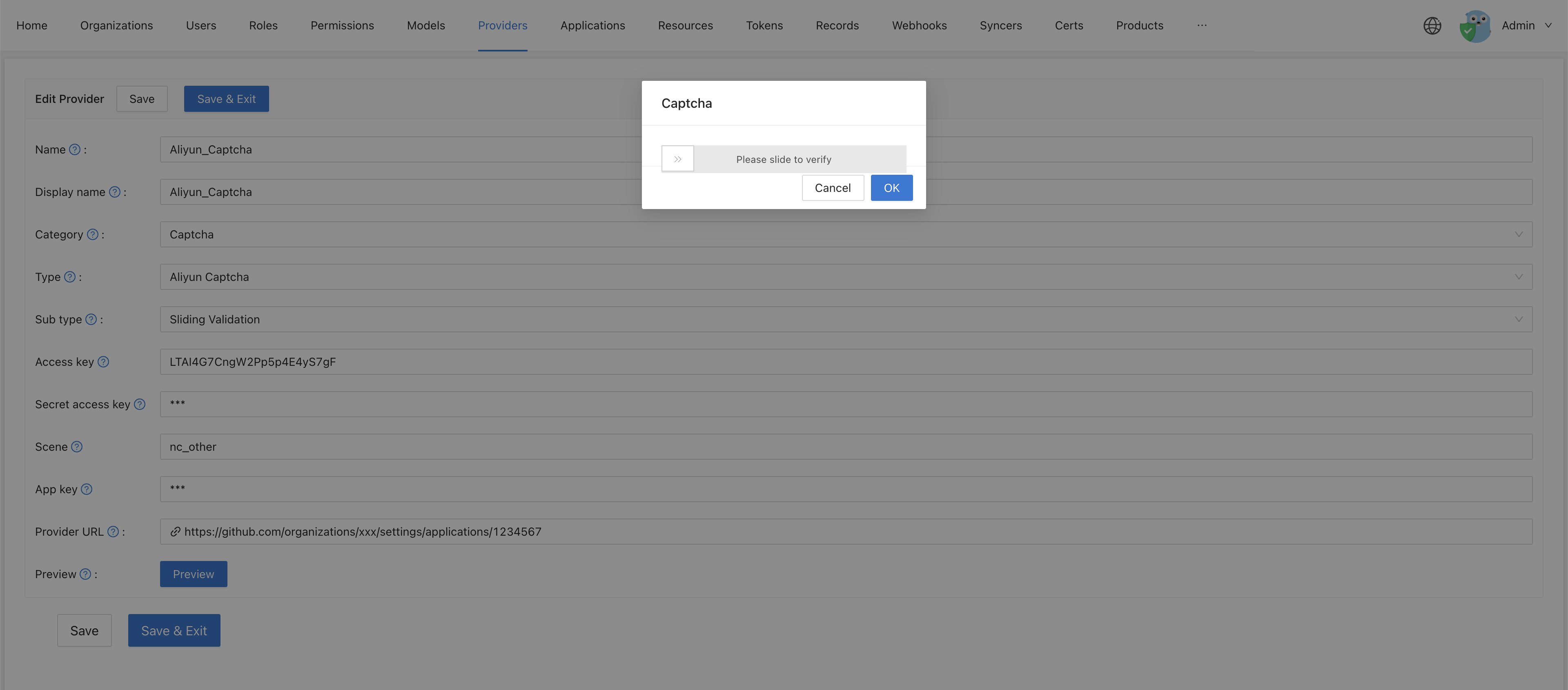
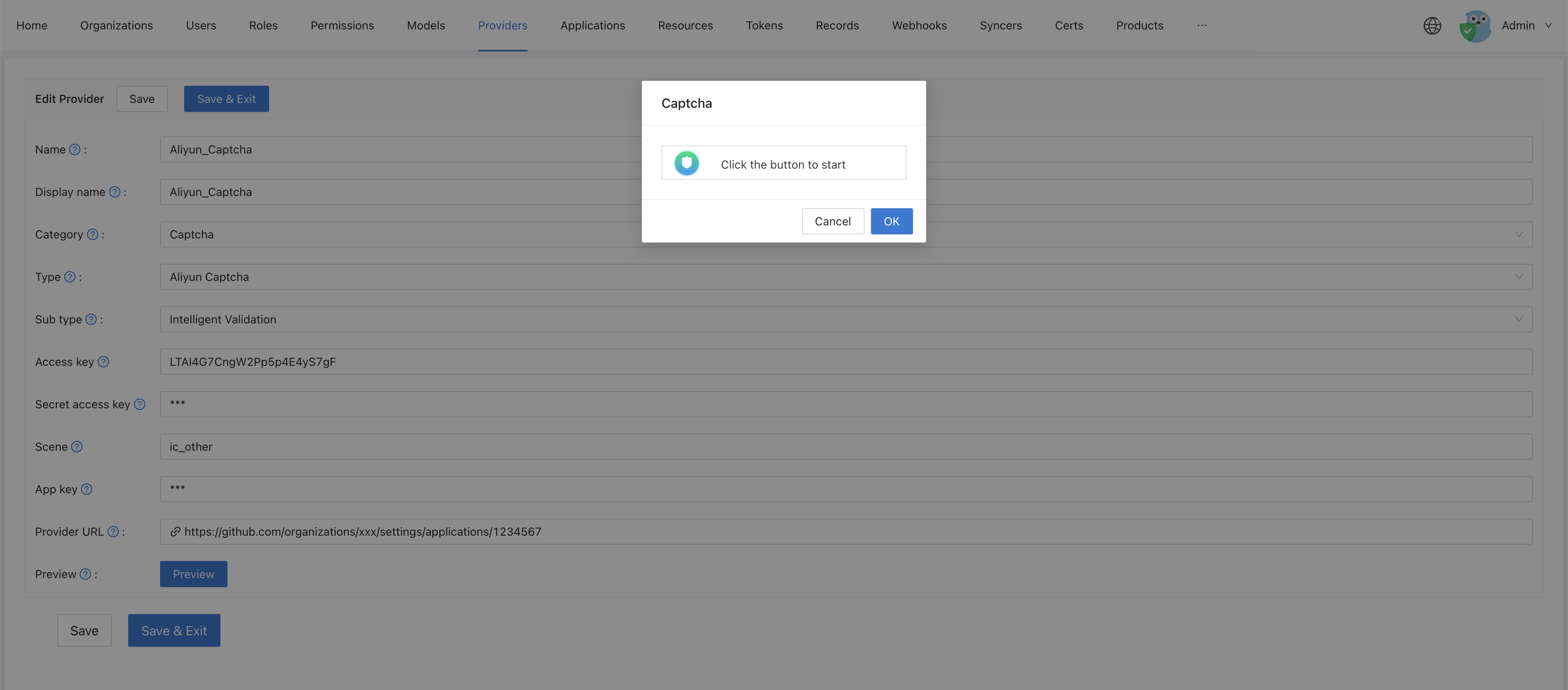
Click Preview to check the captcha.
Sliding validation:
Intelligent validation:
-
Save the provider.
Add the captcha to an application
Open the edit page of the application, add the provider on the Providers tab, and save. See Add the captcha to an application.
