Send notifications to Slack
This guide explains how to send the notifications of Casdoor to a Slack channel.
Learning outcomes
- Create a Slack app with a bot token.
- Add Slack as a notification provider in Casdoor.
What you need
- A Slack workspace in which you may create apps
- Administrator access to the Casdoor admin console
Create a Slack app
-
On Slack API, create an app and add the bot scopes
chat:writeandchat:write.public.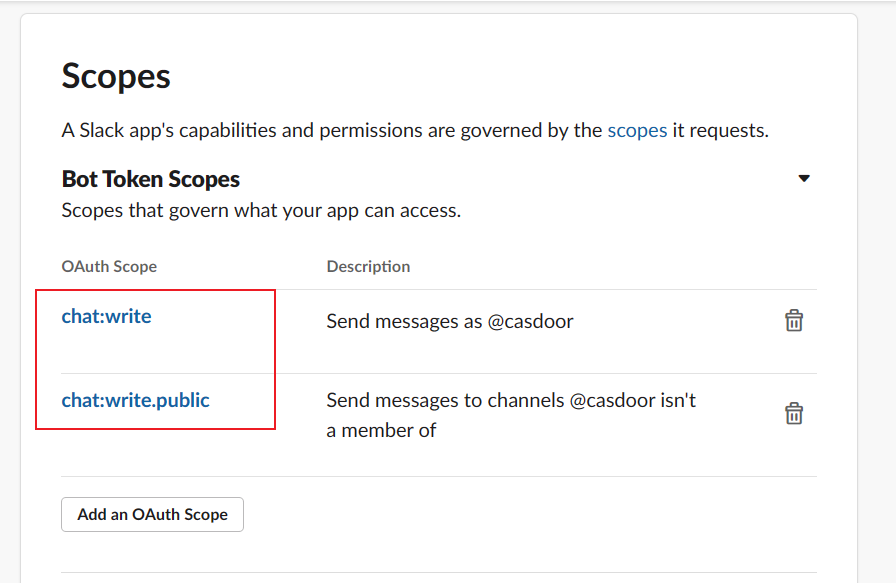
-
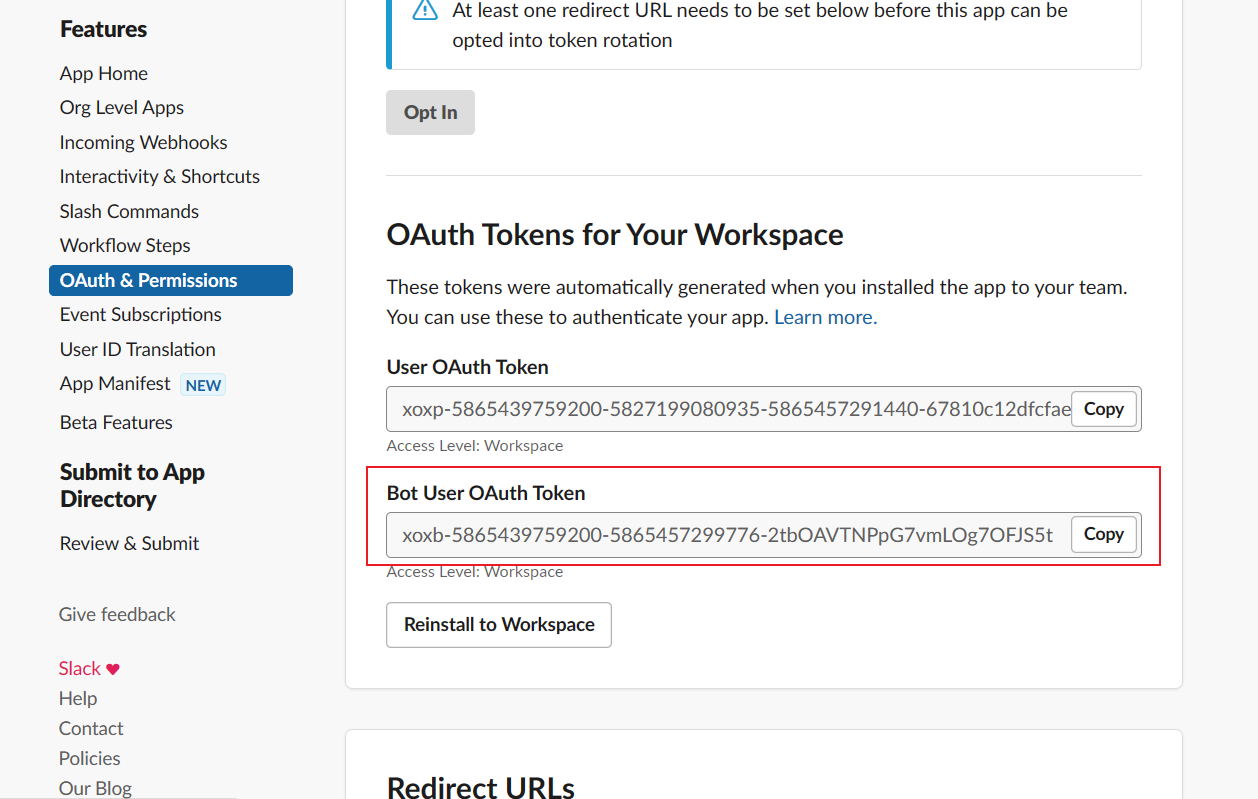
Install the app to the workspace, and copy the Bot User OAuth Token from OAuth & Permissions.
-
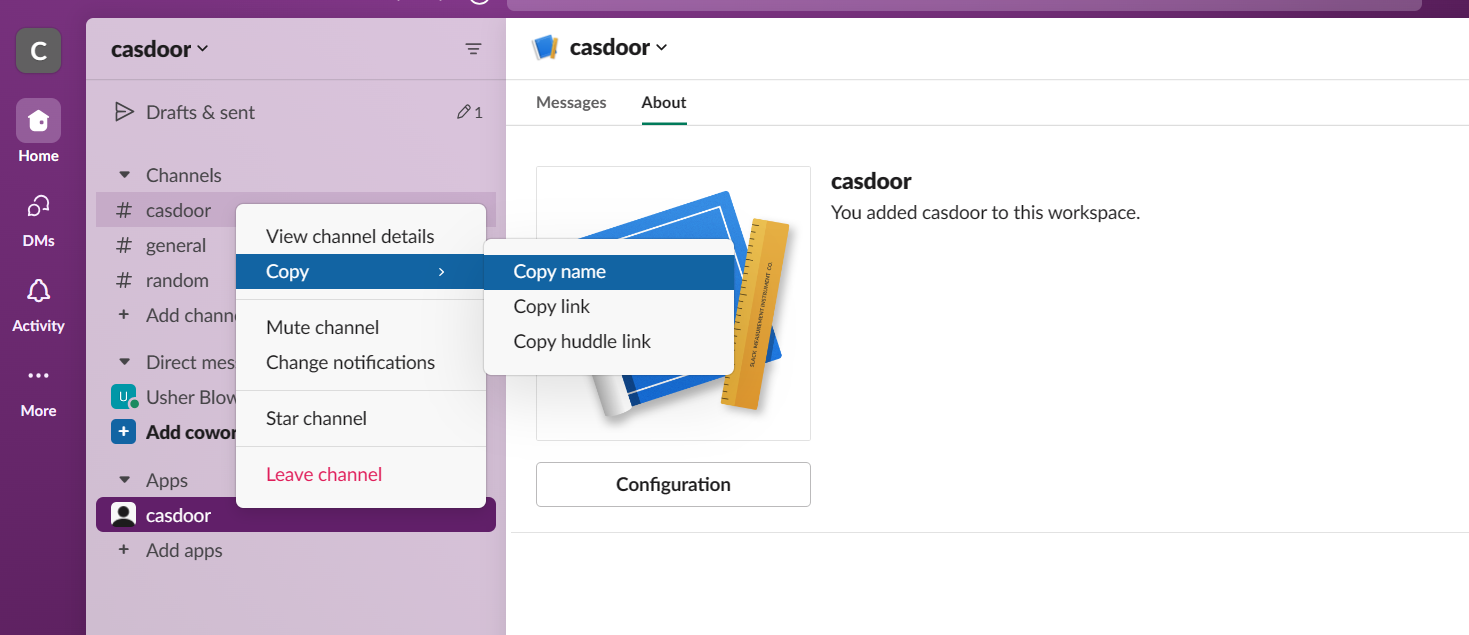
Find the ID of the channel: in the details of the channel, or at the end of the link that Copy link gives.
Add the provider in Casdoor
-
In the Casdoor admin console, go to Identity > Providers and add a provider.
-
Set Category to
Notificationand Type toSlack. -
Fill in the fields:
Casdoor field 値 Secret key Access Token Chat ID Channel ID Content Message template (optional) 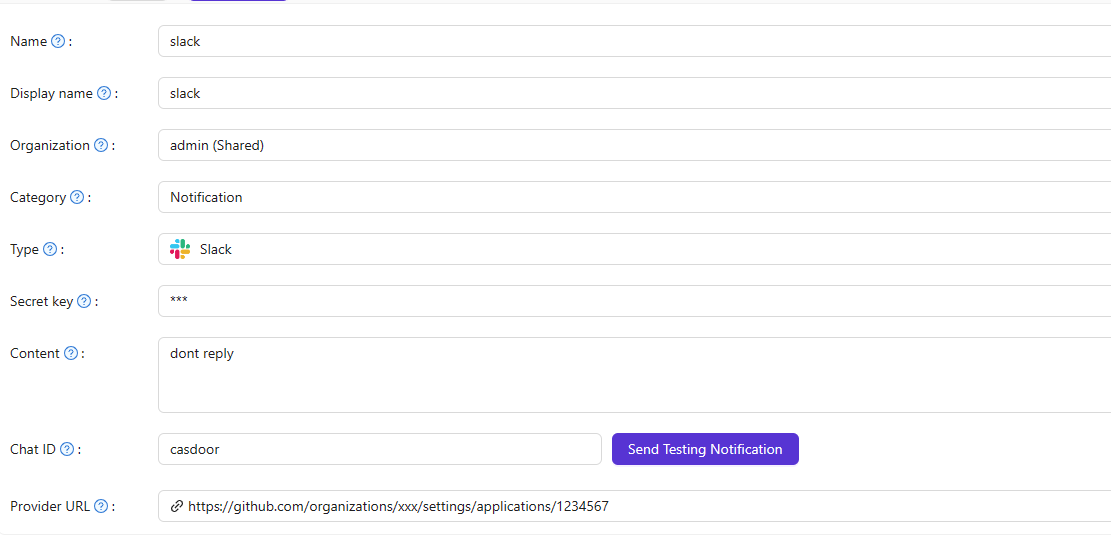
-
Click Send Testing Notification, and save the provider.