支払いプロバイダー
支払いプロバイダーにより、ユーザーは Casdoor で販売している製品に対して支払いを行うことができます。製品に 1 つ以上の支払いプロバイダーを追加すると、ユーザーはチェックアウト時にその中から選択できます。
サポートされているタイプ
| Type | Service |
|---|---|
Stripe | See Stripe |
PayPal | See PayPal |
Alipay | See Alipay |
WeChat Pay | See WeChat Pay |
AirWallex | See AirWallex |
Adyen | See Adyen |
Paddle | See Paddle |
Polar | See Polar |
FastSpring | See FastSpring |
Lemon Squeezy | See Lemon Squeezy |
Balance | Pays from the account balance of the user. See Balance |
Dummy | Simulates payments for tests. See Dummy |
支払いプロバイダーを追加する
-
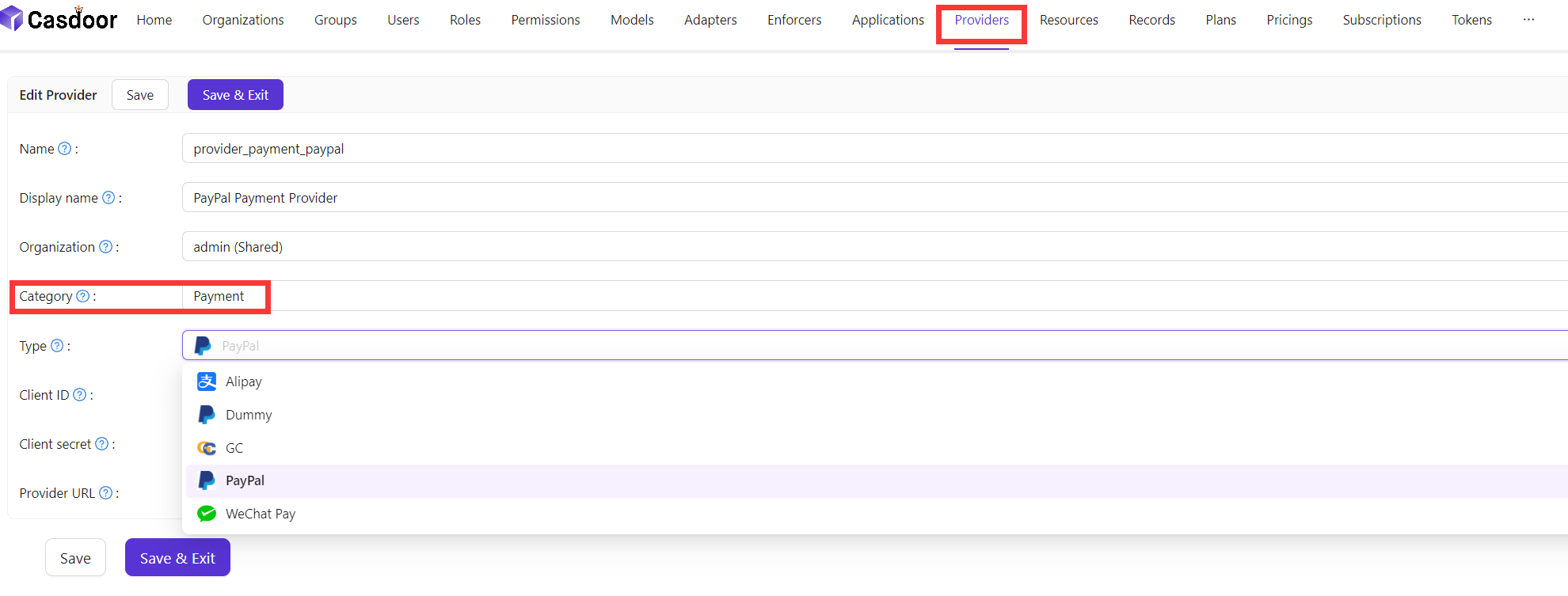
Casdoor 管理コンソールで、Identity > Providers に移動し、プロバイダーを追加します。
-
Category を
Paymentに設定し、Type を選択します。 -
サービスの認証情報を入力します。各サービスのページにフィールド一覧があります。
-
プロバイダーを保存します。
-
製品を開き、プロバイダーをその Payment providers に追加します。
-
製品を保存します。