Take payments with PayPal
This guide explains how to let users pay for your Casdoor products with PayPal.
Learning outcomes
- Create a PayPal app.
- Add PayPal as a payment provider and add it to a product.
What you need
- A PayPal business account. Create one if you don't have one.
- A product in Casdoor
Create a PayPal app
-
Sign in to the PayPal developer dashboard and click Create App under Apps & Credentials.
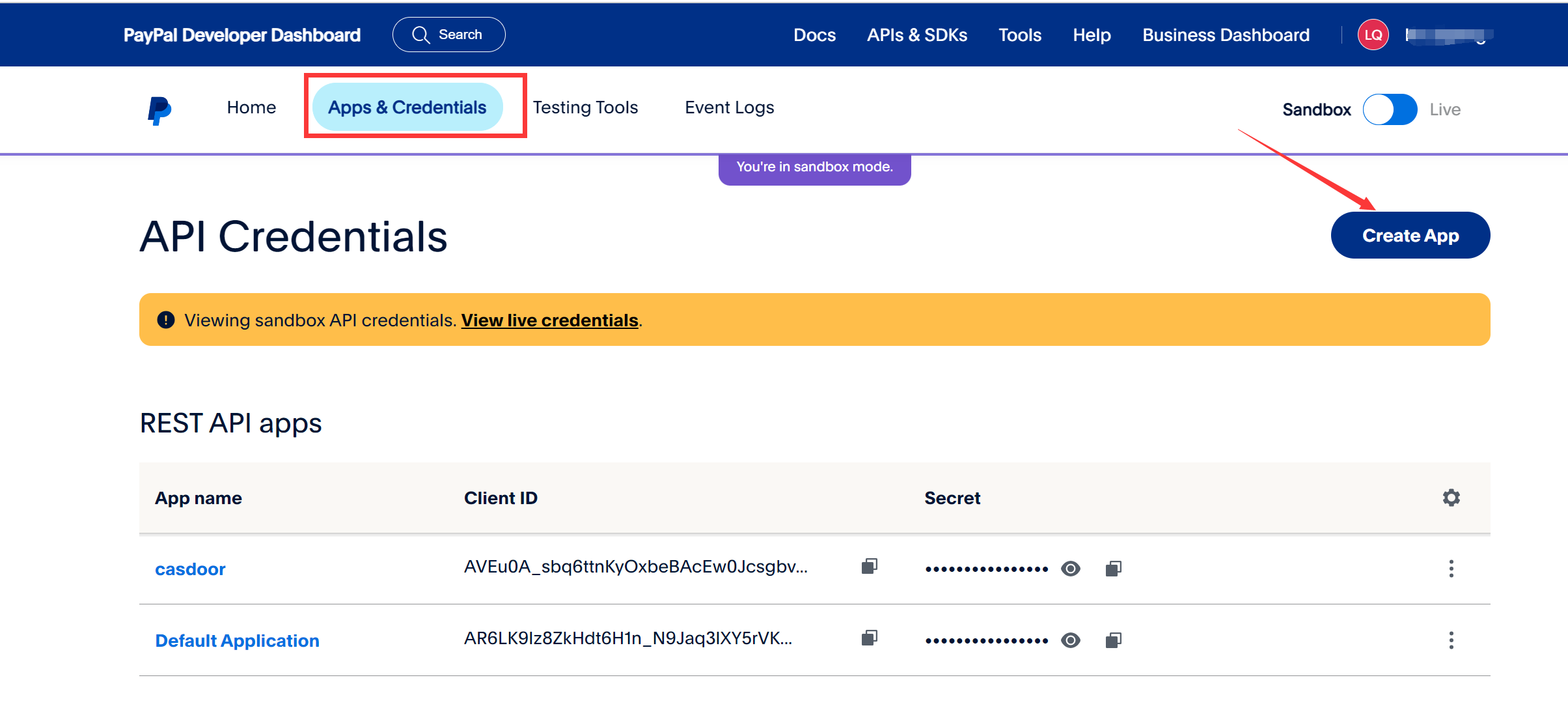
-
Copy the Client ID and the Secret of the app.
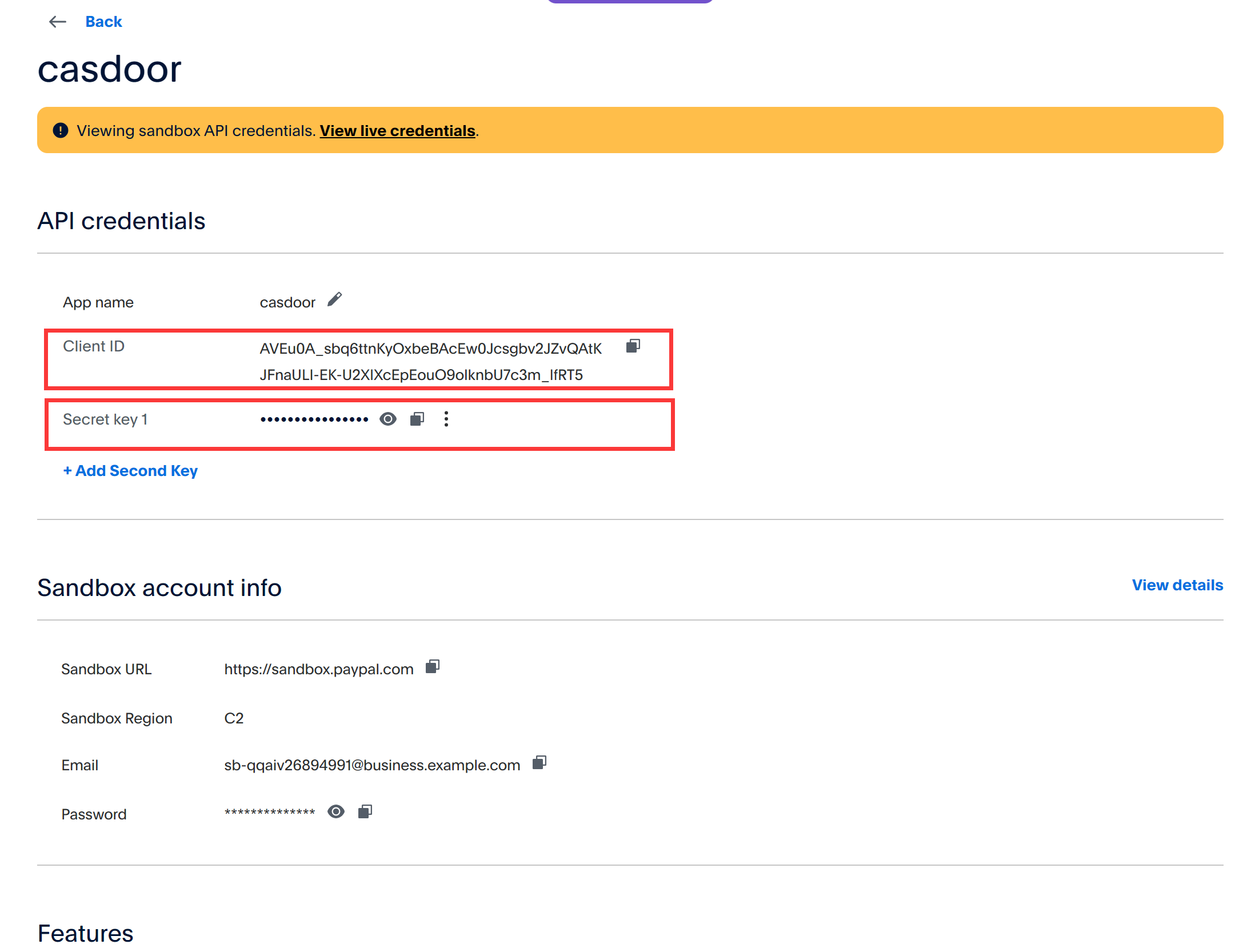
Add the provider in Casdoor
- In the Casdoor admin console, go to Identity > Providers and add a provider.
- Set Category to
Paymentand Type toPayPal. - Enter the Client ID and the secret as the Client secret.
- Save the provider.
Add the provider to a product
Add the provider to the Payment providers of the product and save it.
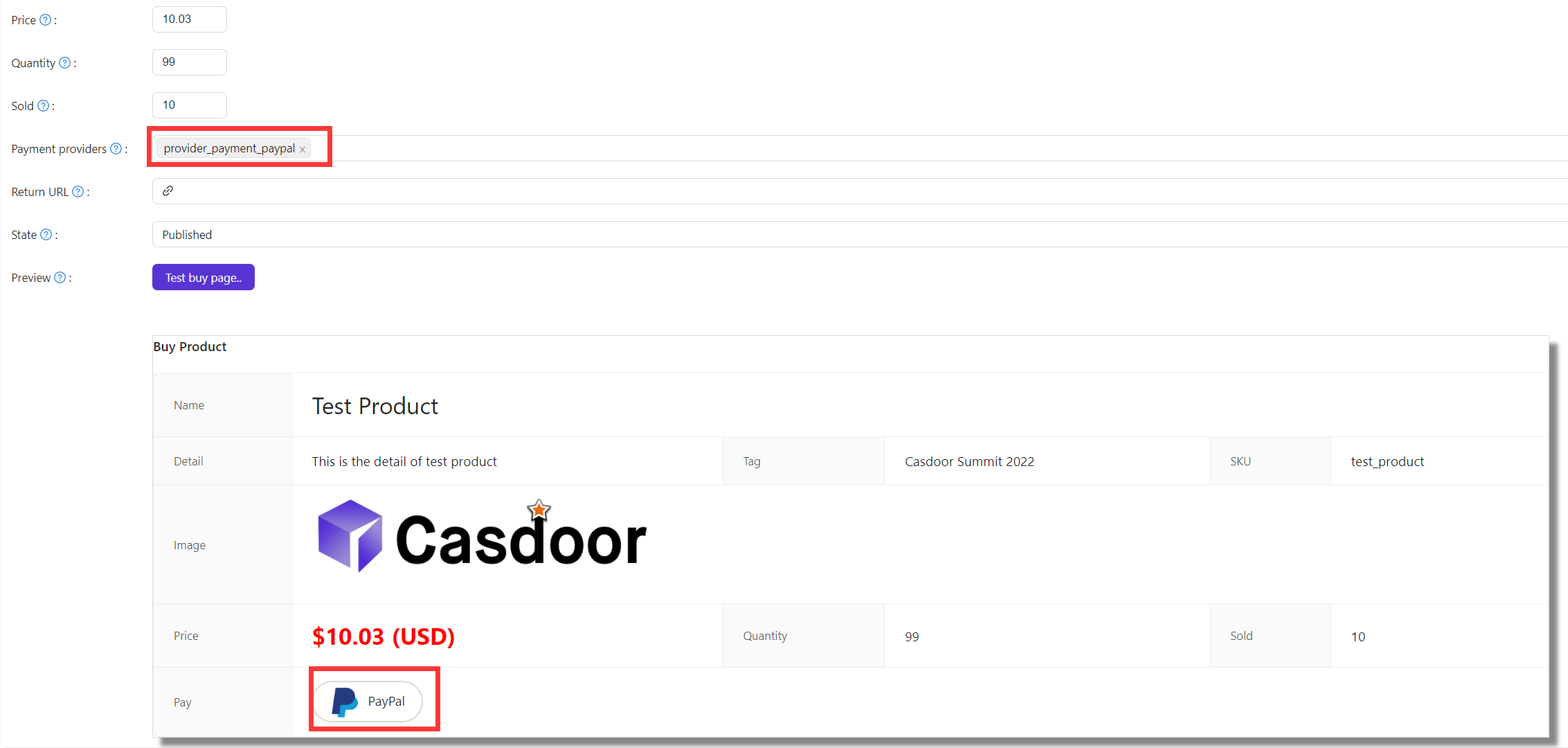
注
These steps use the PayPal sandbox. For production, create the app in Live mode and set runmode = prod in conf/app.conf of Casdoor.