Azure Blob Storage にファイルを保存する
このガイドでは、アバターなどの Casdoor のアップロードファイルを Azure Blob Storage に保存する方法について説明します。
学習目標
- ストレージアカウントの値を見つける方法。
- Casdoor に Azure Blob をストレージプロバイダーとして追加する方法。
必要なもの
- コンテナを含む Azure ストレージアカウント
- Casdoor 管理コンソールへの管理者アクセス権
Azure で値を見つける
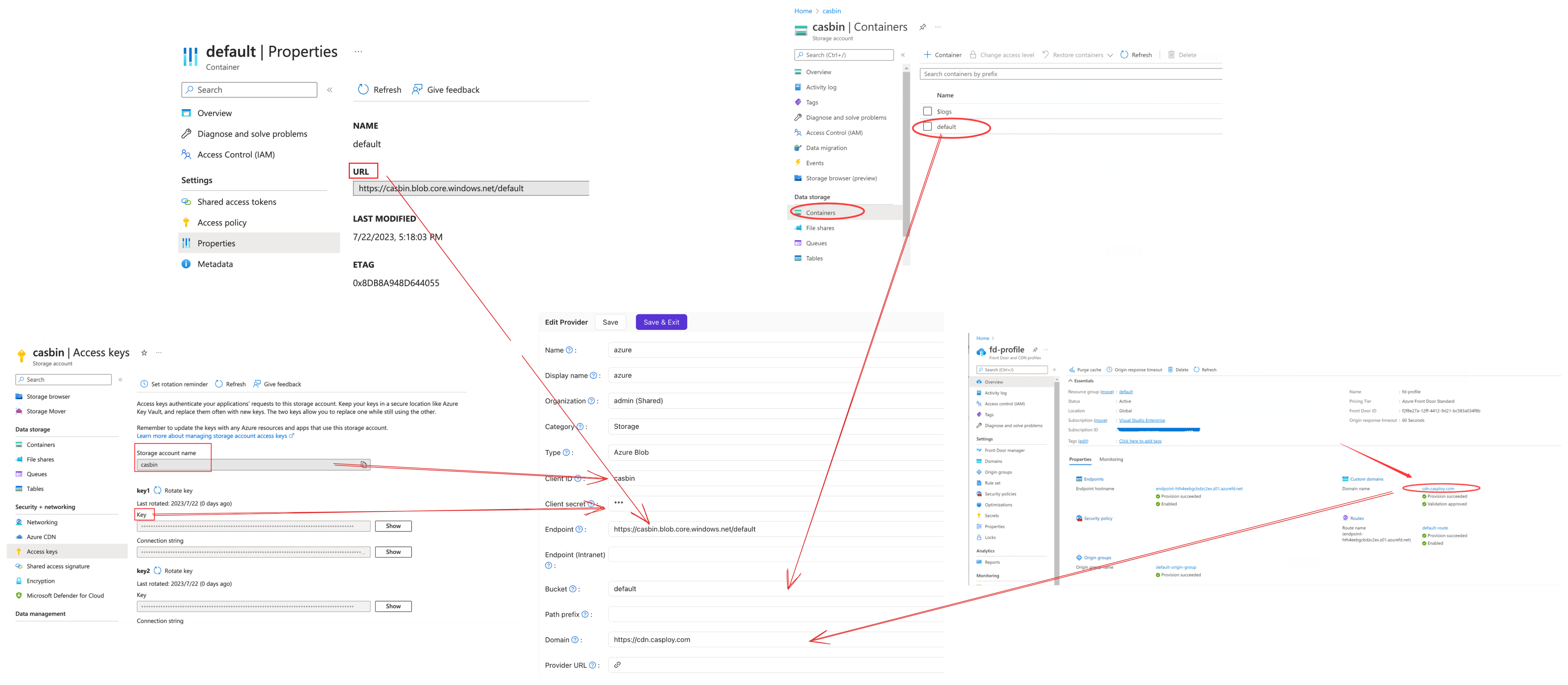
| Value | Where to find it |
|---|---|
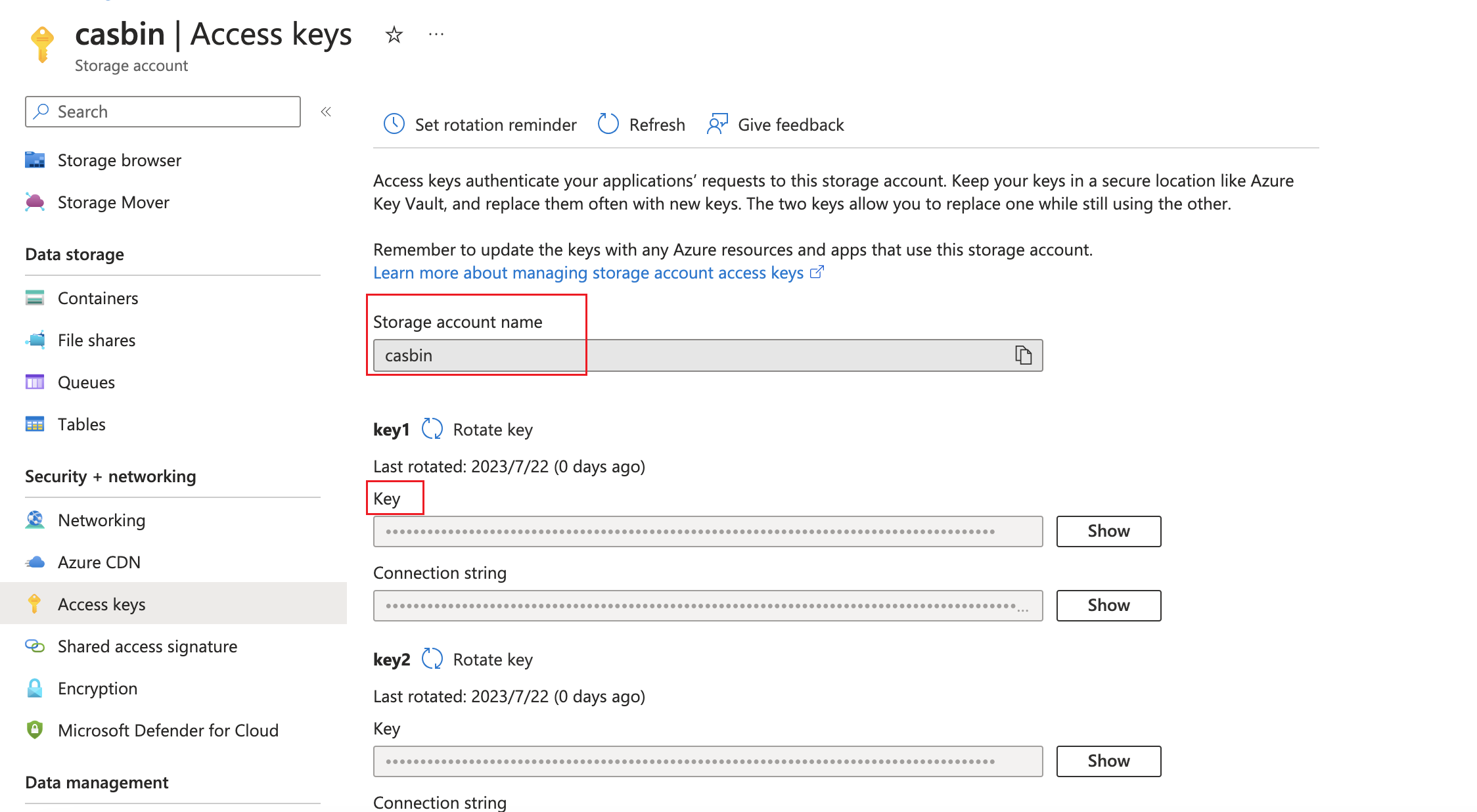
| AccountName | The name of the storage account |
| AccountKey | The storage account, Access keys |
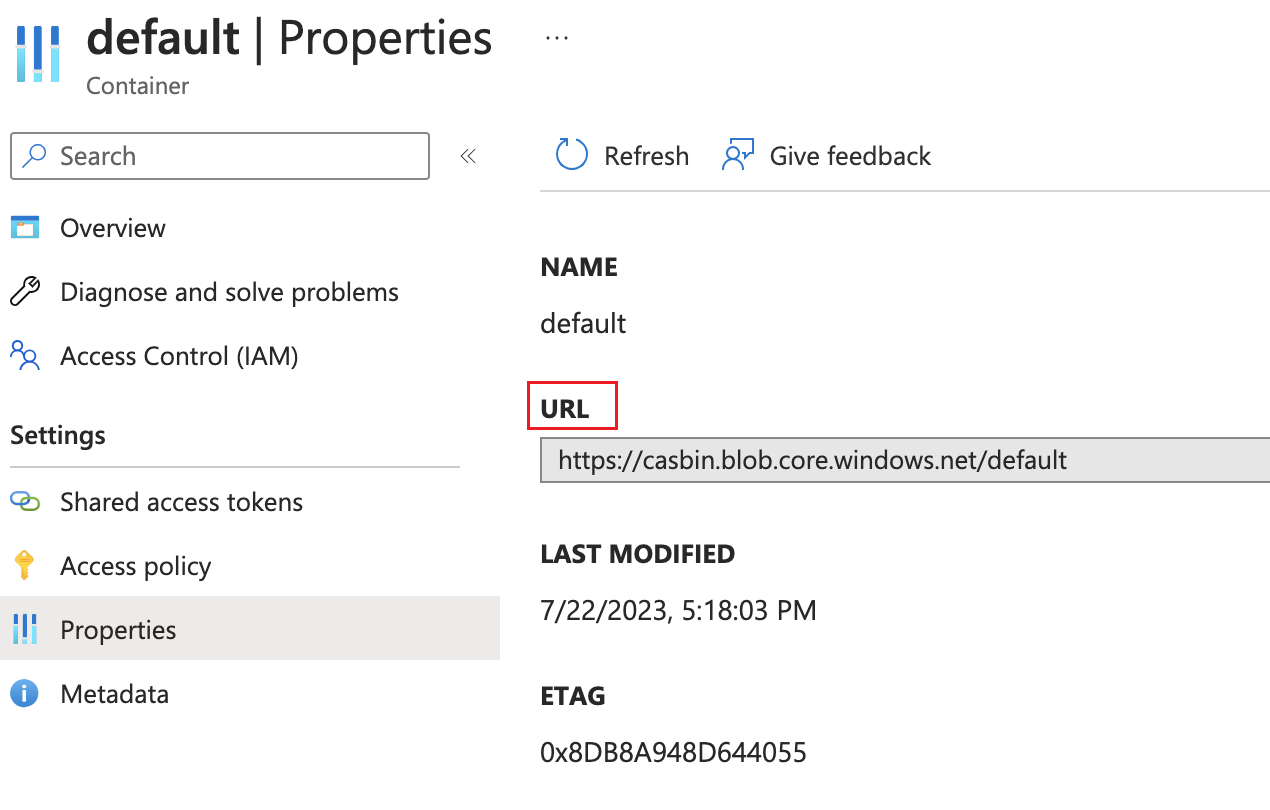
| ContainerUrl | The properties of the container |
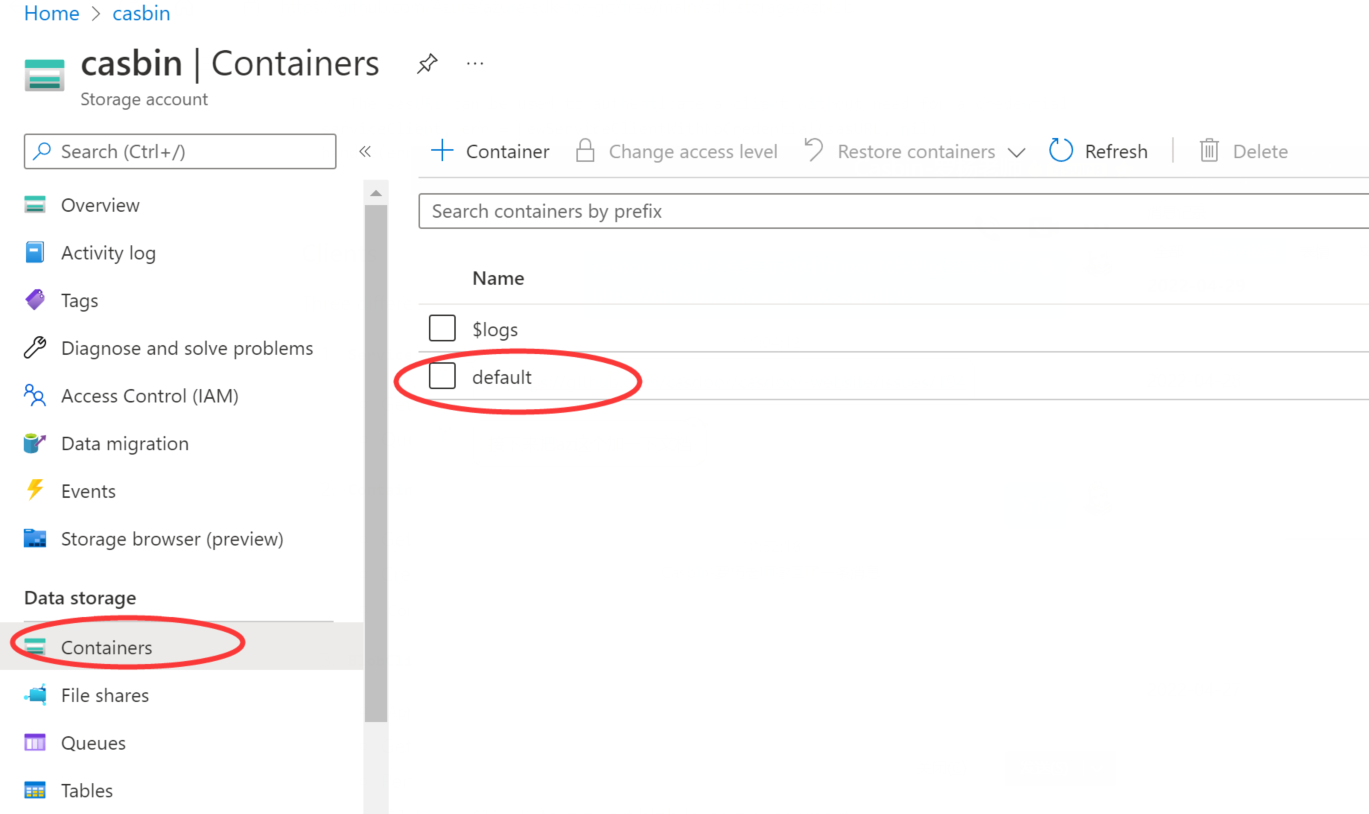
| ContainerName | The name of the container, for example default |
| PrivateEndpoint | オプションです。アカウントの プライベートエンドポイント |
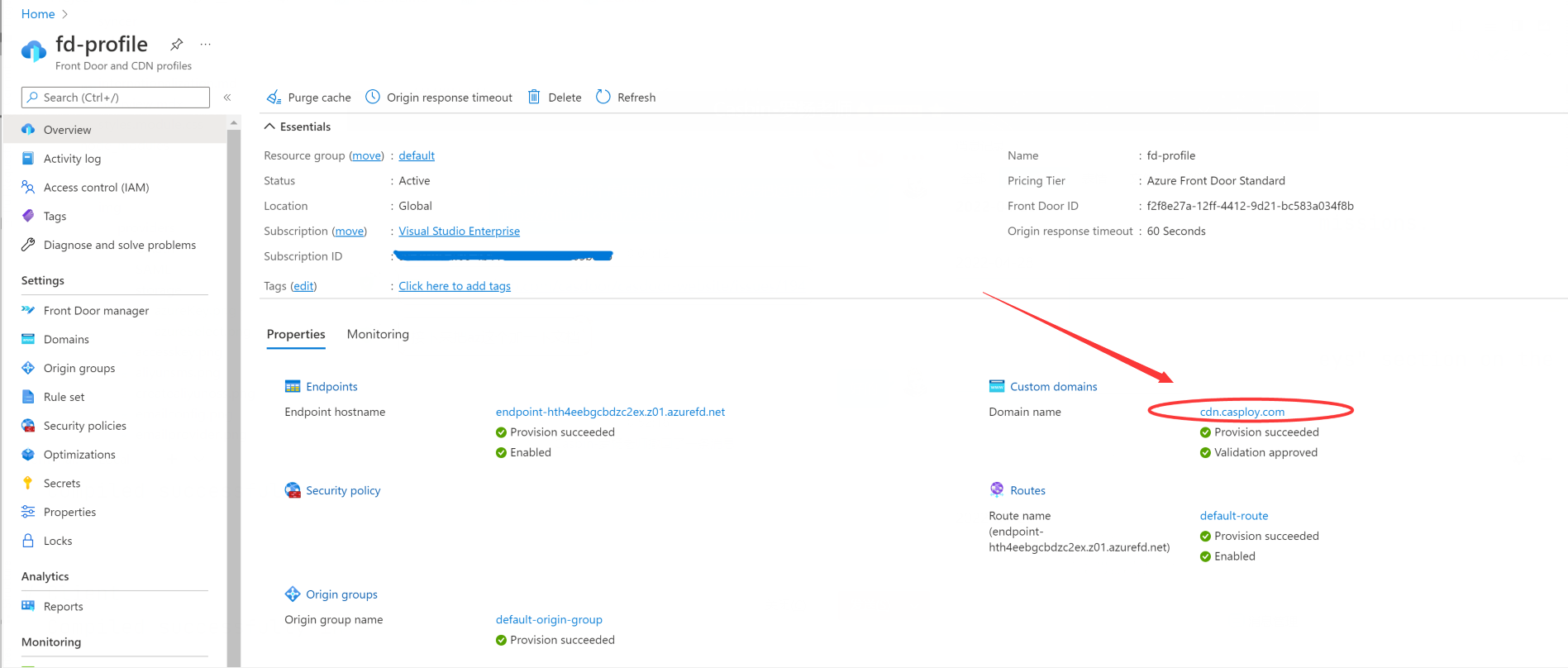
| Domain | Optional. A custom domain, such as one of Azure CDN |
Casdoor にプロバイダーを追加する
-
Casdoor 管理コンソールで、Identity > Providers に移動し、プロバイダーを追加します。
-
Category を
Storageに、Type をAzure Blobに設定します。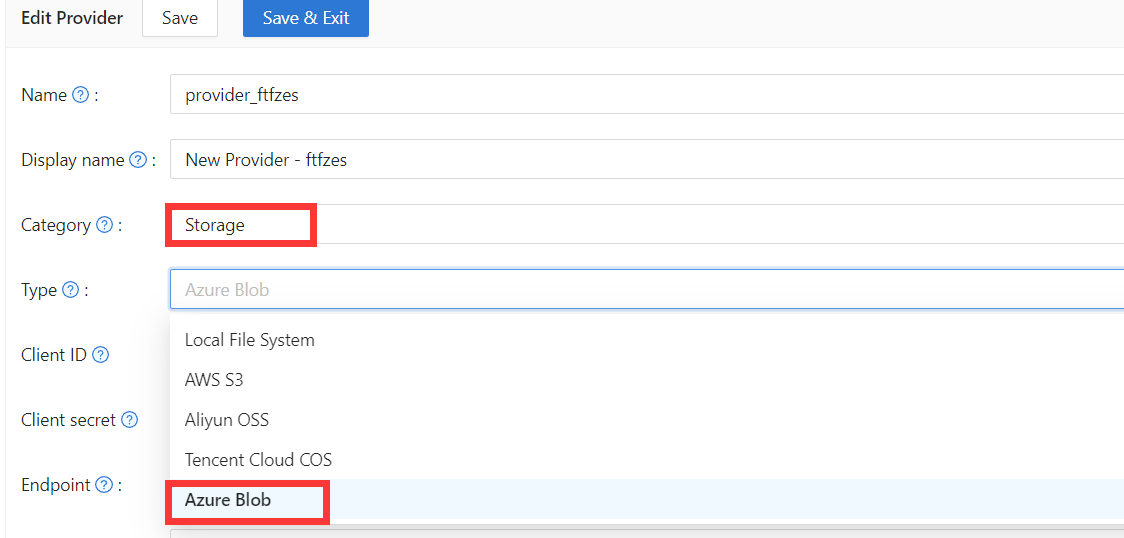
-
フィールドに入力します:
Casdoor field Azure / meaning 必須 Client ID AccountName はい Client secret AccountKey はい Endpoint ContainerUrl はい Endpoint (Intranet) PrivateEndpoint いいえ Bucket ContainerName はい Path prefix パスプレフィックス いいえ Domain Custom domain (e.g. CDN) いいえ -
プロバイダーを保存します。