Store files in Tencent Cloud COS
This guide explains how to store the uploaded files of Casdoor, such as avatars, in Tencent Cloud COS.
Learning outcomes
- Find the credentials and the bucket settings in Tencent Cloud.
- Add Tencent Cloud COS as a storage provider in Casdoor.
What you need
- A Tencent Cloud account and a COS bucket
- Administrator access to the Casdoor admin console
Find the values in Tencent Cloud
-
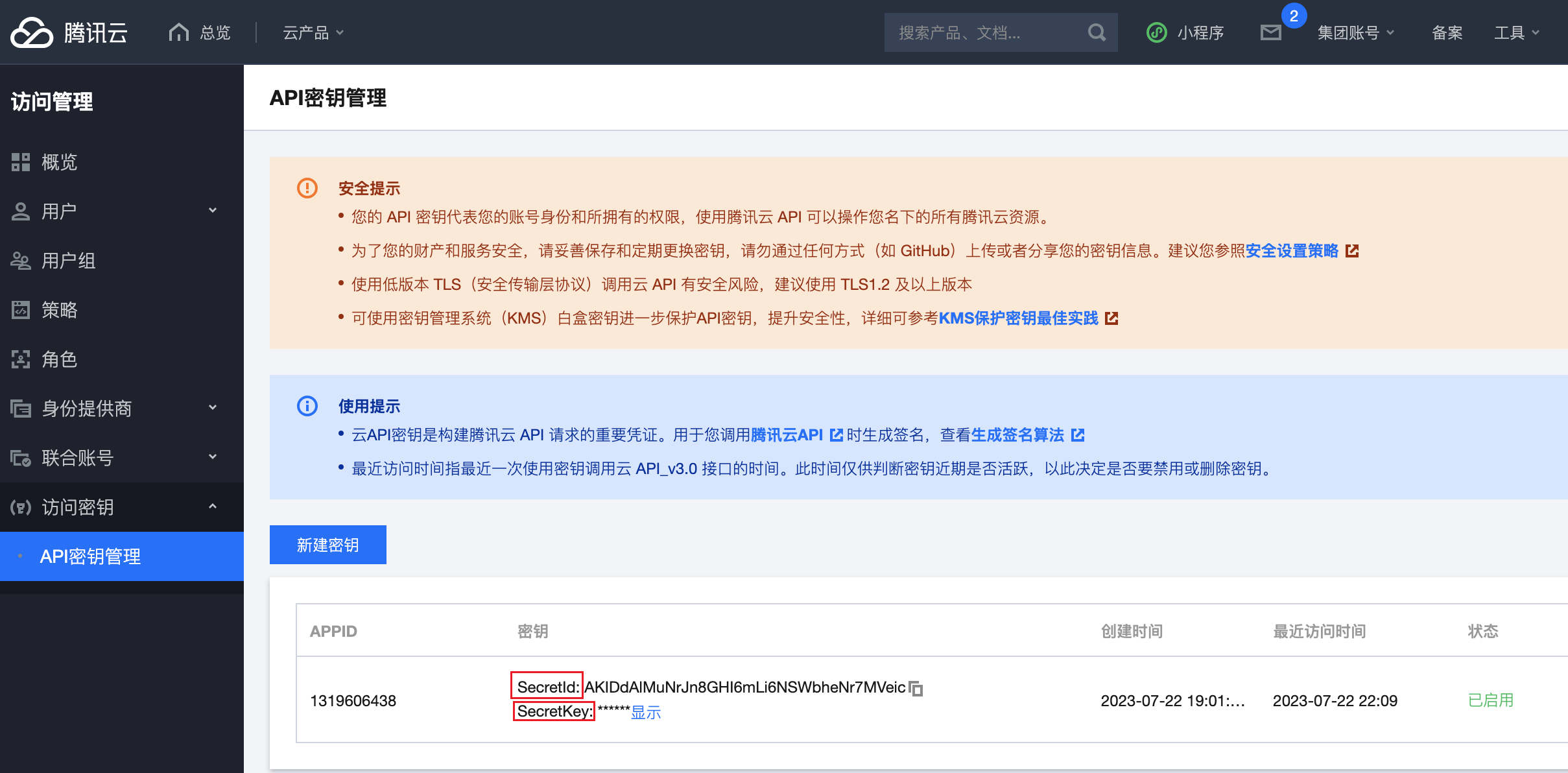
Copy the SecretId and the SecretKey from the API keys page.
-
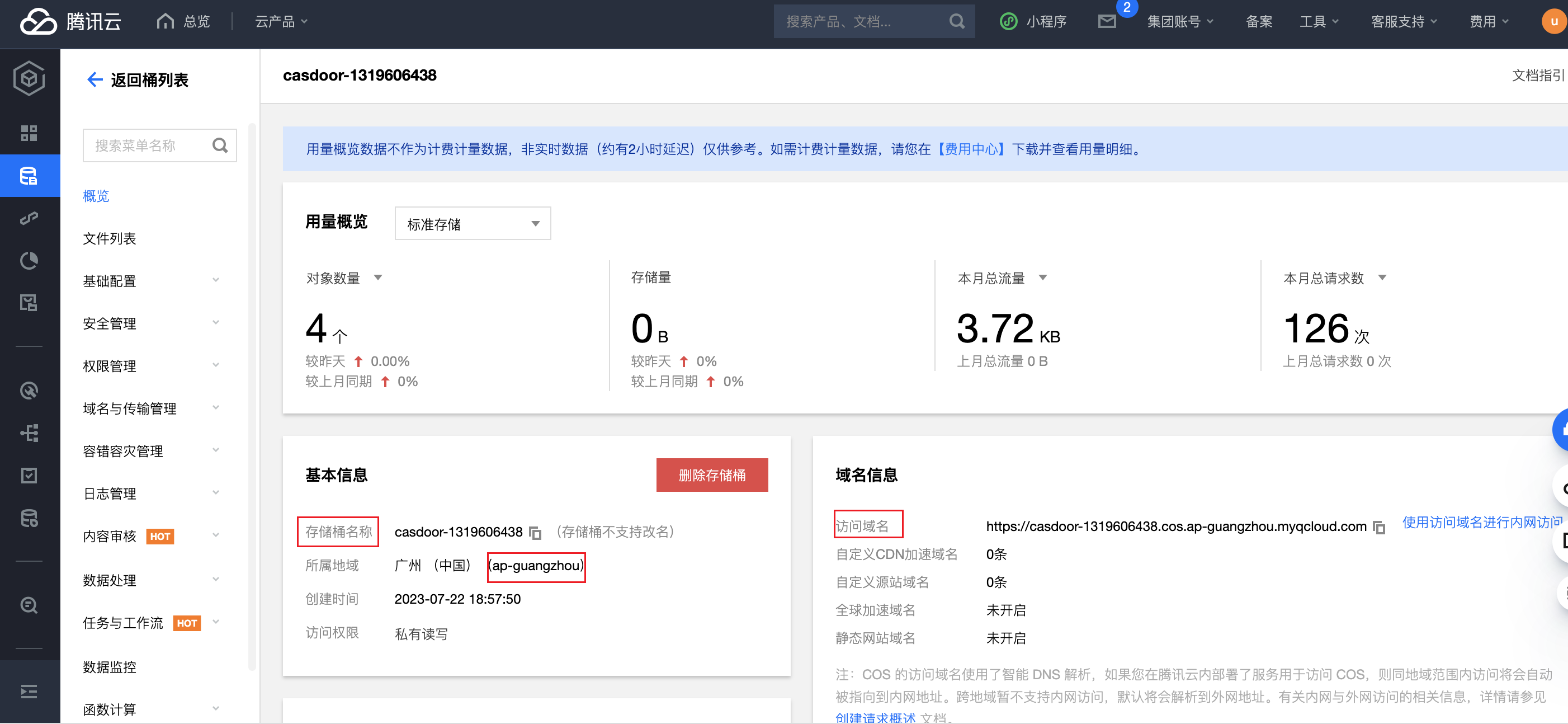
Copy the endpoint, the bucket name, and the region from the settings of the bucket.
-
Optionally, set up a CDN domain for the bucket. See COS CDN configuration.
Add the provider in Casdoor
-
In the Casdoor admin console, go to Identity > Providers and add a provider.
-
Set Category to
Storageand Type toTencent Cloud COS. -
Fill in the fields:
Casdoor field テンセントクラウド 必須 Client ID SecretId はい Client secret SecretKey はい Endpoint Endpoint はい Bucket BucketName はい Region ID Region はい Path prefix — いいえ ドメイン CDN domain いいえ 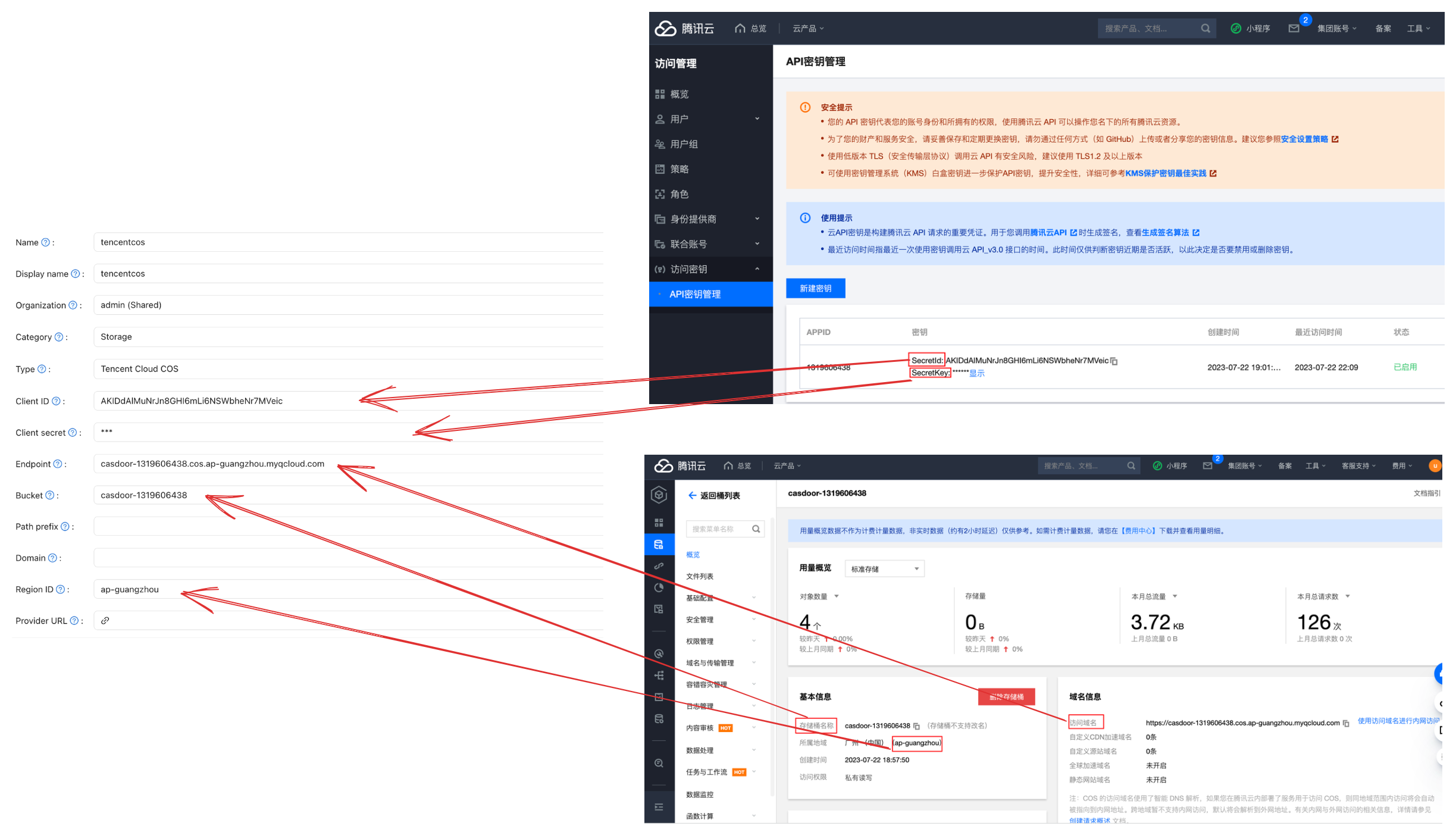
-
Save the provider.