Take payments with WeChat Pay
This guide explains how to let users pay for your Casdoor products with WeChat Pay. Casdoor supports Native payment, with a QR code, and JSAPI payment, inside the WeChat app.
Learning outcomes
- Get the API key, the certificate, and the IDs from WeChat Pay.
- Add WeChat Pay as a payment provider and add it to a product.
- Turn on payment inside the WeChat app.
What you need
- A WeChat Pay merchant account. See Preparation before access.
- A product in Casdoor
Get the credentials
-
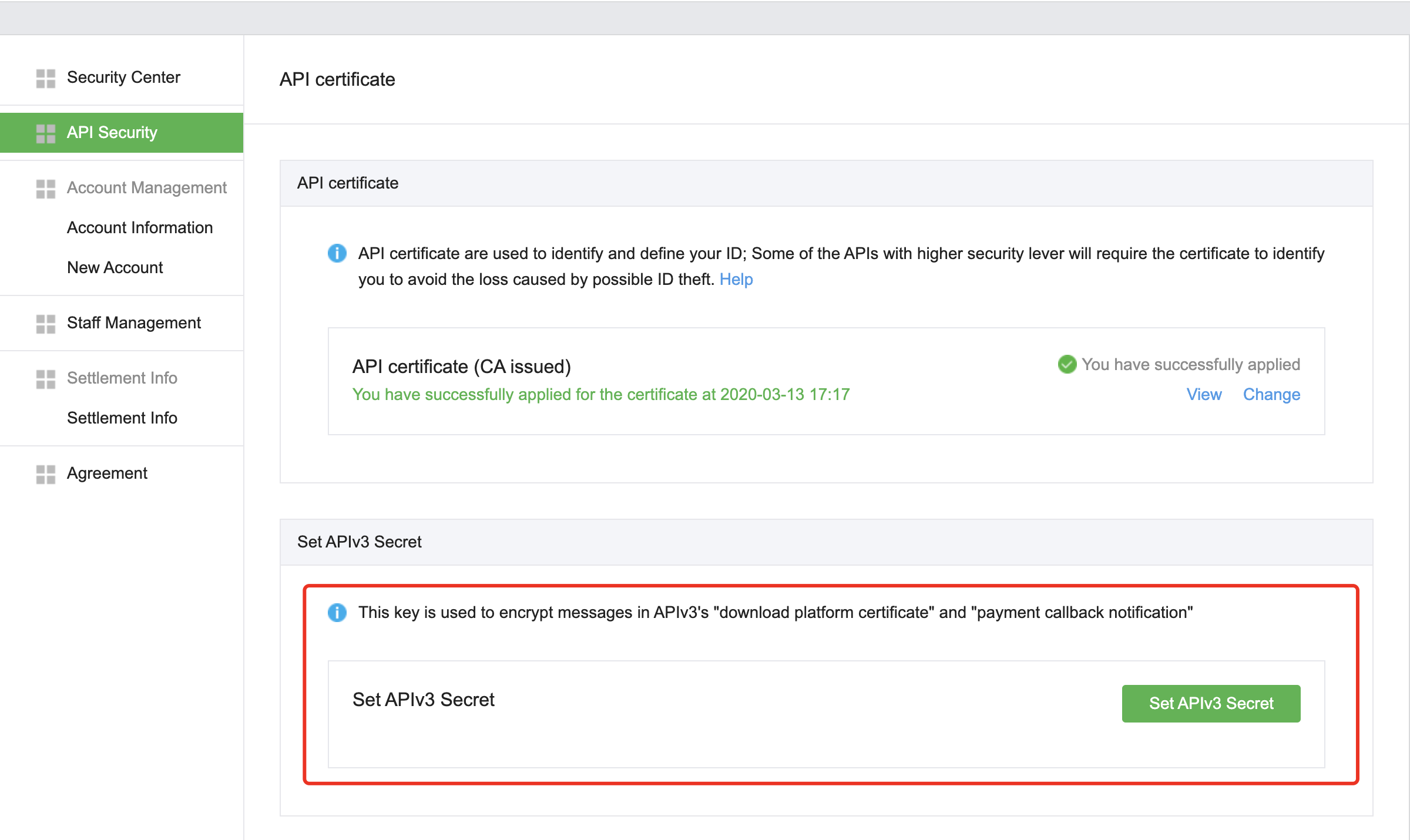
On the WeChat Pay merchant platform, go to Account Settings > API Security > Set APIv3 Secret and copy the API key v3. See APIv3 key settings.
-
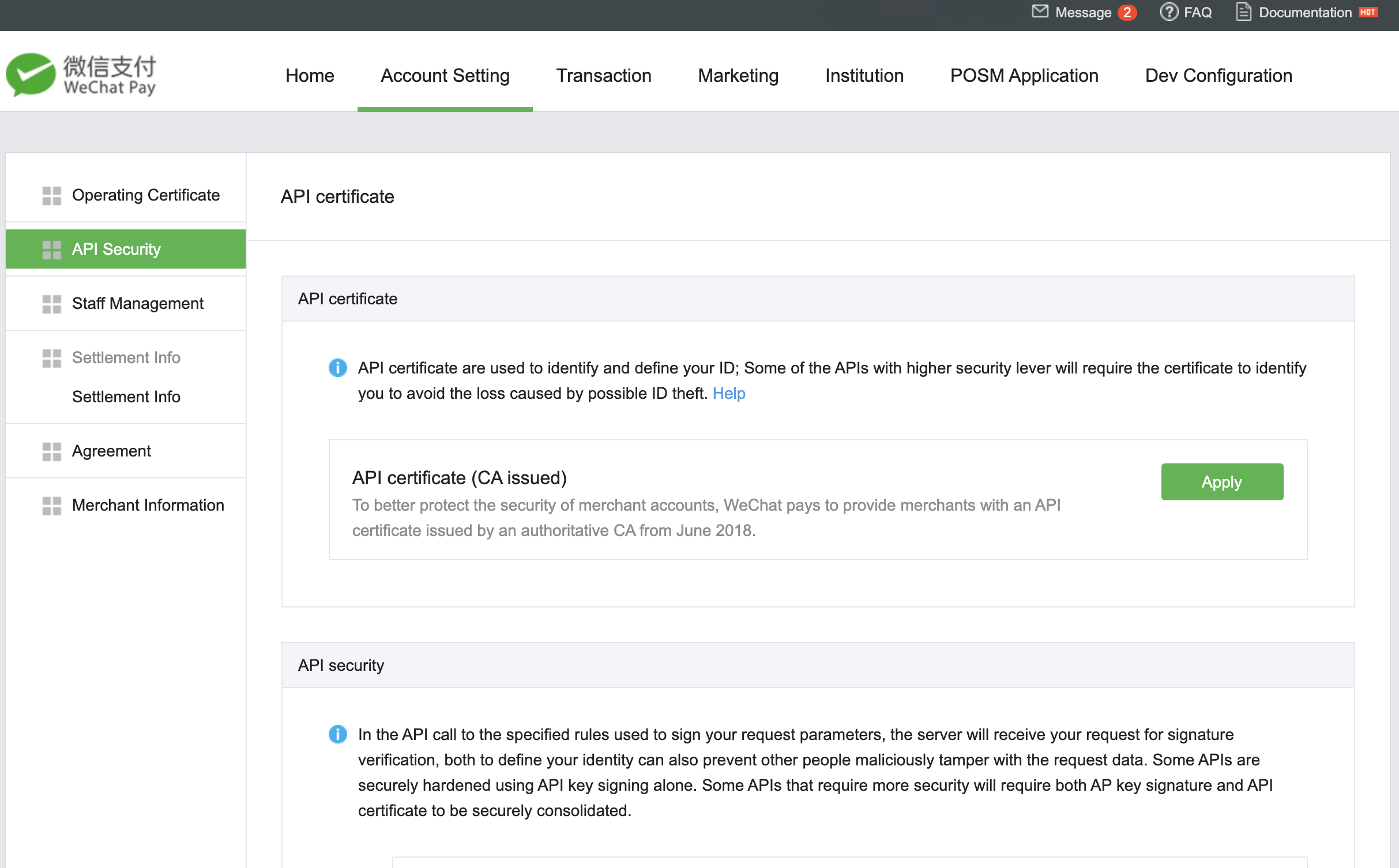
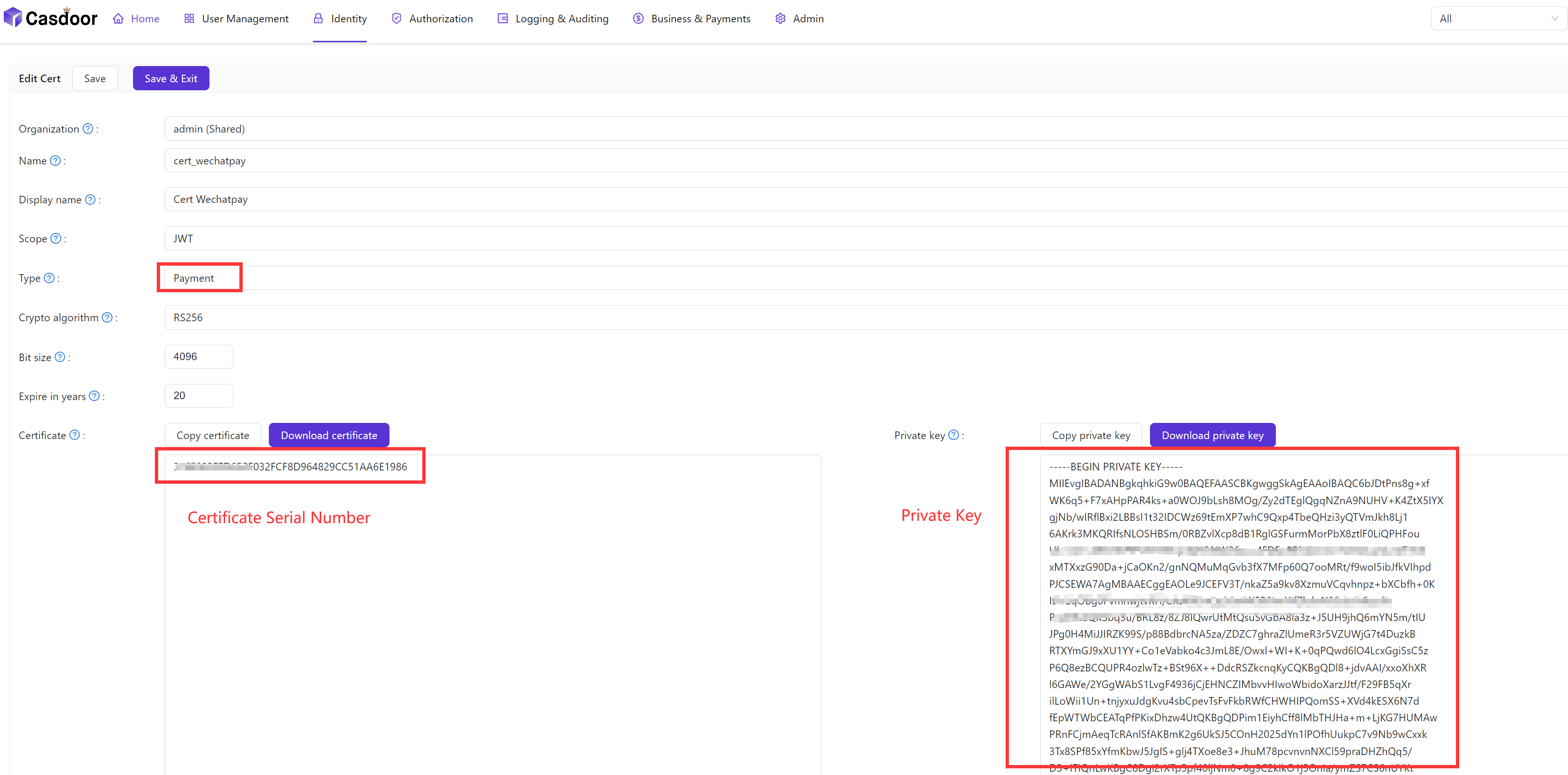
Go to Account Settings > API Security > API Certificate and download the merchant certificate. Note its serial number and its private key.
-
Store the certificate on the Certs page of Casdoor.
-
Note your merchant ID and your App ID.
Add the provider in Casdoor
-
In the Casdoor admin console, go to Identity > Providers and add a provider.
-
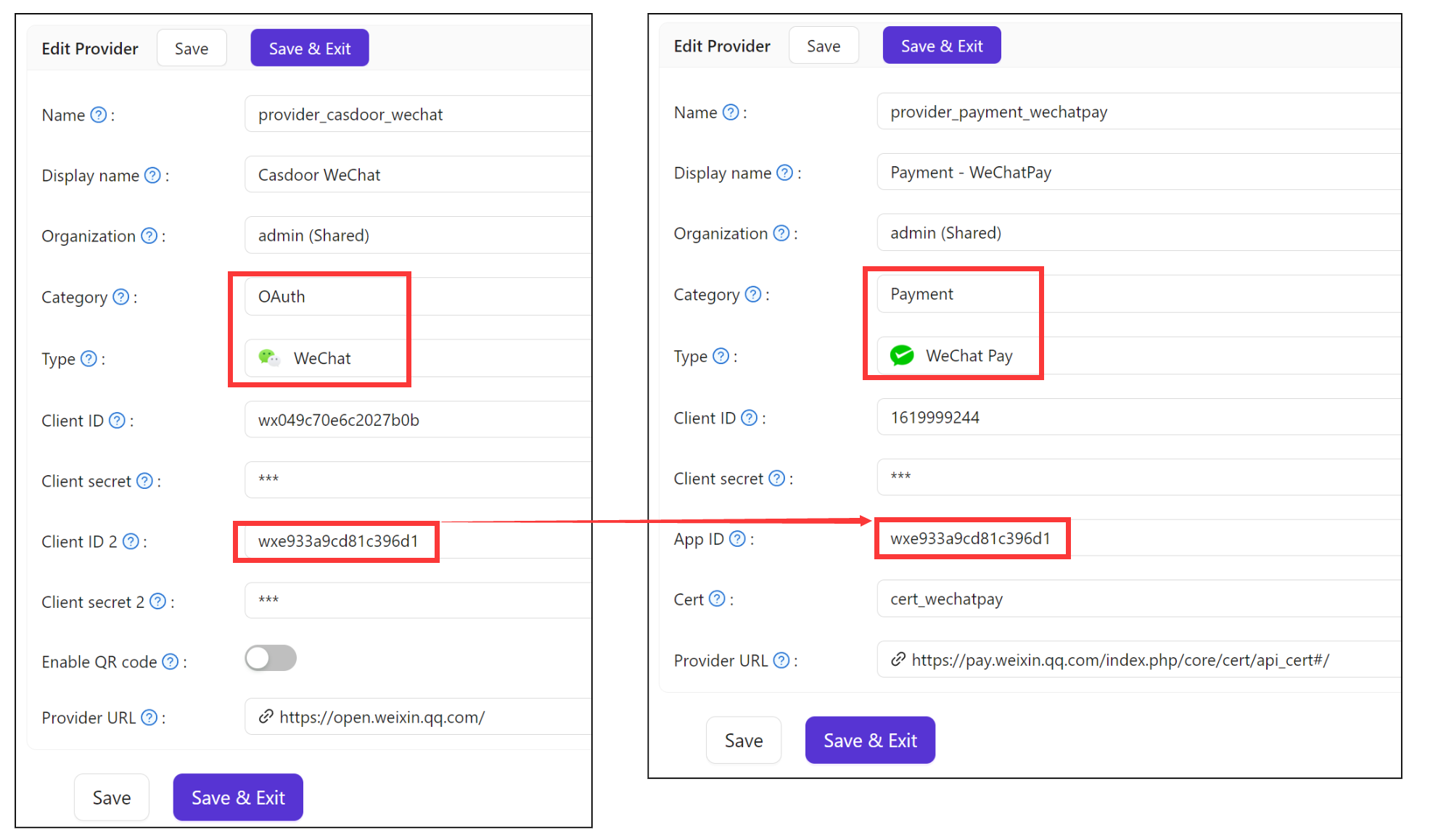
Set Category to
Paymentand Type toWeChat Pay. -
Fill in the fields:
Casdoor field Valor Client ID Merchant ID Client secret API Key v3 App ID ID do aplicativo Cert The Cert above 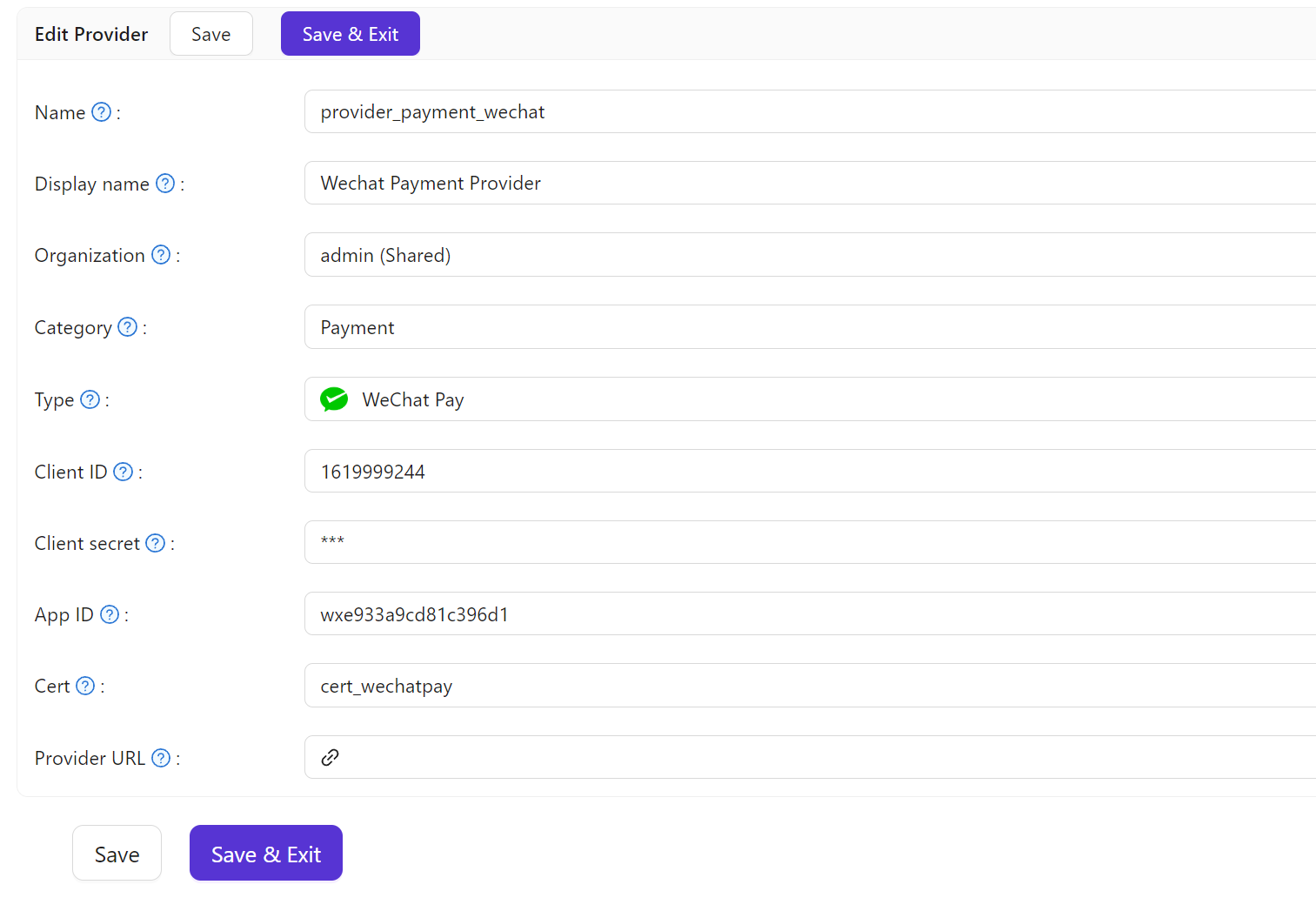
-
Save the provider.
Add the provider to a product
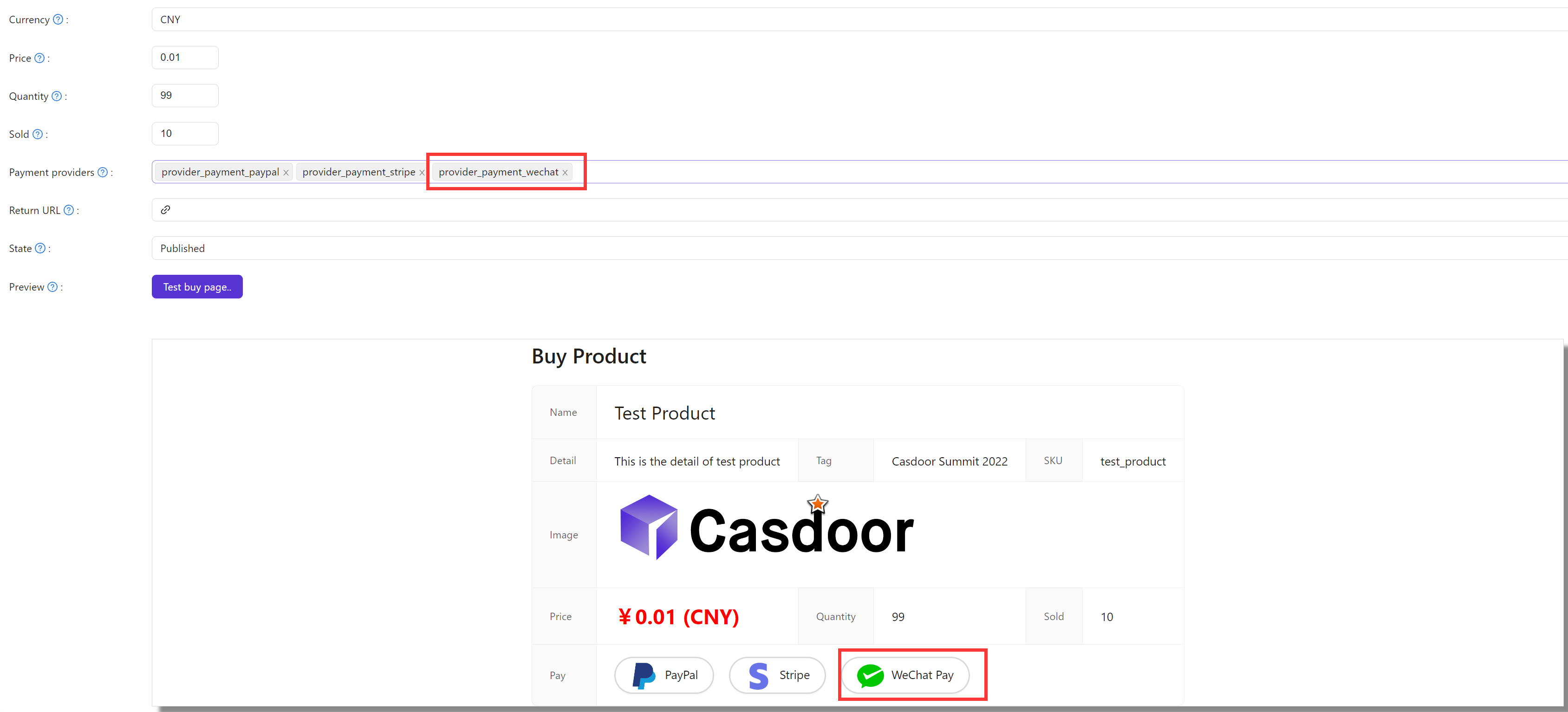
Add the provider to the Payment providers of the product and save it.
Pay inside the WeChat app
For JSAPI payment, users sign in with WeChat in the built-in browser of the WeChat app and then pay there. Configure a WeChat OAuth provider for the same official account as the payment provider, and add both to the application.