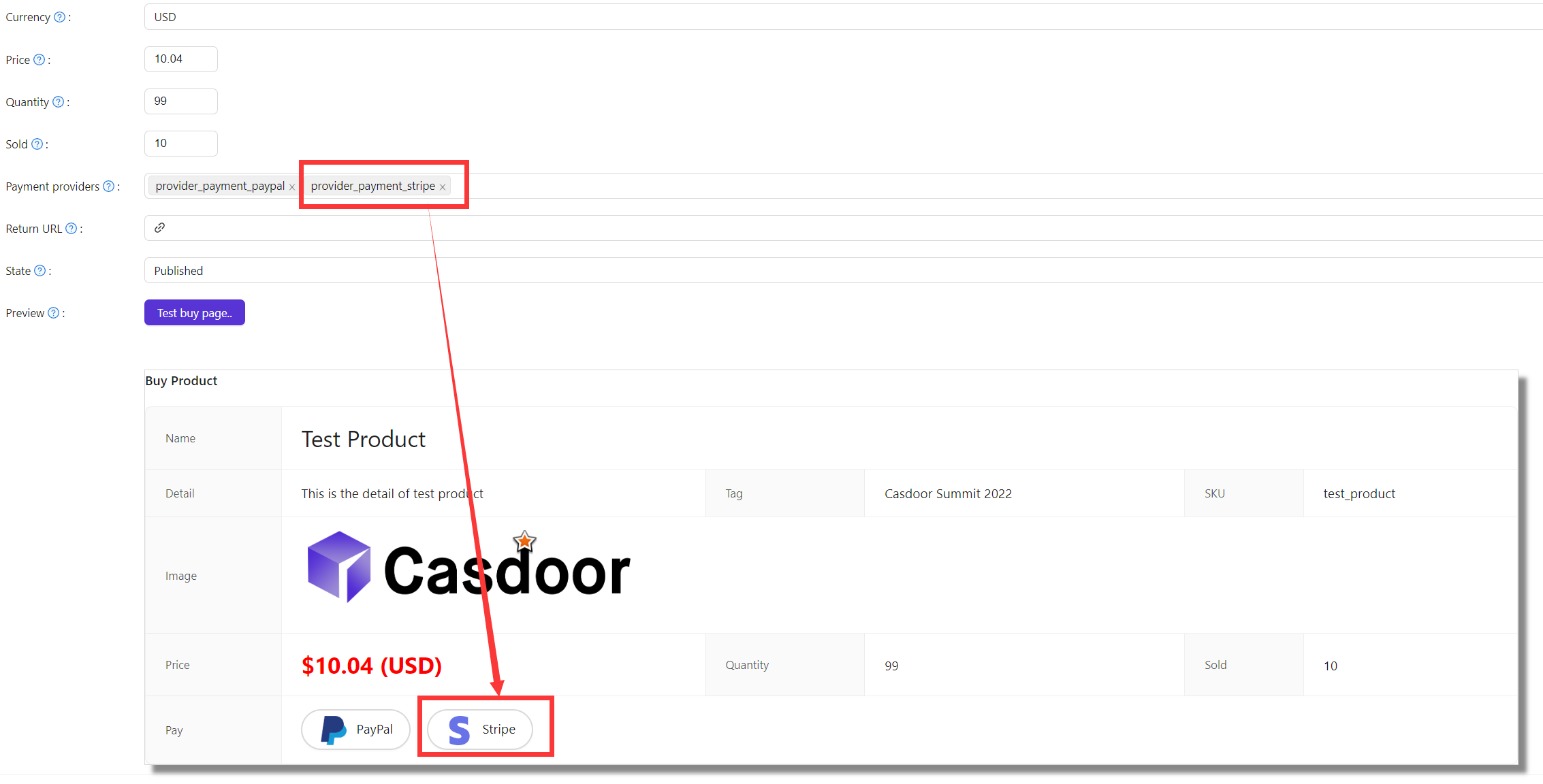
Take payments with Stripe
This guide explains how to let users pay for your Casdoor products with Stripe.
Learning outcomes
- Get the API keys from Stripe.
- Add Stripe as a payment provider and add it to a product.
What you need
Get the API keys
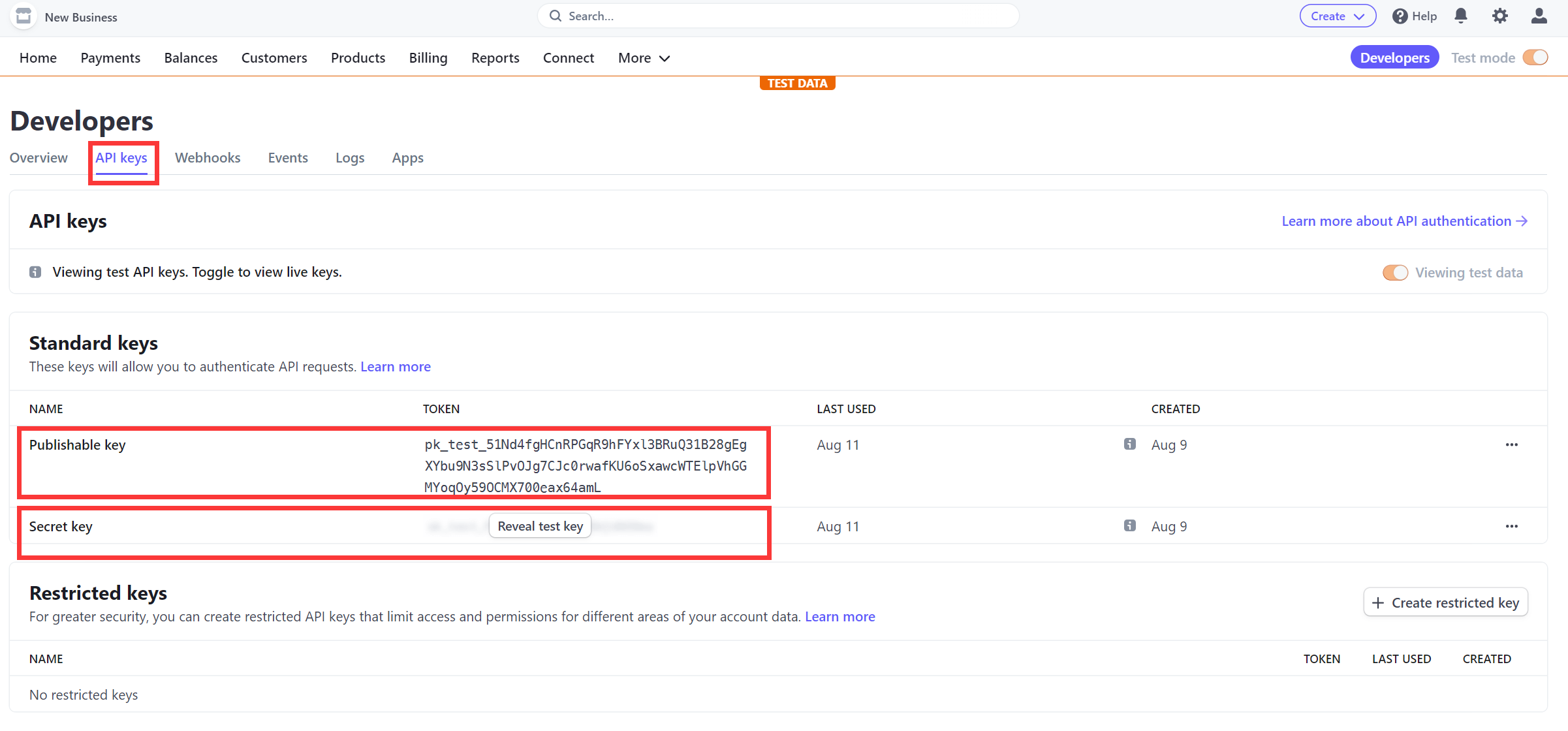
In the Stripe dashboard, under API keys, copy the Publishable key and the Secret key.
Add the provider in Casdoor
-
In the Casdoor admin console, go to Identity > Providers and add a provider.
-
Set Category to
Paymentand Type toStripe. -
Fill in the fields:
Casdoor field Valor Client ID Publishable key Client secret Secret key 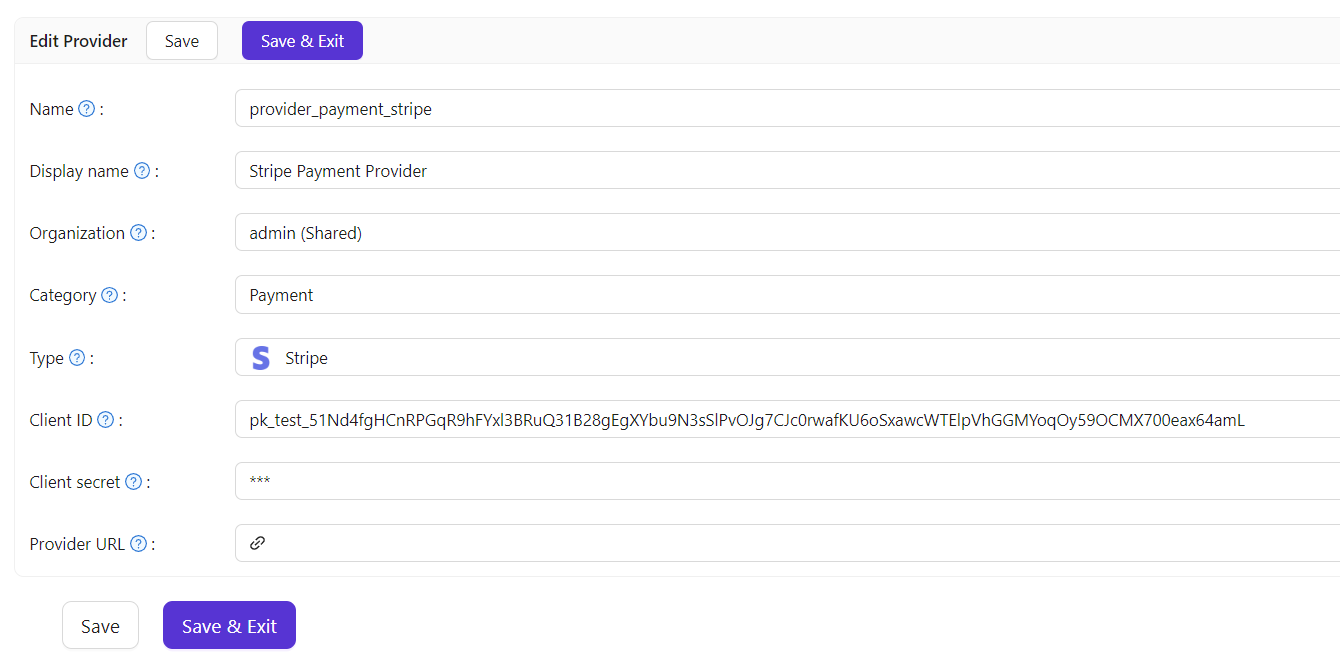
-
Save the provider.
Add the provider to a product
Add the provider to the Payment providers of the product and save it.