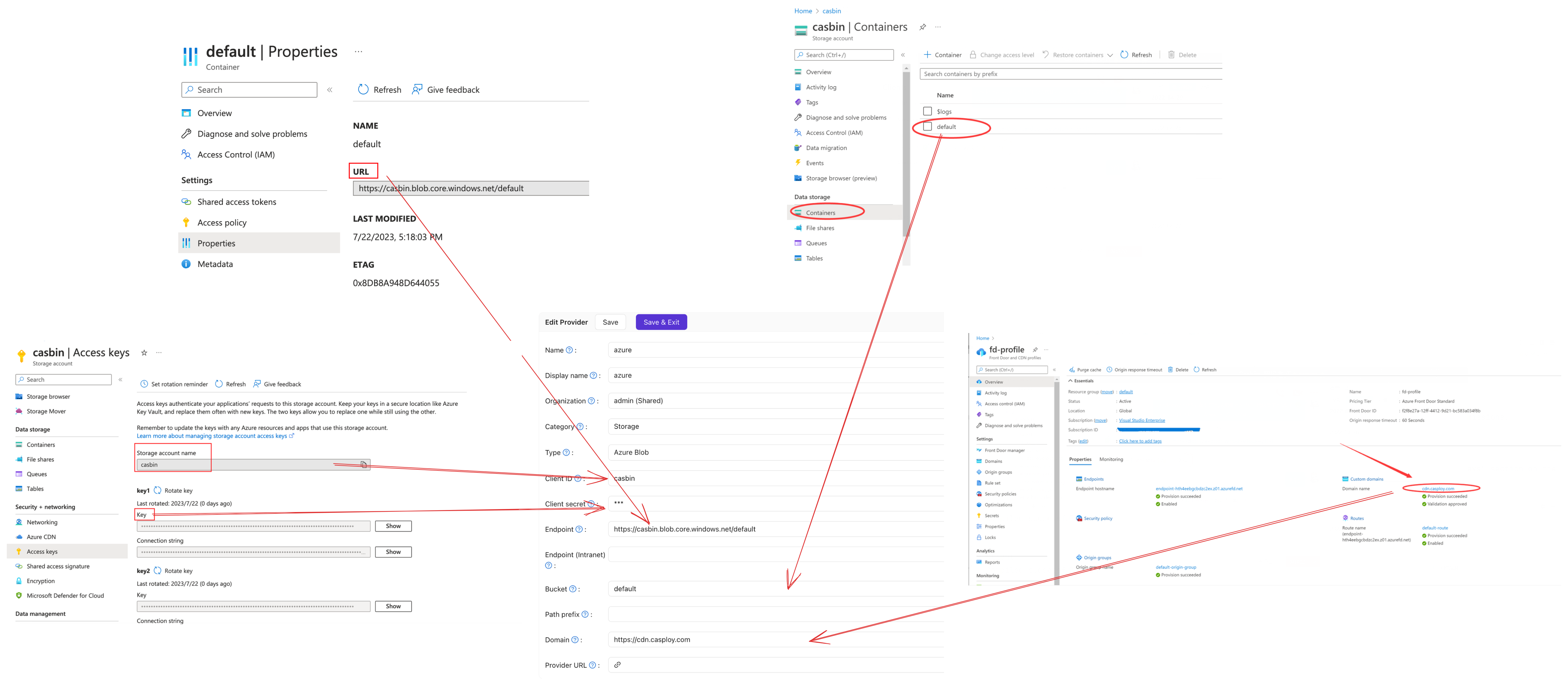
Store files in Azure Blob Storage
This guide explains how to store the uploaded files of Casdoor, such as avatars, in Azure Blob Storage.
Learning outcomes
- Find the values of your storage account.
- Add Azure Blob as a storage provider in Casdoor.
What you need
- An Azure storage account with a container
- Administrator access to the Casdoor admin console
Find the values in Azure
| Value | Where to find it |
|---|---|
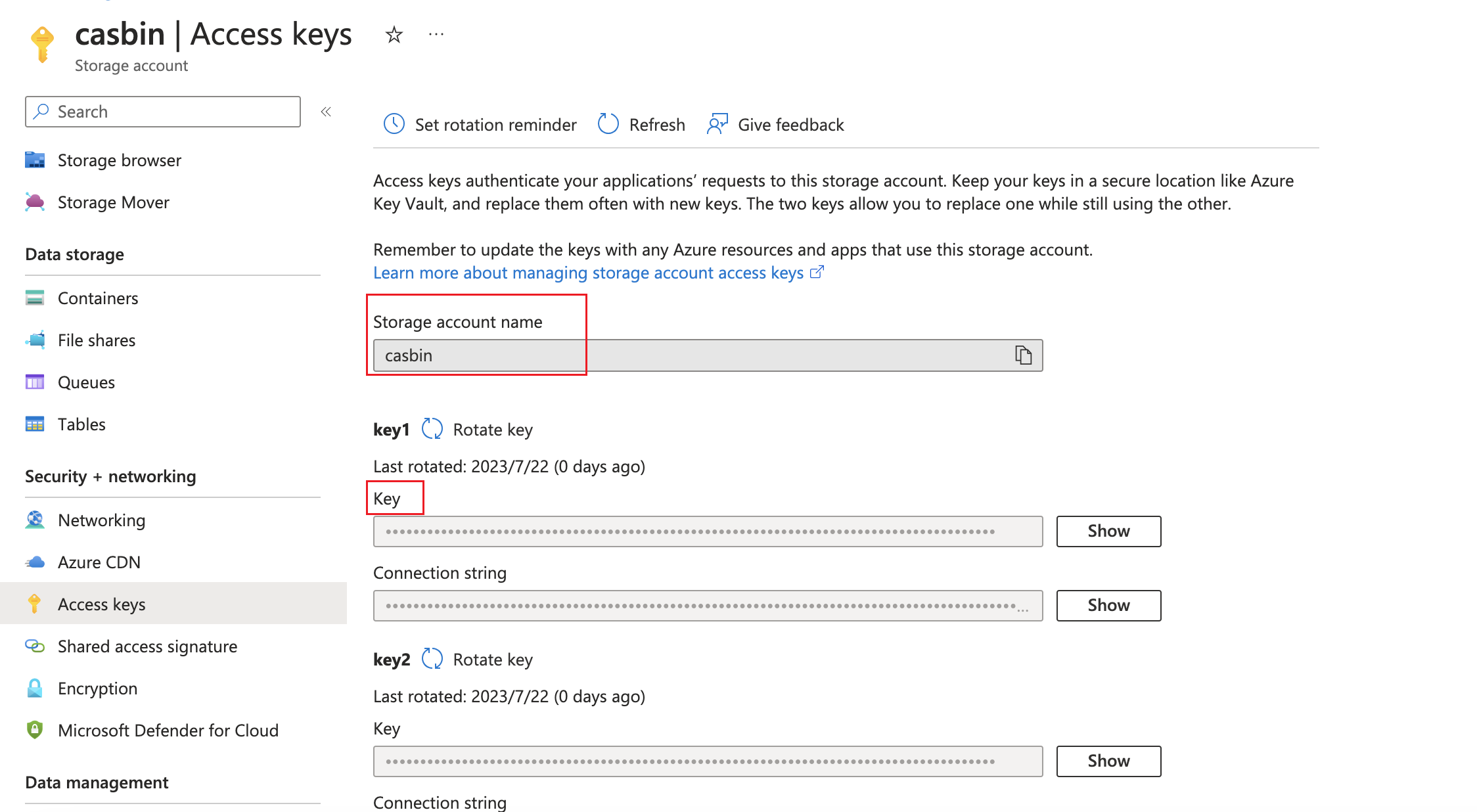
| AccountName | The name of the storage account |
| AccountKey | The storage account, Access keys |
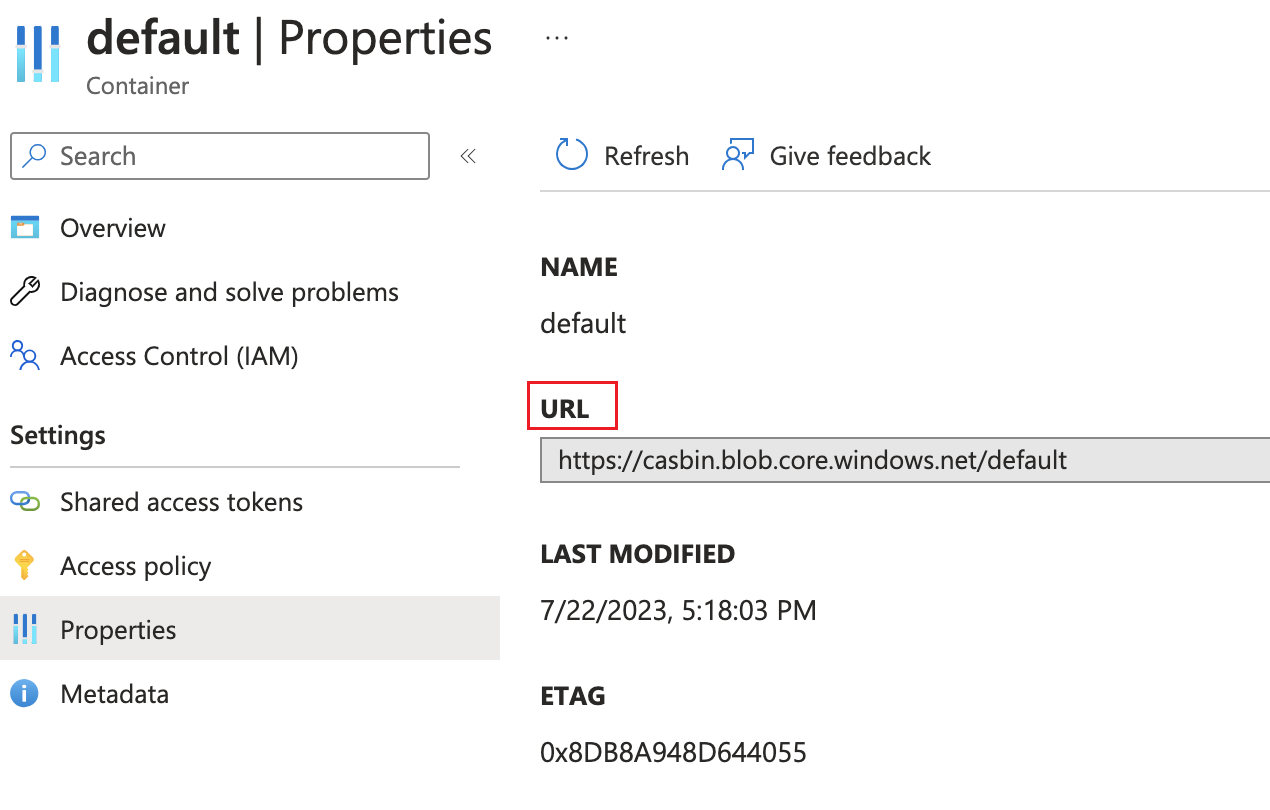
| ContainerUrl | The properties of the container |
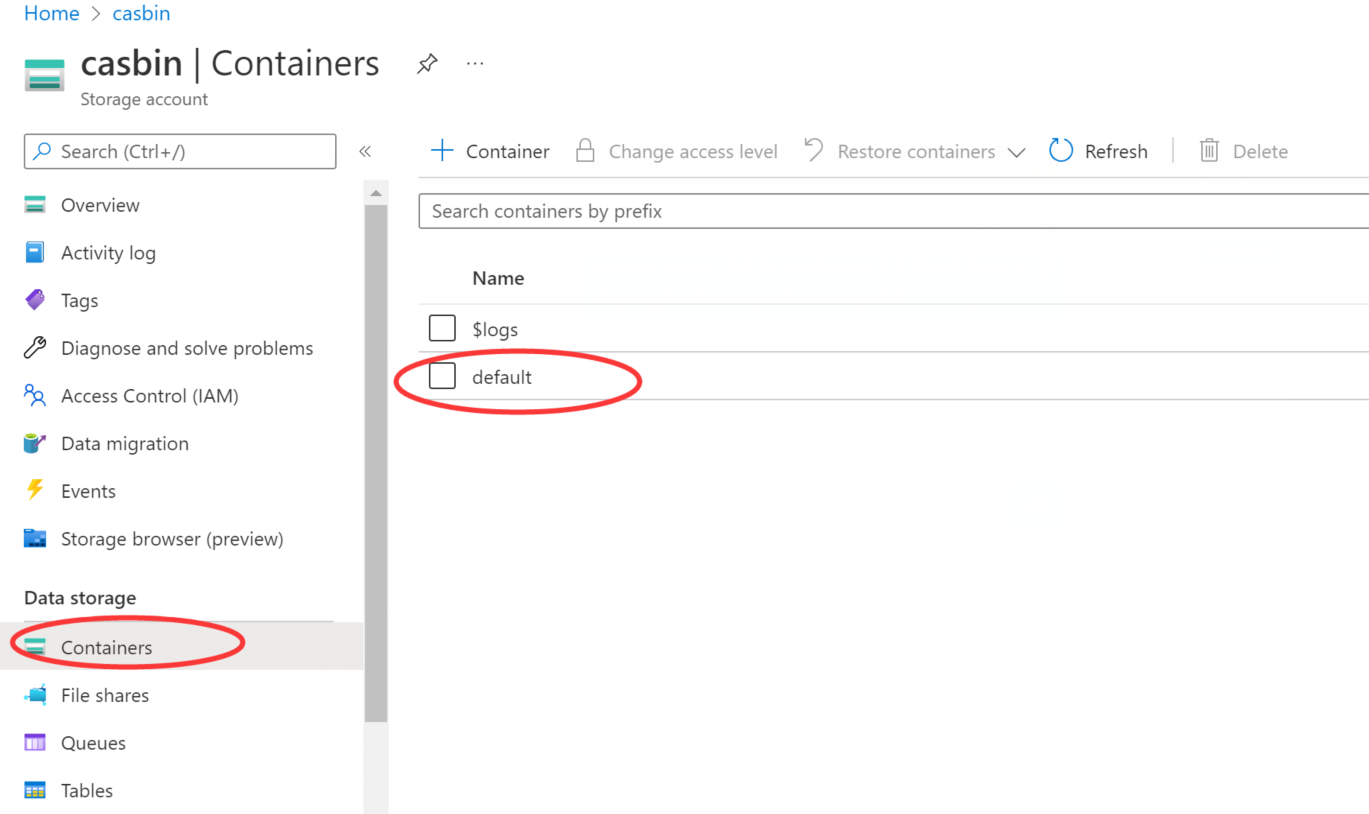
| ContainerName | The name of the container, for example default |
| PrivateEndpoint | Optional. A private endpoint of the account |
| Domain | Optional. A custom domain, such as one of Azure CDN |
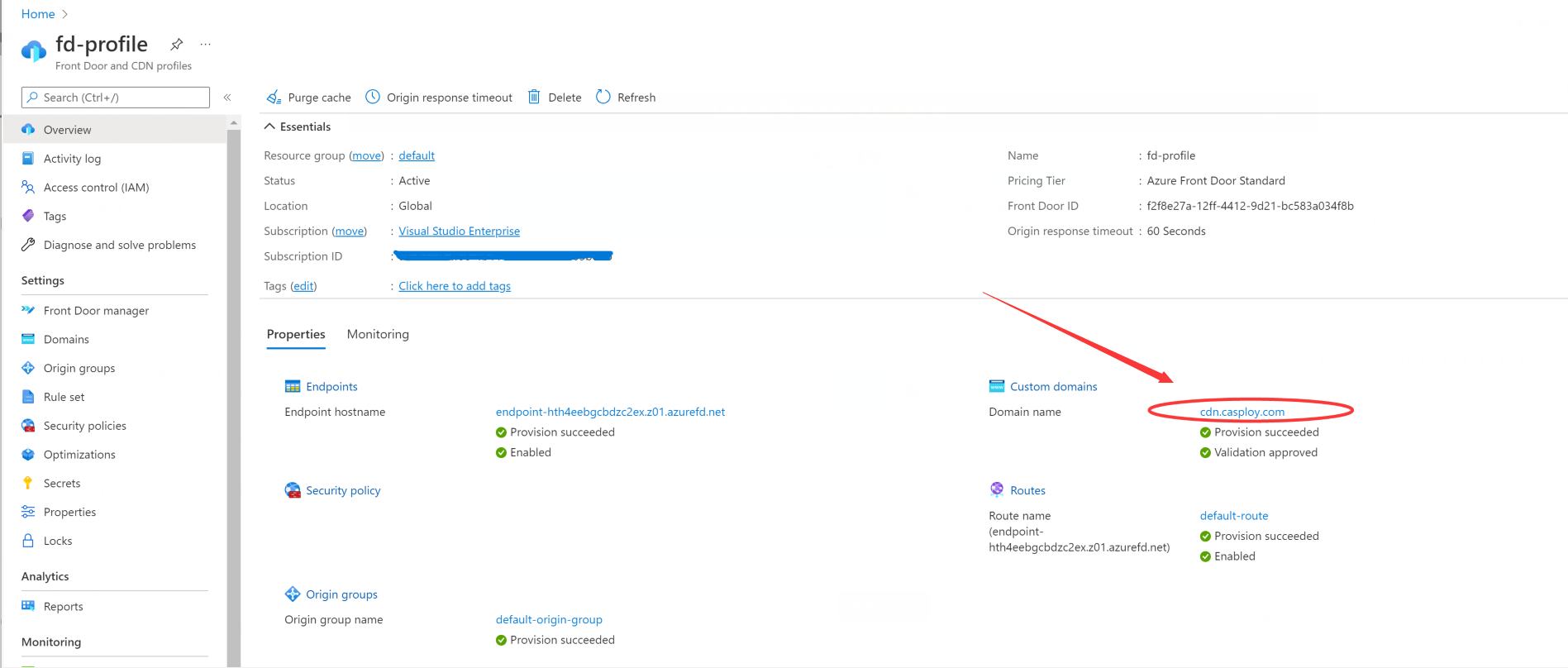
Add the provider in Casdoor
-
In the Casdoor admin console, go to Identity > Providers and add a provider.
-
Set Category to
Storageand Type toAzure Blob.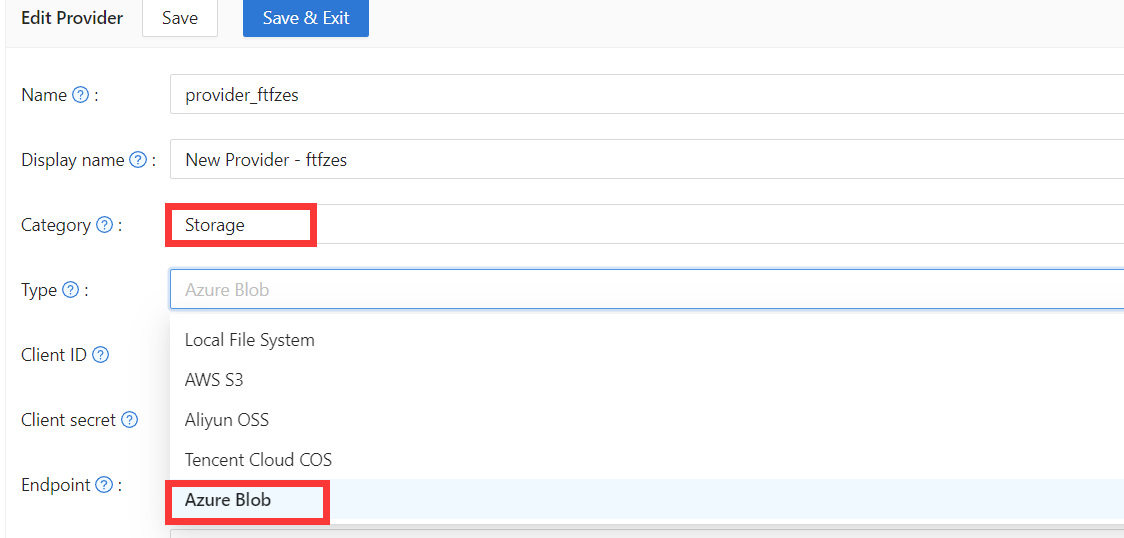
-
Fill in the fields:
Casdoor field Azure / meaning Obrigatório Client ID AccountName Sim Client secret AccountKey Sim Endpoint ContainerUrl Sim Endpoint (Intranet) PrivateEndpoint Não Bucket ContainerName Sim Path prefix Prefixo do caminho Não Domain Custom domain (e.g. CDN) Não -
Save the provider.