Store files on a Synology NAS
This guide explains how to store the uploaded files of Casdoor on a Synology NAS through its S3-compatible API.
Learning outcomes
- Add a Synology NAS as a storage provider in Casdoor.
What you need
- A Synology NAS with an S3-compatible endpoint and keys. See the Synology developer documentation.
- Administrator access to the Casdoor admin console
Add the provider in Casdoor
-
In the Casdoor admin console, go to Identity > Providers and add a provider.
-
Set Category to
Storageand Type toSynology. -
Fill in the fields. At least Client ID, Client secret, and Endpoint are required.
Casdoor field Synology / meaning Obrigatório Client ID SecretId (access key) Sim Client secret SecretKey Sim Endpoint S3 API endpoint Sim Bucket Bucket name Não Prefixo do caminho Prefixo do caminho Não Domain Custom domain Não Region ID Região Não 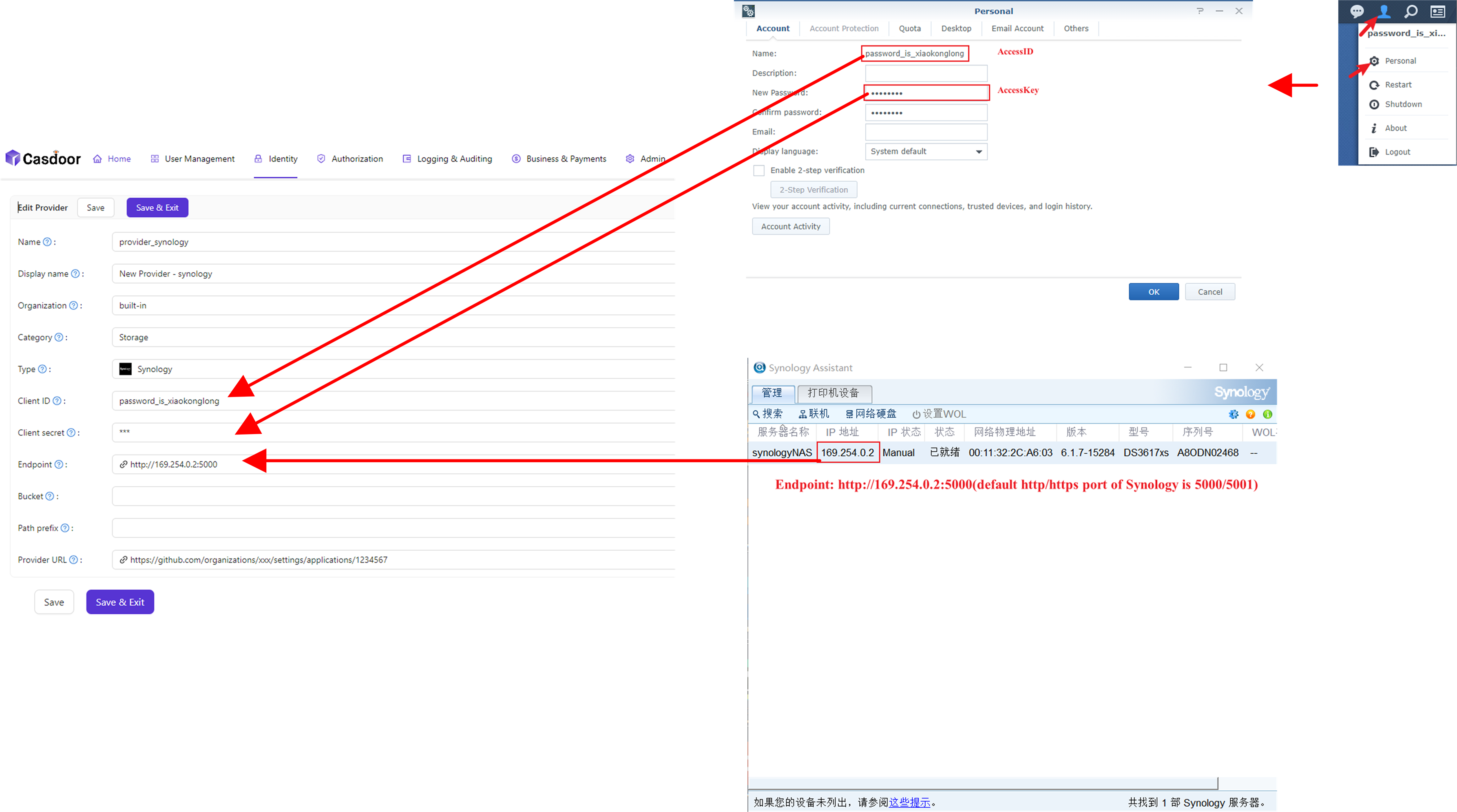
-
Save the provider.