Send notifications to an HTTP endpoint
This guide explains how to send the notifications of Casdoor to an HTTP endpoint of your own, for example a webhook of your application.
Learning outcomes
- Configure a Custom HTTP notification provider.
- Understand the request that Casdoor sends, including the recipient.
What you need
- An HTTP endpoint that accepts
GETorPOSTrequests - Administrator access to the Casdoor admin console
Add the provider
-
In the Casdoor admin console, go to Identity > Providers and add a provider.
-
Set Category to
Notificationand Type toCustom HTTP. -
Fill in the fields:
Поле Опис Метод GETorPOSTParameter Name of the query parameter ( GET) or form field (POST) that carries the messageЗміст The message or a template for it Кінцева точка Complete HTTP or HTTPS URL that Casdoor calls 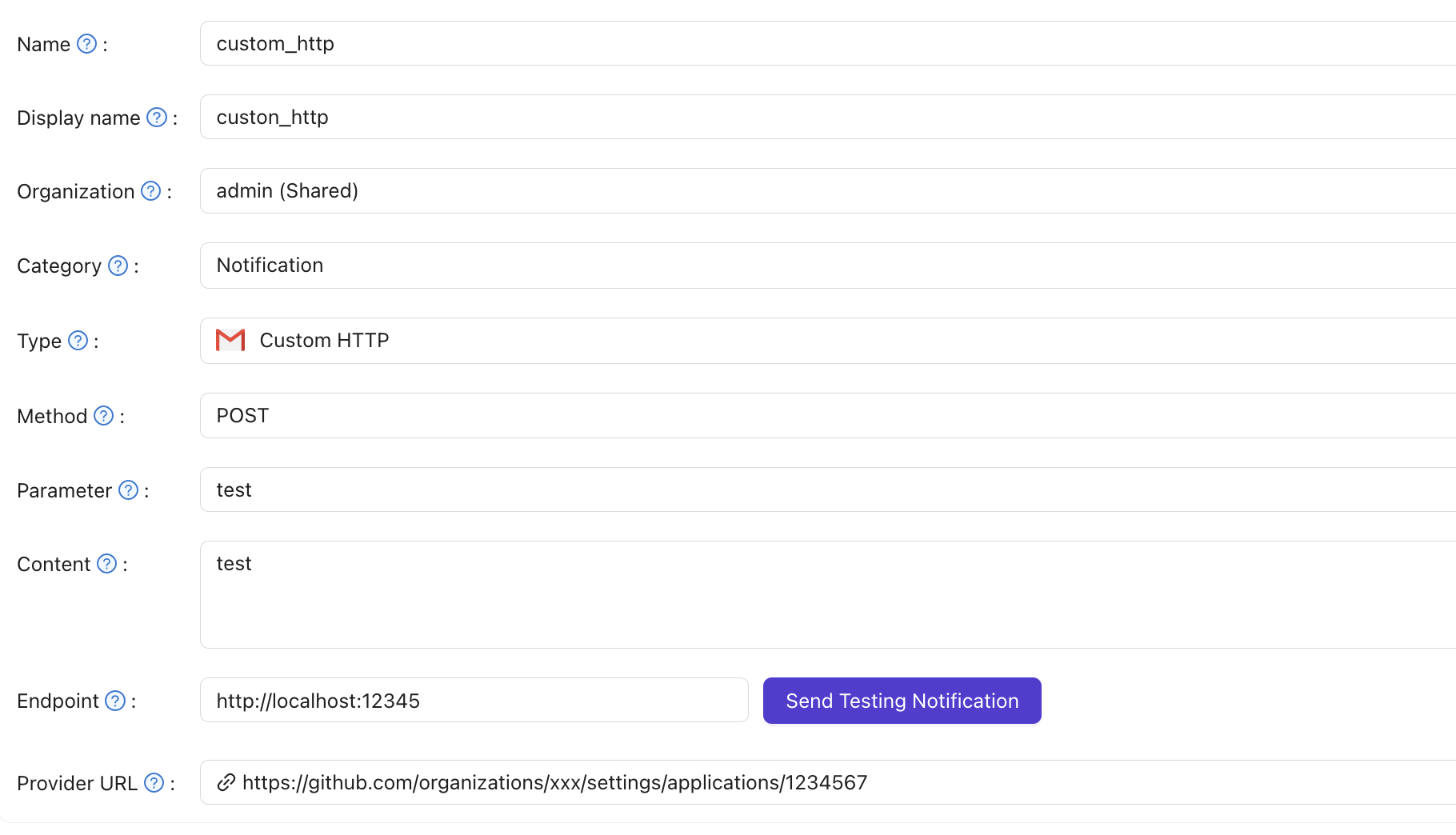
-
Save the provider.
Verify the result
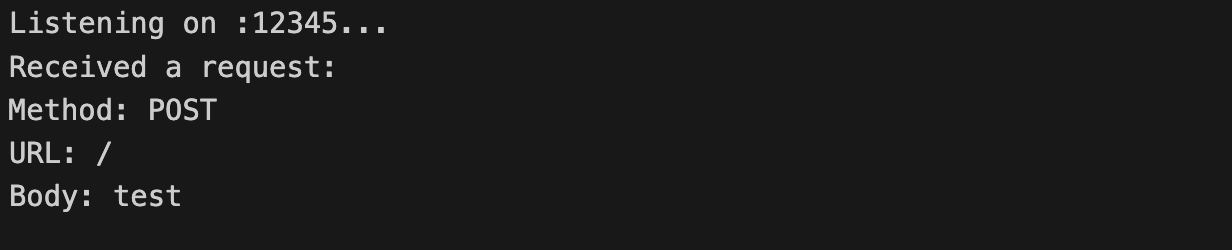
Click Send Testing Notification. Casdoor sends a request to the Endpoint, with the message in the parameter that Parameter names:
Forward the recipient
The send-notification API accepts an optional recipient field in its body:
{
  "content": "Your message",
  "recipient": "user@example.com"
}
When the request contains a recipient, the Custom HTTP provider sends it to the Endpoint as an additional recipient parameter, a query parameter for GET or a form field for POST, next to the message. Casdoor sends the parameter only when it isn't empty.
Notification providers that can't address a recipient ignore the field.