Зберігайте файли в Azure Blob Storage
У цьому посібнику пояснюється, як зберігати завантажені файли Casdoor, такі як аватари, в Azure Blob Storage.
Результати навчання
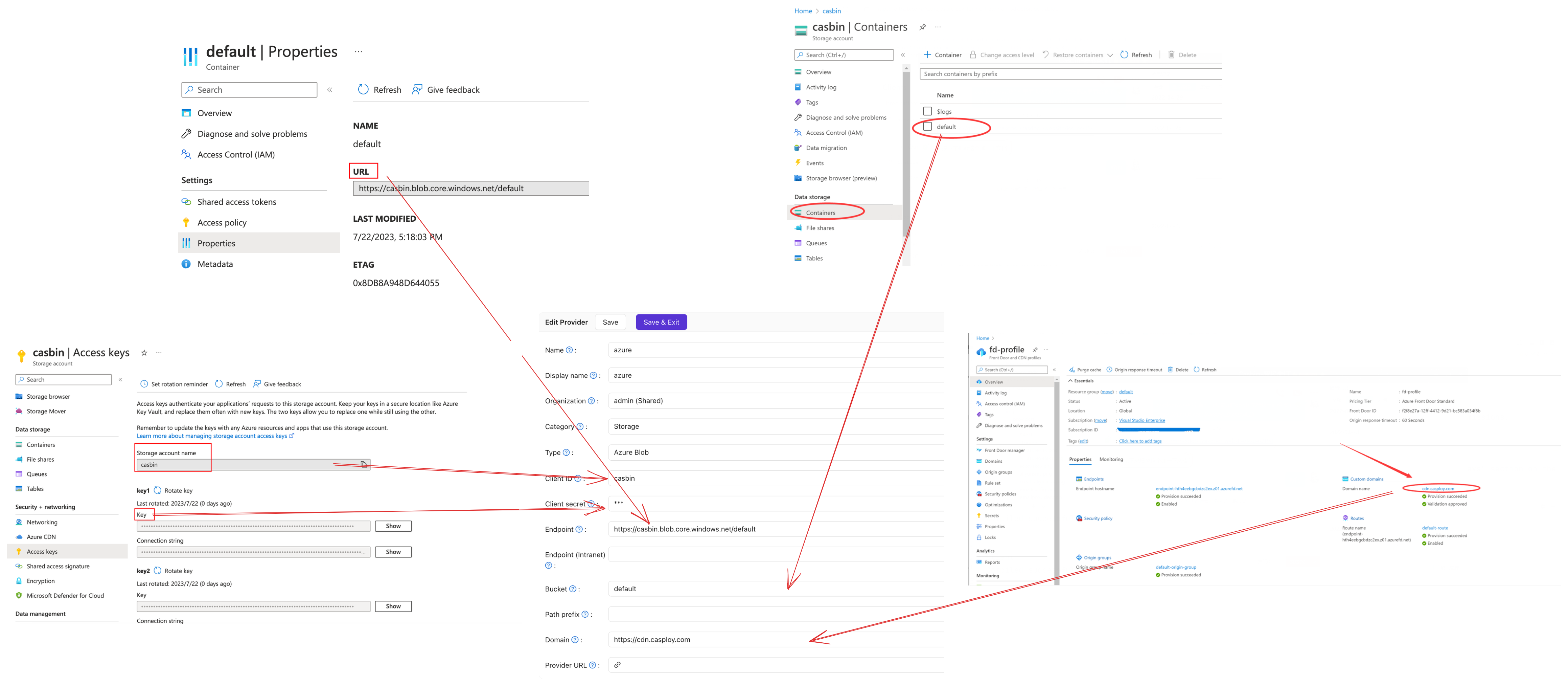
- Знайдіть значення вашого облікового запису сховища.
- Додайте Azure Blob як постачальника сховища в Casdoor.
Що вам потрібно
- Обліковий запис Azure storage account із контейнером
- Адміністративний доступ до консолі адміністрування Casdoor
Пошук значень в Azure
| Value | Where to find it |
|---|---|
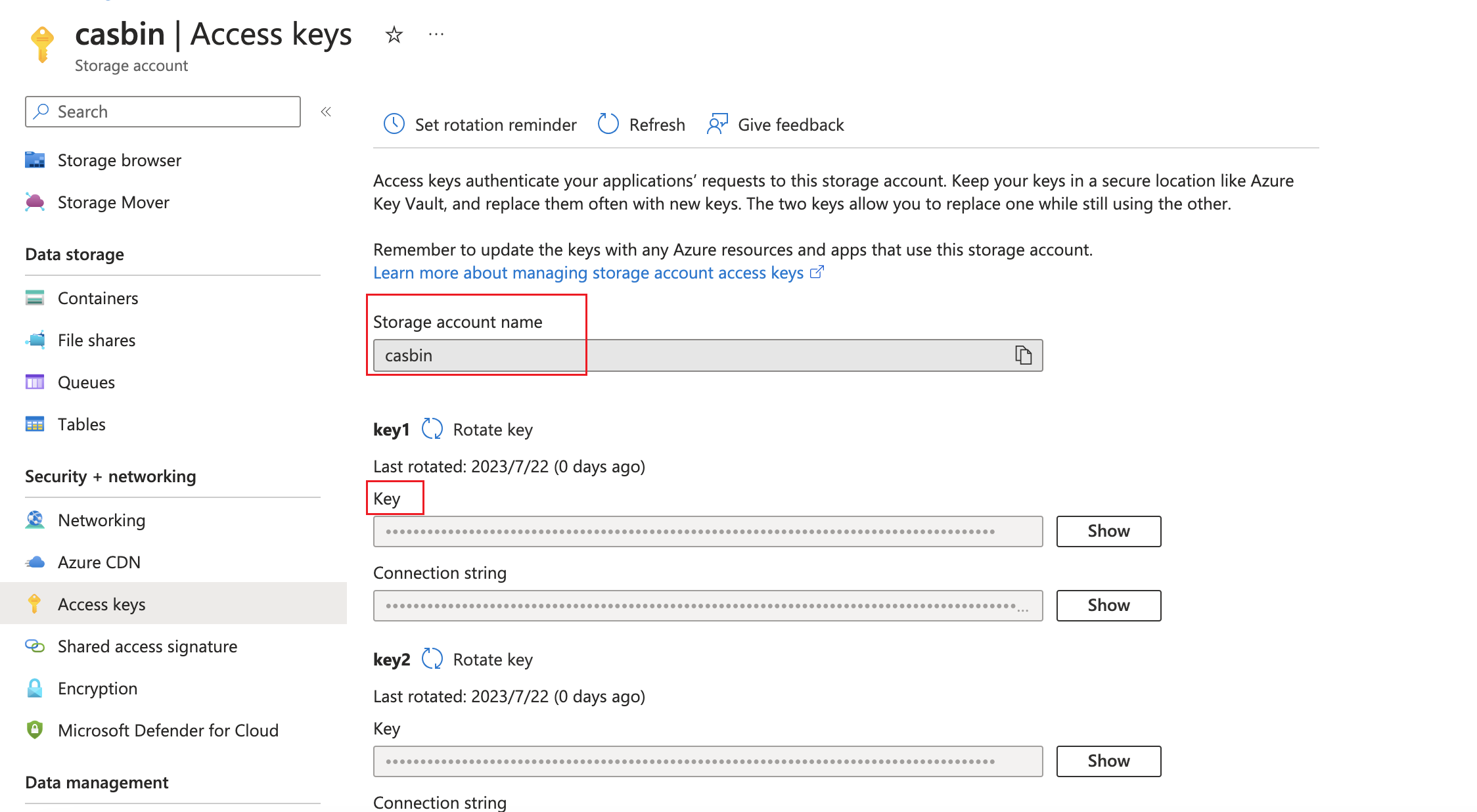
| AccountName | The name of the storage account |
| AccountKey | The storage account, Access keys |
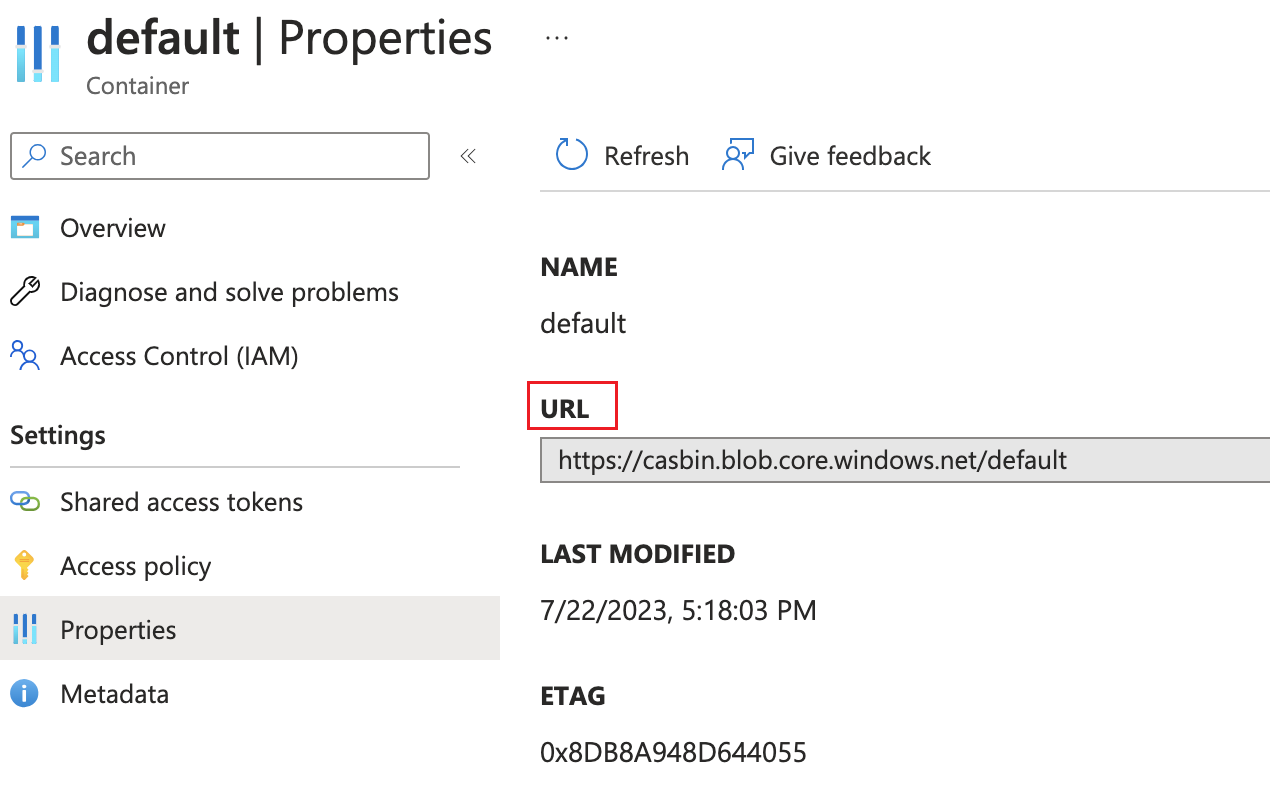
| ContainerUrl | The properties of the container |
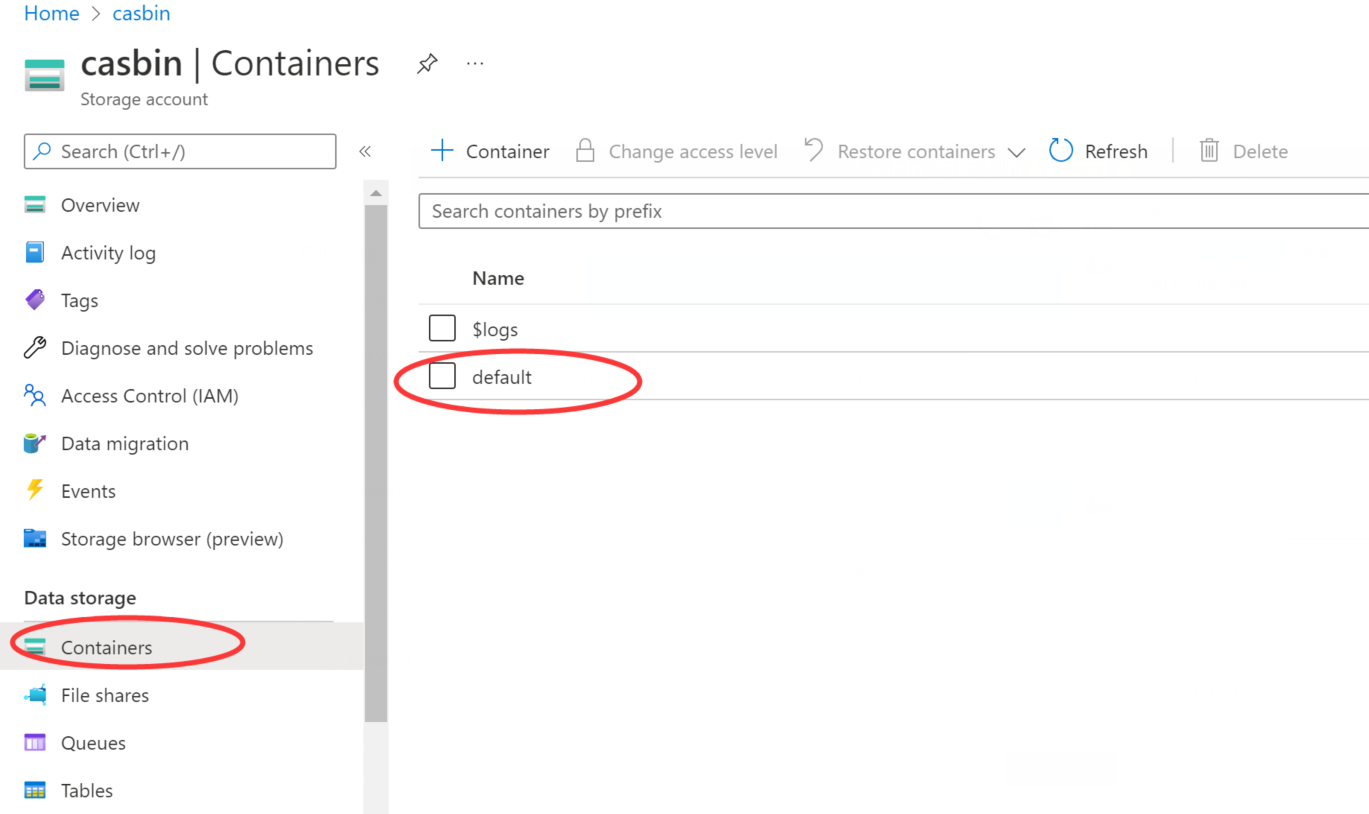
| ContainerName | The name of the container, for example default |
| PrivateEndpoint | Необов'язково. Private endpoint облікового запису |
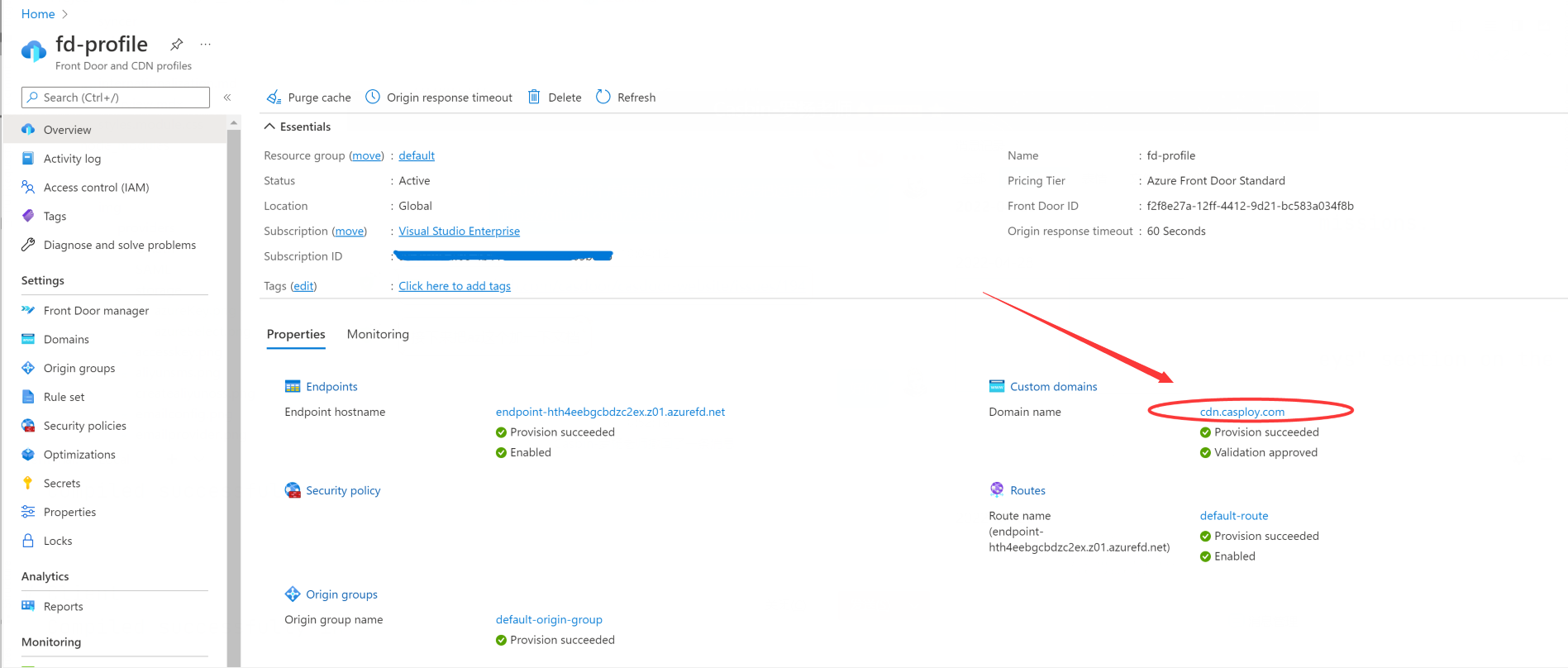
| Domain | Optional. A custom domain, such as one of Azure CDN |
Додавання постачальника в Casdoor
-
У консолі адміністрування Casdoor перейдіть до Identity > Providers і додайте постачальника.
-
Встановіть значення Category на
Storage, а Type — наAzure Blob.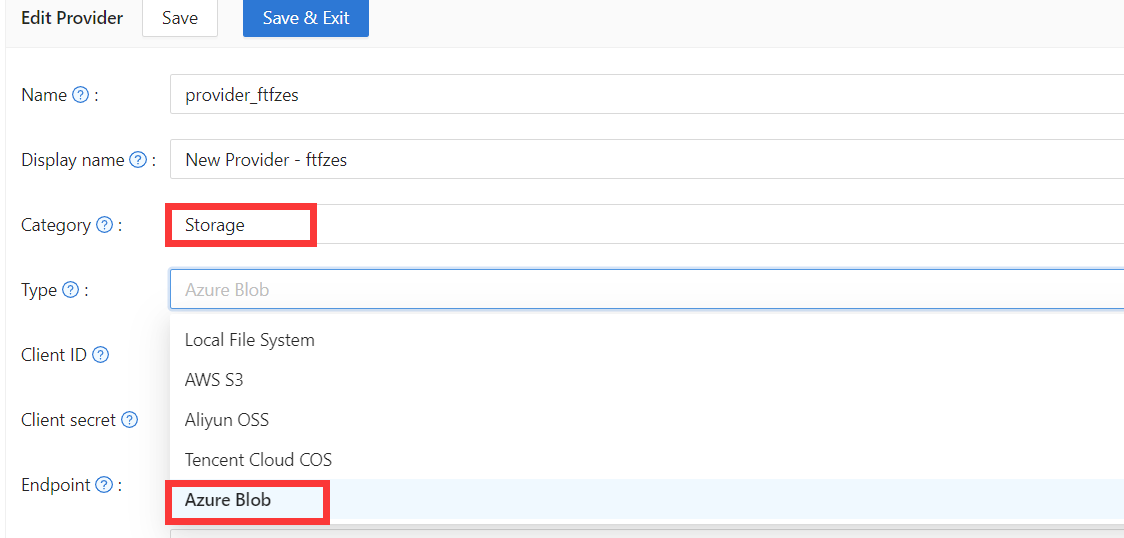
-
Заповніть поля:
Casdoor field Azure / meaning Обов'язково Client ID AccountName Так Client secret AccountKey Так Endpoint ContainerUrl Так Endpoint (Intranet) PrivateEndpoint Ні Bucket ContainerName Так Path prefix Префікс шляху Ні Domain Custom domain (e.g. CDN) Ні -
Збережіть постачальника.