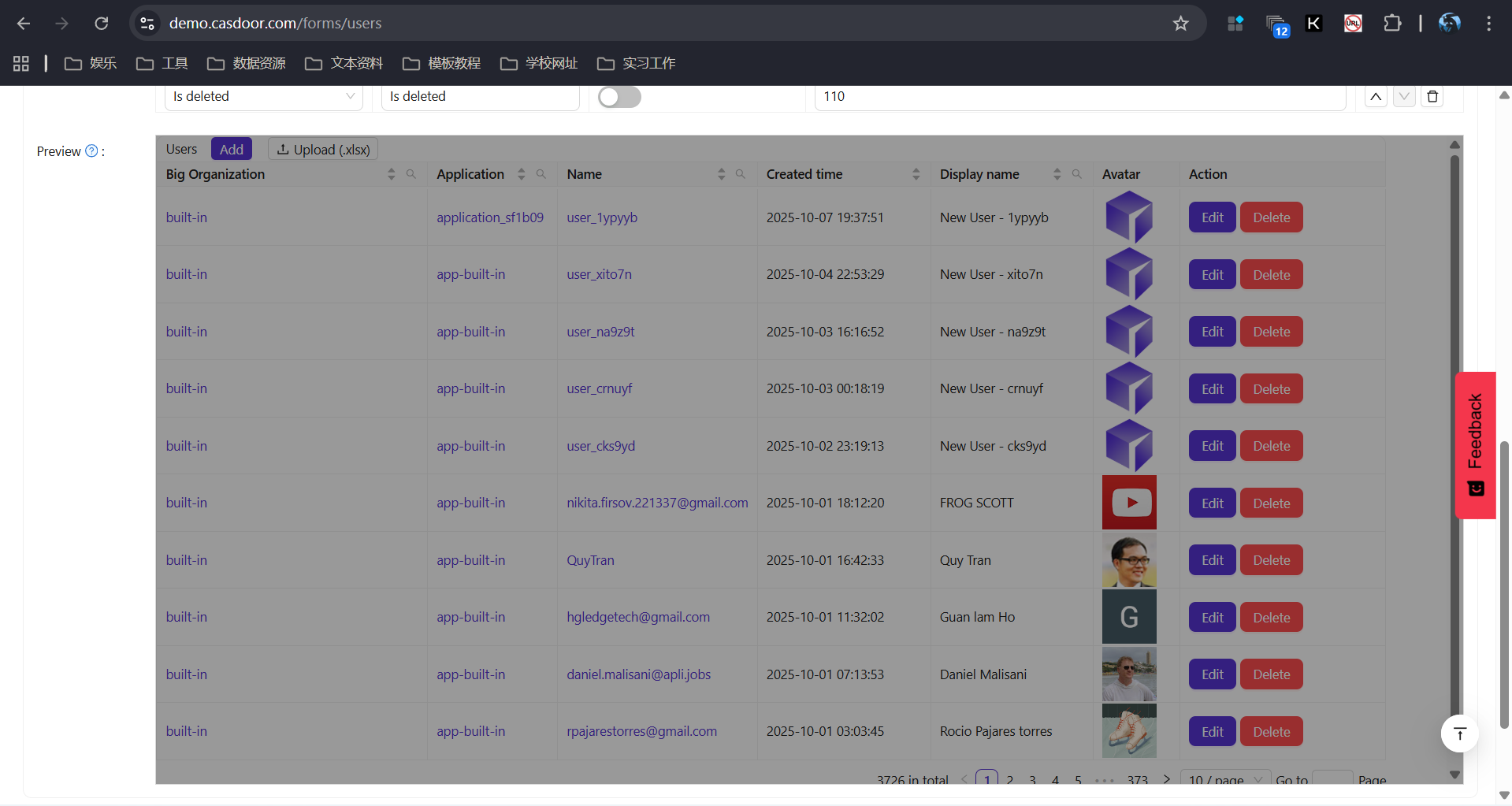
Форми
Forms let admins customize how list pages for core entities (users, providers, etc.) are displayed: which columns appear, their order, labels, and widths.
Огляд
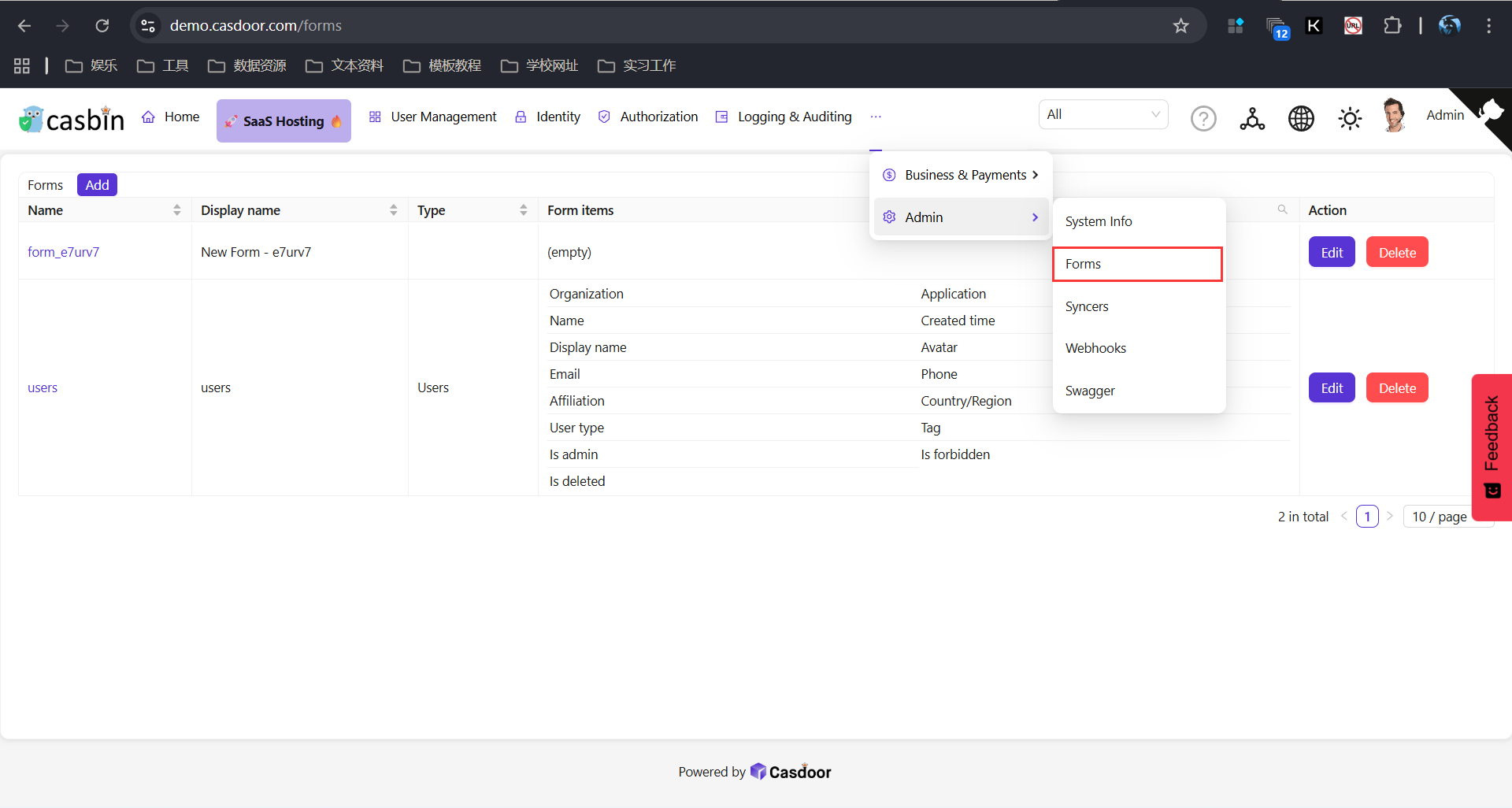
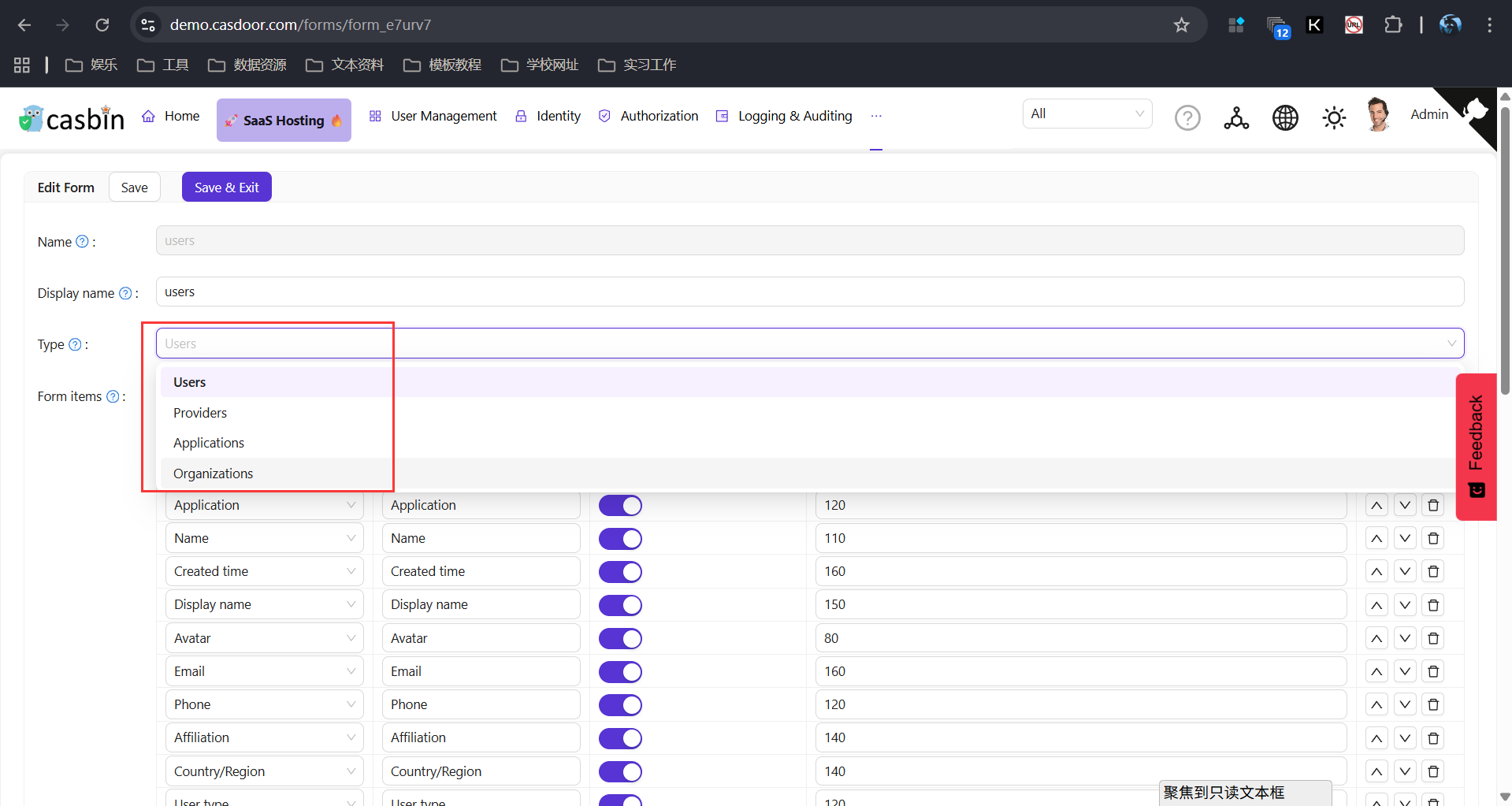
The Forms entry page lists all existing forms. Select a Form type (e.g. User list, Provider list) to edit the layout for that entity’s list page.
Елементи форми
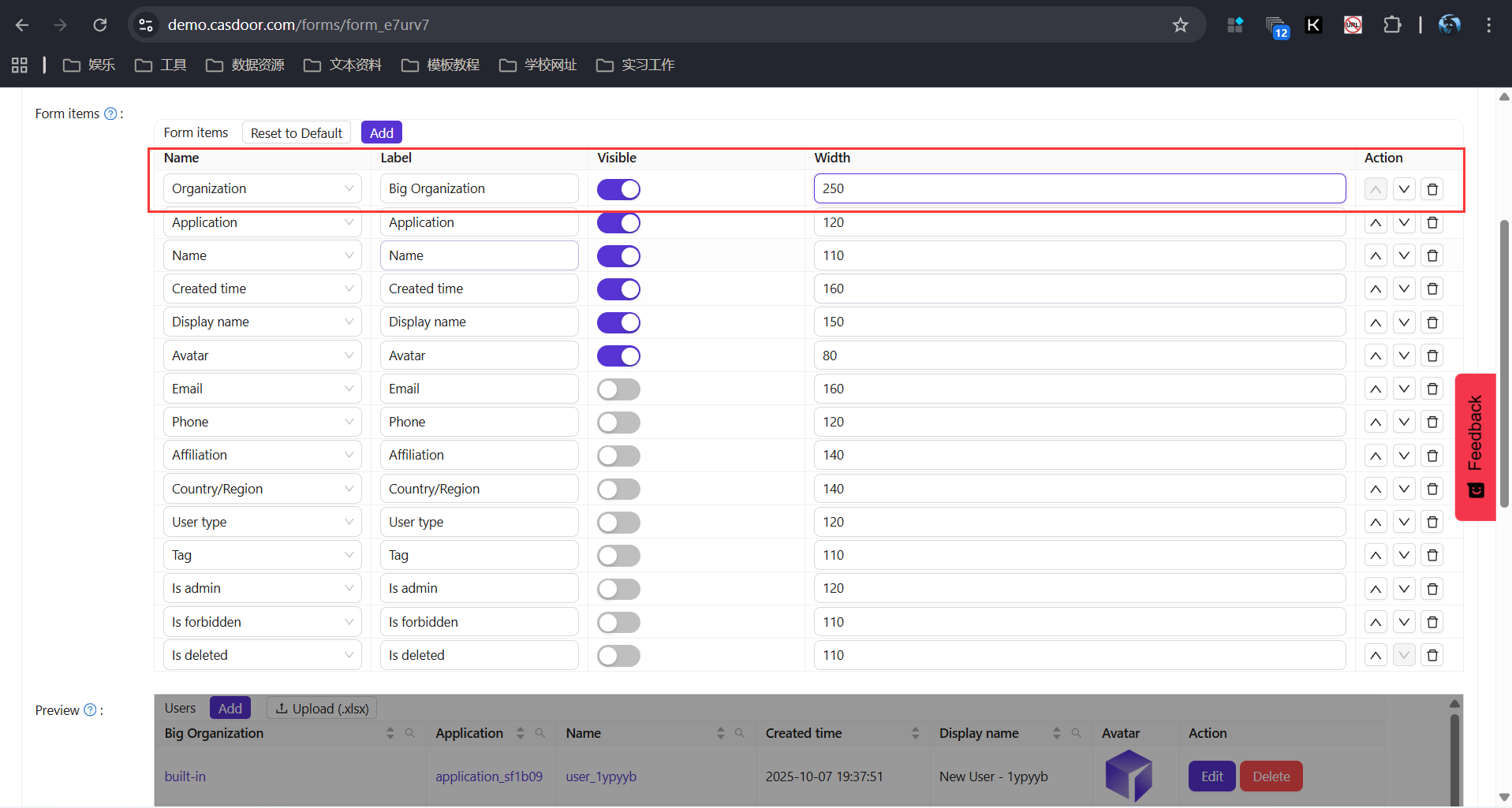
- Edit items — Change Label (e.g. "User ID" → "Employee ID"), Width, and Visible (show/hide column).
- Remove items — Delete columns you don’t need.
- Reorder — Use "Move Up" / "Move Down" to set column order.
Попередній перегляд
The preview matches the live list page so you can confirm column order, labels, widths, and visibility before saving.