向应用添加提供商
本指南介绍如何向应用添加提供商,以便用户可以通过外部身份提供商登录并通过电子邮件或短信接收验证码,以及如何为每个提供商选择使用时机。
学习目标
- 向应用添加提供商。
- 选择决定 Casdoor 何时使用电子邮件或短信提供商的规则。
前提条件
- 一个 application
- 你在 Casdoor 中创建的一个或多个 providers
添加提供商
-
在 Casdoor 管理控制台中,打开应用的编辑页面并切换到 Providers 选项卡。
-
添加一行并选择提供商。
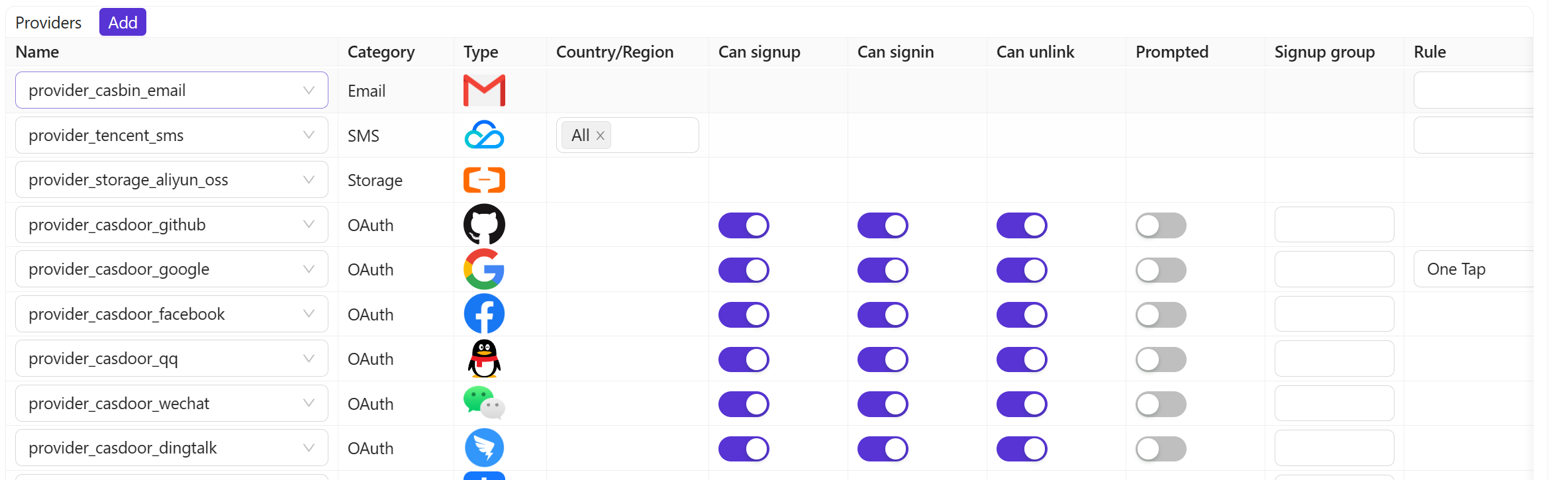
-
对于电子邮件或短信提供商,请选择决定 Casdoor 何时使用它的规则。请参阅 Provider rules。
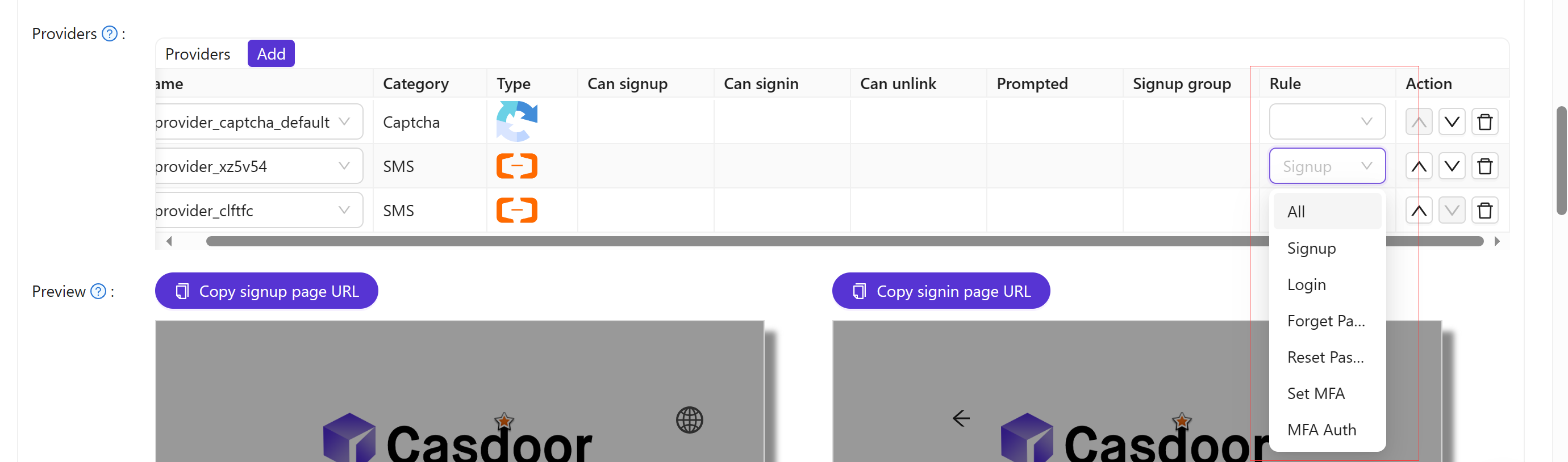
-
对于 SMS 提供商,请选择其服务的国家代码。
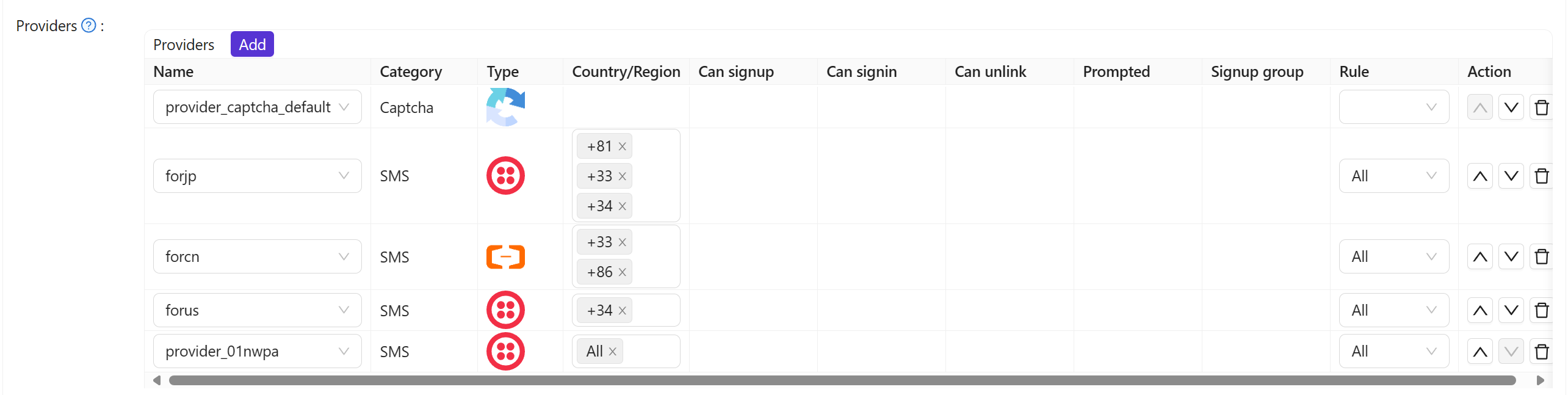
-
保存应用。
有关表格中的其他列(如 Can sign up 和 Binding rule),请参阅 Application settings reference。
提供商规则
| 规则 | Casdoor uses the provider to |
|---|---|
All | Do everything below |
Signup | Send the verification code during sign-up |
Login | Send the code for sign-in with a verification code |
Forget Password | 在忘记密码页面上发送重置验证码或链接。请参阅 Forgot-password flow。有关重置链接,请参阅 Password reset link |
Reset Password | Send the code when the user changes the password |
Set MFA | Send the code when the user sets up multi-factor authentication (MFA) |
MFA Auth | Send the code for the second factor at sign-in. See Multi-factor authentication |
Magic link | Send the sign-in link for sign-in with a magic link |
若要在不同场景下使用不同的提供商,请为每个提供商添加单独的规则。例如,一个 SMS 提供商用于登录,另一个用于 MFA。
Casdoor 选择哪个提供商
当应用有多个 Email 或 SMS 提供商时,Casdoor 按以下顺序为每条消息选择一个提供商:
- 对于 SMS,Casdoor 会跳过 Country codes 不包含电话号码所在国家代码的行。
- 无论规则在表格中的位置如何,第一条明确说明用途的规则(如
Login或MFA Auth)生效。 - 否则,第一条包含
All规则的条目生效。
如果后续行的规则与之前某行相同,则该行永远不会被使用,且 Providers 选项卡会在该行显示“Never used, an earlier row already carries this rule”。