在组织之间共享应用
本指南介绍共享应用。共享应用服务于所有组织:每个组织的用户登录同一个应用,而每个组织使用其专属的客户端 ID。
学习目标
- 共享一个应用。
- 为某个组织构建客户端 ID 和登录 URL。
前提条件
- 属于
built-in组织的应用。只有built-in组织可以共享应用。
共享应用
-
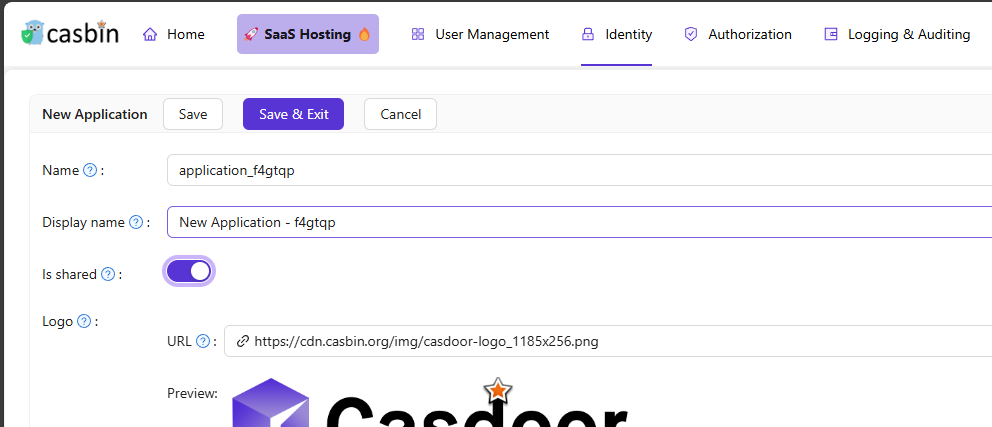
在 Casdoor 管理控制台中,打开应用的编辑页面。
-
开启 Is shared。
-
保存应用。
共享应用对所有组织可用。你无法将其限制为仅对部分组织可用。
在组织中使用该应用
若要在某个组织中引用该应用,请在其客户端 ID 或名称后追加 -org-<organization-name>。
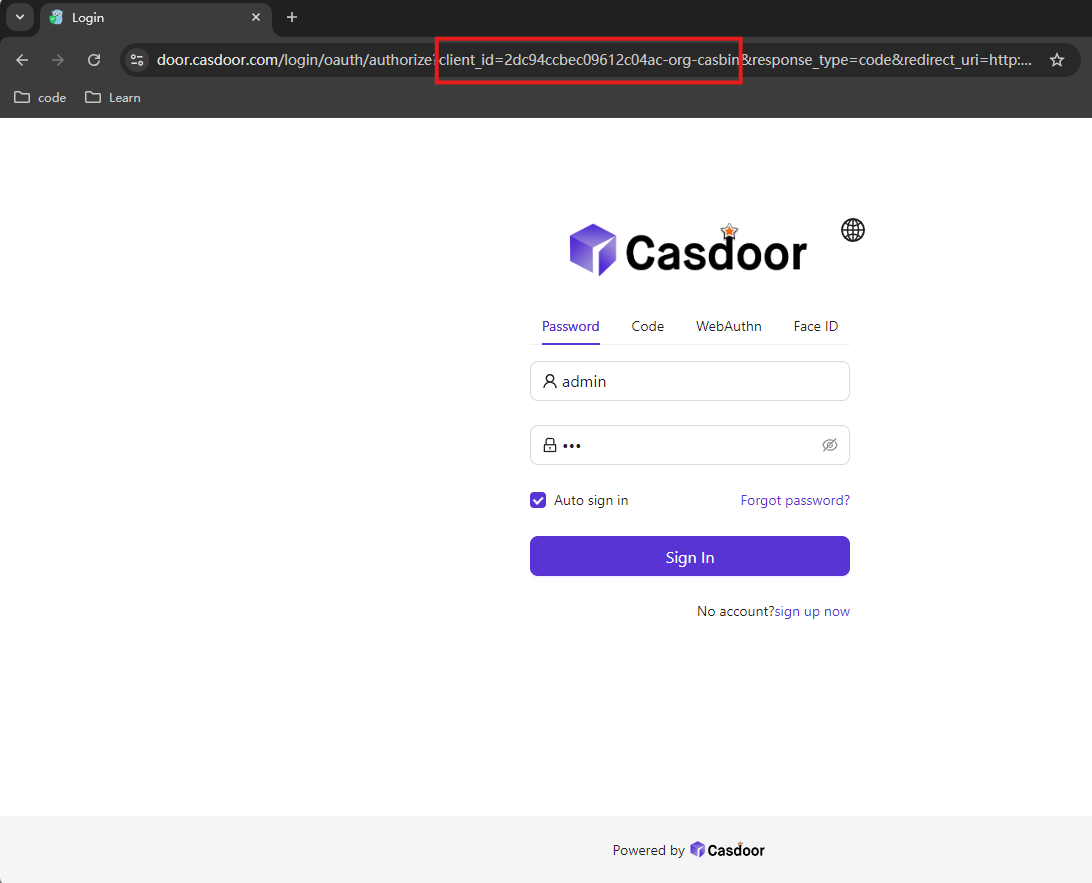
例如,该应用的客户端 ID 为 2dc94ccbec09612c04ac。对于组织 casbin,其客户端 ID 为 2dc94ccbec09612c04ac-org-casbin,授权 URL 为:
https://door.casdoor.com/login/oauth/authorize?client_id=2dc94ccbec09612c04ac-org-casbin&response_type=code&redirect_uri=...&scope=read&state=casdoor
通过此 URL 登录的用户将登录到组织 casbin。
The suffix doesn't apply to a client ID that is a URL, such as the client ID of an MCP client that uses a client ID metadata document, since the URL may contain -org- itself. Such a client keeps its URL as the client ID and adds the organization parameter to the authorization request instead, for example organization=casbin. The discovery document of an organization, /orgs/<organization>/.well-known/openid-configuration, puts the organization in the path of its authorization_endpoint when the organization accepts URL client IDs, for example /orgs/casbin/login/oauth/authorize, so clients can append their parameters to it with ?. Casdoor redirects this address to the sign-in page with organization=casbin, and the iss of the authorization response is then the issuer of that organization.
其他组织应用的令牌
共享应用属于 built-in 组织,因此其令牌的行为与其他任何应用的令牌相同。其他组织的应用则不同:当来自该组织外部的用户(例如全局管理员)登录时,其令牌和会话只能调用以下 API:
/api/userinfo/api/user/api/login/oauth
Casdoor 会拒绝携带此类令牌的其他所有请求。如果浏览器仅发送了此类请求留下的会话 Cookie,Casdoor 会将该会话注销,并将请求视为匿名处理。这防止了应用管理员利用其他组织用户的令牌来管理 Casdoor。
邀请
对于共享应用的 邀请,Casdoor 生成的链接包含 -org-<organization-name> 后缀,以便用户在正确的组织中注册。