Let users choose their organization at sign-in
This guide explains how to let users choose or enter their organization on the sign-in page. For example, /login is the sign-in page of the built-in organization. With this option on app-built-in, users choose an organization first and Casdoor sends them to /login/<organization>.
Learning outcomes
- Show an organization picker or an input field on the sign-in page.
- Understand how Casdoor remembers the organization of a user.
What you need
- An application that is the default application of its organization, or
app-built-in
Show the organization choice
-
In the Casdoor admin console, open the edit page of the application.
-
Set Org choice mode:
模式 行为 无 未显示组织选择。 输入 用户在输入框中键入组织名称。 选择 用户从下拉菜单中选择组织。 
-
Save the application.
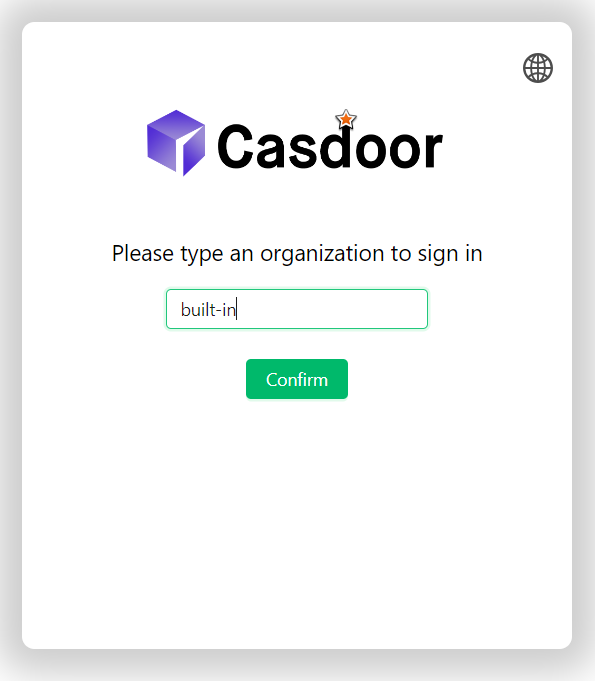
With Input, the sign-in page shows a field for the organization name:
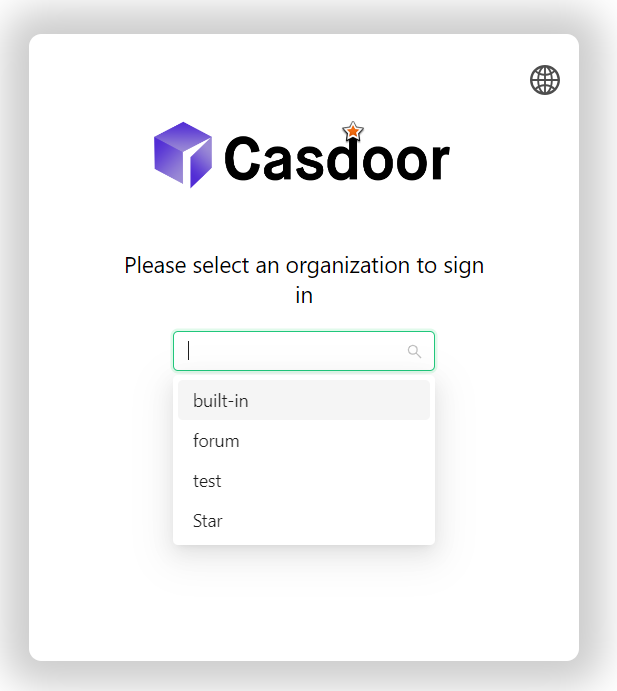
With Select, it shows a list of organizations:
The organization choice appears only on /login and /login/<organization>, and only if the application is the default application of the organization or app-built-in.
Return to the same organization
When a user visits the sign-in page of an organization, such as /login/my-org, the browser remembers the organization. When the session of the user expires, Casdoor sends the user to the sign-in page of that organization instead of /login.
If the browser hasn't stored an organization, Casdoor sends the user to /login, where the user chooses the organization if the mode is Input or Select.