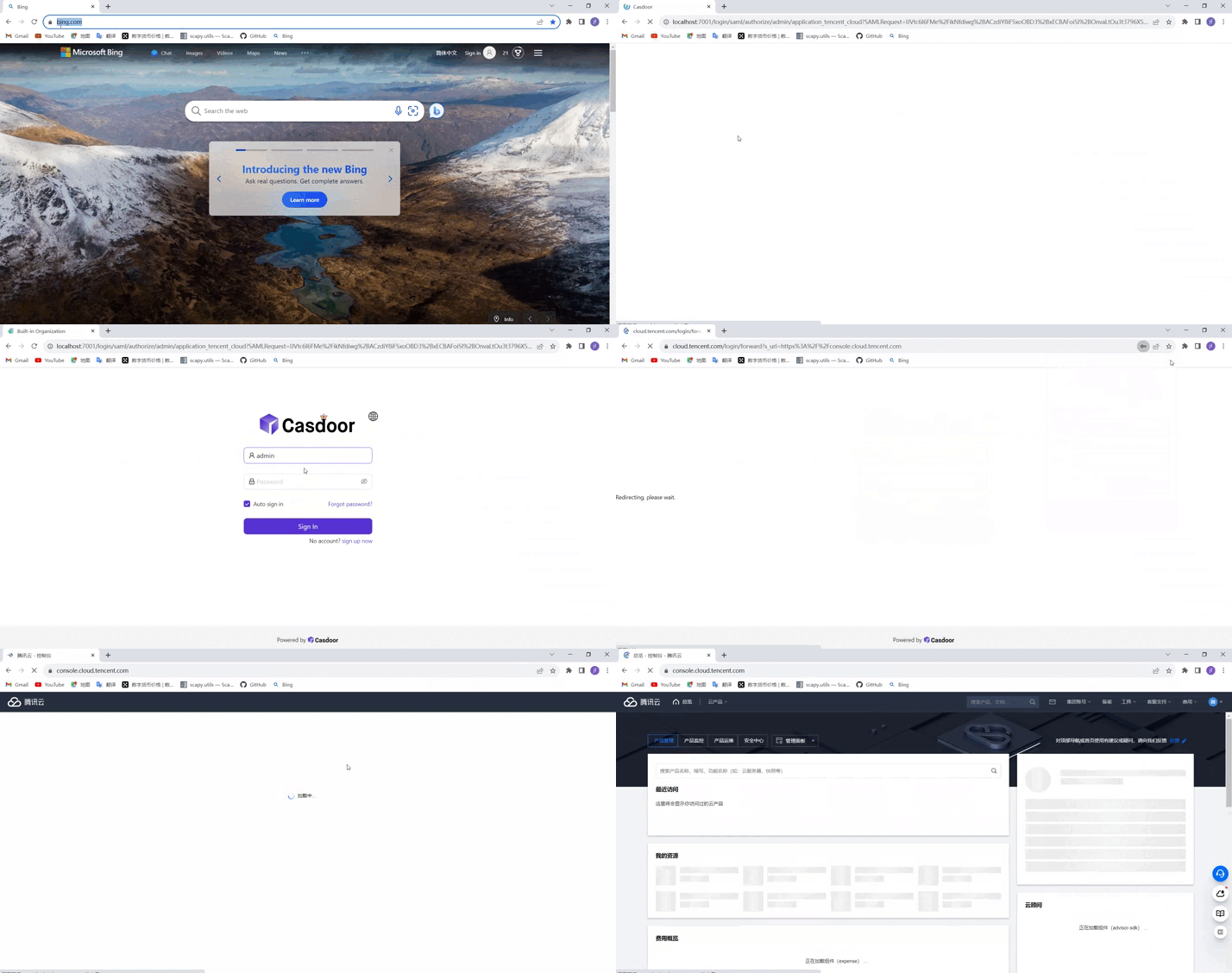
通过 SAML 连接腾讯云
本指南介绍如何使用 Casdoor 作为腾讯云的 SAML 身份提供商(IdP)。用户登录 Casdoor 后,以云访问管理(CAM)中的角色进入腾讯云。
学习目标
- 获取 Casdoor 应用的 SAML 元数据。
- 在腾讯云中添加 Casdoor 作为身份提供商并创建角色。
- 在 SAML 属性中将角色发送到腾讯云。
- 构建登录 URL 并测试登录。
所需条件
- 拥有 CAM 访问权限的腾讯云账户
- Casdoor 中的一个 应用
从 Casdoor 获取 SAML 元数据
-
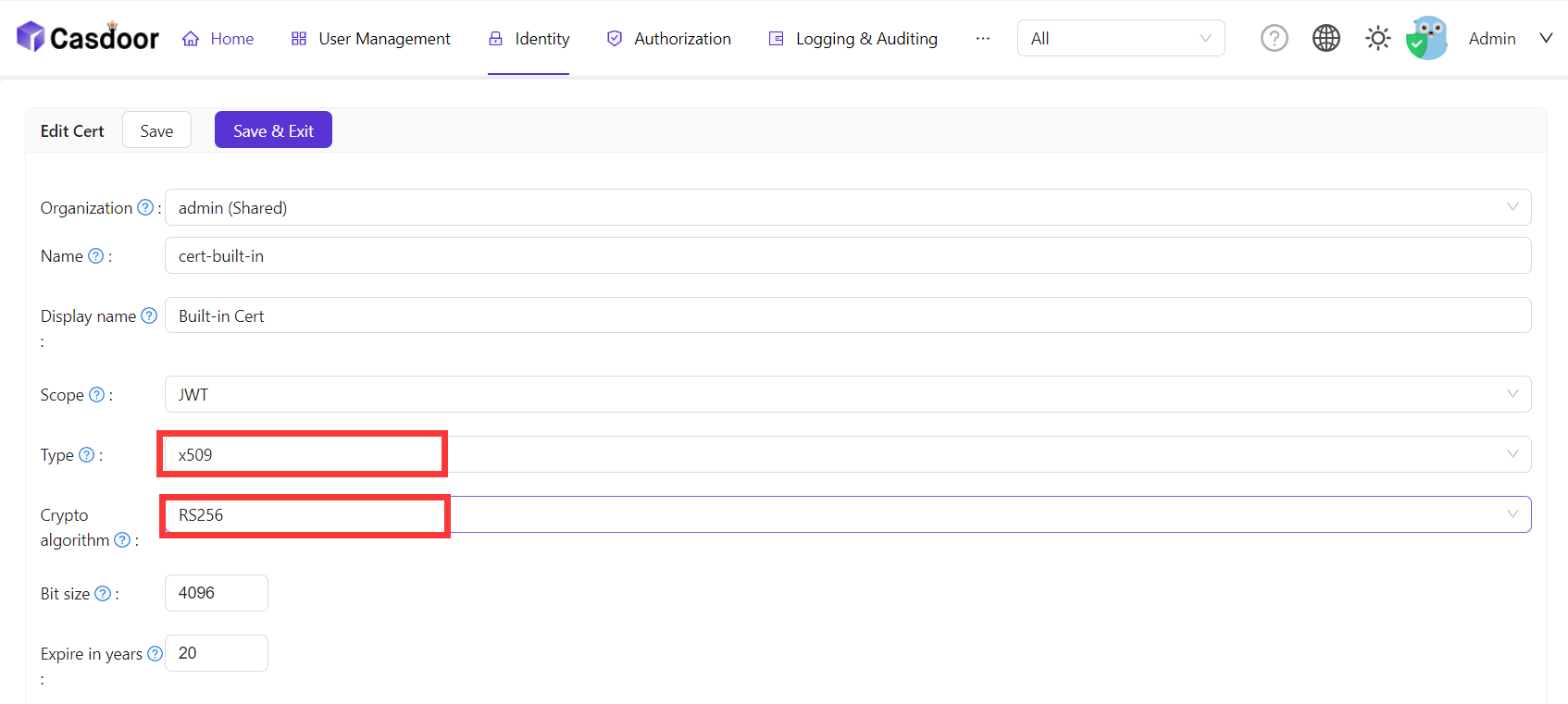
在 Casdoor 管理控制台中,添加一个使用 RSA 算法的 X.509 证书。参见 Certificates。
-
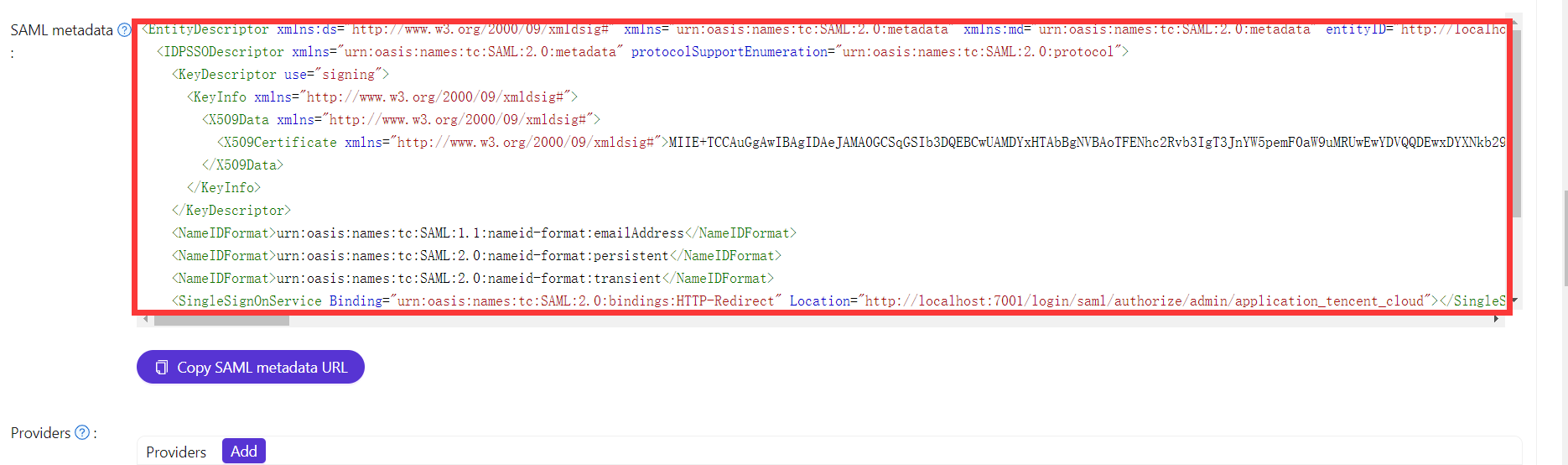
打开应用的编辑页面并复制 SAML metadata。
在腾讯云中添加 IdP 和角色
-
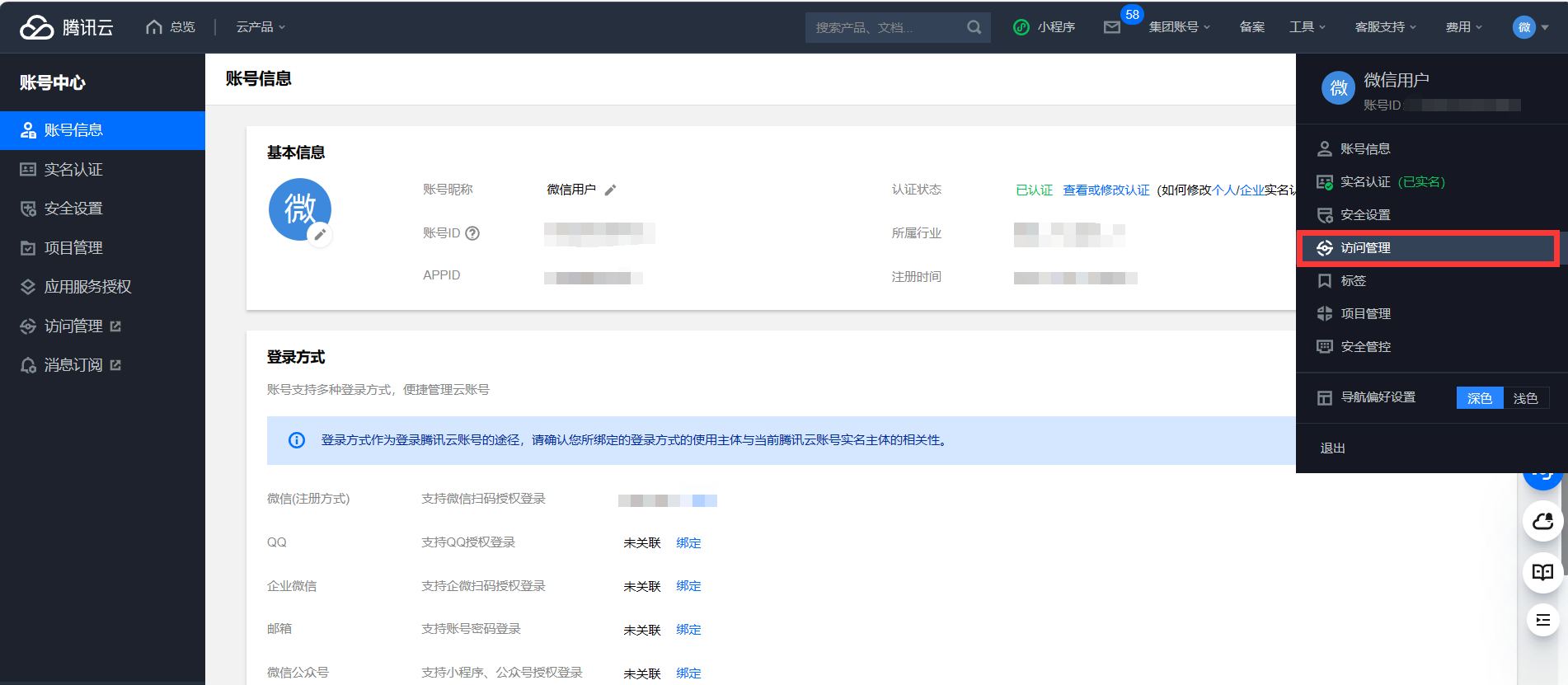
登录腾讯云并打开 Access Management。
-
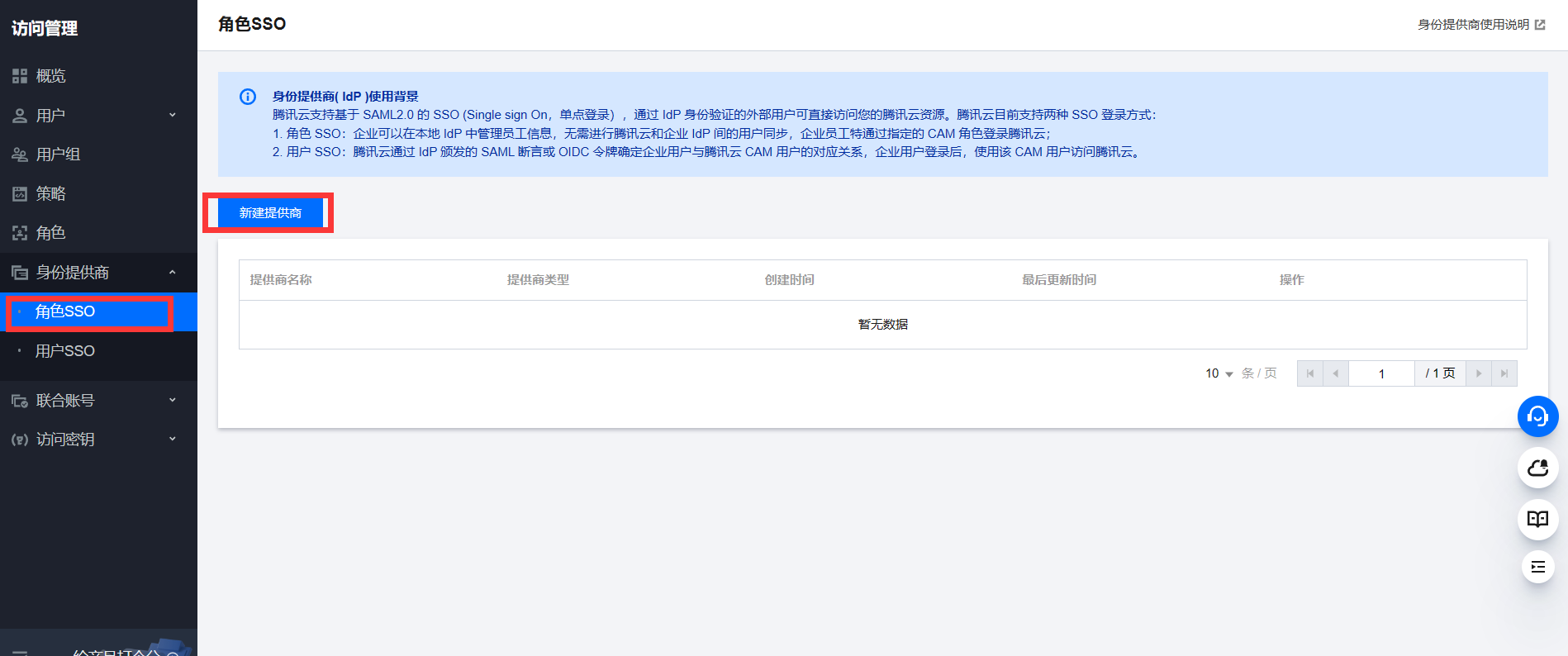
创建一个身份提供商并上传来自 Casdoor 的 SAML 元数据。
-
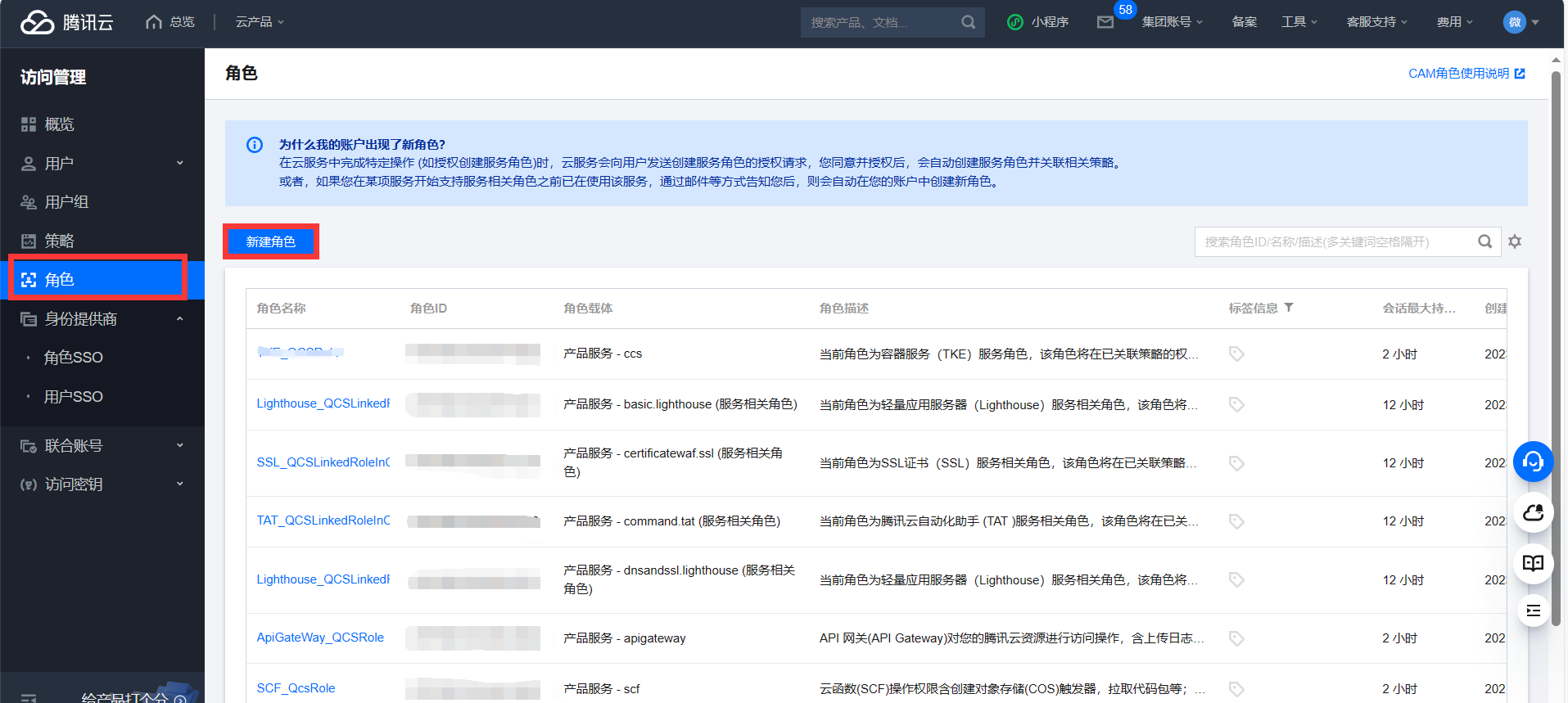
创建一个角色并为其选择该身份提供商。
配置 Casdoor 应用
-
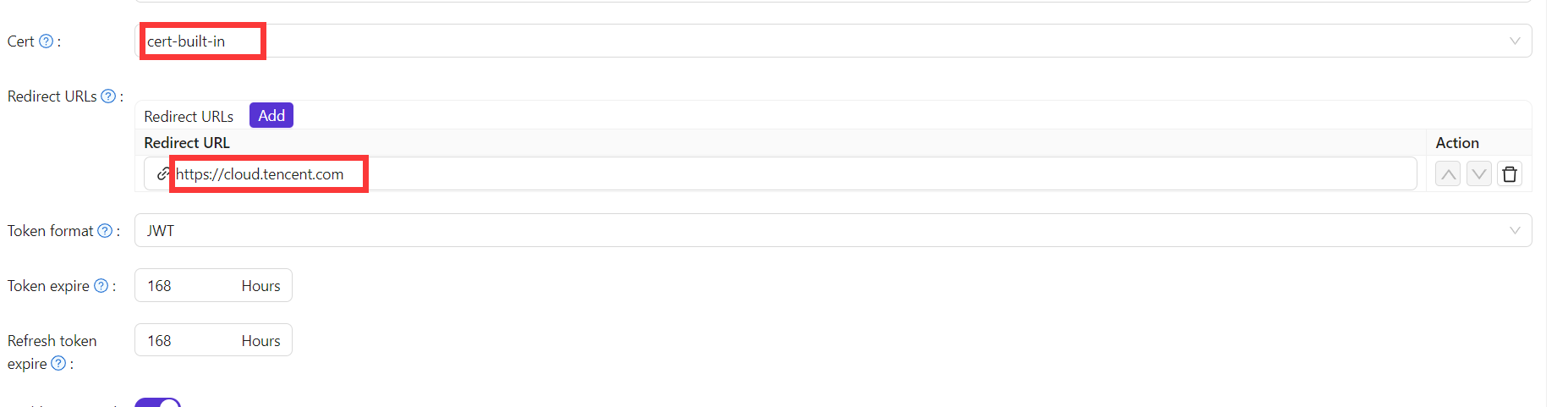
在应用的编辑页面中,在 Cert 中选择证书,并将腾讯云域名添加到 Redirect URLs。
-
将 SAML reply URL 设置为腾讯云的 ACS URL,并在 SAML attributes 中添加以下行:
名称 名称格式 值 https://cloud.tencent.com/SAML/Attributes/Role未指定 qcs::cam::uin/<AccountID>:roleName/<RoleName1>;qcs::cam::uin/<AccountID>:roleName/<RoleName2>,qcs::cam::uin/<AccountID>:saml-provider/<ProviderName>https://cloud.tencent.com/SAML/Attributes/RoleSessionName未指定 casdoor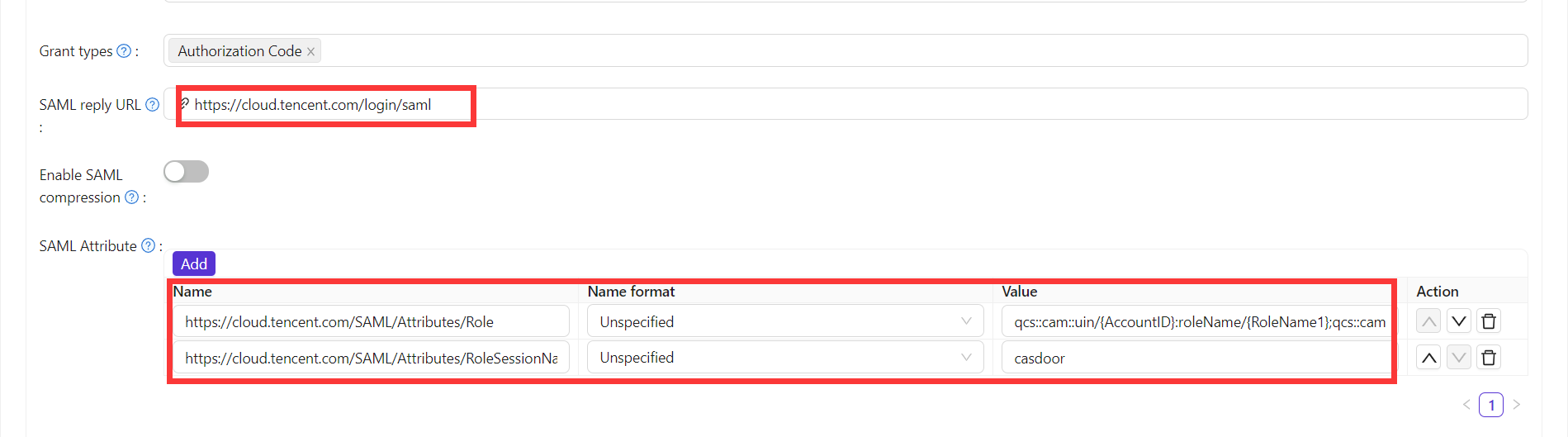
-
替换第一个值中的占位符:
Placeholder Value Where to find it <AccountID>ID of your Tencent Cloud account Account Information <RoleName1>,<RoleName2>Name of the role Roles <ProviderName>Name of the SAML identity provider Identity Providers -
保存应用。
有关属性的格式,请参阅 腾讯云关于 SAML 身份提供商的文档。
验证结果
未建立会话的用户打开腾讯云时会被重定向到 Casdoor,在那里登录后以角色身份返回腾讯云。您可以根据 SAML 元数据构建第一个重定向 URL。以下 Go 程序获取元数据、构建 URL 并打印出来:
func main() {
    res, err := http.Get("your casdoor application saml metadata url")
    if err != nil {
        panic(err)
    }

    rawMetadata, err := ioutil.ReadAll(res.Body)
    if err != nil {
        panic(err)
    }

    metadata := &types.EntityDescriptor{}
    err = xml.Unmarshal(rawMetadata, metadata)
    if err != nil {
        panic(err)
    }

    certStore := dsig.MemoryX509CertificateStore{
        Roots: []*x509.Certificate{},
    }

    for _, kd := range metadata.IDPSSODescriptor.KeyDescriptors {
        for idx, xcert := range kd.KeyInfo.X509Data.X509Certificates {
            if xcert.Data == "" {
                panic(fmt.Errorf("metadata certificate(%d) must not be empty", idx))
            }
            certData, err := base64.StdEncoding.DecodeString(xcert.Data)
            if err != nil {
                panic(err)
            }

            idpCert, err := x509.ParseCertificate(certData)
            if err != nil {
                panic(err)
            }

            certStore.Roots = append(certStore.Roots, idpCert)
        }
    }

    randomKeyStore := dsig.RandomKeyStoreForTest()

    sp := &saml2.SAMLServiceProvider{
        IdentityProviderSSOURL:      metadata.IDPSSODescriptor.SingleSignOnServices[0].Location,
        IdentityProviderIssuer:      metadata.EntityID,
        ServiceProviderIssuer:       "https://cloud.tencent.com",
        AssertionConsumerServiceURL: "https://cloud.tencent.com/login/saml",
        SignAuthnRequests:           true,
        AudienceURI:                 "https://cloud.tencent.com",
        IDPCertificateStore:         &certStore,
        SPKeyStore:                  randomKeyStore,
    }

    println("Visit this URL To Authenticate:")
    authURL, err := sp.BuildAuthURL("")
    if err != nil {
        panic(err)
    }

    println(authURL)
}
运行程序并打开打印出的 URL。登录 Casdoor 后,将打开腾讯云控制台。