Unity
步骤1:部署Casdoor
以生产模式部署 Casdoor。见 服务器安装。 Ensure the server is reachable and you can sign in as built-in/admin with the password that you set. See Sign in to the admin console. 想快速开始,可以用 Casdoor 演示站。
步骤2:导入Casdoor.Client
在Casdoor-dotnet-sdk中为.NET导入Casdoor.Client。
一种可选的方法如下:
git@github.com:casdoor/casdoor-dotnet-sdk.git- 在Sample文件夹中运行ConsoleApp。
- 获取
/casdoor-dotnet-sdk/src/Casdoor.Client/bin/Debug/net462文件夹。
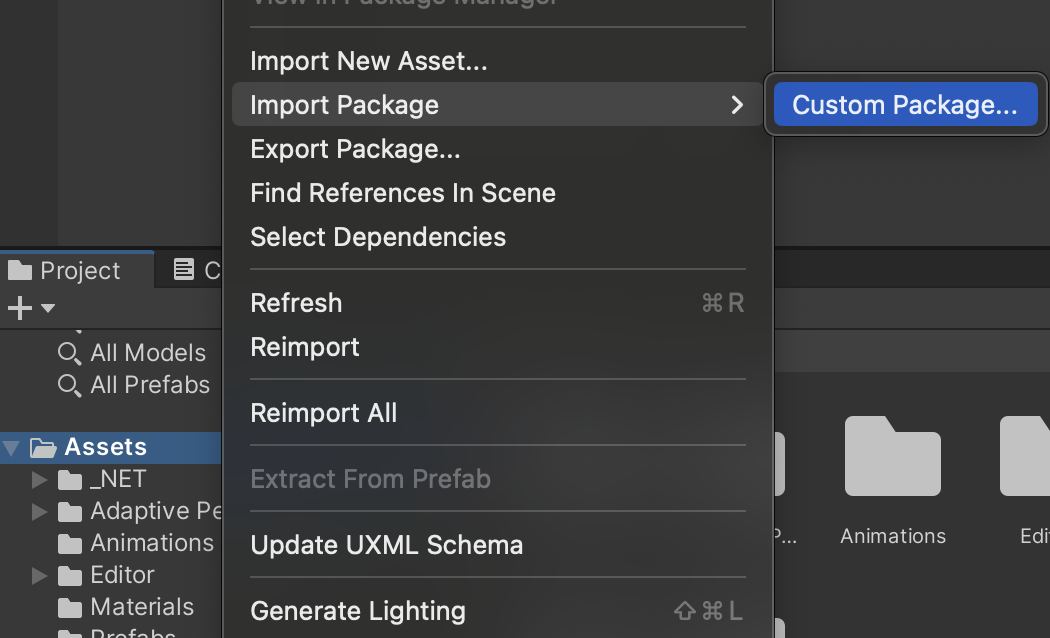
按下图把 net462 文件夹(或其他目标框架的文件夹)导入 Unity 项目。
步骤3:使用
通过查看casdoor-unity-example来了解如何使用Casdoor.Client SDK进行Unity 3D移动开发。
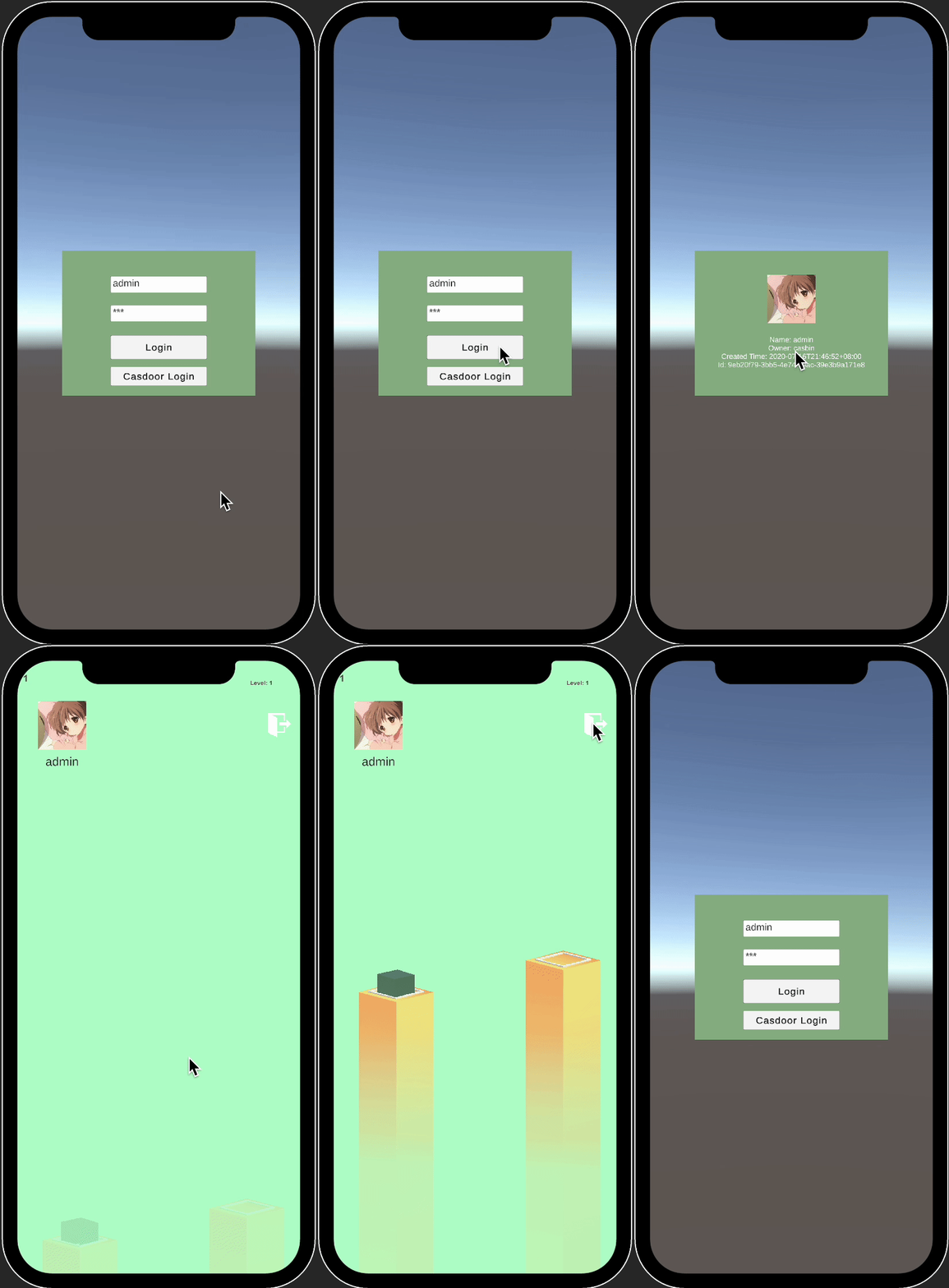
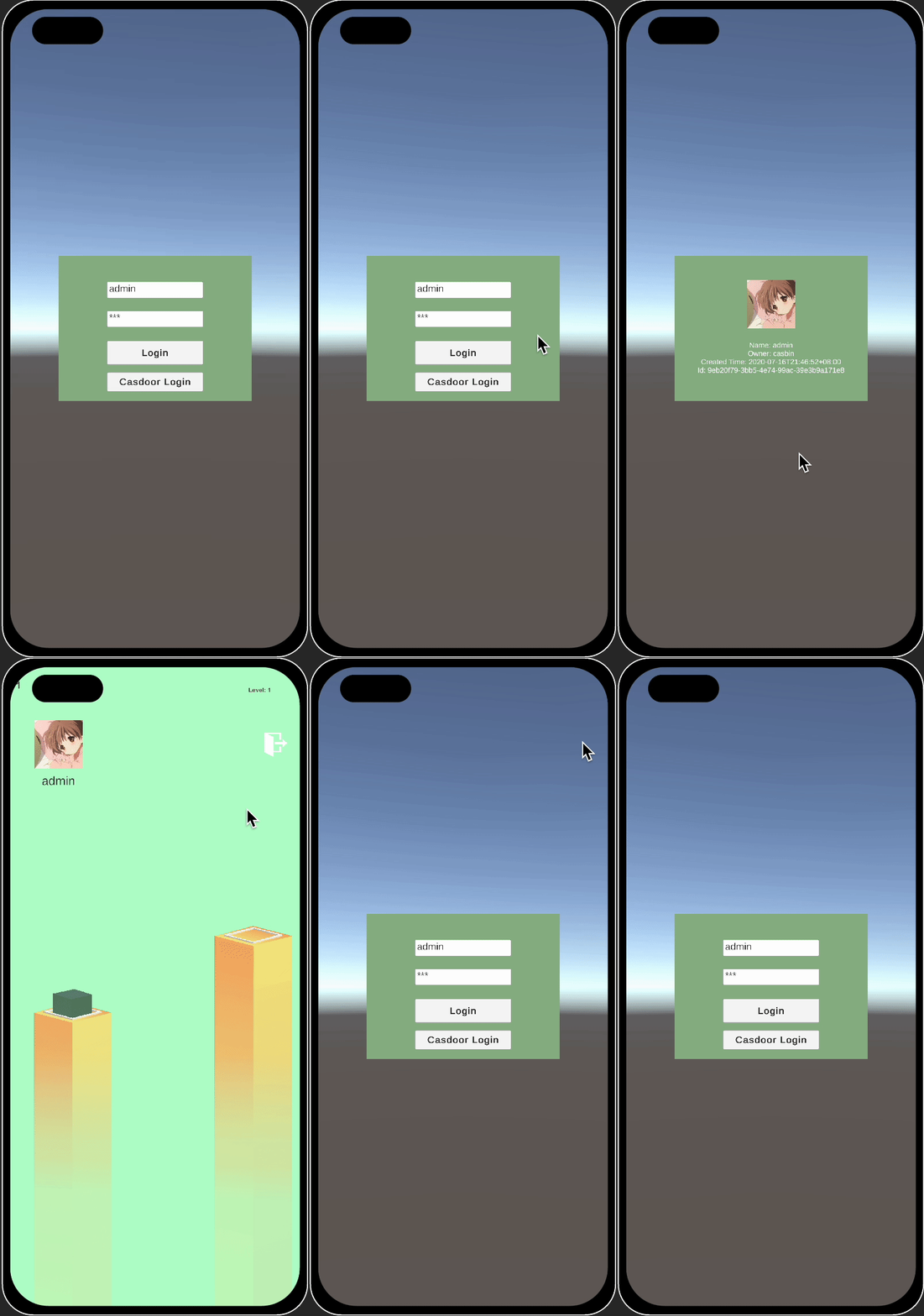
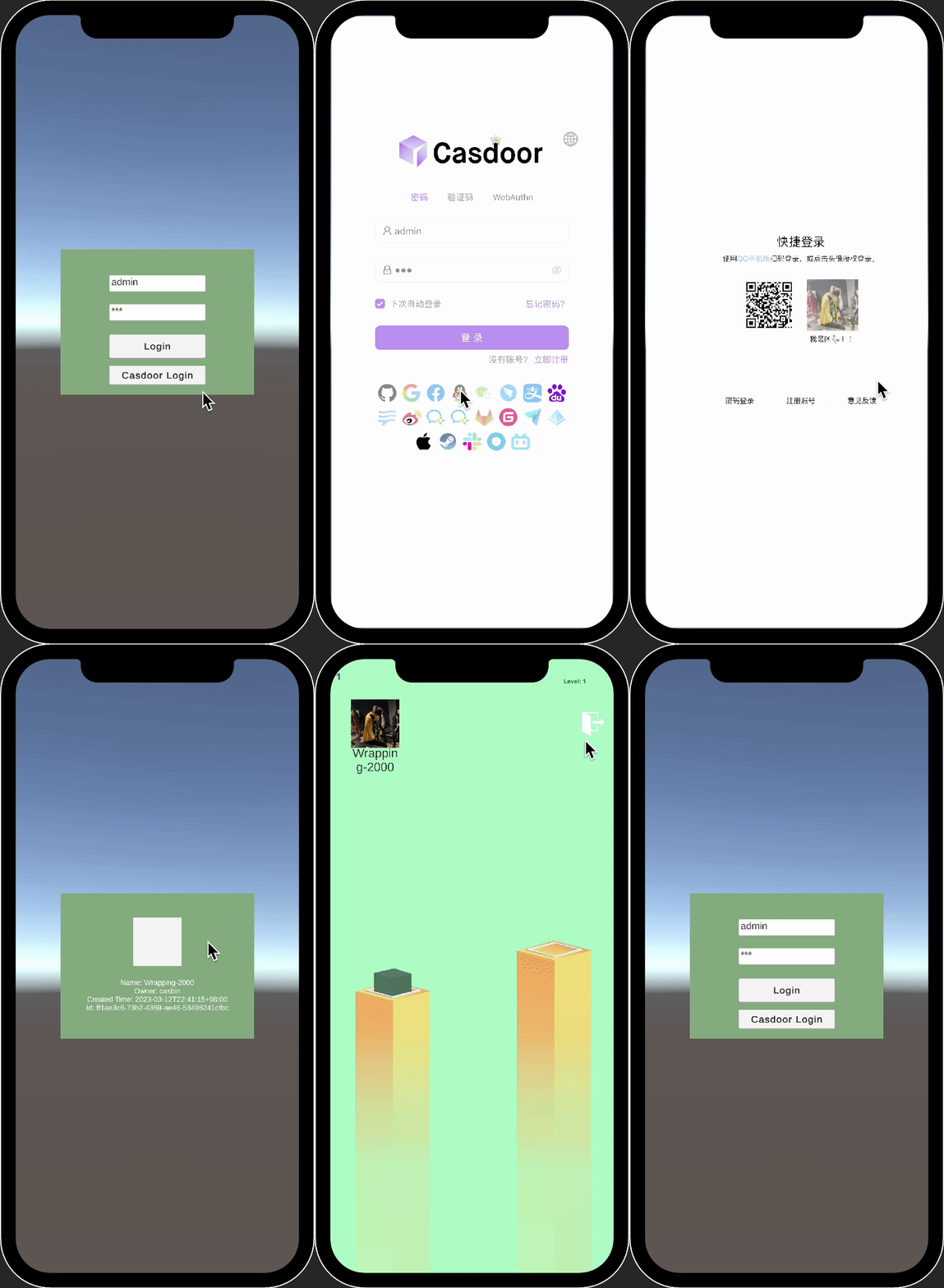
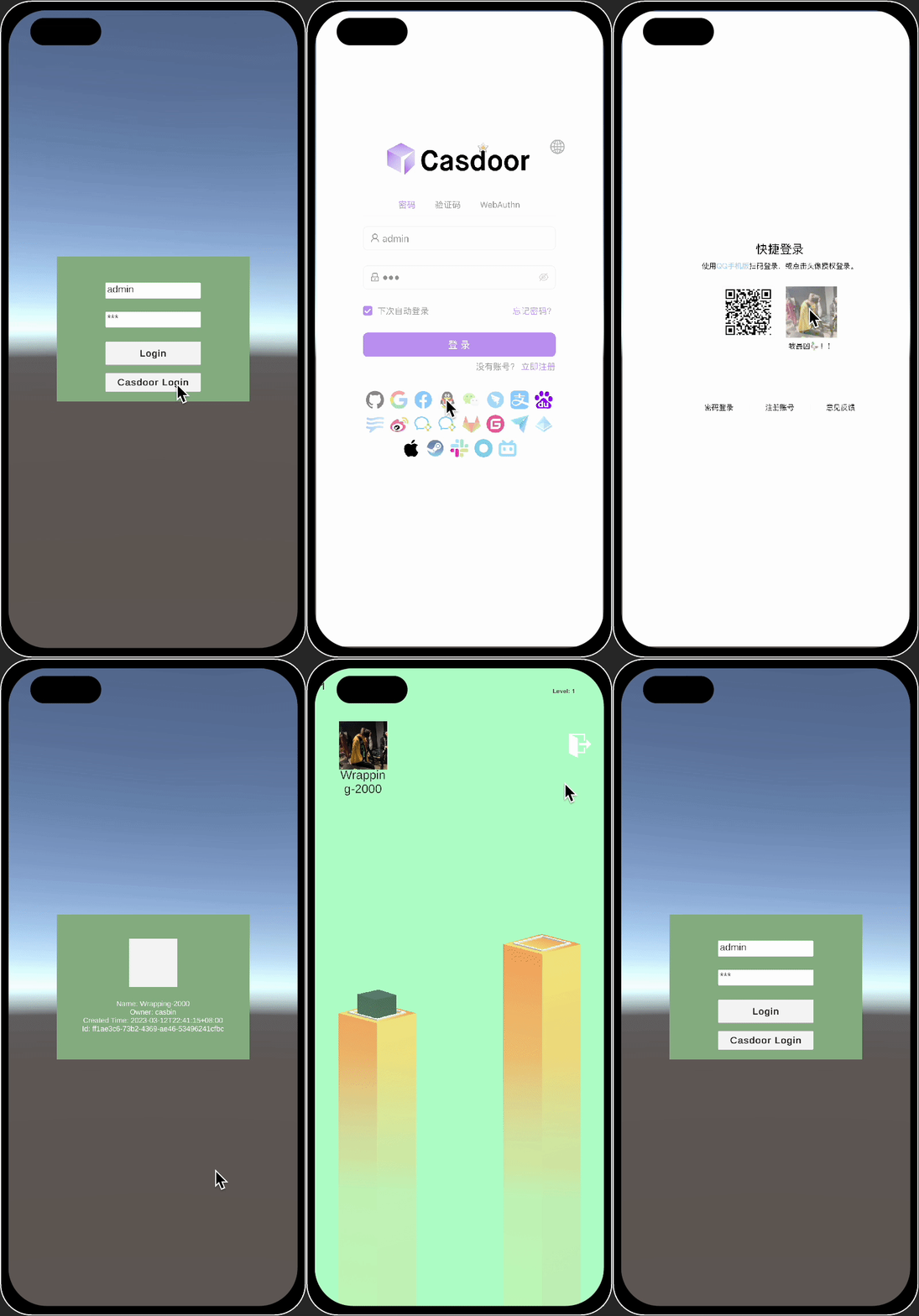
运行 casdoor-unity-example 后,会出现以下界面:
- 使用用户名和密码登录:
| iOS | Android |
|---|---|
 |  |
- 使用Casdoor网页登录:
| iOS | Android |
|---|---|
 |  |