ShardingSphere
shardingsphere-elasticjob-ui 已内置 Casdoor,按下面的步骤配置即可。
备注
ElasticJob UI 在其最后一次发布(3.0.2)之后添加了 Casdoor 登录功能,因此该功能仅存在于 master 分支中。要从 master 分支构建 UI 以使用此功能。
步骤1:部署Casdoor
部署 Casdoor. 见 服务器安装。 Ensure the server is running and you can sign in at the Casdoor login page as built-in/admin with the password that you set. See Sign in to the admin console.
步骤2:配置Casdoor应用并在ShardingSphere中配置应用
-
创建或使用一个已有的 Casdoor 应用
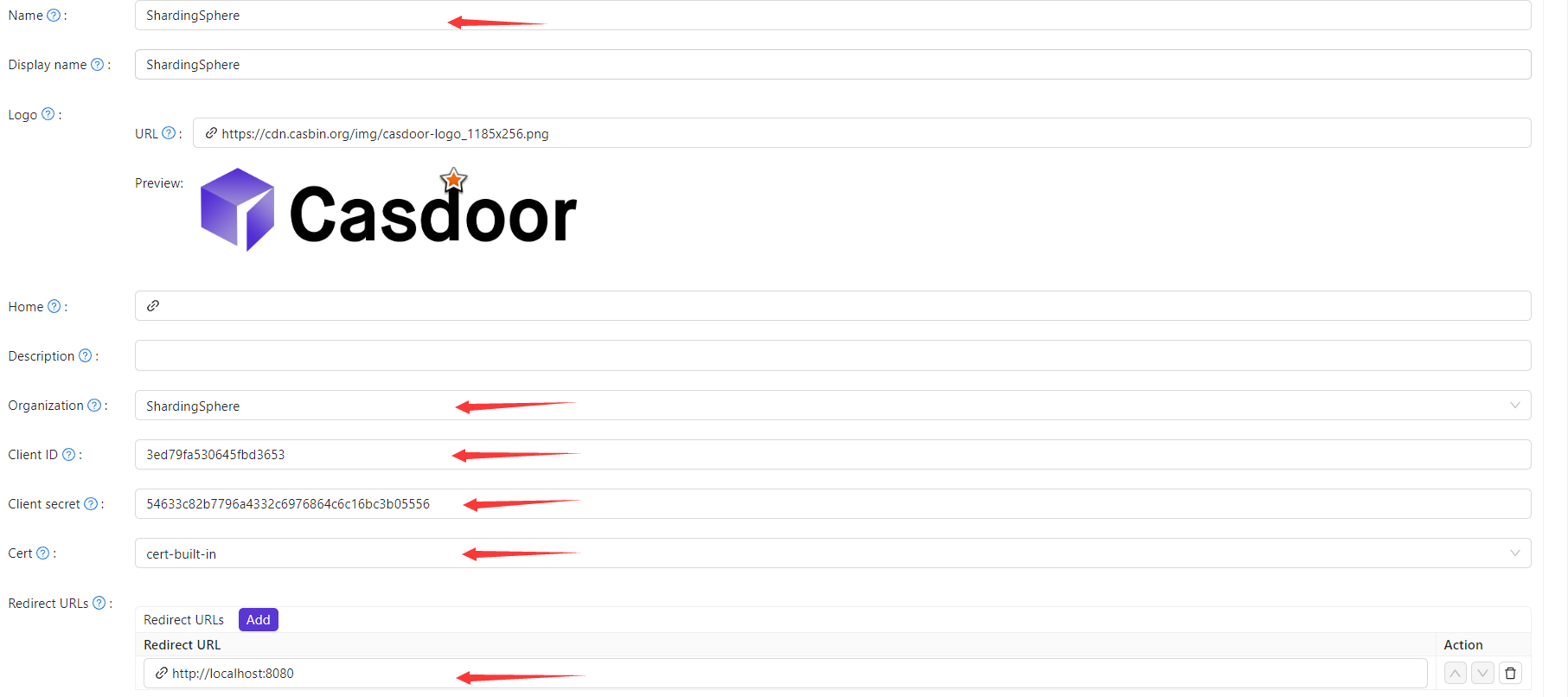 把 Redirect URLs 设为登录后要跳转的地址;记下所选的值,下一步要用。
-
在证书编辑页复制你的
Certificate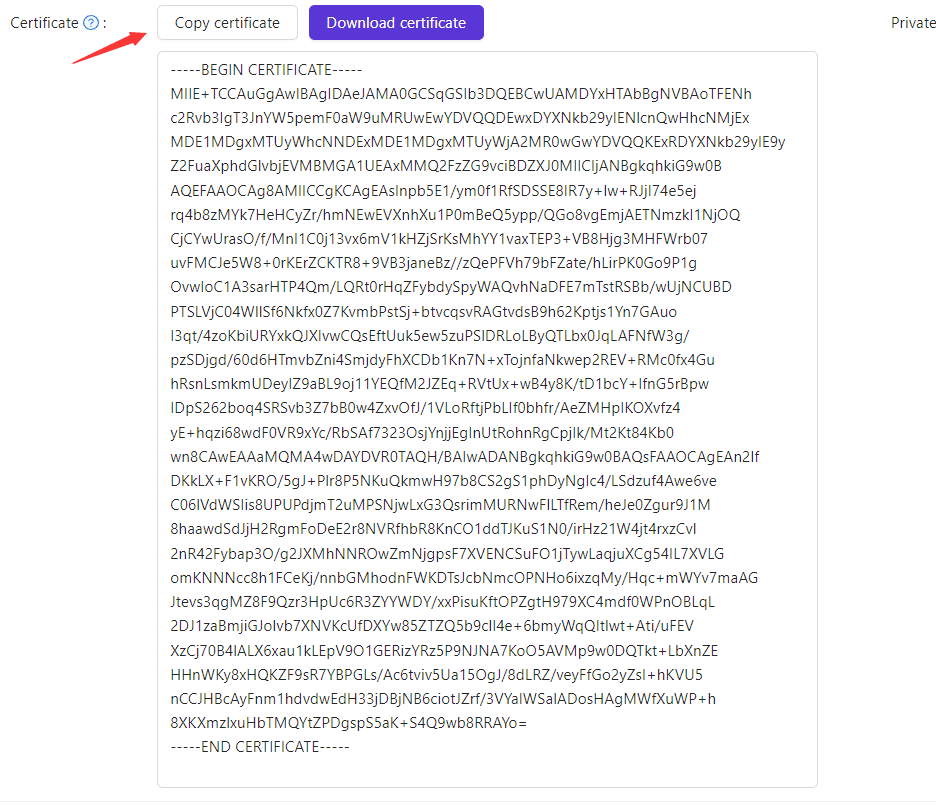
-
在ShardingSphere中配置应用
找到要配置的
application.properties(或同类文件)。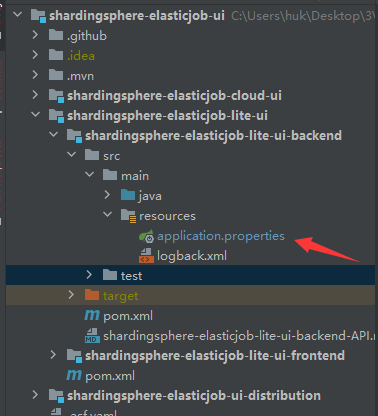
接下来,我们需要从Casdoor应用中复制数据并粘贴到应用中。
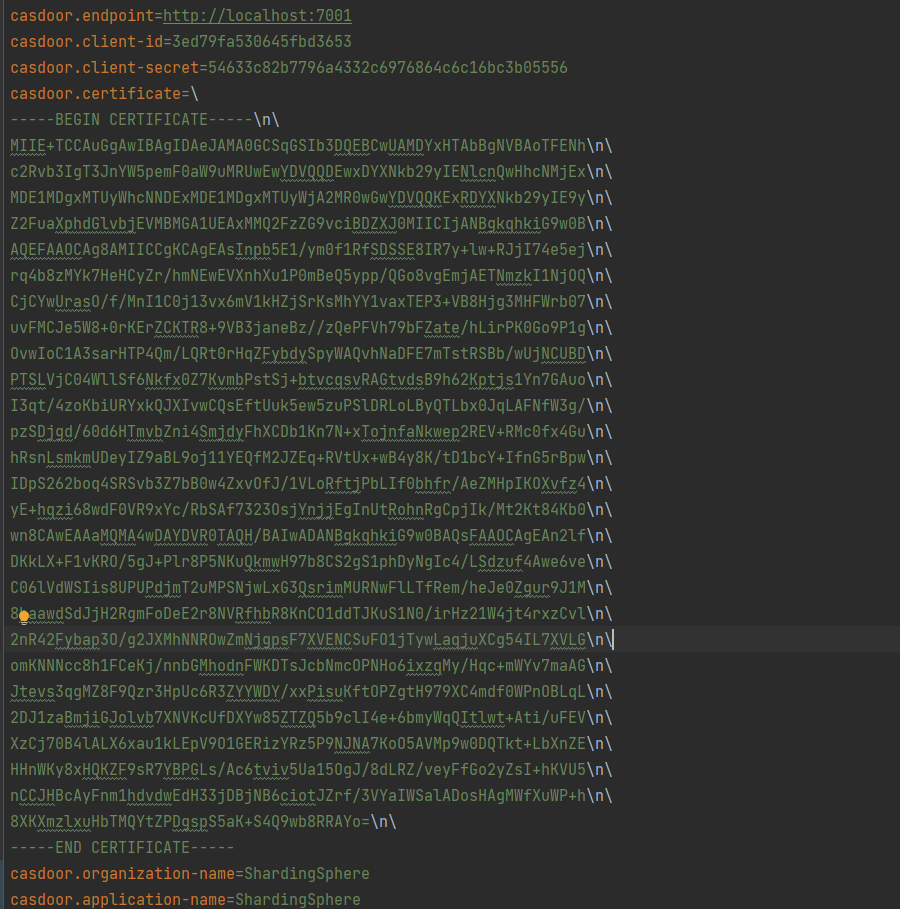
-
测试一下