用户所属的组
群组是组织用户的集合。群组形成一棵树,组织位于根节点,以便反映公司的结构。一个用户可以属于多个群组。
群组属性
| Property | Description |
|---|---|
owner | Organization that the group belongs to |
name | Unique name of the group |
displayName | Name shown in the UI |
createdTime, updatedTime | Time of creation and of the last change |
type | Physical or Virtual. A user can be in one physical group only and in any number of virtual groups |
parentGroup | Parent of the group. The parent of a top-level group is the organization |
properties | Key-value map for your own metadata |
管理群组
你可以在 Casdoor 管理控制台的三个位置管理群组。
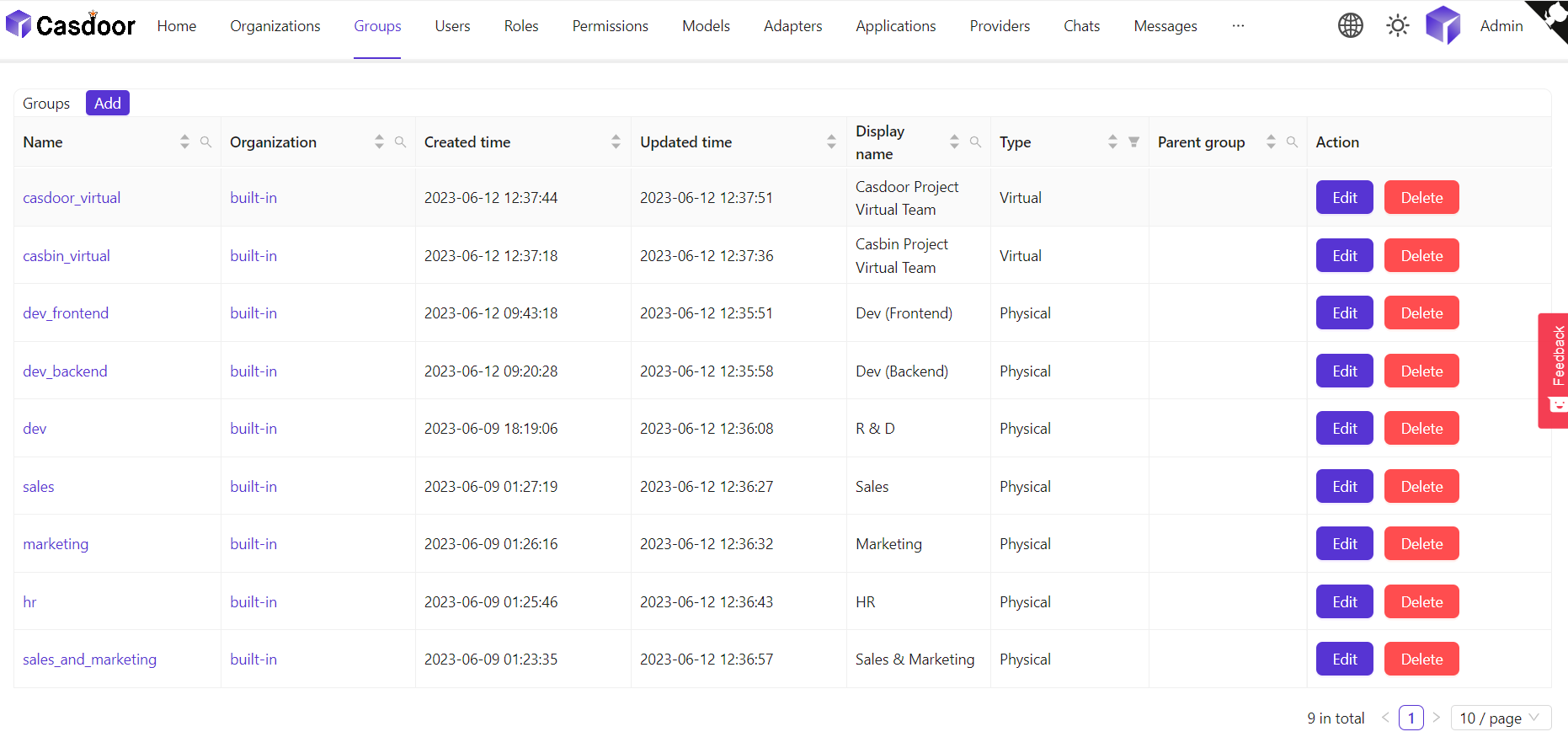
在列出所有群组的 Groups 页面上:
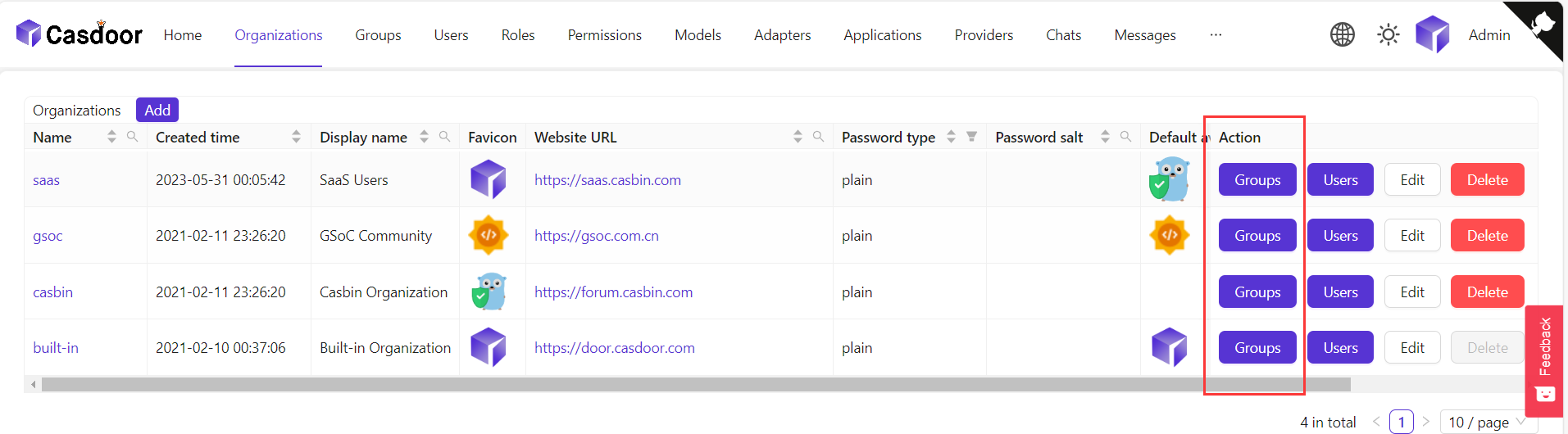
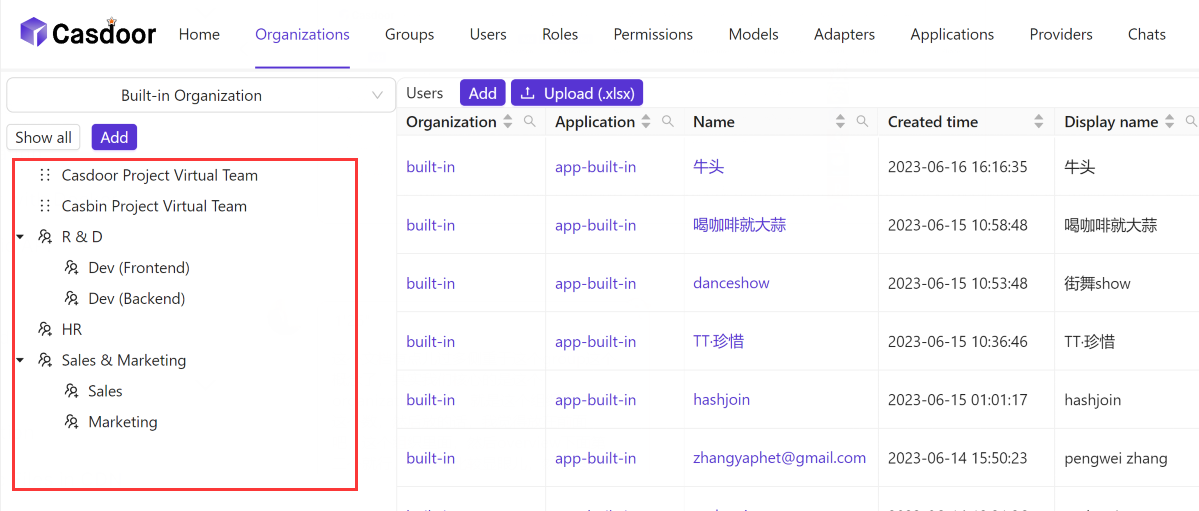
在组织的群组树中。要打开它,请在 Organizations 页面上点击组织行中的 Groups:
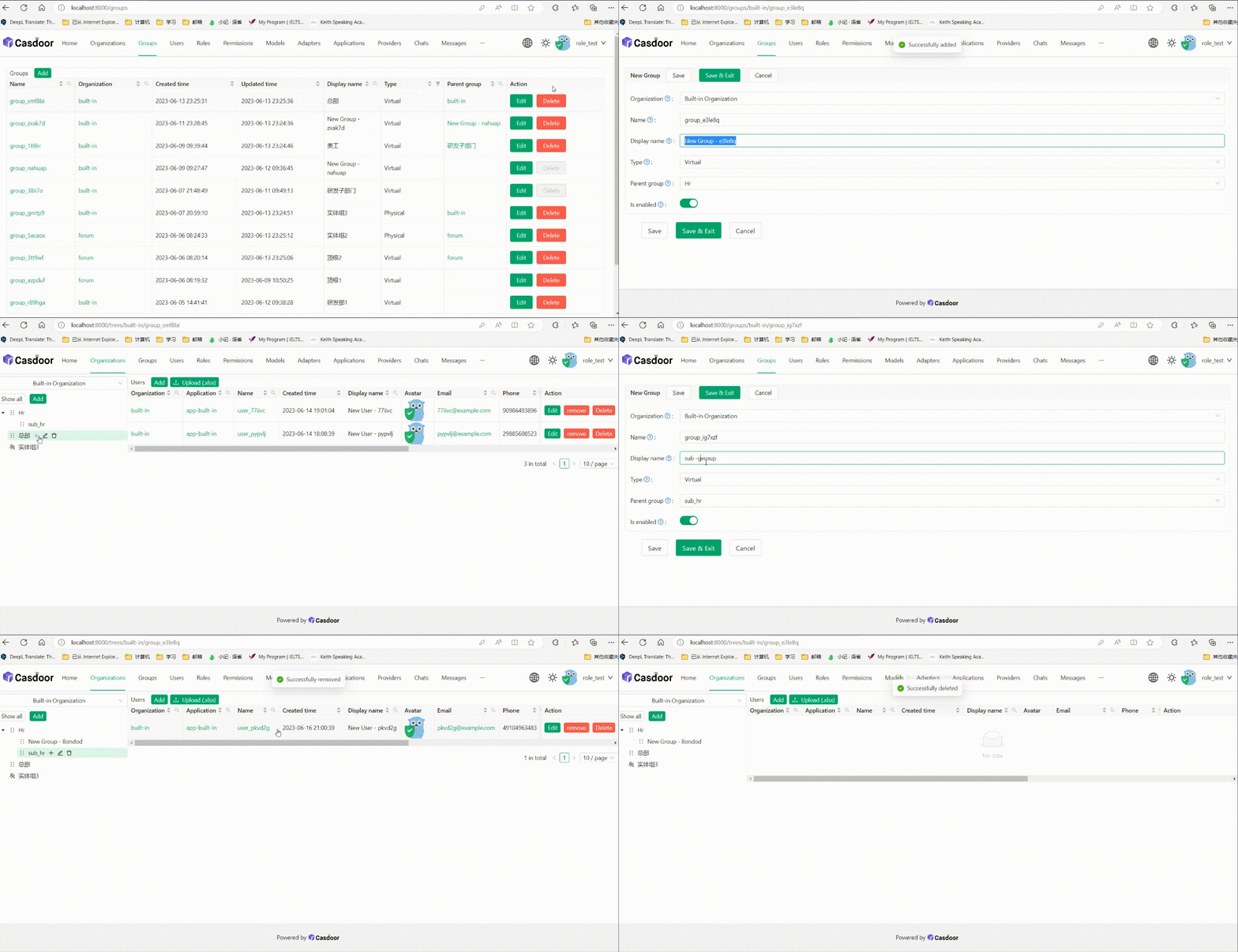
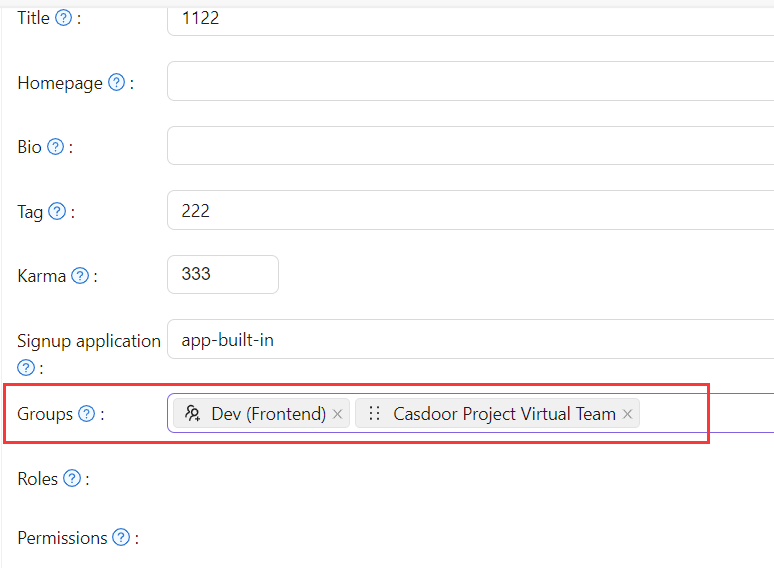
在用户的编辑页面上,在此处将用户分配到群组:
通过 API 读取群组
GET /api/get-group?id=<organization>/<group> 返回一个群组,GET /api/get-groups?owner=<organization> 返回某个组织的群组列表。两者都会在 users 字段中填充该组成员的 ID。
查询群组成员会读取所有用户-群组分配记录。如果你只需要群组本身的信息,例如在同步创建或更新之前检查其是否存在,可以添加 withUsers=false,这样 get-group 就会将 users 留空:
curl "https://door.casdoor.com/api/get-group?id=<organization>/<group>&withUsers=false" \
  -H "Authorization: Bearer <access-token>"