Casbin适配器
本指南介绍适配器。在 Casbin 中,适配器负责加载和保存策略规则,例如从数据库表中加载。在 Casdoor 中,您在管理控制台中配置适配器,然后在那里查看和编辑其策略。
学习目标
- 将适配器连接到数据库表。
- 加载策略并添加、编辑和删除它们。
所需条件
- Casdoor 可以访问的数据库
配置适配器
-
在 Casdoor 管理控制台中,打开 Adapters 页面并添加一个适配器。
-
填写字段:
Field Description Use same DB Store the policies in the database of Casdoor itself. The connection fields below are then hidden Type Kind of adapter. Only Databaseis availableHost, Port, User, Password Connection to the database Database type MySQL, PostgreSQL, SQL Server, Oracle, or SQLite 3 Database Name of the database Table Name of the table. Casdoor creates it if it doesn't exist 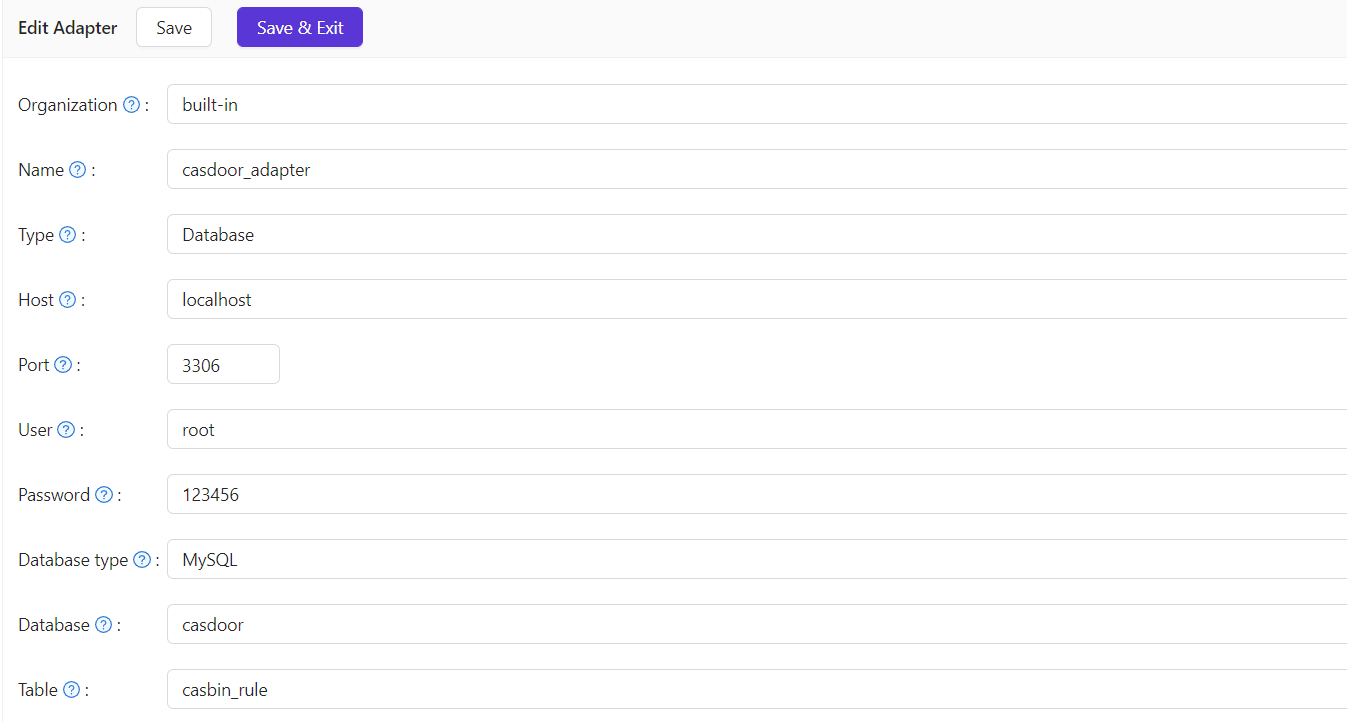
-
保存适配器。
-
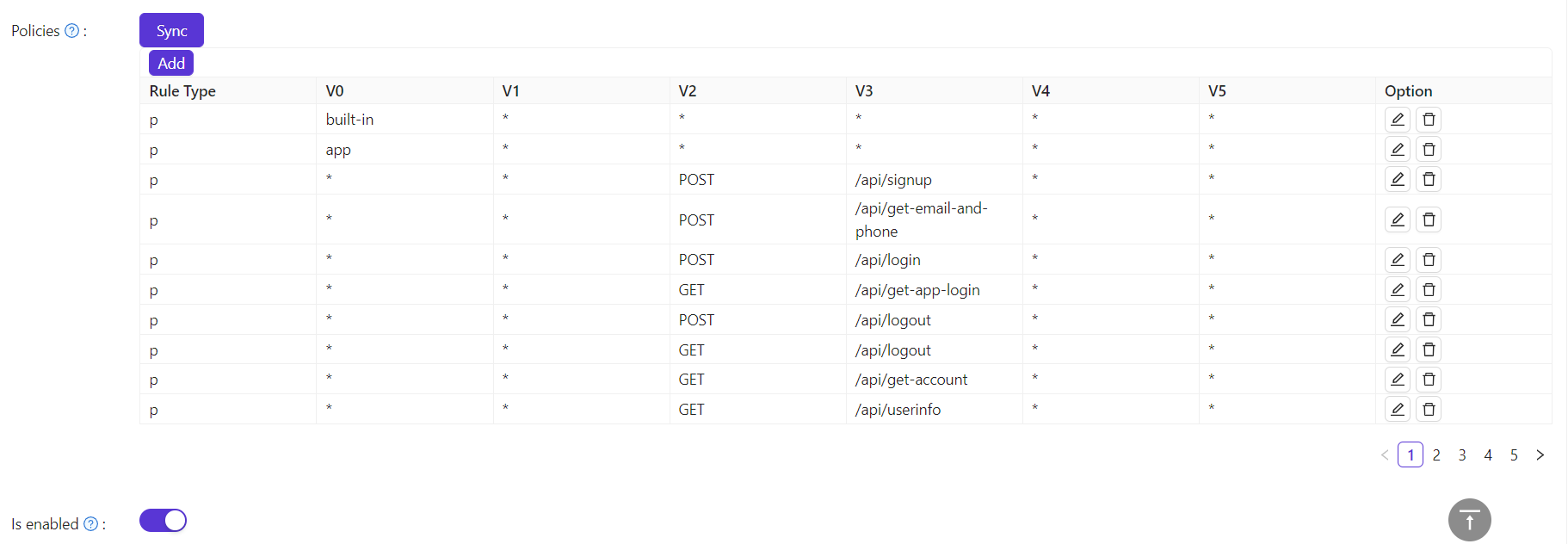
点击 Sync 将策略加载到页面上的表格中。
适配器可访问的数据库
全局管理员(即 built-in 组织的用户)可以将 built-in 组织的适配器连接到任何数据库。对于其他所有组织的适配器,Casdoor 在连接数据库时以及组织管理员保存适配器时会应用以下规则:
- Host 必须解析为互联网地址。私有地址、回环地址、链路本地地址、未指定地址以及共享地址空间
100.64.0.0/10会被拒绝,并提示the host: <host> is not allowed, only Internet addresses can be requested。当启用 Use same DB 或数据库类型为 SQLite 时,跳过此检查。 - 若要连接到内网中的数据库,全局管理员需将该主机添加到组织的 Trusted database hosts 中。请参阅 Trusted database hosts。
- 只有全局管理员才能保存不使用 Use same DB 的 SQLite 适配器。其他人会收到
Unauthorized operation错误。
For every adapter that doesn't use Use same DB and isn't SQLite, Host, User, and Database can't contain whitespace or any of the characters ?#/()'"\=;&.
当组织管理员保存启用了 Use same DB 的适配器时,Table 必须是有效的表名:以字母开头,后跟字母、数字或下划线。空的 Table 表示 casbin_rule。除非同一组织中已有一个启用 Use same DB 的适配器使用了该表,否则该表不能是现有表,例如 Casdoor 或其他组织的表。否则,保存失败并报错 the table: <table> is already used by Casdoor or another organization。
设置了 Table 的权限必须使用启用了 Use same DB 的适配器,除非该适配器属于 built-in 组织。否则,权限失败并报错 the adapter: <adapter-id> of permission: <permission-id> must use the same DB as Casdoor。
组织管理员保存的执行器必须引用执行器自身组织的模型和适配器。
编辑策略
逐个添加策略:
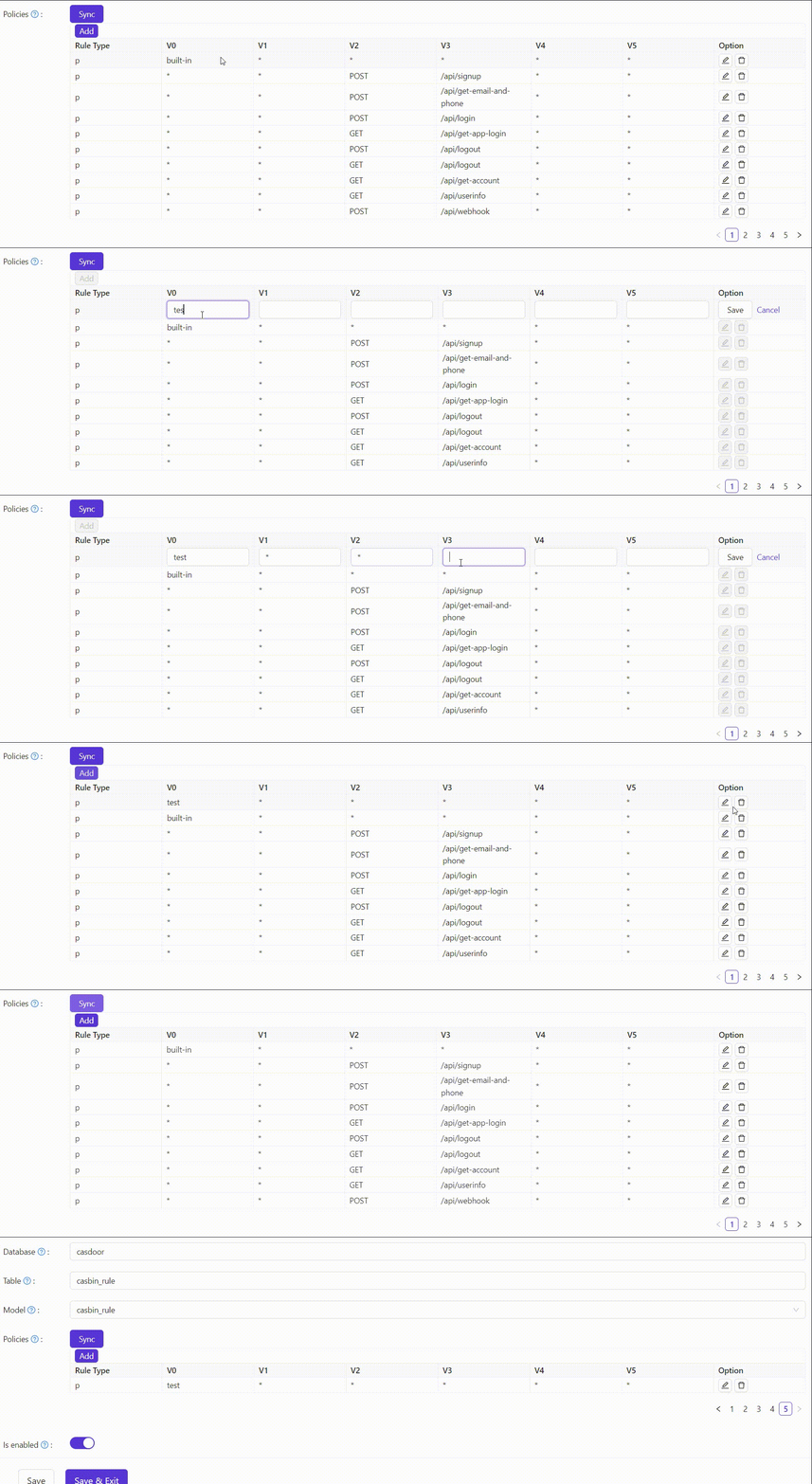
新策略显示在表格顶部,但存储在末尾。下次同步后,它将按存储顺序显示。
编辑策略:
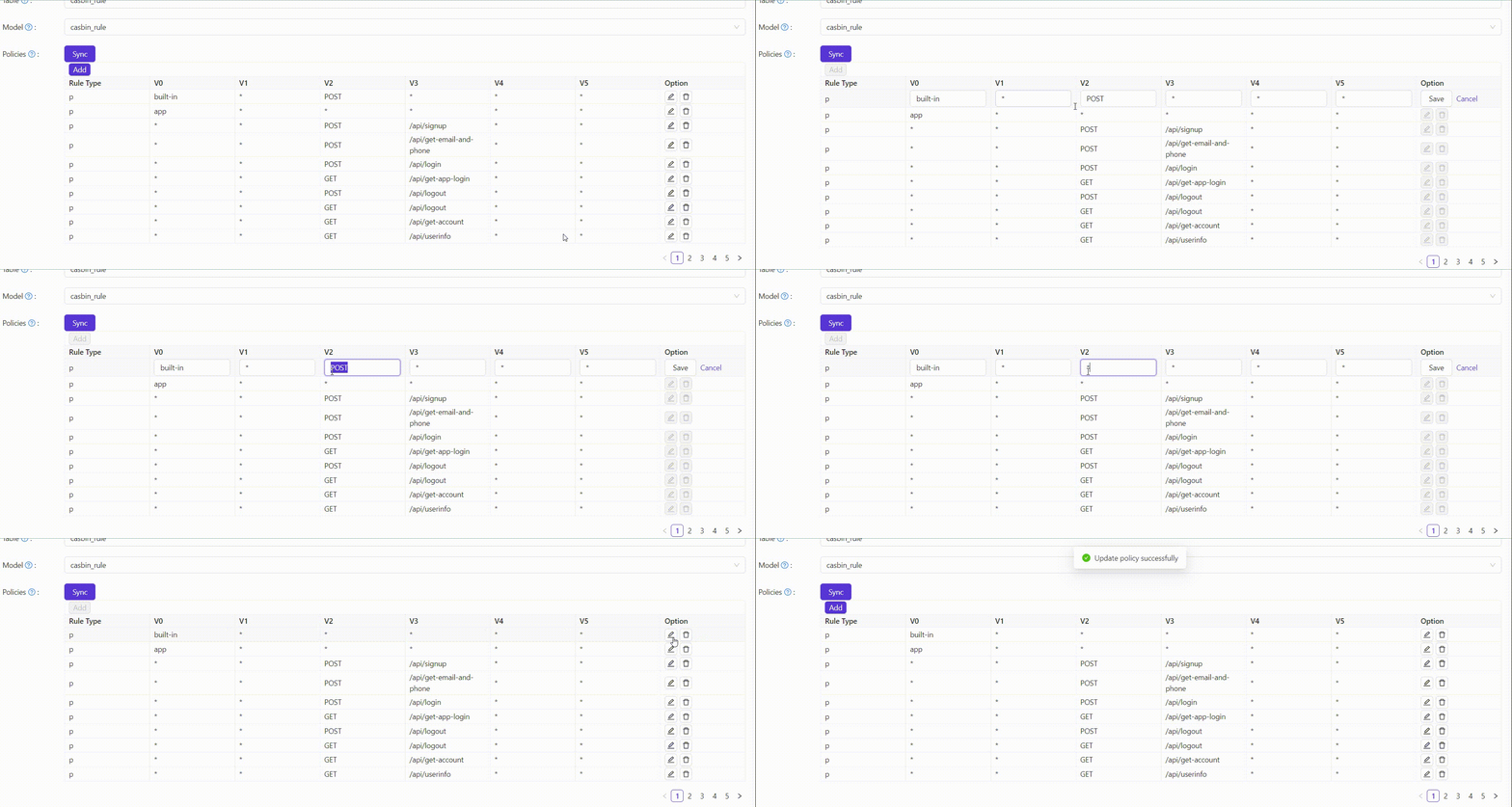
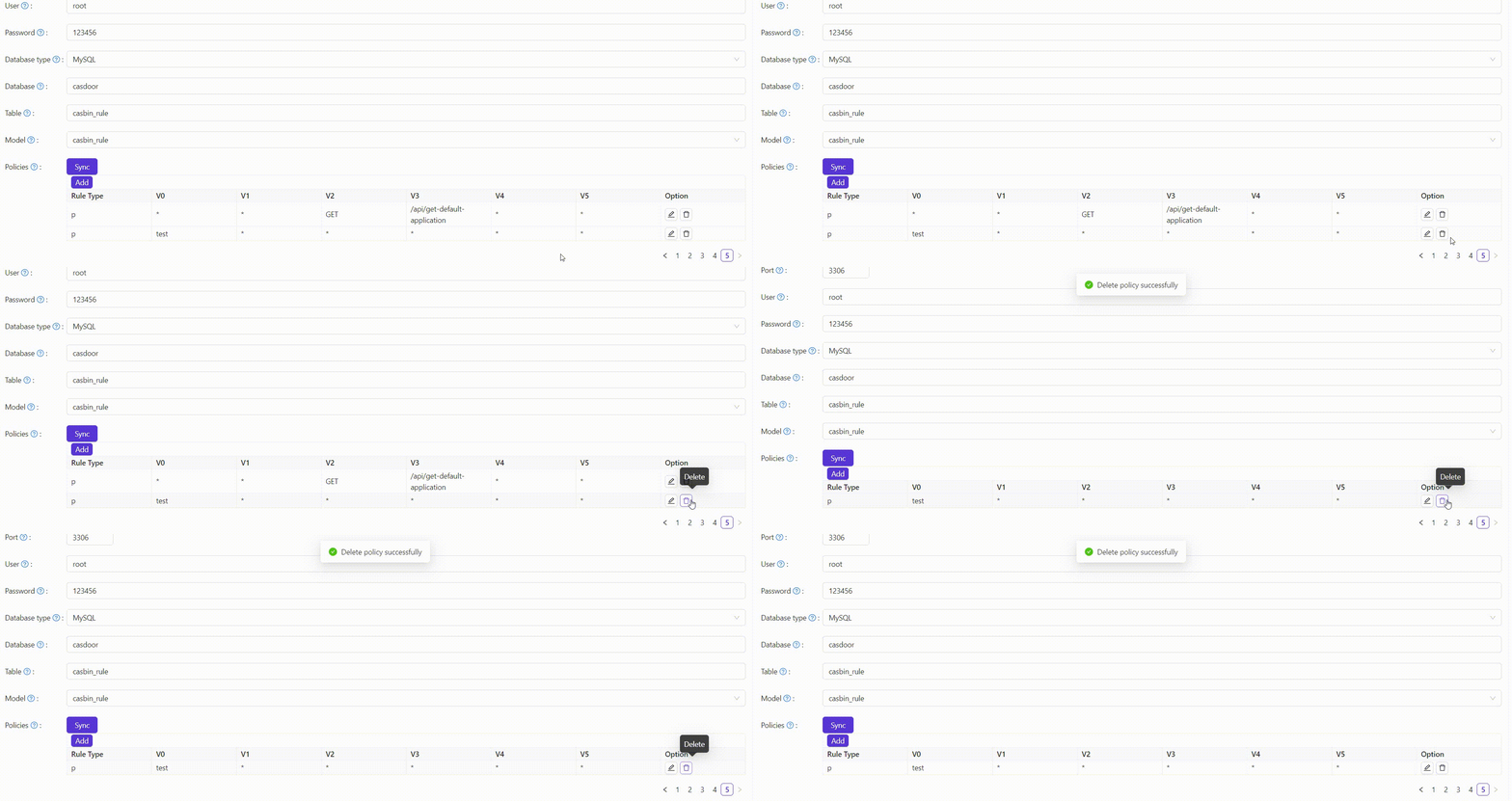
删除策略: