使用阿里云验证码
本指南介绍如何使用 Alibaba Cloud Captcha 作为 Casdoor 的验证码服务。你在阿里云创建的场景决定了验证类型,例如滑块验证或无痕验证。
学习目标
- 在阿里云中创建验证码配置。
- 在 Casdoor 中添加阿里云验证码作为验证码提供商。
前提条件
- 一个阿里云账号和一个 AccessKey
- 拥有 Casdoor 管理控制台的管理员访问权限
在阿里云中创建配置
-
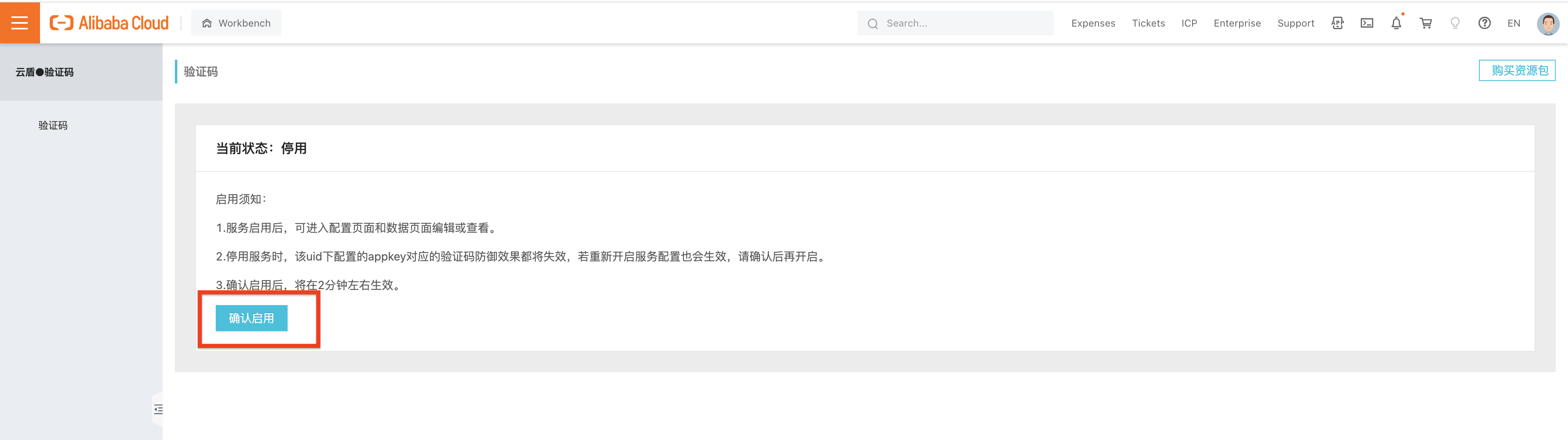
在 阿里云控制台 中,打开验证码服务并点击 确认开通。
-
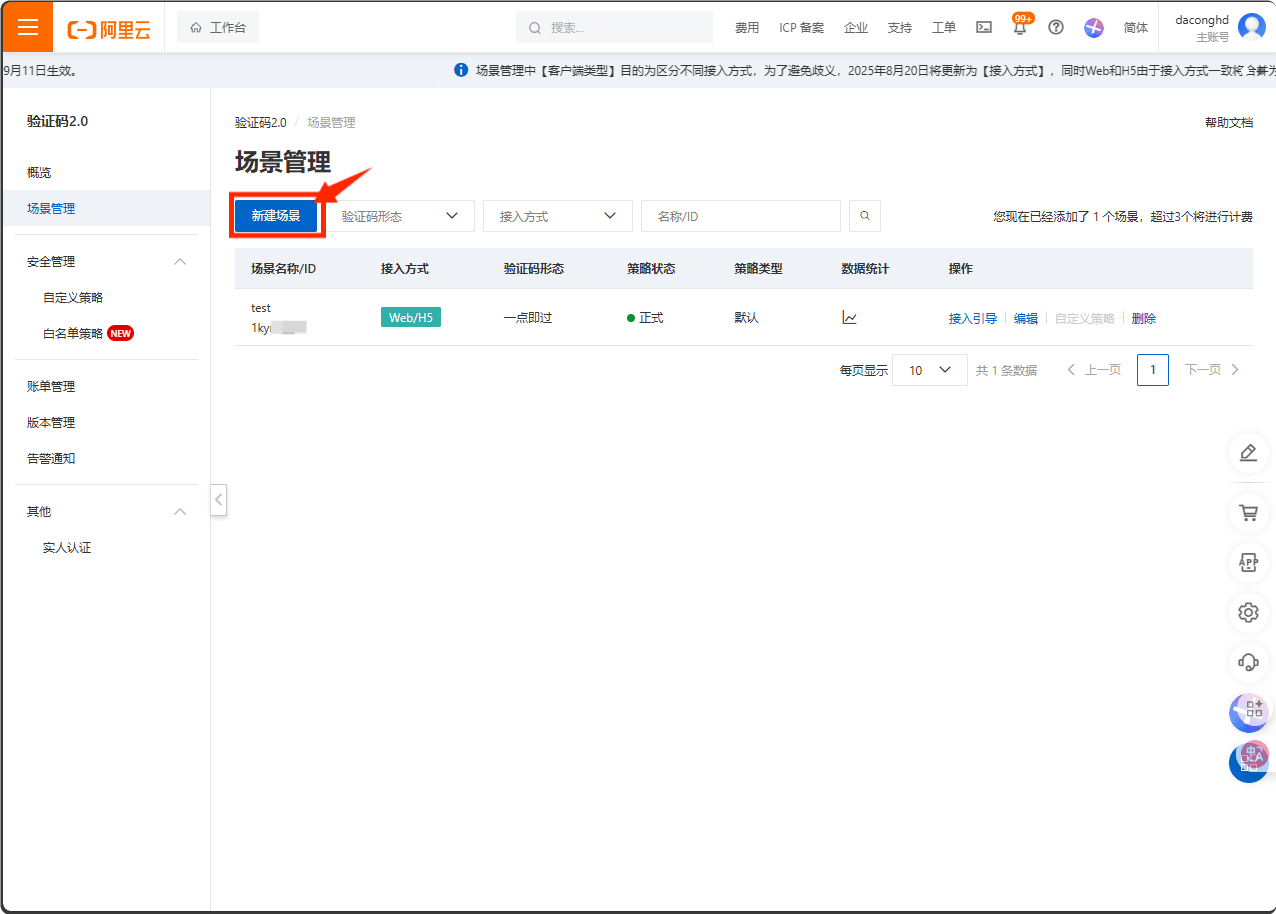
在验证码控制台中,点击 添加配置。
-
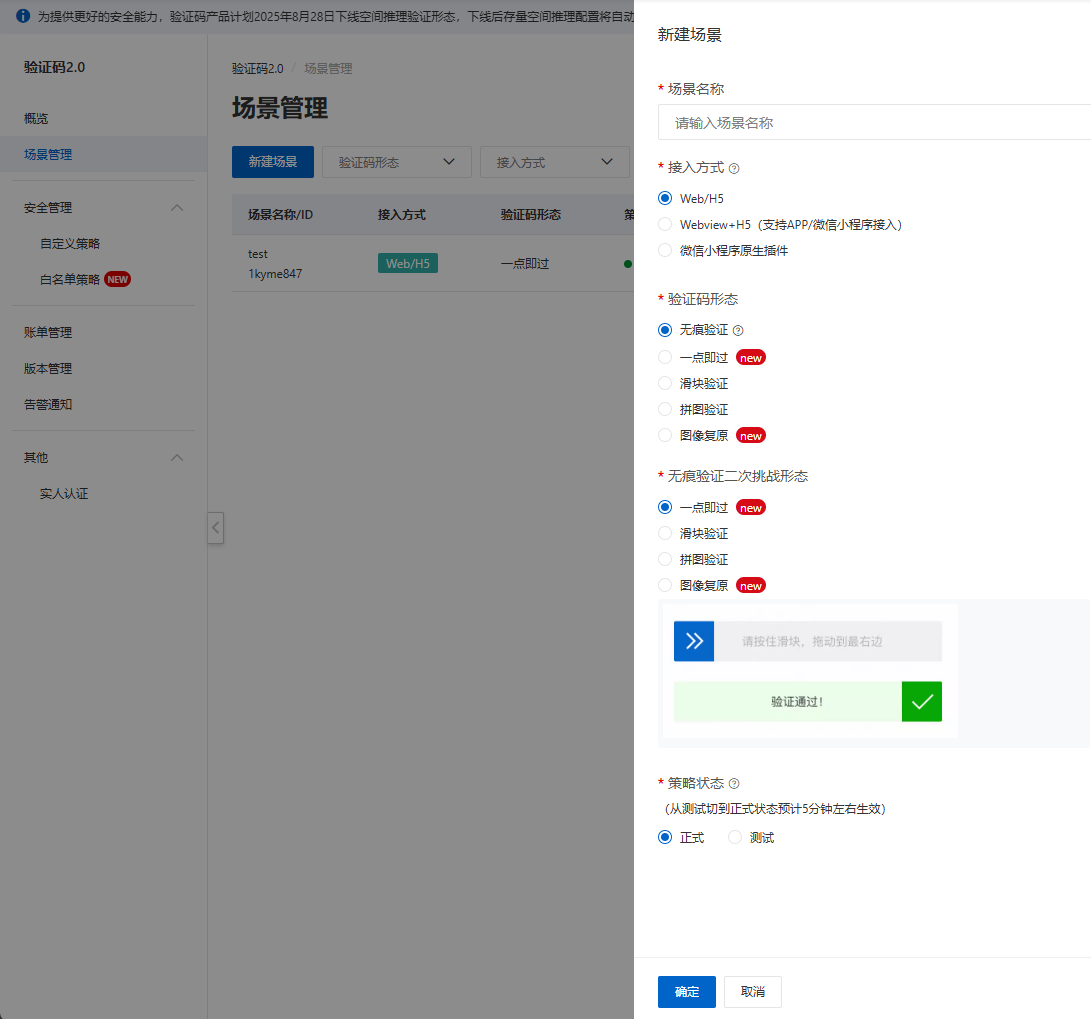
填写表单并提交。
-
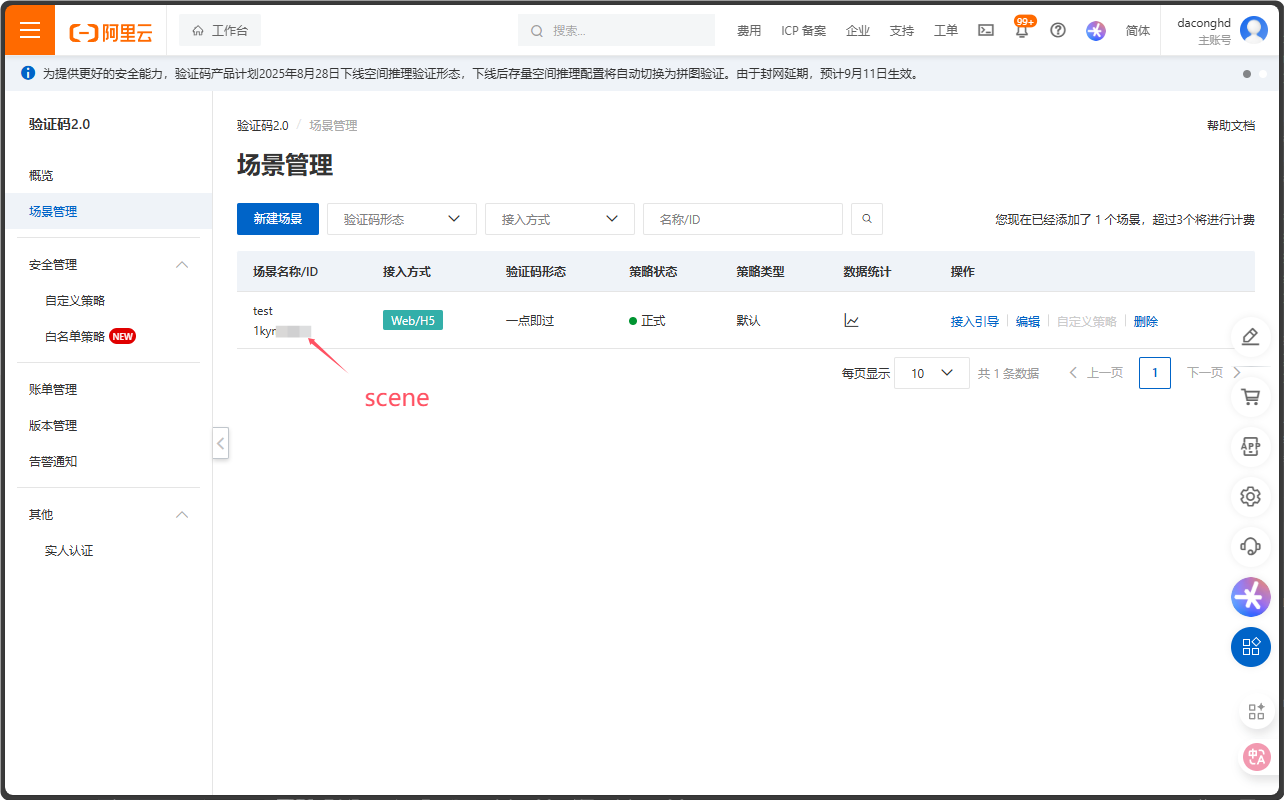
记录配置的场景(Scene)和应用密钥(App Key)。
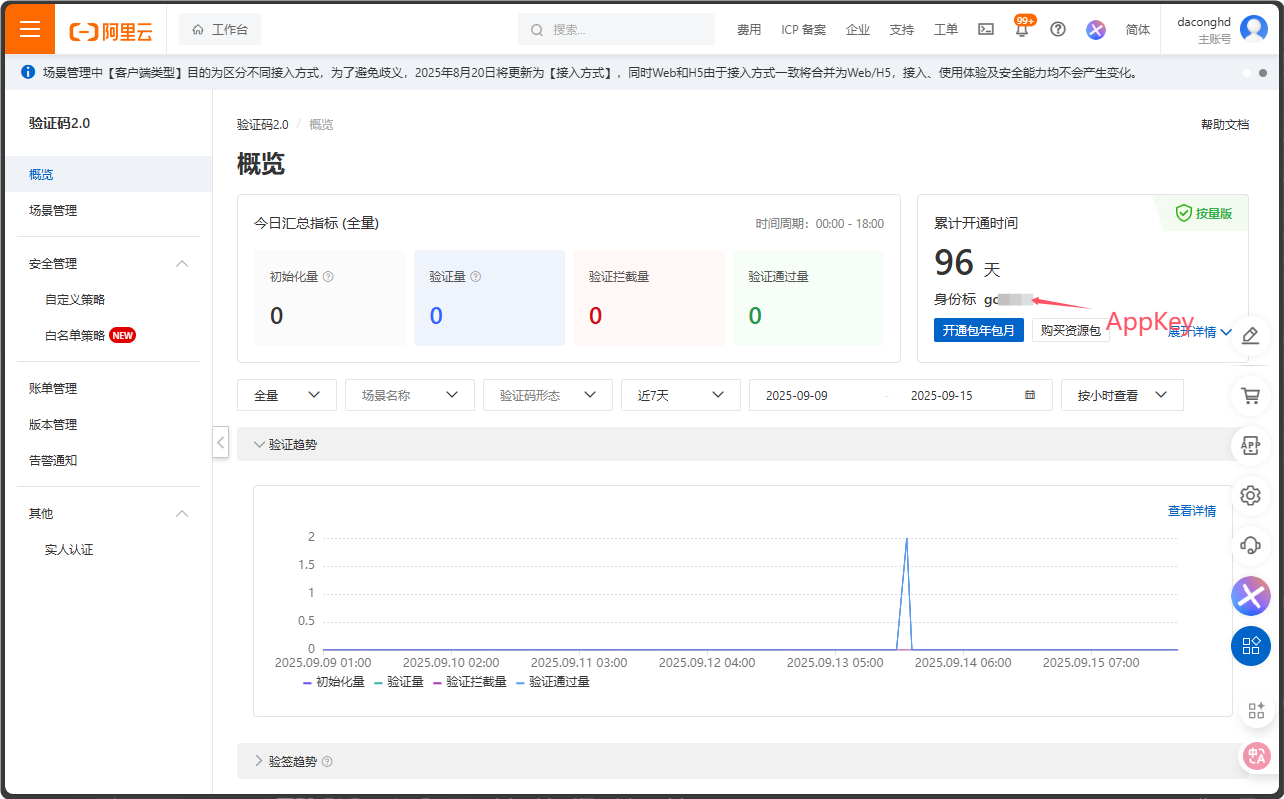
-
从您的个人资料中记录 AccessKey ID 和 AccessKey Secret。
在 Casdoor 中添加提供商
-
在 Casdoor 管理控制台中,进入 Identity > Providers 并添加一个提供商。
-
将 Category 设置为
Captcha,将 Type 设置为Aliyun Captcha。 -
将 Sub type 设置为
Embed或Popup。请参阅 子类型。 -
输入 Access key、Secret access key、Scene 和 App key。App key 是您验证码账户的身份前缀。
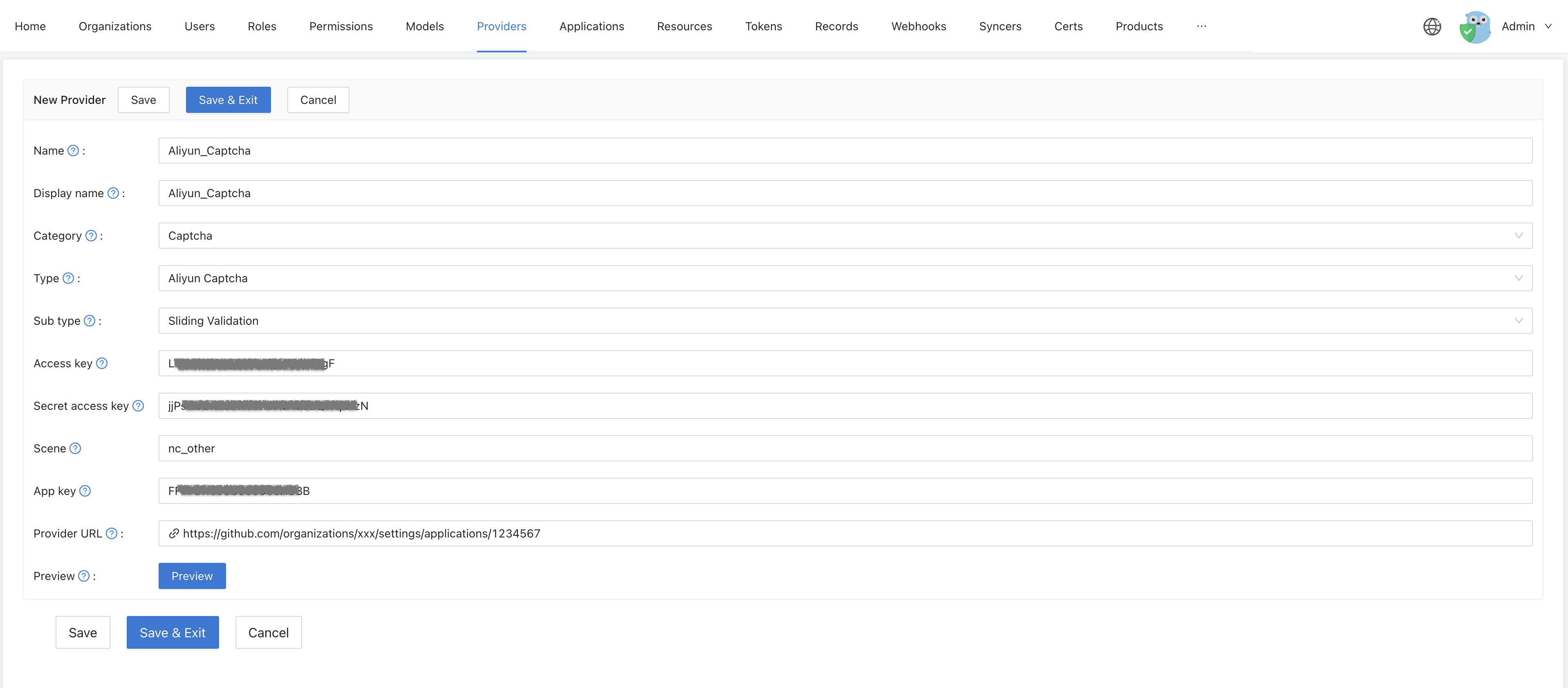
-
点击 Preview 以检查验证码。例如,使用
Embed子类型的滑块场景如下所示: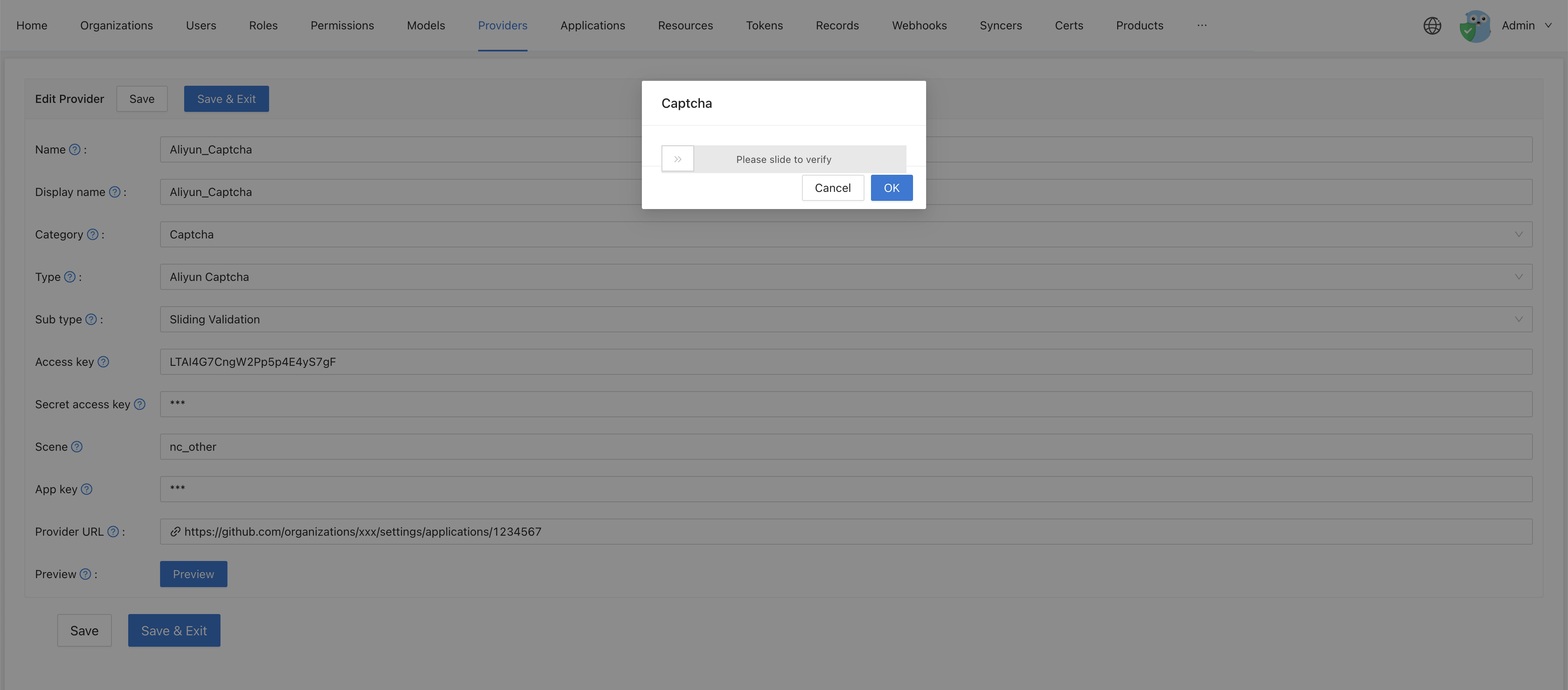
-
保存提供商.
子类型
| Sub type | Behavior |
|---|---|
Embed (default) | Casdoor opens its captcha dialog and shows the captcha inside it |
Popup | Casdoor opens no dialog of its own, and the popup of Alibaba Cloud opens at once. A traceless scene starts traceless validation, and other scenes open the popup. After a failed attempt, the popup stays open for another try. If the user closes the popup, or an error occurs, Casdoor cancels the action that needed the captcha |
对于需要阿里云弹窗模式的场景(如无痕场景),请使用 Popup。
将验证码添加到应用
打开应用的编辑页面,在 Providers 选项卡中添加该提供商,然后保存。请参阅 将验证码添加到应用。
