使用 Brevo 发送邮件
本指南介绍如何通过 Brevo(原 Sendinblue)的 SMTP 中继发送 Casdoor 的邮件。
学习目标
- 获取 Brevo 账户的 SMTP 设置和 SMTP 密钥。
- 在 Casdoor 中添加 Brevo 作为邮件提供商并进行测试。
所需条件
- 一个 Brevo 账户
- 管理员访问 Casdoor 管理控制台
准备 Brevo
-
验证您的域名并创建 Casdoor 发件人。请参阅 Send transactional emails using Brevo SMTP。
-
在 Brevo 仪表板中,前往 Settings > SMTP & API 并打开 SMTP 选项卡。记下 SMTP 服务器
smtp-relay.brevo.com和 SMTP 登录名。根据您账户创建的时间,登录名可能是您的账户电子邮件地址,也可能是类似<ID>@smtp-brevo.com的生成地址。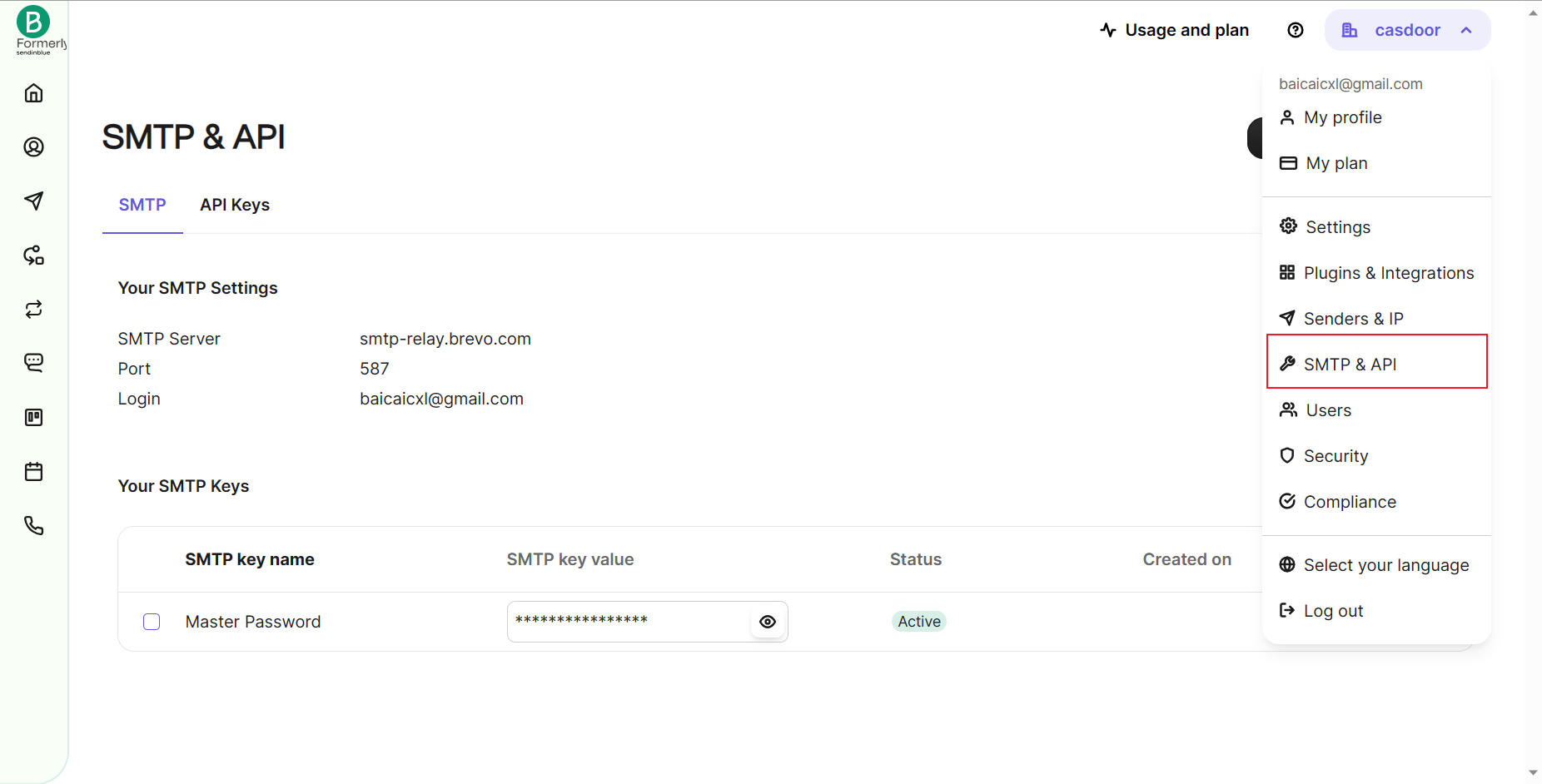
-
点击 Generate a new SMTP key 并复制密钥。Brevo 仅完整显示一次密钥。请使用 SMTP 密钥,而非 API 密钥。请参阅 Create and manage your SMTP keys。
在 Casdoor 中添加提供商
-
在 Casdoor 管理控制台中,前往 Identity > Providers 并添加一个提供商。
-
将 Category 设置为
Email,将 Type 设置为Default。 -
Enter the SMTP server as the Host, the Port (
587, or465for implicit TLS), the SMTP login as the Username, and the SMTP key as the Password. Set From address to your verified sender.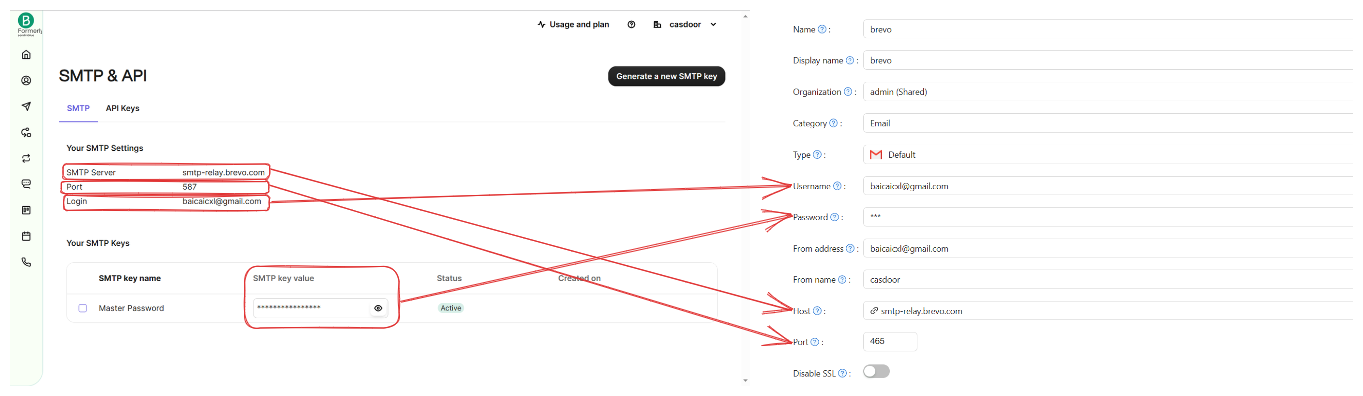
-
保存提供商.
验证结果
- 点击 Test SMTP Connection。Casdoor 报告
SMTP connected successfully。 - 点击 Send Testing Email。Casdoor 报告
Email sent successfully,并且邮件会到达 Test Email 地址。