将通知发送到 Twitter
本指南详细说明了如何将 Casdoor 的通知发送给 Twitter (X) 用户。
学习目标
- 获取 Twitter 应用的凭证和接收者的 ID。
- 在 Casdoor 中添加 Twitter 作为通知提供商。
所需条件
- 一个 Twitter 开发者账号
- Casdoor 管理控制台的访问权限
获取凭证
-
创建一个 Twitter 应用,并复制 API key、API secret、access token 和 access token secret。请参阅 API key and secret。
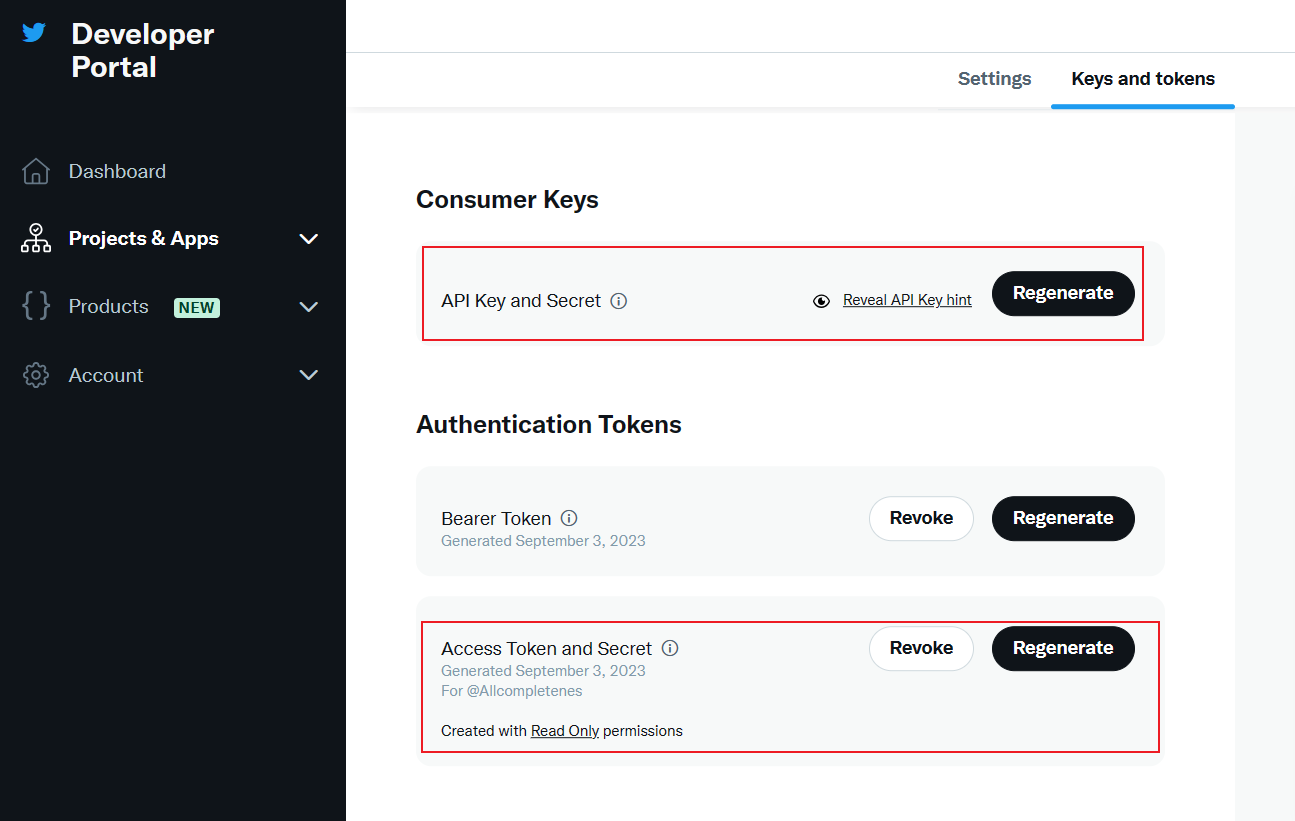
-
查找接收者的数字用户 ID。Twitter 不会在其 UI 中显示该 ID。请使用查询服务,例如 TweeterID。
在 Casdoor 中添加提供商
-
在 Casdoor 管理控制台中,前往 Identity > Providers 并添加一个提供商。
-
将 Category 设置为
Notification,将 Type 设置为Twitter。 -
填写以下字段:
Casdoor Twitter Client ID API Key Client secret API Secret Client ID 2 Access Token Client secret 2 Access Token Secret Chat ID Twitter ID 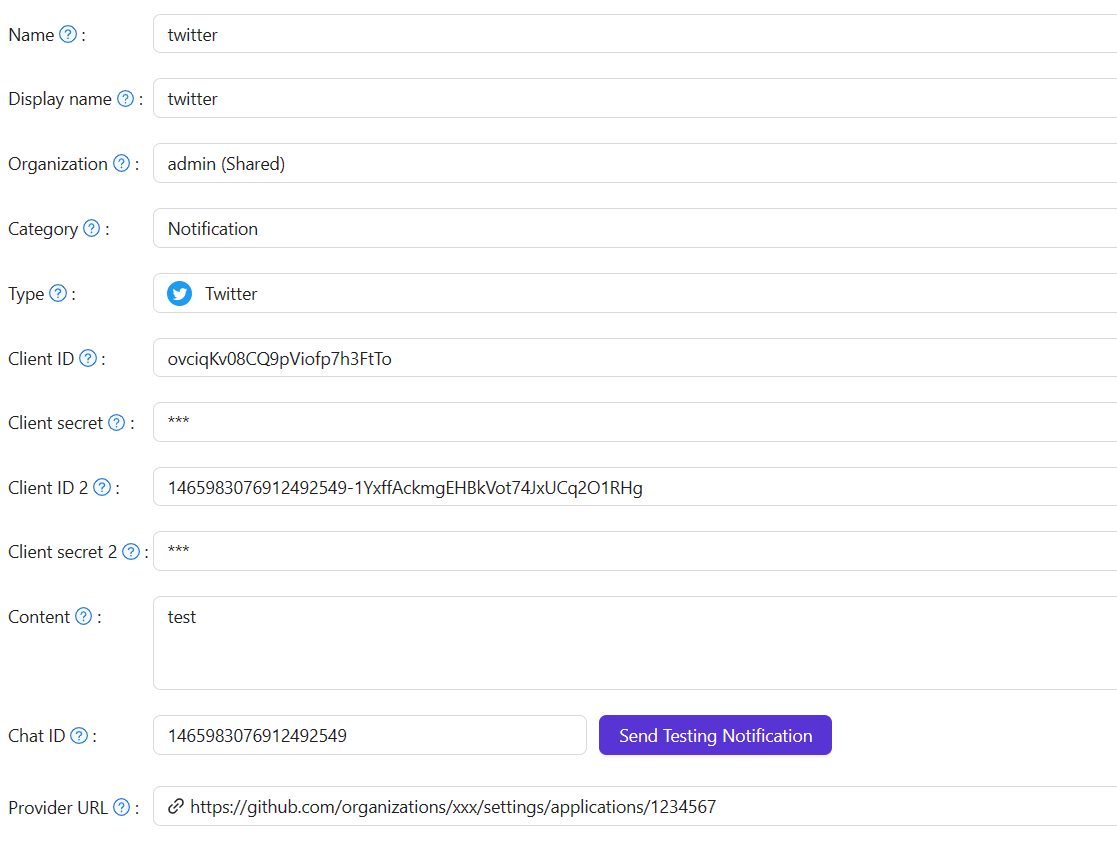
-
点击 Send Testing Notification,然后保存提供商。