添加 Azure AD 作为 OAuth 提供商
本指南介绍如何让用户使用其在 Azure Active Directory (Azure AD) 中的 Microsoft 账户登录 Casdoor。
学习目标
- 在 Azure AD 中注册一个应用。
- 在 Casdoor 中将 Azure AD 添加为 OAuth 提供商。
所需条件
- 具有注册应用权限的 Azure AD 租户
- Casdoor 管理控制台的管理员访问权限
在 Azure AD 中注册应用
-
注册应用并选择支持的账户类型,例如单租户。
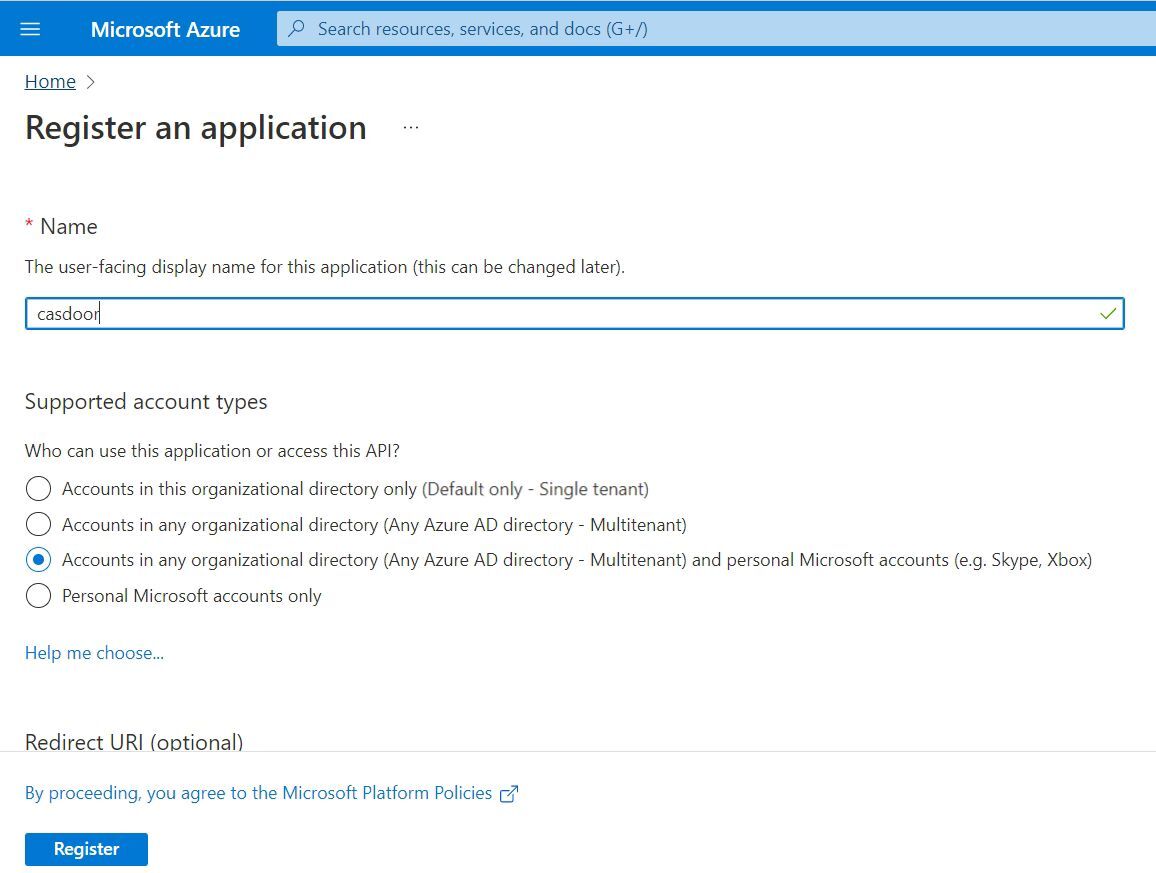
-
创建客户端密钥并复制其值。Azure 仅显示该值一次。
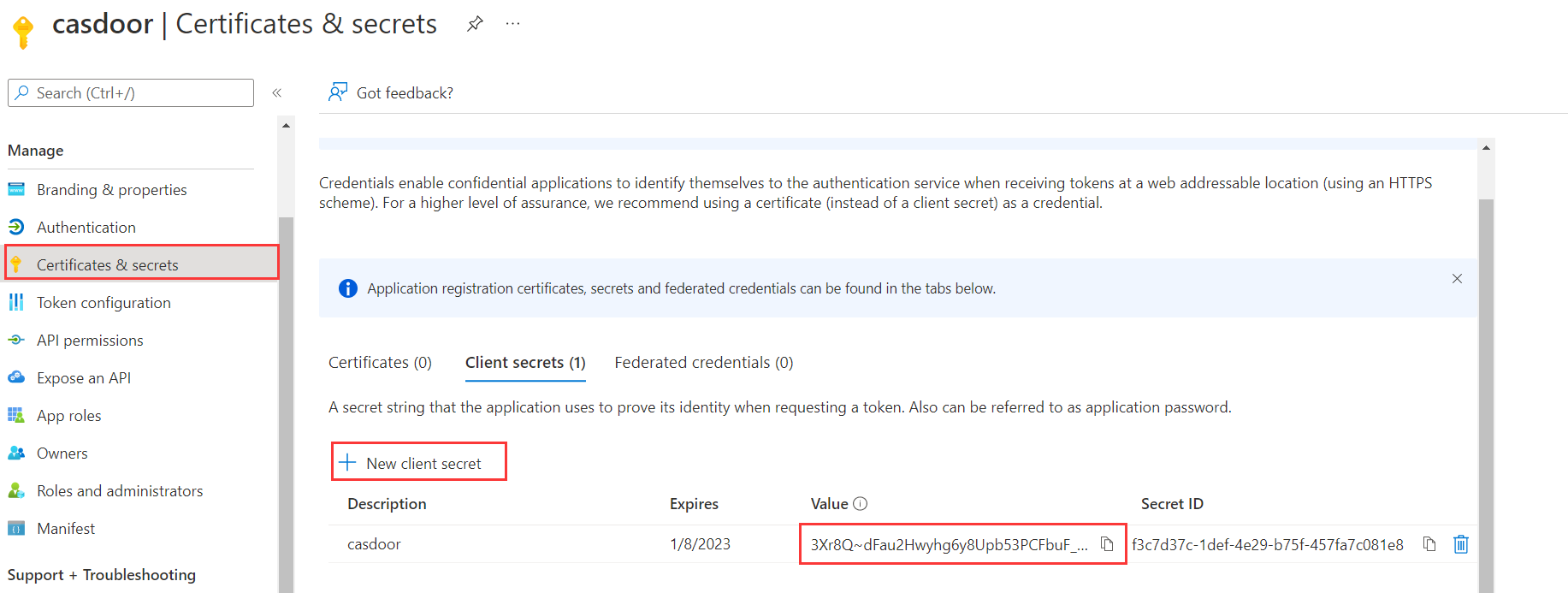
-
在 Authentication 下,将 Casdoor 的回调 URL(例如
https://your-casdoor.com/callback)添加到 Redirect URIs。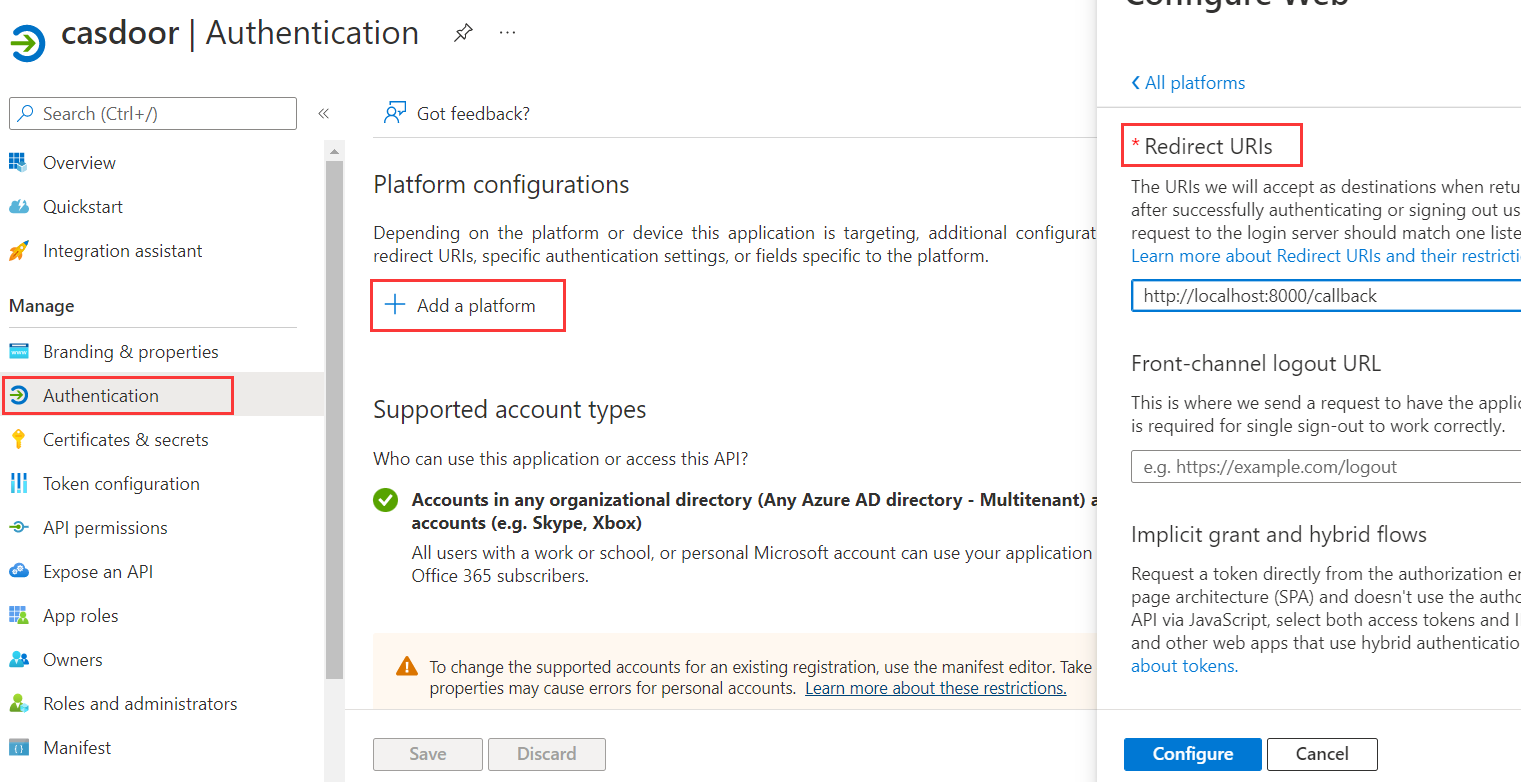
-
在 API permissions 下,添加所需的权限(例如
User.Read),然后点击 Grant admin consent。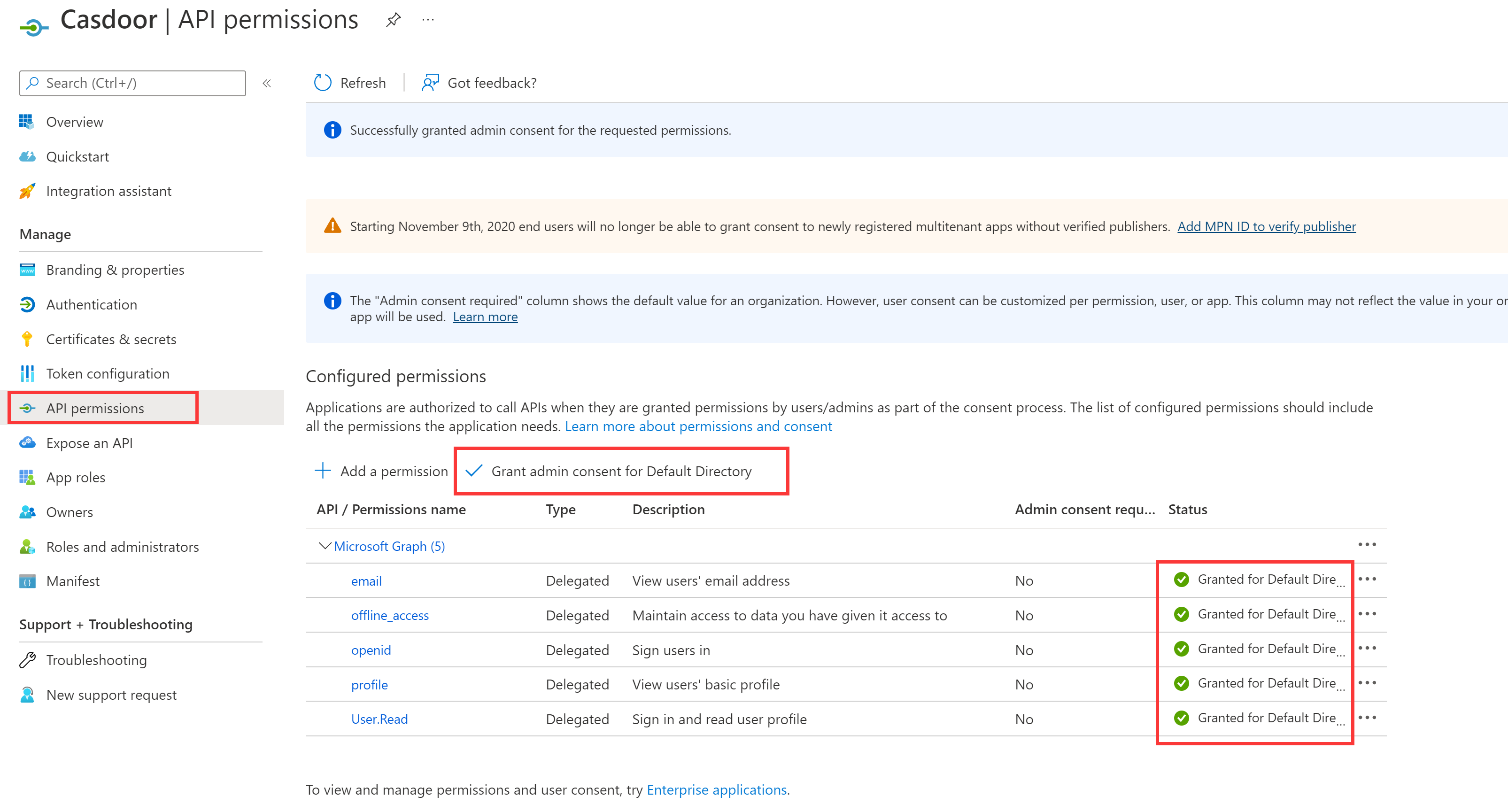
在 Casdoor 中添加提供商
-
在 Casdoor 管理控制台中,转到 Identity > Providers 并添加一个提供商。
-
将 Category 设置为
OAuth,将 Type 设置为Azure AD。 -
将应用(客户端)ID 输入到 Client ID,将密钥值输入到 Client secret。
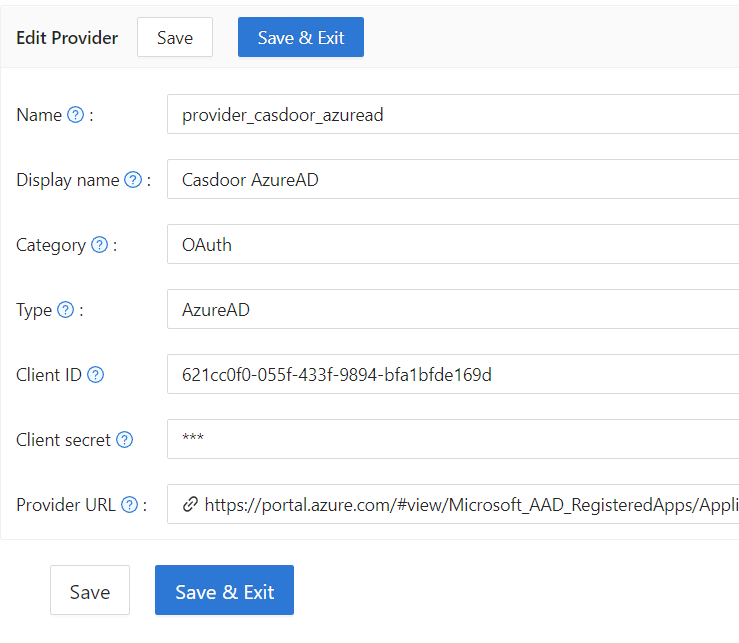
-
保存提供商.
下一步
将该提供商添加到应用中。请参阅 向应用添加提供商。